




Articles In Category
Shortcuts Nirvana, Part 2


Shortcuts Nirvana: How I Accumulated 800 Shortcuts
Building Smart Automations With Apple Home, Siri Shortcuts
Over the past few months, I've had a blast building out my smart home, using Apple's Home app as the foundation. Who knew how much fun it would be making things happen in the house without having to move a finger? I'm still at the beginning stages, but I thought it would be useful to document what I've done and learned so far.
Automating your smart home and life makes use of two apps that come with your iPhone: Home and Shortcuts. (The links to each in the following text take you to Apple's User Guide for for each app, which I would recommend perusing if you get lost.)
Trying To Tame Mountain Lion Without A Hat
 Remember my angst about whether I should migrate my computing life to Mountain Lion? Well, that story's now over, and Mountain Lion has won.
Still Thinking About It: Can You Mount A Lion Virtually?
One of the main reasons to upgrade is to take advantage of iCloud, which has become a more serious need now that Apple took MobileMe away from us. I can no longer sync my Safari bookmarks automagically, for example. However, I'm still pissed that Apple hasn't made a version of iCloud available for the many folks still on Snow Leopard.
Speaking of which, what exactly is the breakdown of Mac users in August 2012? It's only been a month since Mountain Lion was released, but clearly upgrading is happening pretty quickly. According to the stats from NetApplications.com, Lion users account for about 35% of the market, Snow Leopard users about 34%, and Mountain Lion users about 20%. There are still about 10% of users hanging on to Leopard. That Snow Leopard figure is pretty damn high considering how long Lion has been out, and is one that Apple should be paying more attention to.
Too Tame To Tempt: Eleven Things That Keep Me From Upgrading to Lion (Mac OS X 10.7)

As anyone who reads any of my voluminous writing on the subject over the years can attest, I am a big admirer of Apple, Steve Jobs, and Mac OS X. This is one of the only negative articles about Mac OS X I've ever felt need to publish. (The only previous one I can think of was about Spaces, which is still a flawed implementation of virtual desktops.)
However, as much as I've tried to, I just don't like Mac OS X 10.7 ("Lion") — certainly not enough to upgrade to it from Snow Leopard. Unlike every previous update to Apple's Unix-based operating system, there's really nothing in Lion that's truly compelling or will make me more productive on my Mac, and lot that isn't and won't.
My Passionate Fling With iWeb Is Wearing Me Out!
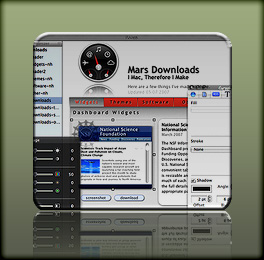 Since releasing of Crystal Clear and VacuumMail earlier this year, my download traffic has overridden my .Mac account ... and twice (so far) I've had to upgrade my account to accommodate the bandwidth. I don't mind that, nor do I mind the additional traffic on the Mars Downloads pages. What I do mind is the time it takes me to keep those pages updated! In fact, it takes so long I haven't been able to keep them in sync with the new stuff I was making.
I've been a pro webmaster for, well, a long time... since 1994, in fact. So keeping a couple of simple pages updated shouldn't make me break a sweat, right? Damn right! Problem is, the Download pages started as an experiment with Apple's iWeb software last year, and iWeb and WordPress don't mix well. To help them get along, I devised a simple checklist so all I'd have to do was:
- Generate the raw HTML from iWeb
- Massage the HTML by
- Tweaking a few CSS styles,
- Doing a few search/replaces,
- Doing a bit of reformatting, and
- Plopping the iWeb HTML in the WordPress template, and
- Moving the iWeb graphics and other files to the server.
At least, that's how I thought it was going to go. As it turns out, the convoluted HTML and CSS code that iWeb generates invariably causes problems when running inside Mars. This means each update can turn into a 2-3 hour scavenger hunt, with each contestant (Me, Me, and Me) trying to find a lost px in a huge block of unreadable code.
So last week I vowed to find another way, and I think I have. The end solution means more work up front in generating the site to begin with, but should make it very easy to rearrange, add, or rewrite content or images on those pages.
Apple Mail Slowing Down? VacuumMail Can Probably Help
VacuumMail now comes with a full installer package, which puts VacuumMail in your Utilities folder, the Launch Agent in your Library (makes the LaunchAgents folder if you don’t have one yet), and also optionally includes Peter Borg’s handy Lingon software for customizing your Launch Agent. No other changes are made to VacuumMail itself at this time. I’ve updated the link, though, to point to the new installer download.

A lively discussion and exchange of information occurred recently on Hawk Wings, the blog site mostly devoted to news and resources for users of Apple’s terrific Mail program. A colleague at work sent me a message on Tuesday, excited when word on Hawk Wings started circulating about a “vacuum” process available for SQLite databases that appeared to dramatically speed up Apple Mail. He had tried the recommended vacuuming and definitely noticed peppier Mail performance. One thing led to another, and before I knew it, I’d become engrossed in developing and polishing up an AppleScript utility to automate a periodic vacuuming of my Mail, which I’m of course dubbing VacuumMail.
As the Hawk Wings discussion unfolded, we learned that Mail maintains an SQLite database called “Envelope Index” in your ~/Library/Mail folder, which gradually grows as the number of emails in your mailbox does. Natively, Mail performs no optimizations on this critical database, which contains pointers to all of your mail that become fragmented and somewhat disorganized over time. At the office, my Envelope Index file was over 100mb, and at home it’s about 30mb. SQLite offers a “vacuum”  command that rewrites the Envelope Index, optimizing and reorganizing it for faster access. It sounds a bit like what happens when Mac OS X defragments your hard drive periodically.
 At first, news of this function took the form of a shell command you can run in Terminal. It was quite interesting and exciting to see how the Mac users reading of this learned more about it as information was shared, and the command itself became more concise and precise as the day went on. Other users discovered that SQLite offers an “autovacuum” process that can do vacuuming without prompting, and I’m sure that’s a great thing as well. However, we also learned that vacuuming is a more robust and thorough optimizing of the file, since it actually analyzes and rewrites the whole thing, whereas autovacuuming acts only on a certain recent portion of mail pointers. The basic Terminal command turns out to be:
sqlite3 ~/Library/Mail/Envelope Index vacuum;
More Research Suggests Banning PowerPoint-Style Slides
How To Use TextEdit as an HTML Editor
 Like most geeky Mac users, I delight in the little "easter eggs" I discover from time to time as I use my Mac. It's especially satisfying when I stumble across something cool about apps I thought I knew... even mundane little apps like TextEdit. This article describes how I learned to use TextEdit as an HTML editor (!!) It's the first in a planned series I'll be publishing to share and preserve my personal Mac OS X "easter eggs." I've already got a long Edgies note that's full of little tips and tricks on topics like Pages, Quicksilver, contextual menus, PackageMaker, and DevonThink Pro, as well as more on TextEdit.
I originally published this particular tip on MacOSXHints last summer, and I always intended to republish it here... but, well, I'm only now getting around to it. MacOSXHints is a great resource for Mac users, and I search its archives frequently. However, as a purveyor of tips, it's a bit limiting, since you can't include images or movies in your writeup, and you don't have much control over how it's presented. One of the main reasons I purvey tips, by the way, is to try to counteract the drivel a Google search often dredges up. For example, I searched again today to see if anyone had published this useful tidbit about TextEdit and couldn't find it anywhere... for the most part, Google gave me articles like this one on About.com, which just don't tell the full story.
Quietly, Safari Finally Gains WYSIWYG Editing Powers
A quiet revolution has taken place for Mac OS X Safari users, but I haven’t seen anyone celebrate it… and I’ve looked! There isn’t even a mention of this dramatic change in Safari’s powers on the Surfin’ Safari blog, where the open source team that’s evolving the WebKit rendering engine used in Safari announce new features and updates. Lately, this team has implemented a number of really amazing features from the CSS 3.0 specification, and each has been trumpeted with some eye-popping examples. But not a word about this.
Well, I for one am celebrating the upgrade with this article and proclaiming to the world that finally, at last, Safari is gaining parity with the other modern browsers in letting users perform WYSIWYG editing whenever the application calls for it. Mac users like me who have simply done without rich-text editing in their WordPress blogs and Gmails, bristling with an unfamiliar envy at the vast majority of users who take this functionality for granted by now, can finally save ourselves some typing and edit in our web browser with the same ease we do in a word processor.
Spread The Word: Al Gore Used Keynote For “Inconvenient Truth”… NOT PP
Lollygag Takes On Atlas as a .NET Ajax Framework
Cast Life: A Stylish “Easy Podcast” Maker
An About-Face by Microsoft with Atlas?
Best Demo of DHTMLized Canvas I’ve Seen
Keynote Is Changing the Way People Present.. For the Better!
iWeb Resource Links
iWeb Hacks
iLife ‘06: Why Can’t the PC Do This?
Tell Me One Thing You Can Do With a Mac that I Can’t Do With Windows! (Part 2)
2. A Freakin’ Awesome Dictionary
I’ll bet those of you who read my first article in this series last spring are either Windows fans who have been chuckling, “See, he could only think of one thing!” Or you’re Mac fans who are disappointed that I started in strong to give the other side “what for,” but then left the match just when it was getting interesting.
Although you’d both be wrong, you have to understand that here on Mars, time moves at a somewhat slower pace than it does on Earth. You see, here it’s only been a month since I wrote that first installment, and I thought I was doing pretty good to be getting a second one in already. Then I realized how it might look from down here, and, well… I’ll try to get the third article done in a time frame that will make more sense to you folks.
Now, you ask, “Exactly how could something as mundane as a dictionary possibly induce envy in a Windows user?” Ah, I see you’re one of those who still hasn’t fully appreciated the awesome Dictionary.app built into Tiger (Mac OS X 10.4). It’s already been highlighted in all the Mac news magazines, glorified in all the Mac blogs, and praised endlessly in the Mac discussion forums. Yet I still encounter good, hardworking Mac users who don’t know about it yet. How could that be?
Well, the Tiger Dictionary ain’t exactly a flashy product, for one thing. It doesn’t sit in your Dock, so it’s easy to not realize it’s there. I don’t think Steve included it in any of his Tiger demos. And, well, it’s just a Dictionary, after all.