Musings from Mars Banner Image
For Software Addicts: Yes!MaybeNah!
Articles In Category <em>   Macs vs. PCs</em>

Articles In Category Macs vs. PCs

June 18th, 2009

A Gift for Self-Deception

You Can't Get A HorseFor a long time now, I've been explaining why the world would have been better off if Apple's computers had come to dominate homes and businesses. I've focused on the virtues of Apple's software almost exclusively, even though Apple has for most of existence been primarily a hardware company, like Dell or Hewlett Packard. Why? Because it's clear to all us Martians that what makes or breaks a computing experience is the software. To paraphrase one of your ex-Presidents, "It's the Software, stupid!"

I've also come to believe that humans are genetically predisposed to self-deception, allowing them to talk themselves into whatever point of view is most convenient, or is perceived as being in their best self-interest. Thus, argument over the relative worth of one technology or another is pointless, because no carefully researched and supported set of facts will ever be enough to persuade someone with the opposite view. Indeed, the truth of this axiom is encapsulated in the common human phrase of folk wisdom,

"You can lead a horse to water, but you can't make him drink."

I've noted that when someone conjures this phrase to explain a colleague or acquaintance's intransigence about something, those listening will nod to each other knowingly and somewhat sadly aver, "So true."

And yet, how many humans really think they're as "stupid" as horses?

    
  • del.icio.us
  • Google
  • Slashdot
  • Technorati
  • blogmarks
  • Tumblr
  • Digg
  • Facebook
  • Mixx

Full article

September 23rd, 2006

And Another Thing The Mac Can Do That Windows Can’t: Remember Your  !*?\&^!*%   PaS$w0rdZ!

Keychain Icon

I didn’t intend to write this article today… In fact, I’m right in the middle of three others that I want to finish. However, it just leaped at me from the front page of today’s Washington Post Business page, and I couldn’t resist. In an article called Access Denied, the writer bemoans the many passwords and PINs and such that the modern, web-connected human must juggle in daily life. People today have so many passwords to remember, they simply can’t, and this undermines the very security the passwords are set up to ensure, since companies will typically allow a shortcut to someone who claims to have forgotten a password—for a bank account, for example.

When I forget a password, I launch Keychain Access, which is a surprisingly sophisticated application that I use in a very simple way. Namely, I enter a search term in the search field, which invokes a live search on the Keychain database and displays matching results below. Each result shows the username associated with the website or application, so it’s easy to find which Key I’m looking for. Double-clicking on the Key brings up a dialog panel that gives me some management capability on the particular key. I’m sure this is cool and significant, but I go straight for the “Show password” checkbox.

    
  • del.icio.us
  • Google
  • Slashdot
  • Technorati
  • blogmarks
  • Tumblr
  • Digg
  • Facebook
  • Mixx

Full article

July 31st, 2006

Protecting Windows: How PC Malware Became A Way of Life
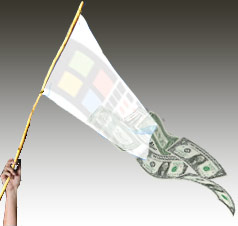
Waving the White Flag To the Windows Virus Plague

Ah, computer security training. Don’t you just love it? Doesn’t it make you feel secure to know that your alert IT department is on patrol against the evil malware that slinks in and takes the network down every now and then, giving you a free afternoon off? Look at all the resources those wise caretakers have activated to keep you safe!

  • Virulent antivirus software, which wakes up and takes over your PC several times a day (always, it seems, just at the moment when you actually needed to type something important).
  • Very expensive, enterprise-class desktop-management software that happily recommends to management when you need more RAM, when you’ve downloaded peer-to-peer software contrary to company rules, and when you replaced the antivirus software the company provides with a brand that’s a little easier on your CPU.
  • Silent, deadly, expensive, and nosy mail server software that reads your mail and removes files with suspicious-looking extensions, or with suspicious-looking subject lines like “I Love You“, while letting creepy-looking email with subject lines like “You didnt answer deniable antecedent” or “in beef gunk” get through.
  • Expensive new security personnel, who get to hire even more expensive security contractors, who go on intrusion-detection rampages once or twice a year, spend lots of money, gum up the network, and make recommendations for the company to spend even more money on security the next year.
  • Field trips to Redmond, Washington, to hear what Microsoft has to say for itself, returning with expensive new licenses for Groove and SharePoint Portal Server (why both? why either?), and other security-related software.
  • New daily meetings that let everyone involved in protecting the network sit and wring their hands while listening to news about the latest computing vulnerabilities that have been discovered.
  • And let’s not forget security training! My favorite! By all means, we need to educate the staff on the proper “code of conduct” for handling company information technology gear. Later in the article, I’ll tell you all about the interesting things I learned this year, which earned me an anonymous certificate for passing a new security test. Yay!

In fact, this article started out as a simple expose on the somewhat insulting online training I just took. But one thought led to another, and soon I was ruminating on the Information Technology organization as a whole, and about the effectiveness and rationality of its response to the troublesome invasion of micro-cyberorganisms of the last 6 or 7 years.

Protecting the network

Who makes decisions about computer security for your organization? Chances are, it’s the same guys who set up your network and desktop computer to begin with. When the plague of computer viruses, worms, and other malware began in earnest, the first instinct of these security Tzars was understandable: Protect!
          Protect the investment…
                    Protect the users…
                              Protect the network!

And the plague itself, which still ravages our computer systems… was this an event that our wise IT leaders had foreseen? Had they been warning employees about the danger of email, the sanctity of passwords, and the evil of internet downloads prior to the first big virus that struck? If your company’s IT staff is anything like mine, I seriously doubt it. Like everyone else, the IT folks in charge of our computing systems at the office only started paying attention after a high-profile disaster or two. Prior to that, it was business as usual for the IT operations types: “Ignore it until you can’t do so anymore.” A vulgar translation of this “code of conduct” is often used instead: “If it ain’t broke, don’t fix it.”

Unfortunately, the IT Powers-That-Be never moved beyond their initial defensive response. They never actually tried to investigate and treat the underlying cause of the plague. No, after they had finished setting up a shield around the perimeter, investing in enterprise antivirus and spam software, and other easy measures, it’s doubtful that your IT department ever stepped back to ask one simple question: How much of the plague has to do with our reliance on Microsoft Windows? Would we be better off by switching to another platform?

It’s doubtful that the question ever crossed their minds, but even if someone did raise it, someone else was ready with an easy put-down or three:

  1. It’s only because Windows is on 95% of the world’s desktops.
  2. It’s only because there are so many more hackers now.
  3. And all the hackers attack Windows because it’s the biggest target.

At about this time in the Computer Virus Wars, the rallying cry of the typical IT shop transitioned from “Protect the network… users… etc.” to simply:
            Protect Windows!

    
  • del.icio.us
  • Google
  • Slashdot
  • Technorati
  • blogmarks
  • Tumblr
  • Digg
  • Facebook
  • Mixx

Full article

June 12th, 2006

Tell Me One Thing You Can Do With a Mac that I Can’t Do With Windows! (Part 3)

3. Use Real Productivity Applications To Get Work Done Faster, Easier

Automator Rides on ApplescriptAs inventors of new tools have done throughout human history, the visionaries who designed and built the first personal computers saw them as tools that would provide an immense boost to human productivity. And they weren’t just thinking about business productivity, folks. They were also thinking of personal productivity: Getting more things done faster so we’d have more leisure time.

Today, in our Microsoft-Windows dominated world, we use the term “productivity application” to refer to Microsoft Office, and we think of the personal computer as a business tool. (Quick: Do a Google search for that term–”productivity application”–and see what you get.) But has Microsoft Office provided us with more leisure time? Of course not. Microsoft Office is a business tool that replaced prior, non-electronic tools like the typewriter and pencil. If it has enhanced productivity at all (and that is arguable), the productivity gain has come in the form of more output per worker… not more leisure time for the individual. In any case, whatever productivity impact Microsoft Office and its ilk had on the business world was completed many years ago. Yet even for businesses, productivity didn’t stop with improving our ability to prepare reports and memos, or compile numbers in spreadsheets, or do overlays for a presentation in PowerPoint.

Productivity goes up whenever you can suddenly do a task in less time than before, either at home or at work. Since its beginnings with the original Apple computer, Apple has appeared to be pursuing a vision that steadily expands the personal computer’s potential to save you time… to do complicated things simpler. Apple’s operating system recognizes that this kind of productivity gain begins with the simplest interface to the computer: Finding things, opening applications, printing, opening documents, organizing information, and the like. As a result of this vision, Mac OS X has two built-in features that are simply lacking in Windows, and they enable “productivity” applications that are truly the envy of the Windows world:

Applescript and Application Services.

    
  • del.icio.us
  • Google
  • Slashdot
  • Technorati
  • blogmarks
  • Tumblr
  • Digg
  • Facebook
  • Mixx

Full article

May 3rd, 2006

At PC Magazine, Writing About the Mac With PC Blinders On

PC Mag’s Michael Miller has written what I’m sure he believes is a reasonable comparison of the state of things with Mac OS X versus Windows. What he doesn’t realize is that he’s full of B***hit, ensnared in a system he thinks he understands but is really merely apologizing for. In doing so, he adheres to old Mac myths that he’ll probably believe till he steps over that final cliff.

Miller tries once again to make the case that Macs are more expensive than PC’s and that they don’t have enough software. If I weren’t so irritated by this, I’d simply yawn. In one case, he writes of visiting the Dell store and buying an E1505 notebook for only about $1,300, while the entry-level MacBook Pro with roughly the same specs is $1,999.

    
  • del.icio.us
  • Google
  • Slashdot
  • Technorati
  • blogmarks
  • Tumblr
  • Digg
  • Facebook
  • Mixx

Full article

April 3rd, 2006

MovieLink: How Stupid Can You Get?

Good grief. Who the heck is in charge of strategic thinking at those movie studios? (…)

    
  • del.icio.us
  • Google
  • Slashdot
  • Technorati
  • blogmarks
  • Tumblr
  • Digg
  • Facebook
  • Mixx

Full article

March 15th, 2006

PC Magazine on G5 Quad Pricing: Fact, Fiction, or FUD?

What An Expensive Computer!This can’t really be called “news”, since I clipped this PC Magazine review in late December, 2005. But a Martian never forgets! Besides, PC Magazine still brazenly displays this information on its website as if it were fact, not fiction. After reading through the info I’ve gathered in the last half hour, you be the judge of the facts in this case.

The serious error here is that PC Magazine lists the Apple Power Mac G5 Quad as costing… guess! You’ll never guess how much they say it costs. Honestly.

OK, I gotta spill the beans at some point. PC Magazine says a Quad costs $7,023 to $9,522!

That struck me as very odd, since I had just bought a new Quad for myself in December, and I didn’t pay anywhere near $7,000-$9,500 for it. The unit I bought was hardly the base model, either: I had upgraded to the $350 Nvidia GeForce 7800 graphics card when it became available and also added Bluetooth and Airport wireless cards for $99. And I got all this for only $3,448! How is this possible, you ask? Read on.

    
  • del.icio.us
  • Google
  • Slashdot
  • Technorati
  • blogmarks
  • Tumblr
  • Digg
  • Facebook
  • Mixx

Full article

December 24th, 2005

A Christmas Windows-Virus Story With A Happy Ending!

Imacxmas-1It was another very sad, almost heartbreaking story about all the lost technophobes out there who made the mistake of buying Windows computers for their homes. In today’s Washington Post, a story called The Computer Geeks Who Saved Christmas chronicles how the geeky or even slightly geeky family member nowadays gets waylaid by his relatives every time he (or she) visits at Christmastime, dragged to their sick Windows computer and made to try to clean up the virus and adware mess that has built up since his last visit.

    
  • del.icio.us
  • Google
  • Slashdot
  • Technorati
  • blogmarks
  • Tumblr
  • Digg
  • Facebook
  • Mixx

Full article

December 11th, 2005

Tell Me One Thing You Can Do With a Mac that I Can’t Do With Windows! (Part 2)

2. A Freakin’ Awesome Dictionary

I’ll bet those of you who read my first article in this series last spring are either Windows fans who have been chuckling, “See, he could only think of one thing!” Or you’re Mac fans who are disappointed that I started in strong to give the other side “what for,” but then left the match just when it was getting interesting.

Although you’d both be wrong, you have to understand that here on Mars, time moves at a somewhat slower pace than it does on Earth. You see, here it’s only been a month since I wrote that first installment, and I thought I was doing pretty good to be getting a second one in already. Then I realized how it might look from down here, and, well… I’ll try to get the third article done in a time frame that will make more sense to you folks.

Now, you ask, “Exactly how could something as mundane as a dictionary possibly induce envy in a Windows user?” Ah, I see you’re one of those who still hasn’t fully appreciated the awesome Dictionary.app built into Tiger (Mac OS X 10.4). It’s already been highlighted in all the Mac news magazines, glorified in all the Mac blogs, and praised endlessly in the Mac discussion forums. Yet I still encounter good, hardworking Mac users who don’t know about it yet. How could that be?

Well, the Tiger Dictionary ain’t exactly a flashy product, for one thing. It doesn’t sit in your Dock, so it’s easy to not realize it’s there. I don’t think Steve included it in any of his Tiger demos. And, well, it’s just a Dictionary, after all.

    
  • del.icio.us
  • Google
  • Slashdot
  • Technorati
  • blogmarks
  • Tumblr
  • Digg
  • Facebook
  • Mixx

Full article

October 13th, 2005

New iMac Keeps Apple Way Ahead of Dell in Price/Features

Following up on my gushing article about the new iMacs and iPods from yesterday, I sat down to do the math on price/features between Dell and Apple. I once again revisited the “High End Consumer Desktop” specs and pricing to see what impact Apple’s new line has on that shootout. You can read the details, but very briefly, the gap has widened dramatically in Apple’s favor, both in price and in features.

    
  • del.icio.us
  • Google
  • Slashdot
  • Technorati
  • blogmarks
  • Tumblr
  • Digg
  • Facebook
  • Mixx

Full article

Posted in:Apple, Macs vs. PCs, Technology, |
October 13th, 2005

Nothing Short of Astonishing

Apple’s latest surprise announcements were so over-the-top that I wanted to write a few paragraphs about them. Once again, a highly anticipated product (this month, a video-capable iPod; last month, an iTunes-capable cell phone) is upstaged by a product no one anticipated. Last month, the iPod nano took everyone by surprise in its sheer audacity and beauty. This month, the new “media center” iMac is an even bigger surprise, and in some ways even more audacious.

    
  • del.icio.us
  • Google
  • Slashdot
  • Technorati
  • blogmarks
  • Tumblr
  • Digg
  • Facebook
  • Mixx

Full article

Posted in:Macs vs. PCs, Technology, |
May 25th, 2005

Tell Me One Thing You Can Do With a Mac that I Can’t Do With Windows!

The Mac Makes PDF Easy

Every time I encounter this challenge in person, I’m so overwhelmed by the magnitude of my possible reply that I end up being totally inarticulate. I typically begin with Mac OS features whose benefits are pretty intangible, and which only become obvious after you have to live without them. As wonderful and essential as these are, they are things unlikely to resonate with a Windows user who’s just asked you to give him some practical benefit he or she would gain by using a Mac. Things like

  • Clearer, crisper, resizable, 3-D icons
  • 3-D window shading
  • Superior navigation options, like the numerous ways you can customize the Finder and the Dock
  • Much more readable text, due to the system’s advanced graphics engine
  • The menubar, which is much more useful and customizable than the Windows taskbar
  • Drag and drop, which is an integral Mac feature that too many Windows users just won’t get until they try it
  • Colored folder labels, which again don’t become essential until you’ve grown to rely on them
  • Spring-loaded folders
  • Eye candy like the Dock poofs and genie animations
  • The services menu, which for all its power is still a mystery to many Mac users, and whose benefits are not immediately obvious

Mind you, these are all near the top of my list of reasons why the Mac OS is superior to Windows, but they’ve never shown much power for persuasion in a discussion with a Windows user.

So, I’ve decided to start documenting specific, unambiguous, practical tasks that you can only do with a Mac. Perhaps one or two of these will impress that smug Windows user you know enough to take a Mac for a test drive…

I’m starting with one of my favorite features from Apple’s latest operating system–Mac OS X 10.4, “Tiger”: PDF print/workflow services. Now, for heaven’s sake, don’t call it that when you talk to your Windows friend, but that’s the technical name for it. These services were actually enabled in Panther, but you had to configure them manually. They were such a hidden feature that only the truly geeky would seek them out and make use of them.
PDF Services menu in Mac OS X Tiger

Essentially, with PDF services, you can combine multiple steps of handling a PDF file into one quick action. By default, Tiger comes with several new, built-in PDF services, which you access from the print menu.

    
  • del.icio.us
  • Google
  • Slashdot
  • Technorati
  • blogmarks
  • Tumblr
  • Digg
  • Facebook
  • Mixx

Full article

May 18th, 2005

Why Buy A Mac Instead Of Windows?

It’s hard for me to see choosing Apple over Microsoft as striking some great blow for populism just because Apple is a smaller company… In my mind, choosing Apple is substituting one greedy corporation for another.

Microsoft Meets Macintosh

It’s a sad commentary on my peers when I hear them voice opinions like this. What it means is that they think Microsoft’s behavior is the norm, and that all companies would behave like Microsoft if they could. This is the same cynical view that destroyed our faith in politicians after Richard Nixon’s crimes. For some reason, rather than understanding that Nixon was a political outlier, we adopted the view that all politicians would behave like Nixon if they could. And many people appear to be making the same mistake with Microsoft.

Good grief, to a man from Mars this looks like mass insanity. Microsoft is no more the norm than Richard Nixon was. But what they have in common is substantial:

  • A total disregard for the truth
  • A willingness to engage in dirty tricks against enemies
  • Corrupt management from the top down
  • A paranoia about–and intolerance of–deviations from any standards they have set for the world.

If you’re a Microsoft fan who’s just wandered into this article, you’ll no doubt think this is pure hyperbole. And though nothing I can say is likely to convince you otherwise, I do intend to try.

    
  • del.icio.us
  • Google
  • Slashdot
  • Technorati
  • blogmarks
  • Tumblr
  • Digg
  • Facebook
  • Mixx

Full article

May 3rd, 2005

Apple Beefs Up iMac Line, Widens Price Gap With Dell


Apple recently refreshed both the PowerMac and iMac desktop lines. The PowerMac upgrade was nice, but nothing spectacular.

Today’s iMac upgrade, however, was a doozy! Very much worth taking notice of, so I did.

I’ve revisited the “High End Consumer Desktop” specs and pricing to see what impact Apple’s new line has on that shootout. You can read the details, but very briefly, the gap widened a little in Apple’s favor, though not as spectacularly as the new specs would suggest, thanks to a couple of key “free upgrades” at the Dell store.

    
  • del.icio.us
  • Google
  • Slashdot
  • Technorati
  • blogmarks
  • Tumblr
  • Digg
  • Facebook
  • Mixx

Full article

Posted in:Apple, Macs vs. PCs, |
April 26th, 2005

Quick Pricing Update: Time To Pick On IBM

A number of readers took me to task yesterday for picking on Dell without considering the other PC vendors. I explained that I chose Dell because that company is by far the largest supplier of Windows-based PC’s, and that it would be beyond the scope of my limited resources to cover all of the possible vendors. That said, I picked up the newspaper today, and here’s a full-page ad in the Washington Post from IBM for a $999 ThinkPad. So I thought, OK, let’s see if this is really a better deal than an iBook. I just paid a quick visit to IBM’s online store, and here’s what I found.

    
  • del.icio.us
  • Google
  • Slashdot
  • Technorati
  • blogmarks
  • Tumblr
  • Digg
  • Facebook
  • Mixx

Full article

Posted in:Macs vs. PCs, |
April 24th, 2005

Of Course Macs Are More Expensive… Aren’t They?

There is also the issue of relative costs. Even to this day, there is a certain premium to be paid for choosing an Apple over a PC. I did two careful comparisons the other day of four systems from Dell and Apple, two desktops and two portables…. The Mac is $270 (20%) more expensive. I also compared the Dell Inspiron 9200 portable with the top-of-the-line 17″ screen Powerbook G4. Again, these are virtually identical computers as far as their specs. The Powerbook is $961 (55%) more expensive than the Dell.

How To Choose?

You know, this mythical friend of mine always does his homework carefully when selecting consumer products. And he takes great pride in that careful, intelligent approach. However, in the modern world, it’s become harder and harder to know when you’re comparing apples with apples, or apples with cashews. It started a number of years back for me when I was buying stereo systems. Understanding all the specifications and making sure you were comparing the same spec from two different products was very hard. It’s gotten worse lately. Now, consumers can’t even easily do comparison shopping for TV sets, let alone for cars, personal computers, DVD players, cell phones, etc. How can the careful consumer know when he or she is doing an appropriate comparison and making an intelligent selection?

The answer is that you can’t unless you’re either (a) an expert in the field, (b) know someone who is and ask them, or (c) have a source like Consumer Reports that you can trust to do the comparisons correctly, and follow their judgments. What you certainly can’t do is just sit down and carefully compare the published specifications from two vendors… at least, not without doing a great deal of research first.

In making his comparison, my friend made several basic errors. I don’t point these out to show how stupid he is (because he’s not!), but rather to indicate that these are errors that any intelligent consumer could make. In the case of the Macintosh pricing versus PC pricing, the errors have led to the general impression that comparable PC’s are cheaper than comparable Macs. Now, I won’t debate whether or not that’s always been the case, but I will state categorically that it ain’t true today and hasn’t been for the last 2-3 years.

    
  • del.icio.us
  • Google
  • Slashdot
  • Technorati
  • blogmarks
  • Tumblr
  • Digg
  • Facebook
  • Mixx

Full article

April 13th, 2005

Don’t All Computers Need A Help Desk Guy?

My third reason for sticking with Windows at home (and, for me, this has been the most significant consideration): It is in the job description of my organization’s 2 IT staff guys that they will do all desired maintenance/troubleshooting/upgrading of our home computers if we bring them into the office. They have installed memory for me, new drives and cards, a wireless network, and remote access software. … Our IT staff doesn’t maintain Macs.

Sad Help Desk User

I had to laugh when I read this one… It just goes to show you how absolutely brainwashed PC users are about their computers. Since most (if not all) PC users started interacting with a computer at work, where you come to rely on a Help Desk for support, they naturally assume that unless you’re a technical wizard you’ll need such support for your PC at home, too.

Now, my friend has it extra bad, since his Help Desk support guys come for free with his home PC–a situation that I don’t think is all that common. If those tech support guys come for free–I mean, if my company thinks it’s worth the trouble to pay for this service so I can be productive at home, why it must be because it’s necessary… right? And as long as he has a Windows PC, he’s probably right! I mean, in addition to Windows’ long-standing usability problems, there’s this whole world of hackers and viruses that have turned from a bad nightmare into an even nastier reality over the last 5 years. If I were in charge of IT for a company these days, I’d lock those Windows systems down so tight the user couldn’t install any of their own software or anything else. All it takes is one little virus getting loose, and you’ve lost another day of productivity in corporate America. But that, of course, will be the subject of another little essay. The point here is that a company can justify giving free tech support to its employees’ PC’s nowadays–and not because they’re being nice. This isn’t an employee benefit… it’s a PC desktop management necessity.

Of course, this is only true if we’re talking about Windows systems. My friend’s default assumption is that his experience with a Windows computer at home will be the same as with a Macintosh when it comes to technical support. And that’s the crux of the problem… It’s not the same. In the Mac world, things have always been a little different. (And that’s not just a marketing slogan… honestly!)

    
  • del.icio.us
  • Google
  • Slashdot
  • Technorati
  • blogmarks
  • Tumblr
  • Digg
  • Facebook
  • Mixx

Full article

April 1st, 2005

When Is a Personal Computer Not Very Personal?


I don’t question that Apple is great for multimedia applications… However, I don’t do video or photo editing, compose music on my computer, make graphics, do desk-top publishing, or design web pages.

Yesterday I had a major epiphany* about what to get my Dad for his 86th birthday this weekend. Until yesterday, I had bought into his belief that he would never learn how to use a computer, because he found it too confusing. The implication of this, of course, is that he was never to experience the many positive enhancements to his life that email and the Web could bring. Yesterday I realized there was a great solution, thanks to Apple’s new Mac Mini.

Some background will help explain my thinking…. You see, for years after the Web and email became a standard part of the life of working folks in America, my Dad has poo-poo’d their value. Left out of this huge communications revolution, he had to be content ranting about the negative side of the Web… namely, increased access to pornography and other forms of “dangerous” information (some of legitimate concern, I might add, like how-to sites on building bombs). As far as email goes, he couldn’t see how email would improve on old-fashioned print communication or on the good old telephone. And what about all that spam he keeps reading about? Lucky for him he doesn’t have to deal with it!

So, a couple of years ago one of his wife’s children had the bright idea to buy him a computer and set him up with internet access. They did, and the computer has sat virtually unused on a small table in their bedroom ever since. My Dad says that whenever he tried to use it, he could never figure out what to do.

OK, so he’s had a computer for 2 years and hasn’t used it. What makes me think giving him a Mac Mini will help?

To answer that, let me get back to the title of this essay, which is also related to the quote that opens it, from a friend of mine who doesn’t understand how a Mac would be any better than a Windows system as a personal computer, unless you’re doing multimedia work.

You see, although IBM coined the term “personal computer” when it rolled out its DOS-based systems back in 1981, it has never been marketed at “people”, really. (For an excellent history of the IBM PC, check out this article at about.com.) Instead, the PC was aimed squarely at the business world, which is one of the main reasons for its success over Apple’s computers.

    
  • del.icio.us
  • Google
  • Slashdot
  • Technorati
  • blogmarks
  • Tumblr
  • Digg
  • Facebook
  • Mixx

Full article

Just Say No To Flash