

Musings from Mars Banner Image
For Software Addicts: Yes!MaybeNah!
Articles from    2006   September

Articles from 2006 September

September 28th, 2006

Writing on Your Screen: Digital Annotations Can Save Time, Trees

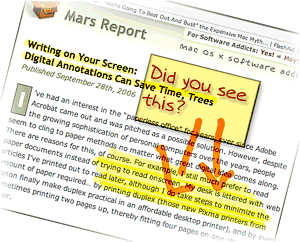
I’ve had an interest in Digital Annotation Rocks!the “paperless office” for years, ever since Adobe Acrobat came out and was pitched as a possible solution. However, despite the growing sophistication of personal computers over the years, people seem to cling to paper methods no matter what great digital idea comes along. There are reasons for this, of course. For example, I still much prefer to read paper documents instead of trying to read onscreen. My desk is littered with web articles I’ve printed out to read later, although I do take steps to minimize the amount of paper required… by printing duplex (those new Pixma printers from Canon finally make duplex practical in an affordable desktop printer), and by even sometimes printing two pages up, thereby fitting four pages on one sheet of paper.
My preference for reading paper has more to do with portability than readability nowadays. I simply prefer to read in a more relaxed position than one can muster at a desktop PC, and I also like reading in places where even laptops are uncomfortable to use. (I didn’t say the toilet, mind you.)

One small area where little progress seems to have been made in eliminating paper involves marking up comments and other notes on paper documents. If I see a web article or some other electronic document and want to pass it along to a colleague with a few comments, my digital options aren’t great. I can forward the URL in an email, but then it’s hard to focus attention on the particular passage I want to comment on. I can take a screenshot and somehow include that in an email or word processing document and send it along. Or I can print it out and mark it up, then stick it in interoffice mail… or simply walk it over to my colleague.

But what if I could simply mark up a few comments right on my computer screen and then transmit a snapshot of that? Wouldn’t that be easier all around, and save paper as well?

    
  • del.icio.us
  • Google
  • Slashdot
  • Technorati
  • blogmarks
  • Tumblr
  • Digg
  • Facebook
  • Mixx

Full article

September 25th, 2006

Analyst Missing Secret Ingredient in iTunes/iPod Video Service: No DVD Involved
DVD to iPod Software Booming

Rob Pegoraro does a great job balancing coverage of the Mac with that of Windows in his Washington Post tech column. However, I think he missed a key selling point in the iTunes video store launch when he wrote in a recent column that Apple’s new offering was “worth skipping.” Pegoraro gave two main reasons why the iTunes video store is uncompelling at the moment:

  1. There aren’t enough titles (though he concedes the titles that Apple’s rounded up are top-notch), and
  2. You can’t burn your purchased movies to DVD.

Pegoraro’s right about the iTunes store’s movie selection, although I had no trouble finding several I’d like to buy. But his second criticism about DVD’s is way off the mark. That’s because I believe the iPod will eventually make DVD’s obsolete in the same way that it’s making audio CD’s obsolete today.

    
  • del.icio.us
  • Google
  • Slashdot
  • Technorati
  • blogmarks
  • Tumblr
  • Digg
  • Facebook
  • Mixx

Full article

September 23rd, 2006

And Another Thing The Mac Can Do That Windows Can’t: Remember Your  !*?\&^!*%   PaS$w0rdZ!

Keychain Icon

I didn’t intend to write this article today… In fact, I’m right in the middle of three others that I want to finish. However, it just leaped at me from the front page of today’s Washington Post Business page, and I couldn’t resist. In an article called Access Denied, the writer bemoans the many passwords and PINs and such that the modern, web-connected human must juggle in daily life. People today have so many passwords to remember, they simply can’t, and this undermines the very security the passwords are set up to ensure, since companies will typically allow a shortcut to someone who claims to have forgotten a password—for a bank account, for example.

When I forget a password, I launch Keychain Access, which is a surprisingly sophisticated application that I use in a very simple way. Namely, I enter a search term in the search field, which invokes a live search on the Keychain database and displays matching results below. Each result shows the username associated with the website or application, so it’s easy to find which Key I’m looking for. Double-clicking on the Key brings up a dialog panel that gives me some management capability on the particular key. I’m sure this is cool and significant, but I go straight for the “Show password” checkbox.

    
  • del.icio.us
  • Google
  • Slashdot
  • Technorati
  • blogmarks
  • Tumblr
  • Digg
  • Facebook
  • Mixx

Full article

September 18th, 2006

Building Leopard: An Excuse To Take a Mac OS X Software Inventory

As a self proclaimed Software Addict, I have a real problem. Well, many real problems, actually. Downloading software not only consumes hard disk space, but it also bloats my Preferences folder over time as I launch each software package to try it out. If that weren’t bad enough, many applications leave pieces of themselves in the “Application Support” folder, the “PreferencePanes” folder, the “Contextual Menu Items” folder, the “Services” folder, and sometimes in the “Plugins” and “Input Managers” folders. Then, of course, there are the Unsanity “haxies,” which put themselves in the “Application Enhancers” folder.

The worst problem, of course, is the amount of time my addiction consumes… But I don’t want to talk about that, thanks.

When my addiction was just beginning, I forgot that if I told an installer I wanted the software available “for all users” on my Mac, it would put the pieces in the top-level Library, rather than in my home Library. So, as my Mac has aged and gone through, now, four different versions of Mac OS X, I’ve felt a great need for doing spring cleaning to tidy up a bit. Earlier this year, I bought AppZapper, which I really like. It helped to clean out a ton of preferences, application support, and other files for software I had long ago decided I didn’t want. But that was, unfortunately, just scratching the surface of my depraved software addiction.

When the preview build of Leopard (Mac OS X 10.5) came along recently, I decided to do a completely fresh installation and start over. At first, I assumed Leopard would be too unstable to form a base for this new start—after all, it’s still in an Alpha stage. However, so far I’ve been quite impressed with its degree of stability. With only a few exceptions—mostly in some of the newer functionality—Leopard has proven very reliable indeed. Some of the new features are so compelling for me—particularly the enhancements to Safari, Preview, Mail, and Automator, and the wonderful new DashCode tool—that I decided to try to move as much of my current production environment to the Leopard “fresh slate” as I could.

Having decided this, it seemed logical to turn my housecleaning project into a baseline configuration project. In other words, I would start with nothing but Mac OS X and the Apple apps, and I would move to Leopard all of the software I need for the various projects I’m engaged in, as the need arises. I would document each change to the baseline configuration and note what kind of software or configuration change I was making. This way, I’d end up with a complete software inventory, including all of the various bits that make up my rich Mac OS X environment. In the process, I’d clean out software I don’t really need, which can only be a good thing.

    
  • del.icio.us
  • Google
  • Slashdot
  • Technorati
  • blogmarks
  • Tumblr
  • Digg
  • Facebook
  • Mixx

Full article

Posted in:Mac OS X, Software Musings, |
September 9th, 2006

NeXTSTEP in 1992: If Only We Had Known . . .

Thanks to an article on the Rixstep blog (”The Object Oriented Cake“), I took the time to listen to Steve Jobs introducing NeXTSTEP 3.0 back in 1992. As Rixstep points out, in 1992 Microsoft was just introducing Windows 3.1 and was still trying to build Windows NT. The hardware it ran on was unbelievably weak. As an example, consider that it wasn’t until early 1993 that Intel introduced the Pentium, which ran at an astonishing 66mHz!

Meanwhile, in 1992 Apple had just introduced System 7 the year before, which turned out to be the last truly significant upgrade the company was to make until OS X was released in 2001. Even so, among the “innovations” in System 7 was color computing. (Can you say, “take me for granted”?) Apple had also just introduced the first Macs powered by the new RISC-based PowerPC chip based on their collaboration with Motorola and IBM.

In the Unix world, Solaris 2.0 was just a baby that year, FreeBSD was gestating for a 1993 birth, and Linux was still reaching for a 1.0 release.

Ponder these few moments from computing history as you watch a very youthful Steve Jobs dazzle us with the remarkable achievements of his company’s operating system, NeXT, and its new application development tool, NeXTSTEP 3.0. Truth is, NeXT was so far out there in 1992, a lot of the folks in his audience probably couldn’t believe it was real. After all, these marvels were running on hardware that was only somewhat less puny than the day’s most powerful PC’s, and some of the features he demonstrates are ones we’re still waiting for today!

It should really make you wonder what went wrong after 1992. Why don’t we have PC’s, applications, and development platforms today that fully match the power of NeXT and NeXTSTEP? Mac OS X comes close, but it’s still hobbled with remnants of the Classic MacOS. Besides, the Mac hardly represents “mainstream computing” in 2006.

I know I’m gonna get it from the “never say die!” Microsoft fans out there, but it’s clear to me that the major villain in this story is none other than the company formerly led by Bill Gates. If you want an example of why monopolies are bad for the economy and bad for consumers, just watch this 14-year-old demo of an operating system that you can’t buy anymore. When brilliant technology like this can die stillborn–and no one notices–something is definitely wrong with the marketplace for new technology.

For my own convenience, and therefore yours, I’ve split the video (previously disseminated through YouTube and Google Video) into six parts, each corresponding to one of the major themes in Jobs’ talk.

    
  • del.icio.us
  • Google
  • Slashdot
  • Technorati
  • blogmarks
  • Tumblr
  • Digg
  • Facebook
  • Mixx

Full article

Posted in:Apple, Innovation, Mac OS X, |
September 6th, 2006

Quicksilver Dresses Up Its Cube

If you’ve been hoping Blacktree would enable the planned customization feature for Quicksilver’s Cube interface, I’m happy to report that the wait is over!

    
  • del.icio.us
  • Google
  • Slashdot
  • Technorati
  • blogmarks
  • Tumblr
  • Digg
  • Facebook
  • Mixx

Full article

Just Say No To Flash