



Rejected Software:
I've reviewed these and cast them aside... They didn't work out for me.Total packages: 178 Pages: 1 | 2 | 3 | 4 | 5 | 6 | 7 | 8 | 9 | 10 | 11 | 12

Shortcuts Nirvana, Part 2
Tags
Rejected Sep 15, 2021Home PageShow Full Text
First, let me say that many of these shortcuts have really changed my life... for the better, as I'm sure Apple would be glad to hear. I spend more time in my Shortcuts app than I do in any other app on my iPhone at the moment, and having all this information available in one app like this makes it more accessible and rewarding. Sure, I have a lot of shortcuts I don't need, but I'll be focusing in this article on the ones I actually use, any automations associated with them, and what they do for me. You can find the list of folders in the first part of this article.
Quick Links
This folder has a number of shortcuts that act as quick links to actions that would otherwise take more time.
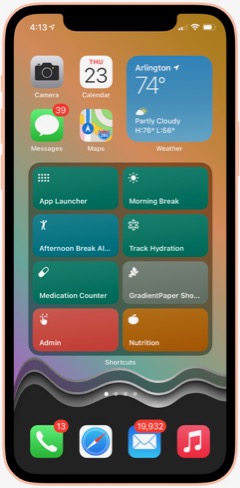
App Launcher: Something I read gave me the idea for this shortcut. It's simply a menu of my most-often-used apps, which I can then launch with a quick selection. I keep this shortcut in my Home Screen folder for ready access. It's much faster than browsing for an app.

Apple Feedback: I keep this shortcut handy because I always have a hard time finding where I can send feedback to Apple. This launches the Feedback Assistant app.

App Store: Arcade: This is simply a quick link to the Arcade section of the App Store.

Shine Light: This handy shortcut toggles on the camera's flash bulb. If you run it again, it turns the flash off.

New! Screenshot: I wrote this simple shortcut because there are times when I'd like to ask Siri to take a screenshot rather than fiddling with the external buttons. It starts by waiting 5 seconds to give you time to get the screenshot set up and then takes a screenshot and saves it to your Recents folder in Photos.

Say Family: This shortcut counts down from 5 to 1, giving people enough time to assemble for a group photo. After it says "Say Cheese," it takes a picture with the back camera and saves it to your photo library. From RoutineHub.

Quick Music
This folder has quite a few shortcuts, all designed to get music playing quickly. I'm only going to describe three of them here.
Automix: This shortcut lets you choose several options for quick music playing. It was originally designed to write a playlist with the selected music, but I've eliminated that part of the shortcut. I'm not sure where I found this, so I'm linking to my copy in iCloud. The choices are "Casual," meaning your whole library, "Artist," letting you select an artist from your library, "Genre", letting you hear music by genre, and "Year," playing songs you added in a certain year. I've modified the shortcut to in all cases play only 5-star songs. By default, the shortcut only returns 50 items, but you can change that behavior in the shortcut.

Latest 5 Stars: This shortcut plays 5-star songs from my library, sorted by the latest additions. This is nice when I sync my library with the iPhone and add a lot of new songs. This lets me hear the new songs first. I have a similar shortcut for 4-star songs.


Quick Music Artists
I have a slew of shortcuts set up to play particular artists. To date, I have shortcuts for the Beach Boys, Chuck Berry, Van Morrison, Neil Diamond, Elton John, the Rolling Stones, Bob Dylan, John Cougar Mellencamp, CCR, the Beatles, James Taylor, the Eagles, and Cat Stevens. I also have one for "Singer-Songwriters," which is a bit different because it plays multiple artists. Most of these have a 5-star version, a 4-star version, and one for both 4 and 5 stars. I'm showing an example using the Rolling Stones shortcuts. These shortcuts are great to use with Siri... a very quick way to start playing your favorite artists.
Rolling Stones: This shortcut gets my 5-star-rated Rolling Stones tunes and starts playing them. I believe this is based on a "Play Artist" shortcut in the Apple Gallery of Shortcuts.

Rolling Stones 4: This shortcut gets my 4-star-rated Rolling Stones tunes and starts playing them.

Rolling Stones All: This shortcut gets my 4- and 5-star-rated Rolling Stones tunes and starts playing them.

Singer Songwriters: This shortcut is a little different from the others in this folder. It searches my library for 5-star singer-songwriters' music and plays it. The artists included in the search are Carole King, James Taylor, Jackson Browne, Cat Stevens, Jim Croce, Carly Simon, Joni Mitchell, Neil Young, Gordon Lightfoot, Graham Nash, Michael Nesmith, Van Morrison, Bob Dylan and Kris Kristofferson.

Quick Music Genres
This folder has a lot of shortcuts designed to play music by genre. I discovered that making some of these is an extension of the "smart playlist" option in iTunes. Many of these shortcuts are "mash-ups" of genres that I've really enjoyed listening to. I'm giving an example of that with the Techno Funk genre. I'm also including a few other shortcuts that in one way or another conglomerates artists and genres into great playlists.
Techno Funk: This is an example of a "mash-up" of genres from my music library. In this case, the shortcut merges my Techno/Synth Pop and Funk/Hip-Hop/Go-Go genres. It's set to play songs rated 5 stars. Other similar shortcuts I have include "Philly Disco", which merges Philly style Soul with Disco, and Southern Soul, which merges Funky Soul and Deep Soul. The following two shortcuts are the same as this one, but for different star ratings.

Techno Funk 4 Stars: This is the same as the previous shortcut, but set to play only songs rated 4 stars.

Techno Funk All: This shortcut is the same as the previous two, but set to play both 4- and 5-star tunes from my library.

Northern Soul: This shortcut is a mash-up of four genres... Philly-style Soul, Motown-style Soul, Other Northern Soul and Soul Instrumentals. It's set to play only 5-star tunes from my library.

Motown: You'd think this would be covered in the Northern Soul shortcut, but I wanted one that's specific to Motown artists, not merely music based on the Motown sound. So this shortcut fetches the following artists and plays 5-star songs of theirs from my library: Marvin Gaye, Supremes, Miracles, Four Tops, Martha & the Vandellas, Elgins, Isley Brothers, Temptations, Gladys Knight & Pips, Velvelettes, Mary Wells, Stevie Wonder, Edwin Starr, Jr. Walker & the All-Stars, David Ruffin, Jackson 5, Spinners, Eddie Holland, Brenda Holloway, and Barrett Strong. Because some of these artists recorded outside the Motown fold, the shortcut also specifies that the genre be Motown soul.

World: I've particularly enjoyed listening to this mash-up of my genres Reggae/Ska, Latin and Calypso. It pulls 5-star-rated songs in those genres from my library.

Settings
This folder contains shortcuts that pertain to the iPhone's settings. It also has some shortcuts for the Mac and the Apple Watch. I have automations set up for my battery life, with an automation every 5% of battery life. Some of these shortcuts are used in managing the battery as well as brightness in these automations.
Open Settings:
This shortcut provides a menu that's a window into the various screens in the Settings app. It's a quick way to navigate to a particular Settings screen. I'm not sure where this one came from.
Display Settings: This shortcut links to the display settings screen in Settings, which is one I seem to refer to more often. I believe this shortcut was made by the next shortcut in this list.

Settings Shortcut Generator: This nifty shortcut can be used to create a new shortcut for a specific screen in the Settings app. I include it as much for the innovative approach as for my use of it. From RoutineHub.

Max Brightness: This shortcut makes your iPhone as bright as it can be, toggling several settings as well as maxing out the brightness. Just the thing for a sunny day, but use sparingly as it will use your battery faster. From RoutineHub.

Brightness To Battery: This brilliant shortcut sets the brightness setting to your battery percentage. I use it with Siri all the time, and it's built into many of my shortcuts for breaks and for the battery automations. It dims your display at the same rate that your battery declines, helping to save battery life. I don't know where I got this one, but I couldn't do without it!

Super Low Brightness: This Siri command simply sets the brightness to a very low (15%) level to save battery life. I usually use it when Super Low Battery Mode is turned on.

Super Low Battery On: This and the next shortcut are based on the Super Low Battery Mode shortcut from ShortcutsGallery.com. This one turns off cellular data, turns on low power mode, sets brightness to 15%, and turns down the volume to 15%. I use this in my Breaks and Battery automations and shortcuts. I also use it from Siri. I left Bluetooth and WiFi on, because my iPhone is pretty much useless without those.

Super Low Battery Off: This and the previous shortcut are based on the Super Low Battery Mode shortcut from ShortcutsGallery.com. This one turns on cellular data, turns off low power mode, runs the Brightness to Battery shortcut, and sets the volume at 50%. I use this in my Breaks and Battery automations and shortcuts. I also use it from Siri.

Set Battery Charge Mode: I use this shortcut for automations when my iPhone is connected and disconnected from power. It lets me choose whether to turn Super Low Battery on or off and runs one of the previous two shortcuts.

Battery Charged: I use this shortcut in my automations for battery levels 90 and 100 percent. If the time is between 7 AM and 7 PM, it speaks the battery level; otherwise, it sends a notification.

When Battery Falls Below 5%: I have this shortcut tied to an automation when my battery level reaches 5%. If during the day, it speaks an urgent warning about connecting to power. If at other times, it sends a notification. It also turns on Super Low Battery mode.

iPhone Disconnected: This is another shortcut that's tied to an automation. In this case, it's run when my iPhone is connected or disconnected from power. It plays the "Approved" sound (see folder Sounds) shortcut (because I like the sound :-) and runs the Set Battery Charge Mode shortcut so I can decide whether or not to turn on super low batter mode.

Mac Sleep: This shortcut lets you sleep your Mac remotely. For it to work, you need to populate the shortcut's SSH command information and make sure your Mac's sharing settings allow for remote access. Once I got this set up, I find it very handy.

Wake Mac: This shortcut lets you wake your Mac remotely. For it to work, you need to populate the shortcut's SSH command information and make sure your Mac's sharing settings allow for remote access. Once I got this set up, I find it very handy.

Change Watch Face: I use this shortcut as part of my battery automations. I run it every 10% of battery life to change my watch face. I like so many of the watch faces, it's nice to see a different one as the day goes on.

Water Eject: There are a ton of variations of this shortcut out on the web, and some are among the most popular shortcuts. I haven't had a need to use this one yet, but I tested it, and I'm sure it will do a good job of ejecting fluid from my iPhone should the need arise. From RoutineHub.

Share Sheet Only
This folder has shortcuts that can only be run from the Share Sheet. They only take input when you're in some application (like Safari or Photos) and hit the "share" icon.
Zip and Save Encoded: This shortcut takes files as input, and it first zips them up. Then it converts the files to Base64 format, copies the result to the clipboard, and lets you save the file to iCloud. I have a similar shortcut that skips the Base64 step and simply saves the zip file.

Tweet Web Page Info: This shortcut gets the title and URL from the current web page and pastes them into a Twitter message window. You can edit the message before sending it off.

Get Images: This shortcut pulls all the images from the current web page and displays them for you. You can select which photos you want to save to your photo library, after which the photos get saved to the album you specify. I don't know where I found this one, but it does have a credit comment inside.

Find RSS Feed: This shortcut looks into the code of the current web page and returns any RSS feeds it finds. It shows you the title of the RSS feed if it finds one and copies its URL to the clipboard. I couldn't find the original source for this one.

Change Text Case: This shortcut takes input from the share sheet and lets you choose how to change the text's case. It lets you choose Uppercase, lowercase, initial caps, and more. It copies the result to the clipboard and then shows the result in a Quick Look window. I'm linking to my version in iCloud since I don't know where I got this shortcut.

Translate Input: This handy shortcut will translate into English any language it encounters. It shows you the translation and then copies it to the clipboard. I used this heavily in translating non-English shortcuts. Very reliable.

Apple Notes Clipper: This shortcut gets the title and body of the current web page (Safari Article) and shows it to you in Quick Look. It then opens a Notes compose sheet and lets you save to Notes. I believe this one comes from the Apple Gallery in Shortcuts.

Safari Article to Mail: This is the same as the previous shortcut, but instead of saving to notes, it lets you compose an email with the current web page's article.

Get URL: This shortcut simply returns the URL of the current web page and copies it to the clipboard.

Read Selection: This shortcut will speak whatever text you have selected when run from the share sheet.

Read Article: This shortcut finds the body (Safari Article) of the current web page and reads it aloud.

New! Summarize: This shortcut uses the website smmry.com and their AI summarizing algorithm to summarize a given web page. You invoke it from the share sheet in Safari, and it works most of the time, returning a 7-paragraph summary of the given page. I'm not terribly impressed with the summarizing, but it's still a cool shortcut. From RoutineHub.

New! View Source Code: This shortcut saved my hide recently when for some reason Safari on the Mac wouldn't display the source code for my weekly newsletter. With this shortcut, I could easily view the source code in Safari on my iPhone and then share the code with my Mac through AirDrop. Source unknown.

New! Reverse Image Search: This shortcut does a cool trick: It lets you select an image and then do a Google search based on that image. So the results returned are a lot of images and links to the image you searched for, as well as to similar images. From RoutineHub.

Shortcuts Items
This folder has a number of shortcuts websites and feeds for when you're looking for shortcuts. It has others that help when working with shortcuts.
Newest RH Shortcuts: This shortcut returns a list of about 25 of the latest shortcuts added to RoutineHub. Selecting one opens the RoutineHub page in the Safari view controller. This is a German shortcut from RoutineHub. I'm linking to my translated version.

Latest Update RoutineHub: This shortcut returns the list of recently updated shortcuts on RoutineHub. It's a bit slow.

RoutineHub Search Pro: This shortcut lets you enter a term and search RoutineHub for shortcuts. You can also search for shortcut authors. From RoutineHub.

New! Search RoutineHub: I wrote this simple shortcut because the previous one takes longer to produce results. Instead of showing the results in a menu, it loads RoutineHub in the Safari view controller. When launched, you just enter a search term to start the search.

Share Shortcuts Feed: This shortcut displays the RSS feed for the ShareShortcuts.com website. It's nice because it shows the date of the shortcut in the returned list.

Shortcuts RSS: This shortcut gets three feeds at once... From RoutineHub, ShareShortcuts and ShortcutsGallery. It presents a long list, some of which have information about publishing dates, which you can choose from to open a Safari sheet.

Siri Shortcuts Search: This shortcut lets you search across several shortcuts sites, entering a search term and getting a Safari view with the Google results.

New! Shortcuts Searcher: This shortcut uses a custom Google search engine that indexes about 7 different sites with shortcuts. It's similar to the preceding shortcut, but is more comprehensive. You enter a search term, and get results in the Safari view controller.

Shortcuts Websites: This shortcut presents a lengthy list of shortcuts websites. Great when you're looking for new sources of shortcuts.

Open Shortcuts User Guide: This shortcut is a quick link to the Shortcuts User Guide on Apple's website. Definitely worth perusing if you get serious about shortcuts, either from a user or a creator perspective.

Shortcuts Release Notes: This shortcut links to the release notes for the Shortcuts app on Apple's website. It's interesting to see how the capabilities of Shortcuts evolved in the first few years. I'll be interested to see the notes for iOS 15 when they're released.

Open Discord Channel: This shortcut opens a deep link into the Discord app to locate the shorcuts channel, which is pretty active with new shortcuts. I found this one through Matthew Cassinelli's newsletter.

Sounds
This folder has a lot of shortcuts that are mostly for amusement: They simply play sounds of various kinds.
Apple Sounds: This is one of several shortcuts I've collected that play sounds from Apple and its devices. This one is the most comprehensive, covering iOS, watchOS, MacOS, TVOS, and more. From RoutineHub.

iOS Sound Explorer: This one is a comprehensive shortcut for listening to the various sounds your iPhone makes. It's fun to explore, after which it copies the sound file URL to your clipboard. I'm not sure where I got this one.

Mac Startup Chime: Just as you'd suspect, this one simply plays the sound a Mac makes when it starts up. Having to restart my Mac happens so rarely that it's nice to play this now and then. From RoutineHub.

Approved Sound: I use this one in some of my shortcuts, since I like this particular sound, which happens when an ApplePay transaction is approved. I use the sound in my Meditation shortcuts and in my connecting/disconnecting from power shortcut. I think I got this on RoutineHub.

Star Trek Sounds: This shortcut revives such splendid sounds from the original Star Trek series, such as the communicator, the transporter, the bridge, red alert, and more. I'm not sure where this one came from.

Star Wars Sfx: This shortcut has a few iconic sounds — both music and voice — from the Star Wars universe, including the theme and imperial march music. I'm not sure where I got this one.

Iconic Soundtracks: This shortcut plays part of the theme song from some iconic movies, including The Lion King, Mission Impossible, The Good, Bad and Ugly, and Pirates of the Caribbean. This came from RoutineHub, I think, but the site notes that the shortcut has been "abandoned" by the author, so I'm linking to my copy, which seems to work fine.
NASA Soundboard: This shortcut has an incredible array of sounds from NASA missions, including the iconic "Eagle Has Landed" and "A First Step for Man..." from the first landing on the moon. If you're a NASA fan, you'll be delighted with this one. From RoutineHub.

New! Built-in Sounds: It turns out that the iPhone has several hidden "background sounds", and this shortcut gives you access to them. The sounds are things like Rain, Ocean, and Stream. You can optionally set a timer for 15 minutes or for 1-2 hours. From RoutineHub.

Sitcom Laugh: For those moments when a little levity might help, here's a shortcut that plays a typical sitcom laugh track. Not sure where this one came from.

Halloween Evil Laugh: This is Vincent Price's evil laugh, which I believe was used in "Thriller" by Michael Jackson. From RoutineHub.

iFart+: I know... I'm deteriorating into real banality here. But this may get a laugh if played at the right time and with the right people. I couldn't find the original source for this simple, but effective fart sound.

Test and Sample Shortcuts
This folder has a lot of shortcuts that I've started working on but never finished, as well as old versions of current shortcuts. None of these are worth publishing.
Travel and Events
This folder has shortcuts pertaining to travel and events, mostly using the Maps and Calendar apps.
Directions Home: This useful Siri command maps me home from wherever I happen to be. This comes from the Apple Gallery of shortcuts.

Directions To Next Event: This shortcut, great when run from Siri, finds your next event with location information and maps you to it. If you have more than one upcoming event with a location, it will show you the options and let you choose. Also from the Apple Gallery.

New! Where To?: I wrote this simple shortcut recently because I thought it would be faster and easier to ask Siri to find something in Maps than locating the Maps app and entering a search there. When invoked, the shortcut asks where you want to go, and your reply can be a business name, an address, a neighborhood name, a landmark, or a city. The shortcut then opens Maps and shows the location with a Get Directions link. I'm amazed at how flexible the response can be, and Maps will still find what you're looking for.

GPS Pins: This great shortcut lets you "pin" an event and its location to your calendar. You can choose among different kinds of events and give the event a name. The shortcut also lets you navigate to a saved pin. From RoutineHub.

Directions To Picture: This shortcut lets you choose a photo and launches Maps to show you where the photo was taken. This only works for photos that have location information in them, which is true of all the photos you take yourself. I'm not sure where this shortcut came from.

Garage Park: This shortcut lets you enter detailed information about where you parked in a garage... level, lot number etc... and helps you navigate back to your car. From RoutineHub.

Travel Time To Next Event: This shortcut estimates how long and how far you have to drive to your next calendar event with location information. Original source unknown.

Gary's Storage Unit: I have several shortcuts like this one, which simply open Maps and get directions to a specific location. You can make this kind of shortcut by opening Maps and navigating to a location. Then, open Shortcuts and make a new shortcut using Maps actions, and you'll find an action for the location you just entered. Very handy.

Record Stores: I have several shortcuts like this one, which opens Maps and shows me nearby record stores. Again, you can make this with a custom Maps action in Shortcuts.

New! Record Stores Search: The previous shortcut shows you record stores in your current location, but what if you want to search record stores in a different location? Now you can, with this simple shortcut. It asks for a location and then will open Maps and show you record stores in that location.

New! Antique Store Search: This is the same as the previous shortcut, but it searches for antique stores rather than record stores. As you may have guessed, these are two searches my wife and I do when traveling or planning travel. You can modify these to search whatever flips your lid. :-)

Explore Nearby Landmarks: This shortcut searches for Landmarks near your current location and displays a list of sites. Choosing one opens Maps and gets directions. Source unknown.
Charlotte Trip: I made this shortcut for a vacation and shopping trip we took recently. It presents a menu of all the record stores and antique malls we planned to visit on the way to Charlotte, as well as to our location in Charlotte. I arranged the menu in approximately chronological order, ending with our trip to Sunset Beach, NC. Almost all of the actions were made using custom Maps actions as described for Gary's Storage Unit and the Record Stores shortcuts above. This shortcut really saved us time and let us do away with writing down addresses.

Concert Mute: This shortcut simply lets you silence your iPhone when attending a concert or movie. You can turn off the mute settings when you're done by running the shortcut again. From RoutineHub.

Create Event: This shortcut lets you set up an event in your calendar. It asks for title, location, start and end dates, and any notes about the event. Sometimes easier than using Calendar itself.

Upcoming Events: This shortcut pulls the next 5 events from your calendar and displays them in a menu, showing date, time and location for each. Source unknown.

Past Events: This shortcut looks at the last 30 days of your calendar and displays those events with location information. It shows date, time, title and location for each event. Source unknown.

Today's Events: This shortcut shows all the events recorded for the current day in Calendar. I use this during the day to make sure I've taken all my medications and vitamins, which are logged to my calendar. Source unknown.

Holidays and Events: This shortcut has several functions, but I use it mainly to see upcoming National holidays. From RoutineHub.

Special Day Countdown: This shortcut simply takes a date you select and tells you how many days remain until that date. From the Apple Gallery.

New! How Long To: I wrote this shortcut because I was researching destinations for a winter vacation. Instead of using Maps to look up how long it would take to get to a given city, the shortcut simply asks you for a city and returns the information you need. It tells you the route you'll travel, how long it will take to get there, how far the city is, and when you'll arrive if you leave now. Great when run from Siri.

Search Calendar History: This handy shortcut lets you search your calendar history for an event title. Very useful for checking when you started and/or stopped taking a prescription or for seeing how long it's been since you saw the dentist. Source unknown.

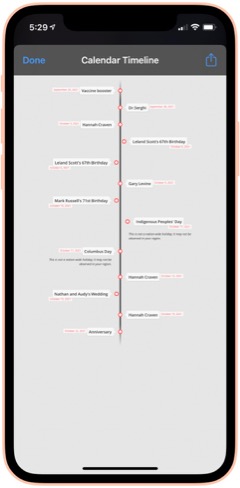
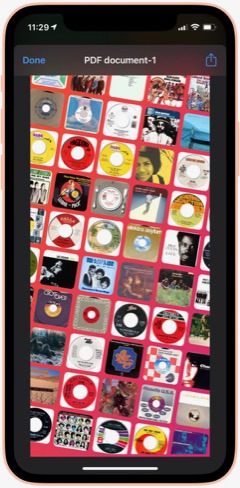
Calendar To Timeline: This shortcut lets you visualize your upcoming calendar events an attractive timeline, which you can save or share. When run, you choose how many months of your calendar to include in the timeline. From RoutineHub.

Utilities
This folder has a variety of shortcuts, most of which involve converting from one thing to another.
Translate: This shortcut lets you enter text or use your clipboard as input. You can convert from English to any other language, and vice versa. At the end, it will pronounce the phrase in the language you choose. The source of this shortcut is unknown, so I'm linking to my iCloud version.

Convert: This shortcut lets you convert between liters and gallons, among other fluid measures. Source unknown.

Convert Length: This shortcut lets you convert between centimeters and inches. We U.S. citizens need all the help with metric measures we can get. :-) Source unknown.

Convert Temperature: This shortcuts lets you convert between Celsius and Fahrenheit. This really helps me at times, because I just can't think in Celsius when it comes to temperature. Source unknown.

Hex To RGB Converter: I've needed this one from time to time. It takes a hex color code and returns the equivalent in RGB values. Source unknown.

Morse Code Converter: This shortcut will convert plain text to dots and dashes and copy the result to your clipboard. It will also convert morse code to plain text. Source unknown.

Utilities Menu: This is an elaborate, all-in-one shortcut that contains a wide variety of utilities for working with text, the web, media, and more. I don't honestly use this one very much, but it's pretty cool. From RoutineHub.

Time Activity: I wrote this shortcut to help me track how long certain activities take. When run, the shortcut will tell you when it started the activity. When run again, it will tell you how long the activity took and ask if you want to start a new activity. The shortcut requires DataJar to store global variables.

New! Currency Converter: It took me forever to find a currency converter app that actually works. This one is the result of merging two shortcuts to get a working product. You simply choose the currency you're converting from, the currency you're converting to, and the amount you want to convert. The shortcut then shows the result and copies it to the clipboard.

Wallpaper
I spend a lot of time working with wallpaper images of various kinds, and I have automations that change my lock screen wallpaper with every 5% change in battery level. This folder has shortcuts that provide images for wallpaper use as well as shortcuts that enhance and modify images for use as wallpaper.
Album Wallpaper: This cool shortcut looks at what I've listened to in the last 14 days, finds the art associated with those songs, and prepares a wallpaper image with the art arrayed in an angled pattern across the screen. I used this for a long time before switching to my current wallpaper "strategy." From RoutineHub

WallCreator Automated: This shortcut generates beautiful gradient images, using two colors and varying direction of the gradient, for use as wallpaper. I've modified it to let me choose whether or not to save the image. If I elect to save, the shortcut will let me apply the wallpaper to my lock or home screen.

Gradient Paper: This shortcut also generates gradient wallpaper images, but it uses 4 different colors and wider variety of angles and origin points. It automatically previews the image for you and then saves the image to the Recents album and offers to set the home screen wallpaper. I couldn't find the original, so I'm linking to my iCloud version.

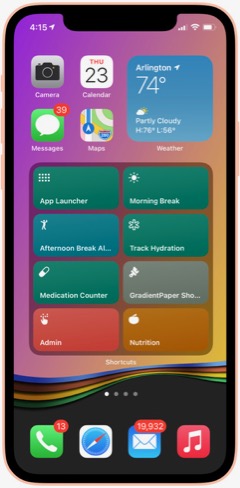
Gradient Paper ShowDock: This shortcut combines the Gradient Paper shortcut (above) with parts of the ShowDock shortcut (below). When run, it previews the image, saves it to Recents and then offers to let you add one of three ShowDock images (using the three separate ShowDock shortcuts, below) to the bottom. After that, you can set the Home Screen with the new wallpaper. I use this frequently to update my Home Screen wallpaper, so I keep it in my Home Screen folder for quick access.

ShowDock: This cool shortcut has about 20 different enhancements you can add to your wallpaper. The enhancements are designed to highlight the Dock area of your iPhone home screen and range from ones that fade the bottom of the image out to ones that add colorful and interesting dividers above the Dock area. You select an image and then one of the enhancements, and the shortcut previews the enhanced image before offering to set your home or lock screen with the new wallpaper. I couldn't find the original for this, but it does have a credit comment inside.

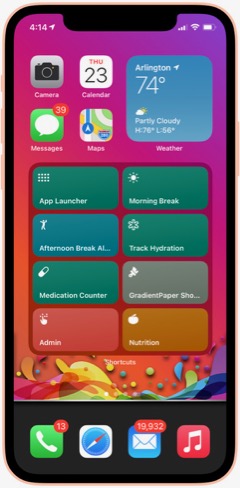
ShowDock Color Splash: This is one of three shortcuts that pull my favorite enhancements from the ShowDock shortcut. I run it inside the Gradient Paper ShowDock shortcut (above). It takes the latest image saved to Recents and applies an enhancement that looks like a splash of a rainbow of colors. It then lets you save the enhanced image as your Home Screen wallpaper.

ShowDock Rainbow: This is one of three shortcuts that pull my favorite enhancements from the ShowDock shortcut. I run it inside the Gradient Paper ShowDock shortcut (above). It takes the latest image saved to Recents and applies an enhancement that looks like wavy rainbow of colors. It then lets you save the enhanced image as your Home Screen wallpaper.

ShowDock Wavy Chrome: This is one of three shortcuts that pull my favorite enhancements from the ShowDock shortcut. I run it inside the Gradient Paper ShowDock shortcut (above). It takes the latest image saved to Recents and applies an enhancement that looks like a chrome wave, which lets in some of the background color. It then lets you save the enhanced image as your Home Screen wallpaper.

Calendar Homescreen: This useful shortcut takes a photo you select and adds the next 7 events from your calendar to the bottom. You can then set the image as your wallpaper. I use a modified version of this shortcut on my lock screen (Calendar on Lock Screen Auto). I couldn't find the original, so I'm linking to my iCloud version.

Calendar on Lock Screen Auto: I call this shortcut from within the "Add Battery Level and Calendar" shortcut. This is an embeddable version of Calendar Homescreen (above), and it keeps my calendar up to date on my lock screen... Very handy!

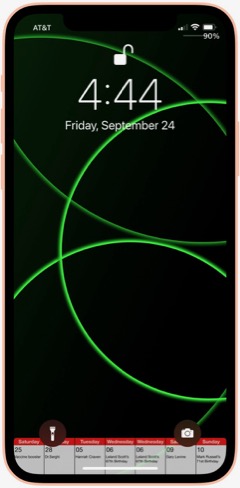
Add Battery Level and Calendar: This shortcut is a modification of one I found that modifies a wallpaper image to add the current battery level below the level indicator on your lock screen. I've missed seeing the percentage since Apple did away with it, and this brings it back. I've combined this shortcut with the Calendar Homescreen shortcut so that it adds my calendar to the lock screen as well. The shortcut contains some logic that pulls wallpapers from 5 different "buckets" that I maintain — NASA images, Landscapes, Cats, Fine Art and Google Earth. It uses the seconds of a minute and picks a wallpaper depending on what second of the minute it is. This shortcut requres Toolbox Pro (I think the paid version) to do the battery level function.

GradCircle Wallpaper: This cool shortcut uses the free app Scriptable to generate stark, modern-looking wallpapers with curving lines of different colors... a sort of mid-century modern look. After previewing the wallpaper, it gives you the option of saving it or setting it as wallpaper. I don't know where I found this.

Set Art Wallpaper: This shortcut pulls a fine art image and lets you use it as your wallpaper. I've modified it so that after a preview you can decide whether to save the image or not. If you save it, the shortcut will then let you set it as wallpaper. Source unknown.

Random Cat Wallpaper: This shortcut pulls an image of cats from a seemingly bottomless supply. I've modified the original to let you choose whether or not to save the image, and you can see it previewed as wallpaper. Source unknown.

Wallpaper Engine: This shortcut lets you search for wallpapers on unsplash.com, or you can choose a random image. You can specify how many images you want to see, after which you can elect to save one or more of them or use them as wallpaper. I use the search function a lot. The shortcut returns images in the proper size for your device's lock or home screen. From RoutineHub.

Daily Wallpaper - Landscapes 4K: This shortcut uses a downloadable zip file of 85 beautiful landscape images and picks a random image from the zip file. I've modified it to let you decide whether or not to keep a given image. If you decide to save the image, you can see the landscape previewed on your lock screen. From RoutineHub.

Resize Images To Wallpaper: I use this shortcut to make all the images I pass to it the height of my iPhone screen. This is part of my process for preparing wallpaper-sized images for the various "buckets" I maintain (NASA, Cats, Landscapes, Fine Art).

Wallz Reborn: This shortcut finishes the job of the "Resize Images To Wallpaper" shortcut, taking images passed to it and cropping them horizontally to wallpaper size. You can also use it to resize to other screen resolutions. From RoutineHub.

Daily NASA Wallpaper: This shortcut contains a downloadable zip file of my NASA wallpapers (about 150 of them). It previews a random image from the zip file and offers to set it as your wallpaper. I use this same basic pattern for the following three shortcuts.

Daily Cats Wallpaper: This shortcut contains a downloadable zip file of my cats wallpapers (about 100 of them). It previews a random image from the zip file and offers to set it as your wallpaper.

Daily Fine Art Wallpaper: This shortcut contains a downloadable zip file of my fine art wallpapers (about 100 of them). It previews a random image from the zip file and offers to set it as your wallpaper.

Daily Landscape Wallpaper: This shortcut contains a downloadable zip file of my landscape wallpapers (about 100 of them). It previews a random image from the zip file and offers to set it as your wallpaper.

New! FStopper PTOD Wallpaper: Always looking for good sources of photos in various categories, this one occasionally has a daily image that grabs me, so I check it daily.

New! Google Earth: I think I discovered this one on RoutineHub, but I made a few changes to it to suit my needs. It turns out that Google Earth satellites take a lot of amazing photos, and you can see some of them through this shortcut. It originally was intended just to make the image your lock screen or home screen wallpaper, with no way of saving the image. I fixed that, so the shortcut now saves a single copy of the image to a specified folder in Photos, in addition to offering to make the photo your wallpaper. I like these images so much I've made them part of my rotation of lock screen papers, as described in the "Add Battery and Calendar" shortcut.

New! LS Weather: This shortcut and the next one are complicated and difficult to set up. They require Scriptable, and you have to find and download a Scriptable script and install it manually in Scriptable. The results are very cool, and I use them both from time to time. Essentially, LS Weather adds weather information in various configurations to your lock screen. It has other functionality as well, but I didn't set it up for that. From RoutineHub.

New! LS Forecast: This shortcut and the previous one are complicated and difficult to set up. They require Scriptable, and you have to find and download a Scriptable script and install it manually in Scriptable. The results are very cool, and I use them both from time to time. Essentially, LS Forecast adds weather forecast information to your lock screen in an attraction manner. From RoutineHub.

New! Wallpaper Mixer: This cool shortcut takes two images from your photo library and crops/combines them horizontally into wallpaper size. You can come up with some interesting effects with the right photos. From RoutineHub.

New! Unsplash Collections: This shortcut pulls images from Unsplash.com's extensive collection. It's organized to find images in certain categories of Unsplash Collections that I collect: Landscapes, Space, Cats, and Fine Art. When run, you select a collection, and the shortcut returns an image, which you can choose to save or not. If you do save, the shortcut will preview your home screen with the photo. If you don't save, the shortcut will ask if you want to search again.

Weather
This folder contains shortcuts that show the weather in various ways.
Total Weather: This is the most comprehensive textual summary of the weather data available for your current location. It also gives a briefer summary of tomorrow's forecast. Useful when run from Siri to have her read the weather for you. From RoutineHub.

New! Feels Like: This handy shortcut (just say, "Hey Siri Feels Like") gets the current temperature and reads it along with the Feels Like temperature and the wind speed. Perfect for when you're heading outside.

My Weather: This simple shortcut opens the Weather app to show weather in your current location.

Weather In City: This shortcut presents a menu of all the cities you've bookmarked in the Weather app and lets you choose which city's weather to view. It then opens the Weather app to the chosen city.

NOAA Multi-Day Forecast: This shortcut lets you choose the length of time in days for the forecast and then pulls up the latest official NOAA forecast for your current location in a Quick Look screen. I often find the NOAA forecast to be more accurate than the source Apple uses, so I like being able to quickly refer to it in this shortcut. From RoutineHub.

Weather Chart: This shortcut uses Charty to present the 12-day forecast as an attractive line chart, showing high, low, and average temperatures expected. Source unknown.

New! Weather Chart With Average High: This is the same as the preceding shortcut, but I've added a data series for Average High, which superimposes on the high/medium/log graph lines. I need to edit the shortcut daily to enter the latest average high temperature data.

New! Log Average High: I decided to start keeping track of the average high temperature, so this shortcut logs the data to my calendar each day.

New! Average High: This shortcut simply reads my calendar and shows me the Average High data for the last 30 days.

New! UV Index: This shortcut gets the UV Index from today's weather and logs it to the Health app.

New! UV Index Chart: This shortcut charts the last 30 days of UV Index data from the health app, using Charty.

Precipitation: This shortcut shows expected precipitation percentages in a bar-type chart. It presents the information for the next 12 days in a menu. Source unknown.

Pollen: This shortcut opens the Pollen.com website in a Safari sheet. It presents the page showing the 5-day allergy forecast for your current location. Source unknown.

Severe Weather: This shortcut was made from a custom Siri action in the News app. It opens News and shows stories about severe weather.

New! U.S. Climate Data: I think I found this shortcut on RoutineHub, but it didn't work when I tried it out. The problem is that the site it pulls data from had changed their chart strategy. The original shortcut was expecting an image to grab, but the new site shows the graph in an interactive manner. So I changed the shortcut to load the final page in the Safari view controller instead. This shortcut lets you choose a State and city and returns a graph showing average, high and low temperatures for the year by month, as well as precipitation amounts.

New! Weather Report For: I modified a shortcut I found that produces a summary of the current weather. Instead of restricting it to finding your current location data, I introduced a search feature that lets you enter any location to find the weather there. I figured out how to make this work for any U.S. city as well as for international cities. You can even enter the name of a neighborhood.

Daily Forecast: This handy shortcut brings up the next 12-day forecast for your location, showing date, temperature and conditions expected. Source unknown.

New! Daily Forecast For: This is the previous shortcut, but it first prompts you to specify a location. The shortcut routes the inputted location through the Maps app to get a location Weather can use. Very handy for getting a daily forecast for some location other than your own.

Hourly Forecast: This shortcut is much like the previous one (same original source, I believe), but it shows the temperature and conditions expected for the next 24 hours.

New! Hourly Forecast For: This is the previous shortcut, but it first prompts you to specify a location. The shortcut routes the inputted location through the Maps app to get a location Weather can use. Very handy for getting an hourly forecast for some location other than your own.

Precipitation Hourly Forecast: I think I made this one based on the previous shortcut. It shows the expected percent chance of precipitation for the next 24 hours.

New! Precipitation Forecast For: This is the same as the preceding shortcut, but it gives you the option to enter a location rather than using your current location by default.

New! U.S. Cities Weather Report: This shortcut runs through about 35 U.S. cities, giving a summary of their weather today and forecast for the next 2 days. It announces the name of the city and state and then presents the information, one city at a time. This substitutes for my long-time habit of perusing the cities weather data in the paper each day.

New! International Weather Report: This is the same as the preceding shortcut, but it fetches data for about 20 international cities instead of for U.S. cities.

Is It Raining: I wrote this shortcut one day when I was sitting in my windowless office and wondering if it was raining outside. It looks at the precipitation chances (in percent) for the current time and tells you whether or not rain is likely. It also gets the chance of rain for the next two hours and reports that as well.

Is It Raining (Conditions): I wrote this shortcut as a different way to answer the question. Instead of looking at percent chance of precipitation, the shortcut uses text matching to see if the current conditions suggest rain. If the conditions match "Thunderstorm," "Rain," or "Showers," it's probably raining. If none of those things match, then the answer is no. I've found this to be a bit more accurate than the previous shortcut.

Web Sites and Feeds
This folder has a number of shortcuts that load web sites or their RSS feeds. I've found "bookmarking" websites by making a shortcut is faster than using Safari.
Mars: This shortcut simply loads this website (Musings from Mars) in a Safari view window. I find shortcuts like this more convenient than going to Safari. An interesting thing about the Safari view window... In the lower right corner is an icon that will load the page in Safari itself if you choose to do that.

Discogs: Here's another website that I load frequently. It's convenient to have it as a shortcut.

Wayback Machine: This shortcut loads the "Wayback Machine" at web.archive.org. This site lets you search the web's past by loading old versions of any website the machine has crawled.

New! White House: This shortcut provides links in a menu to the White House home page, the briefing room, and speeches and remarks pages. I use this with Read Article in the Share Sheet to have the latest releases read to me.

9 To 5 Mac: This shortcut loads the news feed for this Mac-related website.

Mac Stories: This shortcut loads the news feed for this Mac-related website.

C45 Jukebox: This loads the RSS feed for the Classic 45s "Jukebox" podcast. In this version, selecting an item loads the page in the Safari view window.

C45 Jukebox Text: This shortcut also loads the Classic 45s "Jukebox" feed, but instead of taking you to a web page on selecting an item, it pulls the text and image from the feed and presents it in a QuickLook window. I'd like to grab the audio file, too, but haven't figured out how to do that yet.

New! Jukebox: This shortcut finds the latest episodes of the Podcast Classic 45s Jukebox. When you choose an episode, the shortcut starts playing the song and presents the descriptive information included in the Podcast in a preview window.

New! Animal Shelter: I made this simple shortcut when we started looking for a new cat when our much loved Coach died recently. The shortcut simply loads the Arlington, VA, animal shelter's web page, set to screen only male kittens. This is an example of a shortcut that took perhaps a minute to make but saves me time by making it super-quick and easy to load the page, which I check several times a day for new arrivals. You could bookmark the page or save a tab in Safari, but the time required to find and follow the bookmark or find and load the tab in Safari is greater than simply clicking on this shortcut.

New! Google Search for 45s: One of the things I check Google often for is the position of my business in search results listings. So I made a shortcut that does four searches for 45 rpm records, pausing each time to let me view Google results in the Safari view controller, and then proceeding to the next keyword search. It's a very efficient way of quickly seeing whether my business' position has changed.

First, let me say that many of these shortcuts have really changed my life... for the better, as I'm sure Apple would be glad to hear. I spend more time in my Shortcuts app than I do in any other app on my iPhone at the moment, and having all this information available in one app like this makes it more accessible and rewarding. Sure, I have a lot of shortcuts I don't need, but I'll be focusing in this article on the ones I actually use, any automations associated with them, and what they do for me.
A quick note about the shortcuts links in this article: Some of my shortcuts came from German and Chinese sources, and I meticulously translated them to English. In these cases, I'll be linking you to my English translation rather than the original version. Where possible, I will link to the actual sources, but many of the links will be to my own iCloud library. Many of the shortcuts were written by me or adapted from third-party shortcuts. All of these shortcuts work in IOS 14. I have been testing them on IOS 15.3, and most work reasonably well. I still find Shortcuts in IOS 15 to be buggy compared with IOS 14, but IOS 15.3 fixed a bug that was keeping the MediaKit Badges shortcut from working. That's the shortcut I use to create the download images for this article, so I'm relieved that it's working again. One of the most annoying bugs is that you can no longer get an iCloud link by asking for it in a shortcut. Shortcuts says the shortcut isn't stored in iCloud, so no link is available. You can get around this by sharing the shortcut and selecting "Get iCloud Link" in the share sheet. But it was so much easier when I could backup my shortcuts to iCloud using a shortcut.
Finding Shortcuts
The first step to finding shortcuts is to check out the "Gallery" tab in the Shortcuts app, where you will find dozens of useful shortcuts made by Apple. I've used many of these and customized others to my personal situation. In addition, there are a lot of websites out there with "galleries" of shortcuts for the taking. (Any non-Apple shortcut is considered "untrusted," and you have to allow untrusted shortcuts to use them in Settings.) The most popular and largest site is RoutineHub, where you will find more than 300 pages of shortcuts. Rather than list all the sites here, I'm going to mention one more, which is kind of a directory of shortcuts information, including many of the gallery sites: Shortcuts Directory.
As you may imagine, there are also a lot of shortcuts that contain links to shortcuts websites, and I use these daily to check what's new. Here are a few of my favorite shortcuts for shortcuts info:
- Newest RH Shortcuts. Displays the latest 20 or so shortcuts added to RoutineHub.
- Shortcuts Websites. Lists a variety of gallery sites as well as providing links to shortcuts groups on YouTube and Reddit.
- Siri Shortcuts Search. This is a link to Sharecuts.com's shortcut for searching Google for shortcuts.
- RoutineHub Search Pro. I use this a lot when searching, because RoutineHub is the richest vein of shortcuts out there.
Building Shortcuts
I've either built from scratch or heavily customized many of the shortcuts I use. Although I do have a programming background, I feel strongly that making shortcuts should be easy for any reasonably intelligent human with a little study and understanding of what your options are and how to use things like actions, variables, menus, and the like. It's a visual interface, and you just click the + sign to start building your shortcut. Apple provides a user guide for Shortcuts, and I recommend you peruse that if you really want to get serious about building your own. I also highly recommend opening up shortcuts made by others and studying how they're made. You can do this by clicking the "..." (three dots) in the top-right corner of any shortcut.
One of the things I love about shortcuts is not only how easy they are to make and share, but how transparent they are. It's easy to examine a shortcut's actions by clicking on the "..." in the icon. I have one shortcut that lets me copy blocks of code from one shortcut and insert it in another: It's not stealing! It's re-using good code. This is the same model that the web is built on. You can see the HTML, JavaScript, CSS, and other source code easily in any browser, so you can learn how things are done.
There are a lot of good tutorials on the web, especially on YouTube, so I won't try to construct one here. Just keep in mind: It's easy! Look inside shortcuts! Reuse code that works!
Third Party Apps Used in My Shortcuts
There are a lot of third-party apps that let you do more with shortcuts than Apple's Shortcuts app alone can. A number of my shortcuts make use of some of these, and I recommend that you download and install them on your iPhone before trying out my shortcuts. All of them are free, though one or two have a for-fee "Pro" option.
- Charty for Shortcuts. Enables charting of data from any source accessible from the Shortcuts app.Some of my shortcuts require the $4.99 "Pro" upgrade for charting.
- Data Jar. A simple database-like app that lets you define Global Variables in shortcuts, among other things.
- Day One. A free journaling app that I've started using since it has rich ties to shortcuts actions.
- Jayson. A free editor for files in the .json format. I use it to edit my "pills" dictionary for one of the shortcuts.
- Scriptable. Enables rich scripting inside shortcuts.
- Toolbox Pro. Adds a host of useful actions for Shortcuts and provides dozens of sample shortcuts demonstrating their use.
My Shortcuts Library
I have 975 shortcuts in my library as I write this today. The number changes daily and always seems to trend upward. Fortunately, Apple lets you organize your shortcuts into folders, and I have made the following folders for my shortcuts (the number beside the folder name is the number of shortcuts in that folder).
- Breaks and TV (24)
- Clipboard and Text (22)
- COVID 19 (9)
- Daily Shortcuts (32)
- Day One and Notes (14)
- Developer Tools (56)
- Emergency (4)
- Family (33)
- Files and iCloud (8)
- For Fun (31)
- Health and Fitness (42)
- Home Screen (8)
- Images and Pictures (62)
- Information (22)
- Mail and Messaging (6)
- Morning Routine (6)
- Music (31)
- News and Stocks (22)
- Nutrition (59)
- Playback and HomePod (13)
- Quick Classical Music (12)
- Quick Leland Music (31)
- Quick Links (14)
- Quick Music (15)
- Quick Music Artists (25)
- Quick Music Genres (34)
- Settings (30)
- Share Sheet Only (28)
- Shortcuts Items (34)
- Sounds (15)
- Test and sample shortcuts (54)
- Travel and Events (40)
- Utilities (26)
- Wallpaper (38)
- Weather (33)
- Web Sites and Feeds (27)
By the way, if you add the numbers up, you won't get to 975, because I have a dozen or so that are unfiled (they aren't in a folder). I think it will be easiest from here to walk you through these folders and let you know what shortcuts I really use and how I use them. I'll be providing links to shortcuts I particularly like or use most often: About 355 shortcuts in all. One big caveat about these shortcuts, especially the ones I'm linking directly from my iCloud library, is that these have only been used on the iPhone with iOS 14 and iOS 15.3.I don't know how they will work on the iPad or on the Mac (Monterey). One big difference I noted right away when I tried a few on my iPad (after upgrading to the latest iPadOS) is that there is no Health app on iPad. This seems like a real miss for Apple, and hopefully they plan to migrate Health to both iPad and the Mac in short order.
Breaks and TV
I use this folder and the various "breaks" shortcuts several times a day as I go through my work routine. Also in here are specific shortcuts for accessing and controlling my Apple TVs.
Morning Break: This shortcut starts my morning break by turning off the Music Room lights, turning on a light in the Great Room, starting some classical music from my library (different for each day of the week), and issuing reminders to take and log some prescriptions. It also sets the brightness on my iPhone and turns off Do Not Disturb, which I have on while I'm working. I built this shortcut pretty much from scratch.
Break Over: I use this shortcut after both my morning and afternoon breaks. It's very simple: Sets the lights on in the Music Room, turns off the Great Room light, turns on Do Not Disturb, and runs my Super-Low Battery On shortcut to enable fast charging while I work.
Afternoon Break Albums: This is a variant of a shortcut I've used for a long time now for my afternoon break. Where earlier, the shortcut relied on the Indie Music shortcut provided by Apple, I've been using the break to listen to one of the 500 Greatest Albums according to Rolling Stone magazine. It incorporates a shortcut you'll meet later in my Music folder, which cycles through the 500 albums. Besides the music, the shortcut turns off Super-Low Battery, sets lighting appropriately, turns off Do Not Disturb, and sets the playback destination to my Kitchen HomePod. It closes by showing me the Apple stock price in the Stocks app.

New! Great Room Break: This is the Afternoon Break Albums shortcut without the call to the 500 Albums shortcut. It lets me start whatever music I like, with playback set to the Kitchen HomePod.

Work Done: I use this shortcut at the end of the work day to turn off lights in the Music Room, turn off Super-Low Battery mode, and turn off Do Not Disturb.

TV Time: I made this simple shortcut to quickly set two groups of lights and turn on the basement Apple TV. It ends by showing the remote for the TV. I use it every day. 
Netflix Basement: I have a variety of shortcuts for my two Apple TVs... ones that simply wake and put them to sleep and others that load specific apps on them. This one simply wakes and loads Netflix on the basement TV and is representative of this type of shortcut. I have ones for HBO and for Fitness+ as well, but you can easily adapt this one to your needs.

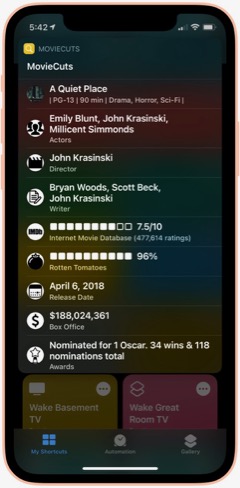
MovieCuts: This is a great third-party shortcut from RoutineHub that ties in to the OMDb API to get IMDB and Rotten Tomatoes information about any movie you search for. You have to get your own free API key, and the page linked below tells you how. It's definitely worth it!

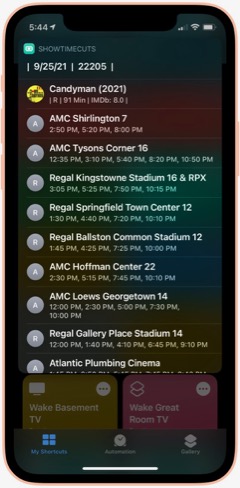
ShowTime Cuts: This shortcut is by the same author who wrote MovieCuts. It lets you search for movie times at local theaters, using your location. You'll have to get a couple of free API keys to make it work, but it's easy and well worth the effort. The only problem I've had is that the menu with specific theater times doesn't properly load Maps to show you the theater location. Also from RoutineHub.

Clipboard and Text
This folder has shortcuts that let you manipulate, save and retrieve your clipboard information, as well as shortcuts for working with text. The clipboard shortcuts are somewhat redundant of each other, but I like each one for different reasons and end up using them all at this point. These are all third-party shortcuts, and I'll provide links to the source when possible.
Save To Clips: I like this one because it's a Siri command that's easy to use. You can also use it from the Share sheet. I couldn't find the source where I found this originally, so I'm linking to my iCloud library. This shortcut works with the "Get Clips" shortcut, and both by default let you save and retrieve up to 15 items from your clipboard, using a file saved to iCloud.

Get Clips: This is the companion command to "Save To Clips" that lets you retrieve your clipboard history, as saved to iCloud. See my description of "Save" above for more about this shortcut.

Clip: This is a relatively new shortcut from RoutineHub that I like a lot. It lets you save clipboard items and give a name to them. You can use it to save the current clipboard or retrieve a saved clip.

Clipboard: I like this one because it lets you edit your clipboard as well as view and share it. For the times when you need to add something to or change your clipboard, it's just right.

Symbols: I'm not sure where I found this shortcut, but it's a good one for the times when you need a special symbol. Just launch and select the symbol, which is then copied to your clipboard.

Word & Character Count: This handy shortcut takes your clipboard or share sheet input and returns the number of words, number of characters, and number of lines in the text. I don't remember where I found this one, so I'm linking you to my iCloud version.

Upside Down Text: This one is just for fun, but it's so cool I just couldn't resist. It lets you type or paste in some text and returns a version with upside-down letters, saved to your clipboard. I like sending messages like this now and then for laughs.

Vertical Text: Another one just for fun, this shortcut takes your clipbaord and arranges the text vertically, one word on each line. It ends by saving the result to your clipboard. I like to do this sometimes in conjunction with the Upside Down Text shortcut.

New! Font Switcher: This new shortcut from RoutineHub has 31 different font effects you can apply to your chosen text. The most comprehensive font utility I've found, it even includes upside down text! You just enter some text and choose which effect to apply, after which it previews the effect and copies it to your clipboard.

New! Save Text As Audio: This nifty shortcut lets you dictate text and then converts it to an audio file, which you can either save or share. You can choose which voice to use for the audio file.

New! Count By Type: This shortcut takes a file or text and calculates the number of words, characters, sentences or lines. From RoutineHub.

Unicode Font Variants: There are a number of shortcuts out there that let you apply different font effects, but this is the best one I've found. It lets you enter some text and then choose from among 15 different font effects to apply to it. From RoutineHub.

Covid-19
This folder has a few shortcuts that return data and charts about the Coronavirus. Sadly, I still find it useful to refer to these occasionally. (When will it end?)
Covid-19 Charts: This shortcut lets you choose a data type (e.g., "confirmed," "deaths") and the countries you want to see charted. It's a bit slow, but it returns a cool chart (using Charty) comparing the countries you've selected.

Corona Stats By State: This shortcut not only lets you choose the States you want to see data for, but you can save your selection for later reuse. It returns a detailed page with data for each State and then offers to chart the data for you. Very handy, though sometimes not up-to-date with the latest information. Available from RoutineHub.

Coronavirus Stats: This shortcut lets you choose any country or group of countries and returns detailed information about Covid-19 there. You can save your country selections for later reuse. From RoutineHub.

Show Vaccine Card: This handy shortcut lets you store a picture of your vaccine card for quick and easy display when needed. You just take a picture of your card, run the shortcut and browse to the picture you just took. From then on, your card will be one click away with no need to search through your photos. I found this one through Matthew Cassinelli's newsletter.

Corona Update: I like this shortcut because it lets you see data for specific countries and U.S. States, which you can enter into the shortcut itself. It grabs the latest 28 days of data on new cases, new deaths, and totals, and it always seems to have the latest data. From RoutineHub.

New! CDC Guidance: This shortcut simply links to the CDC's February 24, 2022, release of county-level guidance on masks. You can lookup any county in the U.S. or see a map of the U.S. showing risk levels of green, yellow, or orange.

New! Dr. Fauci In The News: This shortcut opens a page on the Government's website that has links to remarks made by Dr. Fauci at different forums.

New! CDC News Voice: This shortcut provides easy access to three news feeds from CDC related to COVID-19. Selecting an item will have the shortcut read the text to you.

Daily Shortcuts
This folder has some shortcuts I use every day. Other than daily usage, the shortcuts have little in common. I keep them in this folder for quick access.APOD: I don't know where I got this great shortcut... Perhaps from a Chinese site, after which I meticulously translated the shortcut into English. This shortcut shows the NASA Astronomy Picture of the Day. There are others that do this, but this one is unique in that it lets you go back and retrieve images from any day you like. I've mined the NASA library back to 2014 now and continue to find amazing images of the universe, in stunning, high-def detail. The shortcut also shows the description that accompanies each image on the APOD website.

Random Obscure Fact: This simple shortcut is a delight! Just for fun, it spits out obscure facts on every subject. I have the shortcut set to let me share the fact after I've read it. I couldn't find the source for this, so feel free to download my version.

Today In History: I'm not sure where I got this originally, but I've made some modifications to it that make it more readable for me. This shortcut gets 20 items from the History.com daily news feed and presents them as a single HTML page for easy reading. I've found this to be an enjoyable daily activity.

Today's Historical Events: I'm not sure where this one came from, but I've made a few changes to make it more readable. It's a comprehensive list of historical events for the current day, starting way back in time and going to the present in chronological order.

New! History of Today: This one duplicates some of the items in the previous two shortcuts, but it has a lot of information not available in the others. It returns just one fact from the history of the current day, but if you load it many times it comes up with many facts. I like the way they're presented better than in "Today's Historical Events," although the latter is much more comprehensive. From RoutineHub.

Time Machine: You can find this shortcut in the Apple Shortcuts Gallery. It simply looks at the photos you took a year ago and presents them in a Quick Look window. The only difference I've made is that it looks at one year ago plus 2 months rather than plus 2 weeks as in the Apple original. Again, I've found this to be a pleasurable daily activity.

Quote of the Day: This shortcut gets the latest quote from BrainyQuote.com and lets you view and/or share it. This was adapted from a shortcut I found on RoutineHub.

New! Daily Fact Reading: This shortcut is based on an older one that never worked quite right. It pulls the latest facts submitted to reddit and sends you to one of the sites cited. Instead of loading a web page or trying to show text, this shortcut runs the "Read Article" shortcut you'll encounter in the "Share Sheet Only" folder of shortcuts. It gets the title and body of the submitted web page through Safari's Reader functionality and reads the resulting text to you.

New! National Geographic Daily Photo: This shortcut grabs images from National Geographic's picture of the day web page and filters to the first large image on the page. It displays the latest image in a Quick Look window, and you can save it if desired from the share sheet. Not sure where I found this, but I had to make a few changes to get it to work the way I wanted it, so I'm linking to my iCloud version.

Horoscope+: I don't know why I saved this one, since I don't really believe in astrology. But it's fun to read from time to time. This shortcut lets you set a default sign for quick work, or you can select a sign from the menu. It uses two different data sources and can provide up to 6 different readings for a single day. Available from RoutineHub.

Daily Summary: I have several of these journaling shortcuts, which ask you a number of questions, such as "What did you learn today?", and sticks the questions and answers in your Day One journal. This is the one I use most frequently. Day One is a great, free journaling app, and shortcuts like this one have really encouraged me to keep a journal. I don't know where I found this shortcut, so I'm linking to mine on iCloud.

Meditate: I have several meditation shortcuts now, but this is the first one I downloaded and I still use it. One of the challenges of meditation shortcuts is that Apple hasn't provided a "slideshow" action for your photos. I like to view images while meditating, but I want to require minimal interaction with my phone while doing so. This shortcut uses one workaround — namely, it pulls a random animated GIF from my photos and plays it in Quick Look. I created the animated GIFs using the "HighRes GIFs" shortcut I'll discuss in the Images and Pictures section. The shortcut turns on Do Not Disturb, starts playing some meditation music, sets a timer for the amount of time you provide each time, turns brightness to 100% and logs the time you set to your Mindfulness data in the Health app. It finishes when the timer goes off and you close the Quick Look screen.

Meditate NASA: This shortcut tries to get around several problems in setting up the meditation session. As mentioned before, ideally I would be able to start a slideshow in Shortcuts itself, but since that's not possible, this one attempts to keep the shortcut running while opening Photos to a specified album, where you can start the slideshow manually. Normally, it's very hard to keep shortcuts running when you switch apps for more than 2-3 minutes, so completing the meditation cycle (turning off Do Not Disturb, and stopping the music) is hard for longer meditation sessions. This one gets around the problem by setting up a loop and playing a sound every 30 seconds (in this case, I use the "approved" sound from Apple Pay). It gets it right most of the time, and the shortcut ends by returning you to the Shortcuts app and completing the meditation session. The big shortcoming to this approach is that this shortcut is hard-wired for a 5-minute session. I have a similar shortcut that extends the session to 10 minutes.

Day One and Notes
This folder has some shortcuts that use my Day One journal, as well as shortcuts that work with the Notes app.
Audio Note: This shortcut uses Toolbox Pro to let you quickly record an audio note, which Toolbox Pro transcribes to text. The text is presented in a Quick Look sheet and then added as an entry to Day One. I use this for many additions to my Day One Journal.

New! Listening To: I wrote this shortcut to save myself a little time over using Audio Note (above) when entering my brief reviews of Rolling Stones' Top 500 Albums. Since all my reviews start with "Listening To," I embedded that text in the shortcut, which also adds a tag to the entry to make searching easier. Once run, you just say the name of the album and the artist, followed by your review. This sends the entry to Day One, where you can edit it further or add a photo, etc.

Smoked: I wrote this simple shortcut because I wanted to start keeping track of how often I smoke. Saying "Smoked" to Siri adds the phrase "Smoked at [current time]" to my Day One journal, with a tag of "Smoked" to make searching possible.

New! Smoked History: This simple shortcut finds the last 30 entries in Day One with the tag "Smoked" and shows them in Day One. A very convenient way to see my smoking history.

Great Albums: I started this shortcut as part of my project to listen to the Top 500 albums (according to Rolling Stone magazine). It lets me append to a note called "Great albums from Top 500" any album I deem "great" after listening, thus over time compiling a list of "great" albums.

Find in Notes: This shortcut simply lets me search my Notes for a particular word or phrase. It returns a list of notes by title, and I can then open the note I want.

Developer Tools
This folder has a lot of shortcuts, all of them geared to the work of developing shortcuts. Most of them demonstrate some Shortcuts technique or other, and there are several that help you publish your shortcuts to RoutineHub. I'm only providing a link to one of them, which is the shortcut I used to make the graphics for this article.
MediaKit Badges: This shortcut creates an image suitable for publishing your shortcuts and as noted is the one I used to make the download images you see here. It lets you define the type of image you want, gives you some visual choices for the image, lets you enter a category for the shortcut as well as the shortcut's name. After you navigate your shortcuts to find the one you're creating an image for, it uses the shortcut's image in the newly made "badge" and delivers it in Safari for download. This shortcut comes from RoutineHub and is part of a suite of "MediaKit" shortcuts for publishing there.

Emergency
This folder has a few shortcuts I might need in an emergency.
Find Closest ER: For times when you need it, this is a great little shortcut. It gets your location and then shows you the closest hospitals and emergency rooms. It estimates the time required to get there for you and then opens Maps to show you directions. From RoutineHub.

SOS: This shortcut uses the flash on your camera to blink out an SOS signal. You can set it to repeat more than once. From RoutineHub.

911: This full-featured shortcut lets you text to 911 or call 911, while also sending a note to your chosen emergency contact. It includes other features as well, including a link to the "Find Closest ER" shortcut mentioned above. From RoutineHub.

Family
This folder has shortcuts pertaining to my family, either involving communications with family members, information relevant to family events, or family photos.
I'm Home Safe: This shortcut simply sends a quick message to loved ones letting them know that you've arrived safely home after (usually) extended travel.

Wife Love Notes: I use an automation and this shortcut to send a random love note to my wife every weekday at a certain time. You can populate the shortcut with any number of messages customized to your own relationship. My wife really loves this one! From RoutineHub.

New! Love Poems: From RoutineHub, this shortcut contains 52 short love poems. To set it up, you need to enter a "To" address, and the shortcut will send the poems in listed order to your special loved one. I've set up an automation to send one of these to my wife each week (Tuesday, I think).

Text To Jackie: I have shortcuts like this one set up for my immediate family members. It simply saves some time over using the Messages app and lets you quickly send a message to a loved one.

Call Jackie: Again, I have several shortcuts like this one, which are simply speed-dial actions to specific phone numbers.

Face Jackie: This is another example shortcut I have set up for family members. It lets me quickly set up a FaceTime call to a particular phone number. Shortcuts like this do nothing more than save a few words when communicating with Siri.

Where Should We Eat: For those times when you can't decide where to eat, this shortcut may help. Populate it with the restaurants you visit, and it will surprise you with a random choice.

Scott Family: This is an example shortcut that uses Toolbox Pro to preview images from one of my photo albums.

Family Trips: This is one of several shortcuts I have set up to quickly view particular albums from my Photos library. You set these up with a little Siri magic: Simply navigate to a particular album, then open Shortcuts and create a new shortcut. In the actions for the "Photos" app, you'll find an action for linking to the album you just viewed. Similar magic applies to the Maps app, which I'll get to eventually in this article.

Files and iCloud
This folder has some backup utilities and one file utility.
Backup To iCloud: I use this one once a week or so... it simply writes out a file in iCloud with the iCloud URLs of all your shortcuts. Since I have so many, it can take a few minutes to finish, but this is how I got the download links to my shortcuts in iCloud that I'm providing in this article. Since your shortcuts all reside in the cloud, and Apple doesn't allow writing or loading actual shortcut files, this is a good means of backing up your shortcut set.

Automatic Backup: I have an automation that runs this shortcut every Monday morning at 10:00 a.m. It makes me feel good to know I have a physical backup (in addition to a link) of the files in my shortcuts. This one simply zips the files up and writes out a time-stamped archive to iCloud when it runs. As I understand it, I couldn't actually replace files on the iCloud server with these backups, but I like knowing they're there. From RoutineHub.

Backup Shortcuts: I like this one because it lets me save my shortcuts in zip files according to their folders. This way, I could unzip them into their corresponding folders, which would save me so much time over having to recreate and/or re-populate all of my folders. I'm not sure where I got this one, but the anal part of me likes using it from time to time.

New! Text From PDF: I recently had the need to get a text file from a PDF file I exported from Day One. It was a simple matter to write this shortcut, which lets you select a PDF either through the share sheet in Files or by browsing your iCloud files. Once selected, the shortcut extracts the text from the PDF file and starts a new Note with the contents, which you can edit before saving.

Encode to Base64: It turns out that you can include binary files inside a shortcut by converting the file to Base64. This is used a lot in the shortcuts I have, and I used it myself in the Meditate NASA shortcut to include the "approved" sound from ApplePay. This shortcut can be run from the share sheet or on its own, and it ends by copying the converted file to the clipboard.

For Fun
This folder has some games, random facts, jokes, and other amusements.
Games!: This shortcut includes a dozen or so games and amusements, including Hangman, some memory games, and things like rock-paper-scissors. From RoutineHub.

Tic Tac Toe: This is a really cool implementation of this game in a shortcut. It lets you play against the computer or against a friend. From RoutineHub

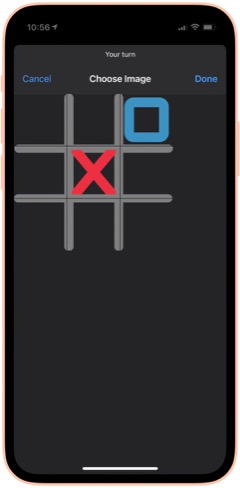
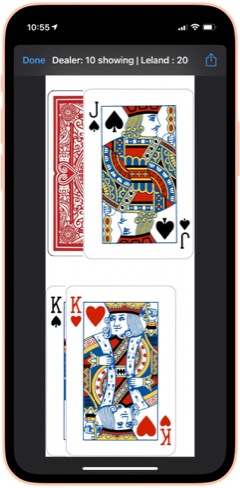
50 States Plus: My wife and I use this on every road trip... great fun! It lets you record a license plate from a list of those you haven't seen. You can also choose to see the license plates you have seen. It's easy to start over when you finally give up on Alaska or Hawaii. :-) From RoutineHub. There is also a voice add-on that I haven't tried yet, available as a separate shortcut.

Blackjack 2: There are a lot of Blackjack shortcuts out there. I like this one because it shows you images of the cards you and the dealer hold. It lets you bet for money, too, though that's not a feature I plan to use. From RoutineHub.

New! Wordles: This shortcut lets you play the popular Wordles game in Shortcuts. You have to guess a 5-letter word, and the shortcut fills in the blanks as you go, indicating place hits and right letter/wrong space.

New! Number Guessing Game: This fun game lets you choose a minimum number and a maximum number, then select how many attempts you want to have. As you guess, the shortcut tells you if you're high or low, so you can tease out the correct number.

Cat Fact: This fun shortcut simply displays a random fact about cats, which you can then choose to share with others. I'm not sure where I found this and the Dog fact companion shortcut, but I enjoy them a lot!

Dog Fact: This fun shortcut simply displays a random fact about dogs, which you can then choose to share with others. I'm not sure where I found this and the Cat fact companion shortcut, but I enjoy them a lot!

Humorz: This shortcut provides a lot of jokes in various categories from Reddit feeds, including at least one that's naughty. A fun diversion, especially in the car. From RoutineHub.

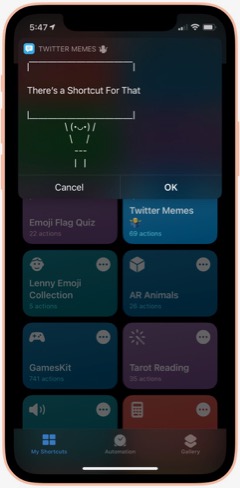
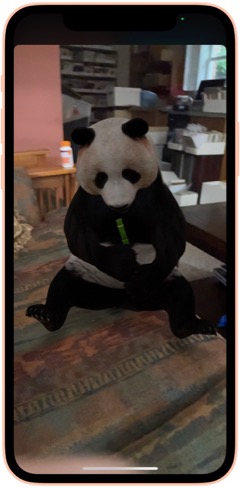
Twitter Memes: This shortcut lets you use one of a large collection of Twitter text memes to share your message. Some of them, such as person holding a sign, are quite cool, and it's impressive how they've implemented the functionality. You can share your meme at the end, and it gets copied to your clipboard. I couldn't find the original shortcut, but the one I'm linking has full credits inside.

AR Animals: This shortcut, which I got from a Chinese website, uses Augmented Reality (AR) to let you view about a dozen different animals. The animals are in motion and incredibly detailed. You can resize them and move them around the room (or whatever else amuses you).

Rude Siri: I made this shortcut from one I found on the web. It simply contains a list of a dozen or so rude things for Siri to say out loud. Quite amusing from time to time, but not in front of children, please! :-)

Health and Fitness
This folder contains a variety of shortcuts for logging, measuring and viewing health and fitness data such as weight, heart rate, sleep, activity and more. It also includes a medication logger.
Log Weight: This is identical to one in the Apple Gallery called "Log My Weight." I may have modified it from that one. In any case, I use this every day to log my weight into the Health app. Doing this has let me keep a good eye on my weight... much better than relying on memory... as you'll see in some of the following shortcuts.

Weight Chart: I use this every day to check my weight for the last 60 days. (I can change the time period to whatever I want... it's set at 60 days at the moment.) The shortcut uses Charty to make an image, pulling data from the Health app, and show that image in a QuickLook screen. I'm not sure where I got this shortcut, but I have several on the same basic pattern. You can customize it to chart any Health-app data that's recorded daily. It makes a nicer graph than what you get in the Health app, in my opinion.

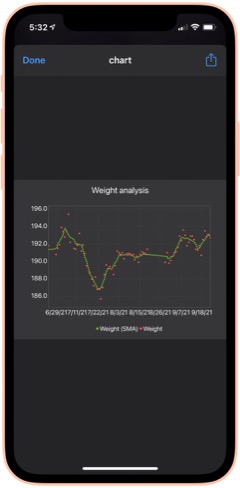
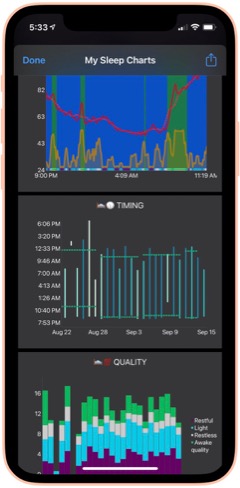
Weight Analysis: I check this shortcut daily also. It uses the same basic pattern as Weight Chart (above), but presents the data in a scatter graph with a moving average line as well. I find it informative in addition to the basic data presented in Weight Chart.

Monthly Weight Report: I check this simple shortcut daily. It gets your current weight and compares it with your weight a month ago, telling you the difference.

Heart Rate Chart: This shortcut uses Charty to conglomerate and present in chart form a daily snapshot of my heart rate data (collected by Apple Watch) for the period beginning in March 2021. For this period, it shows the maximum for each hour of the day, the average and the minimum, respectively. You can change the shortcut to present data for any time period you want to study. I'm not sure where this one came from, but I find it a handy reference.

Heart Rate Analysis Premium: This shortcut uses Charty to present two interesting data sets on my heart health: Resting Heart Rate and Heart Rate Variability. I've found the latter measure to correspond with some health issues I had recently. I couldn't find the source for this one, and there are no credits in the shortcut itself.

Log Nausea: I have some difficulty with morning nausea, so I made this shortcut to help me keep track of it. The shortcut lets me log my nausea on a scale of 1-10, and writes the result to my calendar. It then opens the Health app and lets me add my nausea data there. I do it this way because the Health app only counts "mild", "moderate" and "severe" nausea, or you can mark it present or not present.

Nausea History: This shortcut simply displays my nausea scores by searching my calendar for the last 30 days.

Active Energy Chart: This shortcut pulls data on Active Energy from the Health app and uses Charty to display a bar graph for the last 30 days. It also includes a moving average.

New! Cardio Fitness: This shortcut pulls data collected on your Cardio Fitness and presents it through Charty in a line graph for the last 6 months. The graph includes a moving average. Cardio Fitness data is added to your Health app when you do exercises with an Apple Watch. I decided to start monitoring this measure because the Health app reports that I'm consistently "below average" in Cardio Fitness.

Recent Workouts: This shortcut uses Toolbox Pro to get my latest workout data and present it in a chronological list. It appears to cover about 2 months of data. I believe this is a shortcut that came with Toolbox Pro.

Mindfulness: This shortcut uses Charty to pull data for my Mindful minutes for the last 2 weeks from the Health app and graph them.

Sleep Charts: This is a complex shortcut that spawns half-a-dozen additional shortcuts when you install it. The shortcut analyzes sleep patterns and uses Charty to present data for an overall Sleep Widget, Sleep Progress Rings, Sleep Quality Trend, Sleep Timing Trend, Sleeping Heart Rate Trend and Sleeping Noise Trend. You can have it generate one chart at a time, or you can have it do all 6 at once. It can be a little slow for some of the charts. From RoutineHub.

New! Sleep Widget: This terrific shortcut does a really good job at the hard task of analyzing your sleep data (if you wear your Apple Watch to bed). It presents a comprehensive chart (using Charty) of your sleep data, showing times of restful and light sleep as well as motion and noise. Below the chart is a lengthy textual walk-through of the data. From RoutineHub.

Medication Logger: I use this great shortcut to keep track of my prescriptions. Before you run it, open it and populate the Pills dictionary with the medications you take, entering the amount you have for each. Then, when you use it, the shortcut decrements the amount and logs the medication to your calendar. It includes a reminder for getting refills when you run low. The shortcut uses a file on iCloud called Pills.json, and you will need to use the free utility Jayson to edit the file when you get refills. Again, I don't know where this one came from, and there are no credits in the shortcut itself.

New! Log Sleep: This shortcut works with the next one to log your sleep time. I use an Apple Watch, so I ordinarily don't need this shortcut, but it would be useful if my Watch's battery were low or I otherwise couldn't use my watch. It saves a time to the iCloud drive which is read by the Log Wake Up shortcut.

New! Log Wake Up: When you run this shortcut, it checks the time saved to iCloud by the Log Sleep shortcut and saves the amount of sleep time to the Health App.

New! Record My Workout: This shortcut is useful for recording workouts while not wearing your Apple Watch. It lets you enter the type of activity, the number of active calories burned, and the length of time for the workout. From RoutineHub.

New! Health Report: I found this abandoned shortcut on the web that showed daily Steps data from the Health app. It presents the data in a very nice HTML page. I expanded the shortcut to include other Health data — specifically, Walking distance, Flights climbed, consumption of Sugar, Water, and Fiber, total Calories, Heart Rate, and Weight. For each statistic, the report shows an average for the last 30 days followed by the reading for the current day. I can't take credit for the HTML presentation, which is really nice, but I did build the shortcut out toward what I think the author originally intended.

New! Steps Chart: This shortcut uses Charty to present a chart of the last 30 days of Steps data from the Health app, including a moving average line over the daily bars. It's designed to read data from an Apple Watch, but if you don't use a Watch, you can change that to a different source (e.g., your iPhone) by editing the shortcut.

New! Flights Chart: This shortcut uses Charty to present a bar chart of the last 30 days of your Flights Climbed data from the Health app, including a moving average over the daily bars.

New! Blood Pressure: This shortcut lets you log your systolic and diastolic readings to the Health app. Works great with Siri. I found this one on RoutineHub.

New! Blood Pressure Chart: This shortcut uses Charty to look at the last 30 days of your blood pressure readings in Health and displays a line chart of whatever readings it finds. This may require the upgrade version of Charty.

New! Blood Pressure List: This shortcut presents your blood pressure data in list form. It starts by asking how far back you want to look for data and then displays the results. Same data as shown in the previous shortcut, but in tabular form rather than chart. This comes from RoutineHub.

New! Blood Oxygen Chart: I made this shortcut as a scatter chart using Charty, with a moving average line highlighting significant changes over time. It looks at your last 30 days of your blood Oxygen Saturation data in the Health app. It turns out that if you sleep with your Apple Watch on, as I do, the watch records 4-5 blood oxygen readings during the night. You can also add data by running your watch's Blood Oxygen app.

New! Blood Oxygen Chart Today: This shortcut is much like the previous one, but it only presents your readings for the current day. See note about the Apple Watch in the previous description.

Home Screen
This folder has eight shortcuts that I use frequently and hence are designed to show up in the Shortcuts "widget" on my home screen. I'm describing and linking to the eight in the separate folder sections. They are: App Launcher (Quick Links), Morning Break (Breaks and TV), Afternoon Break Albums (Breaks and TV), Track Hydration (Nutrition), Medication Logger (Health and Fitness), GradientPaper ShowDock (Wallpaper), Admin (Web Sites and Feeds) and Automix (Quick Music).
Images and Pictures
This folder has a lot of shortcuts designed to view, append, or manipulate images as well as to get information about images.
File Images: I wrote this handy shortcut, which I use every day, to keep my photo library straight. If you organize your photos into albums, you will enjoy this one. It looks at my Recent pictures and, after determining which are not in a lengthy list of albums, shows me the "unfiled" images. I have it set to look at the last 30 days, but you can make it a longer time frame if you like. You select one or more images from the viewer and then can file them in one of the many photo albums the shortcut offers. You can also choose to preview an image, or you can elect to delete images using this shortcut. You can customize the shortcut with whatever albums you have set up in the Photos app.

New! Search for Stock Photos: This shortcut uses a paid action from ToolboxPro to search Pexels photo library. It returns a menu of images, which you can then preview and/or save. If you don't like the preview, you can go back, and the shortcut will remember your search term. From RoutineHub.

High Res GIFs: There are a lot of shortcuts out there that convert live photos into animated GIFs, but this is the only one capable of doing it without degrading the original images. I use this also to create an animated GIF of a whole album of images, which I then use in one of my meditation shortcuts (as a workaround to the fact that you can't set up a slide show in shortcuts). The shortcut also lets you convert videos. Available from RoutineHub.

Combine Images: This shortcut simply lets you select a number of images from your photo library and then combine them either horizontally, vertically, or in a grid. The shortcut resizes the photos so they're all the same size. From RoutineHub.

Overlay Text on Image: This shortcut lets you select an image and then enter some text to superimpose on it. The shortcut then shows you the image in an edit window, and you can reposition the text and make other changes to it there. Click Done and you see a preview of your new image, which you can save or share.

Text Above Or Below Image: This shortcut lets you select an image and then add some text to display above or below it. It centers the text in a white banner at the top or bottom of the image, lets you preview the modified image and then offers to save or share it.

MEME Generator: This shortcut does a number of things, but I use it to create image MEMEs. In this mode, you choose an image and then enter the top text and the bottom text. The shortcut then previews the image, which uses large capital letters with a white border for your text, which is overlaid on the image. Quite effective. From RoutineHub.

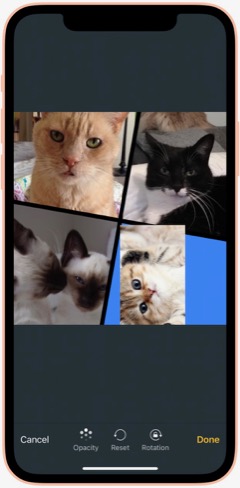

Mosaic: This cool shortcut uses a template for a mosaic of photos. The template has four "slots" for you to overlay images on, and you can resize the images as you position it over the "slot." Once you have all four "slots" full, you can view the mosaic and then save or share it. I think I found it on a non-U.S. website, and it has credits inside, but I can't find the original.

Photo Framer: This shortcut takes an image and adds an iPhone "frame" around it. It's particularly effective for screenshots, which then look like you shot the physical hardware as well as the image. I like this one because you can choose a color for the iPhone "frame." It's also capable of framing images that are not screenshot-sized. From RoutineHub.

Face Thumbnails: This nifty shortcut lets you choose an image with faces in it, and it will process the image to make thumbnails of the faces. You can resize the thumbnails (wide view, full view, etc.) and choose which ones you want to save. It will even straighten crooked faces if you like. Overall, it does a really good job at making full images of faces from group photos. From RoutineHub.

Cartoon Image: This delightful shortcut does its best to make a cartoon out of whatever photo you throw at it. Sometimes it can't do it, but when it can, the results are really cool. By the way, there's another cartoon shortcut out there called Cartoonify, and this one, from a Chinese source, is much better and far less scary.

New! Change Image Background: This cool shortcut requires an API key to work (it's easy to get one). Once you have it set up, the shortcut does an amazing job of removing the background from images with foreground subjects. You can then save that background-free image or choose to combine it with another photo. By combining it with another image, you can achieve some very cool effects. From RoutineHub.

Get Image Size: This simple shortcut lets you choose an image, either from Photos or from the share sheet, and it will return the height and width in pixels.

EXIF Photo Details: This handy shortcut, which lets you browse to a photo or can take one from the share sheet, presents all the details about a given image you could possibly want. It shows modification and creation dates as well as Album information, Camera information, etc. From RoutineHub.

HighRes Artwork (Apple Music): I use this shortcut to get the album art from whatever is playing on my iPhone at the time. I have tried other similar shortcuts, but none are as reliable as this one, and it really does return a high-res image, which you can save and/or share. I think I found this on Reddit.

NASA Wallpaper: This is an example of several shortcuts I have set up to view specific albums in my Photos library. As described earlier under Family, this type of shortcut can be created with a bit of siri magic: Just browse to the folder you want a shortcut for in Photos. Then go to Shortcuts and create a new shortcut. Search for the photos app actions, and you'll find one just for the album you want!

New! Dance!: This fun shortcut has two animations of a dancing person meme, and you get to select a photo and position someone's head in the animation. The result is you or your friends doing the dancing meme, which you can then save or share.

New! Video Trimmer: This shortcut lets you select a video and then divide it into segments. You can select how many segments you want, and then the shortcut presents you with a video editing interface that lets you select your segments to save. You can share the segments, which are saved to your Recents folder in Photos.

New! Join Videos: This shortcut lets you choose two or more videos from your library and combines them with no quality loss. It requires use of the a-shell mini app (a free download from the app store). From RoutineHub.

New! Change Image Size: This shortcut does just what the title suggests: It lets you change the size of any image in your library either to one of about 20 presets or to a custom size. If you choose custom, you can set just the height or just the width or both. After you select, you get to see a preview of the result, which you can save to your photo library if desired. Origin unknown.

New! Invert Image: This shortcut takes a photo and returns it with colors inverted. From RoutineHub.

New! Image Converter: I recently needed to convert an image I downloaded from Google to jpg, because my shortcuts for resizing images wouldn't work on the format the image was in. A quick search yielded this shortcut, which lets you convert an image from your photo library in any format to a range of other supported types.

Information
This folder contains a variety of shortcuts that provide information of one sort or another. There are search tools and shortcuts that retrieve information such as Tides, US Constitution, Cocktails, etc. A couple of the shortcuts would be helpful to writers.
Infinity Search: This all-in-one search shortcut lets you choose from over a dozen sources, including Google and things like Maps, the App Store, iTunes, YouTube and more. From RoutineHub.

Glyph Search: Have you ever wanted to find a glyph but couldn't? This might help... it lets you search Apple's glyph library by name and lets you know what glyphs apply. I really only use this when choosing glyphs for my shortcuts, but there may be other applications as well. From RoutineHub.

Tides: I used this recently while vacationing at the beach. This terrific little shortcut lets you search for tide markers in a nearby radius and then presents a list of places. Select one and you can tell it how many days of information to provide. It ends with the tide information in a jiffy! I'm not sure where I found this one, but it does have a username credit inside.

US Constitution: Yes, this shortcut contains the entire U.S. Constitution, broken up into bite-sized chunks in .json format for quick reference. It's nice to be able to refer to the actual language in this document now and then. If you invoke from Siri, she will read the articles etc. to you. From RoutineHub.

Cocktails: From the sublime to the banal: This shortcut lets you look up a wide range of cocktails. It shows you a picture of the drink and then displays the recipe. No, I'm not a lush, but I thought this would be useful from time to time, especially when on vacation. I'm not sure where this one came from, but it does have a credit inside.

Rhymes: This shortcut produces an astonishing number of word rhymes for any word you give it. It can even do multi-syllable rhymes and near-rhymes. A great resource if you're feeling poetic. :-) Not sure where this one came from, but I'm glad I've got it!

New! Wikipedia Search: This simple shortcut lets you enter natural language queries (without underscores) to search Wikipedia. It then loads Wikipedia in a Safari view controller.

New! The Shortcut Dictionary: Besides serving as a dictionary, this shortcut offers to help you with pronunciation and spelling. It also has a translate tool built in. From RoutineHub.

New! iOS App Release Notes: I found this on MacStories, I believe, but I couldn't get it to work as written. I changed the shortcut to ask for an app name instead of trying to parse a URL for the app ID (as the original shortcut was doing). It isn't perfect, but you can find the latest release notes for most any iOS app as long as the name isn't so common that it misses the mark in retrieving the data, which is presented in a preview window. The shortcut ends by copying the release notes to the clipboard.

What Would Steve Say: This shortcut contains a huge resource of Steve Jobs quotes on various subjects. When you run it, it picks a random quote and presents it. From RoutineHub.

Mail and Messaging
This folder has a few shortcuts pertaining to Mail and Messages.
Send Later: This shortcut lets you create a new shortcut containing a message to somebody. To "send later," you set up an automation to run this shortcut on a specific day and time. You can then delete the temporary shortcut and remove the automation afterwards. From RoutineHub.

Dictate And Share: This shortcut simply lets you dictate a message and send it to a group or individual. I believe this one comes from the Apple Gallery of shortcuts.

Vertical SMS: This fun shortcut takes your message and sends it either one word at a time or one letter at a time. Goofy, but it gets attention if you don't do it too often. :-) I'm not sure where this one came from, but it does have a credit comment inside.

Personal Contacts: This shortcut simply looks in Contacts for those in the Personal Contacts group and displays them in Quick Look.

Move Contact To Group: I wrote this shortcut because there's no way to move a contact to a group on the iPhone. This shortcut lets you choose a contact and add it to one of your contact groups.

Morning Routine
This folder has some shortcuts that I use in my morning routine, before I start work for the day.
I'm Awake: This shortcut is the first thing I say to Siri in the morning. It turns my reading lamp on, runs the Brightness To Battery shortcut (see folder Settings) and runs the Morning Greeting shortcut (see below). Once the morning greeting is over, the shortcut sets the playback destination to the kitchen HomePod and starts playing some classical music (specific to each day of the week).

Morning Greeting: There are a slew of "good morning" shortcuts out there that have Siri give you a day's summary, but I ended up liking this one best. I don't know where I found it, but I've made a few modifications to it over time. The greeting announces the date, the current weather and forecast for the day, and the next item on my calendar. I use this in my "I'm Awake" shortcut (above).

Paper Finished: This simple shortcut turns off the reading lamp and then hands off playback of the classical music in the kitchen to my bedroom HomePod mini, so it's playing there when I head up to get dressed.

Music
This folder contains a number of shortcuts pertaining to music listening and finding tunes on Apple Music.
Add to New List: This shortcut gets the currently playing song and adds it to a playlist in my library called "New Music." I use this to keep track of new songs I hear that I want to hear again. I believe this one came from Apple's Gallery of shortcuts.

Song Info: This shortcut displays information about the currently playing song, including rating, artist, and any art associated with it. I don't know where I found this one, but it does have a credit included in it.

I Am Genius: I use this shortcut to get lyrics for songs. You can get lyrics for the currently playing song, or you can search for a song. You can copy or share the lyrics. From RoutineHub.

500 Albums: This shortcut contains all 500 of Rolling Stone magazine's top albums. When you run it, it starts playing a random album from the list, displays wikipedia info about the album, and logs the album number to a list in Notes. The shortcut keeps track of the albums you've heard so it doesn't repeat an album. I'm not sure the source for this one, so I'm linking to my iCloud library.

Indie Radio: I got this shortcut from Apple's Gallery. It lets you choose one of the Indie Radio genres in Apple Music and starts playing it.

Open Genre Playlists: This shortcut also comes from Apple. It displays a list of all the curated genres in Apple Music and starts playing the one you select.

Electronic Radio: Also from Apple, this shortcut displays a list of Apple Music stations in the Electronic genre and starts playing the one you select.

Dance Radio: Similar to the previous shortcut, but for Dance genres.

Music By Decade: This Apple shortcut displays a list of decades and lets you choose one to start playing in Apple Music.

Playlist Tool: This is a modification of the shortcut Apple Music Tool, which didn't work for me in several respects. This shortcut lets you find duplicates in your playlists and then offers to make a new playlist containing just the duplicates or all the playlist songs minus the duplicate(s). Very useful for finding duplicates in your library. You can also use the shortcut to sort a playlist, writing out a new playlist with the sort order you define.

Shazam This and Share It: This shortcut is the easiest way to share something playing on Apple Music with a friend. Shazam identifies the song, and you can then choose who you want to share it with. Source unknown.

New! Find Duplicate Songs: This shortcut will find all the duplicate songs in your library by comparing artist name and title. It will then make a new playlist containing the duplicates. My library is so big I found I needed to edit the shortcut to look through segments of my library at a time, but it did work as advertised. From RoutineHub.

New! Song.Link: This amazing shortcut lets you shazam or search for a song and then shows you all the streaming services through which it's available. You can then easily share a link to the song or open the link. It includes dozens of services, including all the big ones (Apple, iTunes, Spotify, Amazon, Napster, YouTube). From RoutineHub.

News and Stocks
This folder contains links to sources of news as well as some stock information.
Browse Top News: This shortcut displays half-a-dozen sources of general news (e.g., CNN, New York Times, BBC) and lets you browse their news feeds. Selected a story opens the Safari window in the shortcut. I don't know the source of this one.

New! Browse Top News Voice: This is the same shortcut as the previous one, but instead of opening the chosen item in Safari, it reads the item to you. In this case, the shortcut parses the Safari Reader Article from the chosen item and reads the article title and body.

Tech News: This shortcut displays seven sources of Apple Tech news (e.g., Mac Stories, Mac Rumors, Daring Fireball) and lets you browse their news feeds. Selecting a story opens it in the Safari window. I'm not sure where I got this shortcut.

New! Tech News Voice: This shortcut is the same as the preceding one, but instead of presenting your chosen item in Safari, it reads the item to you. In this case, the shortcut gets the URL from the chosen item and parses the Safari Reader Article, reading the article title and body.

Apple News: This shortcut displays the 20 latest items in the official Apple news feed. Selecting one opens the Safari window in the shortcut.

New! Apple News Voice: This shortcut gets the same news feed as the previous shortcut, but instead of presenting it in Safari, it reads the news item to you. It took me awhile to get this right, but I finally found a regular expression that captures the news release while ignoring all the extraneous information on the page. Trying to get the text from the feed itself doesn't work because that yields only the title and summary paragraph.

New! Apple Investor: I made this simple shortcut because I always have to spend time in Safari finding the tab (if it still exists) or navigating the Apple website when they release earnings. As an Apple shareholder, I wanted a faster way to get there, and that's precisely what this shortcut does: It loads the Apple Investor page in a Safari view controller window.

HomeKit Stories: I made this simple shortcut with a little help from Siri. Like the Maps and Photos apps, the News app will display actions based on your latest activities in the app. After displaying HomeKit stories in News, I found an action for that in Shortcuts. This simply opens the News app and displays stories about HomeKit. You can make shortcuts like this for whatever topic you like. I have another one for Severe Weather.

Any Stock Report: I use this shortcut as a template for ones I made for individual stocks I own. With this generic shortcut, you enter the symbol for a stock you want to look up as well as the number of shares you own. The shortcut will display the latest price for the stock, and if you enter shares it will tell you how much the holding is worth and how much it changed.

Stock Market Indexes: This shortcut is based on the previous one. It simply gets the information for the S&P 500, Dow Jones, and NASDAQ composite and displays the latest values in separate notification windows.

Nutrition
I use the shortcuts in these folders to log, track and view information about what I eat and drink.
Nutrition: This complex shortcut actually comprises about 8 different shortcuts working together. I use it to log my meals, snacks and certain drinks, the detailed ingredients of which get then logged into my Health app data. The shortcut has a flaw that limits its ability to show meal history, but I implemented a workaround that keeps its basic functionality intact. You log meals etc. either through a "Quick Log", which shows you your recent consumption items, or through a longer logging process. The longer process involves either searching (in this case, the shortcut uses the MyFitnessPal database) or scanning a barcode for a particular item. You can choose to log "right now," or specify a particular time and date. This is handy for logging items in a previous day that you forgot to do. I find the search and scanning mechanisms to be fast and easy. By keeping track of my consumption, I'm populating the Health app with a lot of rich data that I can then use other shortcuts to view. From RoutineHub.

Today's Food: This is part of the Nutrition shortcut. It shows you, in a prettified .json format, the nutrients you've consumed on the current day.

Log Water: I think this came from the Apple Gallery in Shortcuts. It simply presents a menu of choices in fluid ounces, and you select the amount you've consumed. I think I added some choices that weren't in the original shortcut, but you can customize it to your liking. I usually use this with Siri.

Log Daily Vitamin: I made this one to log my daily vitamin to the Health app. I believe it's for One-A-Day for Senior Men, but again you can customize it to whatever vitamin you take. I have another one that simply logs Vitamin D, which I take separately. Again, I usually invoke this one from Siri.

Log Meta-Mucil: This and the next three are shortcuts I made for food I consume every day. It became easier to make the shortcut than use Nutrition or Track Hydration to log the items. This one is for the pill version of Meta-Mucil and assumes you take one serving. I log this twice daily and write the info to my calendar as well as the Health app to keep track of my intake.

New! Log Meta-Mucil Gummies: This shortcut logs the gummy version of Meta-Mucil into the Health app. I take this twice a day and substitute it for the previous item in that case.

Log Muscle Milk: This shortcut logs the sugar-free 11-ounce bottle of Muscle Milk to the Health app.

New! Log Muscle Milk Large: This shortcut logs the sugar-free 14-ounce bottle of Muscle Milk to the Health app.

Log V8 Energy: This shortcut logs an 8-ounce can of V8 Energy drink to the Health app.

New! Log Super Coffee: This shortcut logs an 11-ounce can of Super Coffee, sending all the detailed ingredients to the Health app.

Track Hydration. This is another complex third-party shortcut that lets you log drinks (and your weight, but I don't use it for that) of various kinds to the Health app. I use it to log my tea, coffee and alcoholic drinks, as well as the occasional soft drink or juice. It's easy to use, though I think I customized the Tea list because it didn't originally have a bottle of iced tea on the menu. Besides your fluid intake, the shortcut also logs things like caffeine, alcohol, and carbohydrates. I use this one so often I keep it on my Home Screen. From RoutineHub.

Water Today: I usually invoke this one from Siri. It simply tells me how much water I've consumed so far on the current day.

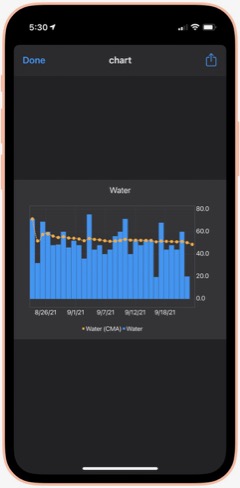
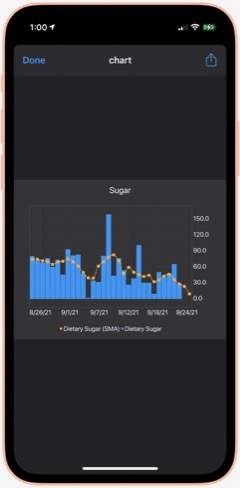
Water Chart: Using Charty, this shortcut shows me my water consumption for the last 30 days as a bar chart, with a moving average line as well. I'm not sure where I got this, but I have replicated it for several other important (to me) metrics.

Sugar Today: Sugar is another important metric for me to track. By using the Nutrition shortcut, all of my sugar consumption gets logged. This shortcut simply tells me how much sugar (in grams) I've consumed so far on the current day. Besides, sugar and water, I also have shortcuts to show me my daily consumption of protein, fiber and caffeine. They all use the pattern in this shortcut, so you can modify it to measure the things that matter most to you.

Sugar Chart: Using Charty, this shortcut shows me my sugar consumption daily for the last 30 days as a bar chart, including a moving average. I've modified this shortcut to chart other metrics that matter to me — specifically, caffeine, fiber, protein and sodium. You can modify this one to measure the things that matter most to you.

Calories Chart: I forgot to mention calories... I have shortcuts to show me Calories Today as well as this one, which shows me my calories (active energy) consumption for the last 30 days as a bar chart, with a moving average line. The data all comes from using the Nutrition shortcut and is stored in the Health app. Speaking of which, I find all of these shortcuts do a better job of helping me visualize my data than what Apple shows in the Health app. Much quicker to get what you're after as well.

Playback and HomePod
The shortcuts in this folder let me control playback on my iPhone and on my HomePods. I have a number of shortcuts specific to certain HomePods, but I see no reason to include them here.
Play/Pause: This shortcut does what its name implies: It either pauses or starts playing music. If you're playing to one or more HomePods, it also pauses playback on those.

New! Silence Audio: This shortcut turns off any background sounds (ocean, rain, etc.) that may be playing.

Change The Volume: This simple shortcut lets you choose among a number of volume settings, which you can customize to your liking. It applies the volume you choose to the music that's playing.

Play On HomePod: This shortcut has only one action: It lets you choose which AirPlay device (in my case, HomePods) to be the "playback destination" for your music.

Hand Back To iPhone: This shortcut stops any HomePods that are playing and redirects the music to your iPhone's speakers.

All HomePods: This shortcut sets each of my HomePods as the "playback destination", thereby turning them all on with one simple command.

Quick Classical Music
This folder simply has links to 11 classical music albums I have stored on my iPhone. It's much easier getting to them here than browsing my Music library. But there's no point in distributing them here, as they are very simple and redundant of some others I will be including.
Quick Leland Music
In my early adult life, I aspired to be a songwriter and made what I eventually compiled into about 8 albums-worth of material, most of it quite rough from a production values standpoint. My music is available on Apple Music, iTunes, and Spotify, for example. You can read more about it on my MarsTunes website. This folder simply has quick links to my music, which I play either through Apple Music or through my library. I'll provide a couple of examples.
I Am The Passenger: This is simply a link to one of my more popular songs in Apple Music. I believe you have to have an Apple Music subscription for this to work, but I'm not sure. That's true for the following two shortcuts as well.

Play Dancing Any: This is a link to the most recent album of demos in the series of eight. The album is called "Dancing In The Sun." The "Any" in the name refers to the fact that the shortcut ends by offering to let you play the music on an AirPlay device if you have one. (The same is true for the following shortcut.)

Play Darkness Any: This is a link to my personal favorite of the eight albums of demos, titled "The Darkness In Love."

This article continues here.
Building Smart Automations With Apple Home, Siri Shortcuts
Tags
Rejected Apr 02, 2021Home PageShow Full Text
Over the past few months, I've had a blast building out my smart home, using Apple's Home app as the foundation. Who knew how much fun it would be making things happen in the house without having to move a finger? I'm still at the beginning stages, but I thought it would be useful to document what I've done and learned so far.
Automating your smart home and life makes use of two apps that come with your iPhone: Home and Shortcuts. (The links to each in the following text take you to Apple's User Guide for for each app, which I would recommend perusing if you get lost.)
The Home app is where you add your smart devices, which must be HomeKit-certified. When you add your first device, you assign it a room, and as you build out your home, you add devices and rooms as you go. 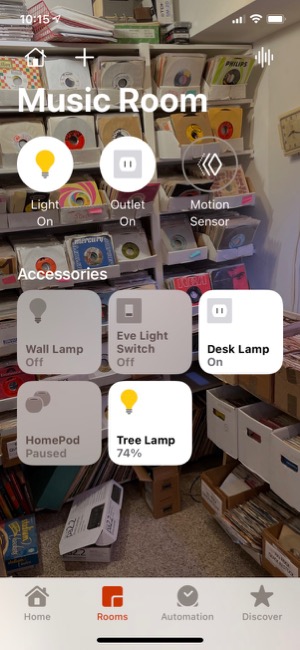 Each room can have its own image and settings, and you can easily navigate to each room in the Home app to see the status of your devices. The Home app's home page also displays all your "favorite" devices in one place.
To add a device, you plug it in or otherwise power it and then click the "+" in the Home app and select "Add Accessory." From there, you scan a HomeKit code (with your iPhone camera) that's printed on the device itself as well as on instructions in the box. Once Home establishes a connection to the device, you select a room and, depending on what kind of accessory it is, you might be offered the option to set automations for it.
Note that adding a HomePod to your home is a different process... again, very simple, and more like setting up an Apple watch. But the HomePods still end up in your rooms in the Home app and can be used for automations.
So, what devices have I added to my home so far? Lights, outlets, switches, a camera, and motion sensors. Except for a Wemo 3-way light switch (I'm still trying to get Belkin, which owns Wemo, to fix my problem), all of the devices have been easy to add to the home. Many of the devices have iPhone apps specific for their products, and some of these are useful. For example, Eve (a German company, the successor of Elgato) has an app that lets you customize its devices in ways you can't do in the Home app. The Wemo app is the only way you can update a device's firmware... an approach that has caused me problems, unfortunately. Some of these apps also offer ways to automate their products, but thus far I have stuck to using the Home app and the Shortcuts app for such automations.
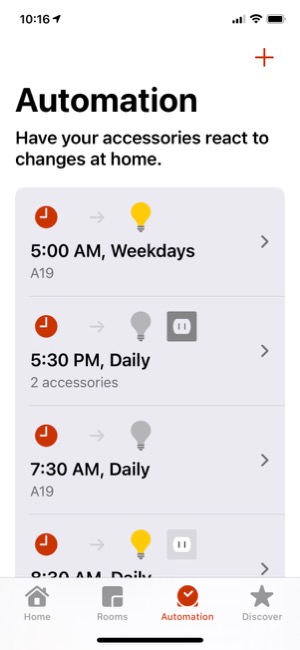
A quick word about the devices I've selected... Some HomeKit devices want you to buy a separate "hub" for them to work. An example is the Philips Hue series of light bulbs. I've avoided all such devices, since with Apple Home and an iPhone or HomePod, you don't need a "hub". The HomeKit accessories I've bought and used all work without a dedicated "hub," and I think that's a good approach.
The automations I've set up fall in the following categories:
- Setting schedules for lights going on and off.
- Automatically turning lights on and off using motion sensors.
- Setting music to play to a HomePod at certain times
- Designing Siri Shortcuts to automate activities
Setting schedules for lights going on and off
In the lights category, I have several devices... Smart lights themselves, smart light sockets that take "dumb" bulbs, smart outlets and smart light switches. I started with Home simply by adding some smart bulbs to rooms where I wanted light at certain times of the day. For example, I have a bulb in our "Great Room" that I have coming on at Sunset and going off at 12:30 AM. In my "Music Room," I have a smart outlet that powers my desk lamp, and a bright smart bulb in a different fixture across the room. I have automations set up that turn these lights on at a certain time in the morning (prior to my starting work) and turn them off when my workday is done. To make things even more interesting, I have set up Shortcuts that turn the lamps off when I start a break and back on when the break is over.
Automatically turning lights on and off using motion sensors.
One of my favorite automations is in my Music Room, where I added an Eve motion sensor to a part of the room that would detect motion if I approached my boxes of factory sleeves or my shelves of records. I have an Eve smart switch installed that controls a bank of track lights, as well as a Koogeek bulb that's in an old wall lamp. Now, whenever I approach that part of the room, the lights go on, and I have the timer set (in the Eve app) to turn the lights off after 2 minutes.
I've used motion sensors in other locations with good results. I have one in the kitchen that turns a smart bulb on and off as it detects motion (or the lack thereof). I have one on the patio that turns on a bank of "party" bulbs, made smart by using a Wemo outdoor smart outlet. In this case, I have set the automation to only detect motion starting 30 minutes before Sunset, and I have set the motion sensor to wait 30 minutes before turning off if no motion is detected. Finally, I have one going down to the basement that's supposed to turn on the main lights using a smart Wemo 3-way switch, as well as, at certain times of the day, a bulb installed in a smart socket in another part of the basement. (Unfortunately, I haven't been able to get the Wemo switch to work, and am working with Belkin to resolve the problem. In a nutshell, the problem is that the device wants a firmware upgrade, but the Wemo app can't keep the device "registered" long enough to install the firmware.)
After our recent sojourn in Hilton Head, SC, I realized it would be helpful to have a camera in the kitchen, since no motion should be detected there when we're away. So I added a camera (made by Eufy) that let's me spy on the kitchen remotely.
Setting music to play to a HomePod at certain times
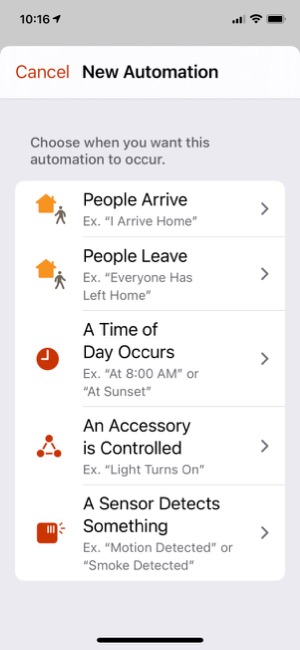
Another of my favorite automations was very simple to set up and brings my wife great joy. You can trigger an action based on when a person arrives or leaves home, so I set one up for Jackie when she gets home: Each time she walks in the door, the kitchen HomePod is playing one of her favorite artists — namely, Bruce Springsteen! I have the HomePod play Bruce's greatest hits, starting with "Born To Run." I can set the volume so it's not overwhelming, too. (Of course, this automation assumes she's carrying her iPhone with her, which is a pretty safe bet.)
We have a HomePod Mini in the bedroom, and I have it set to play music at two different times of the day. At 8:45, the HomePod starts to play "Forest Sounds," some ambient music available through my Apple Music subscription. Then, at 8:05, when my alarm goes off, I have a personal automation that uses a Shortcut to my "Folk/Folk Rock" playlist to start playing it in random order... all set to a reasonably low "going to sleep" and "waking up" volume ambiance.
Finally, I decided I'd like the HomePod Mini pair in my Music Room to be playing music when I start work in the morning, so I set up an automation to have them do just that.
One of the few problems I've had with these automations is that those that control a HomePod sometimes turn "Disabled" for no apparent reason. (You can enable and disable your automations manually in the Home app, but in this case the app disables the automation itself.) Fortunately, it's simple to set them up again, but it's still a nuisance that I hope Apple fixes.
Designing Siri Shortcuts to automate activities
The Shortcuts app presents another opportunity for iPhone users to automate their day. Shortcuts are essentially custom Siri commands that do various things with the apps and data on your iPhone. They can also control devices in your smart Home, since Home is one of the apps on your iPhone. In addition to using voice commands, you can click on the shortcuts in the Shortcuts app to launch them, or you can save them as clickable "apps" on your home screen.
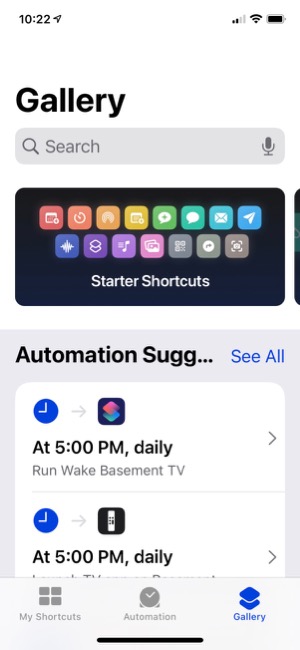
The app comes with a whole "Gallery" of example shortcuts in many different categories, and I encourage you to look at these and try adding a few to see what they do and how shortcuts work. I used a number of example shortcuts as the building blocks for the shortcuts I've set up, though it's quite easy to start from scratch. Essentially, shortcuts string together actions and data to automate commonly performed tasks with your phone.
I've divided my shortcuts into two main groups: Breaks and TV, and Music and Audio.
In the "Breaks and TV" group, I have a shortcut called "Morning Break" that lets me browse my music library for something to play, changes my audio output to the kitchen HomePod, and starts playing the music. The shortcut also turns off the lights in my music room. When my break is over, I have a shortcut called "Break Over," which stops the music and turns the lights on in my music room.
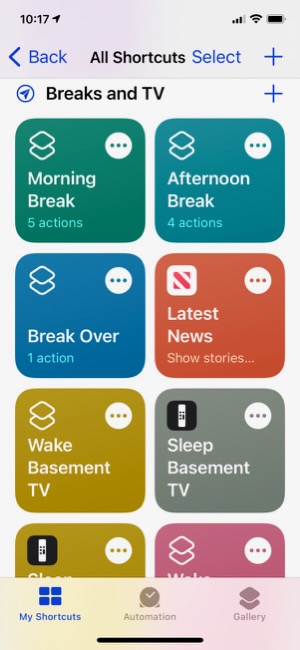
A more complicated shortcut is used for "Afternoon Break," and I've discovered a problem in Apple's implementation at this time that requires me to click the shortcut in the app to get it to work. A voice command to Siri won't cut it, unfortunately. So, I set an automation that launches the Shortcuts app at 3:30 (when my break usually starts), so it'll be there when I'm ready to start my break. The afternoon shortcut does the following things: It turns off the music room lights, turns on the Great Room lamp, runs a shortcut called "Indie Radio" that plays a playlist from Apple Music to my kitchen HomePod, waits 3 seconds and then launches the Stocks app showing the Apple stock price. Again, when I'm ready to go back to work, i say "Break Over," and that sets the lights appropriately and stops the music.
I also have shortcuts to wake and sleep my Apple TVs, which, when they work, will wake the Apple TV, turn on the TV and show the remote for the Apple TV on my iPhone. For some reason, these automations aren't as reliable as the others. I often have to say "Wake Basement TV" more than once to get Siri to do her thing.
In "Music and Audio," I have shortcuts to "Indie Radio," based on an Apple-provided shortcut, one that searches my library for "Beach Boys" and plays what it finds to my bedroom HomePod, one that finds my "Folk/Folk Rock" playlist and plays it, two that play different podcasts, and one that lets me add whatever song is playing to a given playlist.
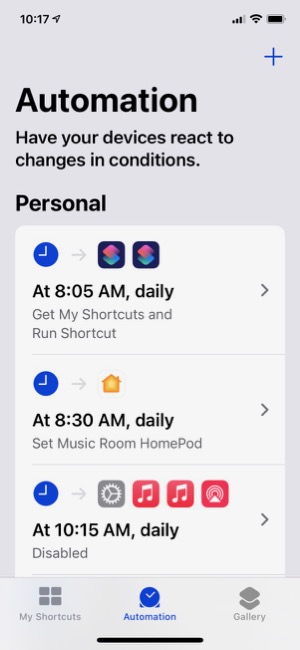
One of the tabs in the Shortcuts app is for setting up automations with your shortcuts. At the top of the screen are Personal automations that are just for you and your iPhone. At the bottom are Home automations, which are the same as those you set up in the Home app.
In addition to the Shortcuts app, you can also create custom Siri commands in the Home app, where they are called "Scenes." For my home, I have several "Scenes," which essentially are commands that control one or more devices at once. For example, I have "I'm Home," which turns on several lights in the house, and "Good Night," which turns lights off. Just for fun, I set up "Reading The Paper," which turns on the floor lamp in the great room, and "Paper Done," which turns it off. Such scenes merely save a few words off saying, for example, "Turn on the floor lamp."
To sum up, my foray into the smart home has been a lot of fun so far. I keep thinking of new ways to save energy and time, and Apple has provided a secure and private platform to use, so I can feel confident that the devices I add to my home maintain the same standards that Apple does. Since all of these devices are WiFi enabled in some way, they present potential targets for hacking by outsiders. It's important to make sure your privacy and security aren't being compromised as you built out your smart home and life. Other HomeKit devices I'd like to set up eventually include a smart thermostat, a smart doorbell with camera, a smart water faucet for auto-sprinkling, and perhaps a smart deadbolt lock.

Balanced Article on "Smart Home" in 2020 Gives Nod to Apple for Privacy/Security
Tags
Rejected Mar 22, 2021Home PageShow Full Text
Can You Fall In Love With A Watch Face?
Tags
Rejected Feb 17, 2021Home PageShow Full Text
I recently began exploring all the different faces that are now available for the Apple Watch. There are many cool options these days, but I happened upon one that I simply can't get enough of. It's the kaleidoscope face, which comes with a nice array of image options and several "facet" styles.
After playing with the face and the built-in options for awhile, I discovered that you could use a custom image as the source for the kaleidoscope effects. I chose the one I use on my computer desktop and on my iPhone home screen... It's a photo I took during an especially beautiful sunset at our favorite beach destination in North Carolina. You can check it out here: 
After doing this, I realized I had found watch face nirvana for me. I settled on the radial facet effect, and now I have incredibly beautiful animations as the kaleidoscope cycles through the source image. The animations are sometimes quick, sometimes subtle, but always calming. I find myself looking at my watch now and then as a sort of meditation exercise. My watch is no longer just a great utility — a computer on my wrist! — it's a piece of art that's contantly changing.
During the course of the last week or two, I've screen-captured my watch face, and although some are similar, no two images are alike. I hope you enjoy perusing them as much as I enjoy seeing them on my watch face.
One note to "complications" fans... I keep my fully loaded modular face a swipe away, so I can quickly see things this face can't accommodate. (Note to Apple Watch newbies, once you set up more than one face, you can simply swipe to the left or right on the watch face to cycle through your custom faces.)
An Audiophile Listening Room with Apple's HomePod
Tags
Rejected Mar 05, 2019Home PageShow Full Text
Mars Themes and OS X Mavericks
Tags
Rejected Oct 23, 2013Home PageShow Full Text

Trying To Tame Mountain Lion Without A Hat
Tags
Rejected Dec 29, 2012Home PageShow Full Text
Windows 8 UI strategic mistake, argues design guru - Computerworld
Tags
Rejected Nov 20, 2012Home PageShow Full Text

Version as tested: 1.8.1.

Spark
Venerable Shortcut-Manager Freeware Gets A Rewrite
Tags
Rejected Sep 06, 2012Home PageShow Full Text
Version as tested: 3.0 b2.
Update 9/6/12.

MainMenu
A Menu Extra for Simple System Administration Tasks
FreewareTags
Rejected Sep 05, 2012Home PageShow Full Text
Version as tested: 1.7.2.
Update 9/5/12.

TVShows
New Freeware Gathers Torrents for Your Favorite Shows
FreewareTags
Rejected Sep 04, 2012Home PageShow Full Text
Version as tested: 0.3.4.
Updated 8/14/12:
Still Thinking About It
Can You Mount A Lion Virtually?
FreewareTags
Rejected Sep 04, 2012Home PageShow Full Text

JustLooking
A New Image Previewer Debuts as Freeware
FreewareTags
Rejected Sep 03, 2012Home PageShow Full Text
Version as tested: 2.0.
Update 9/6/12.
Pages: 1 | 2 | 3 | 4 | 5 | 6 | 7 | 8 | 9 | 10 | 11 | 12


