Articles in "Leopard"
CrystalClear Interface Update: Version 1.9.1
This release fixes a problem with the uninstaller, and is otherwise the same as 1.9.0. (Note: Today’s update fixes the error in yesterday’s release, which inadvertently still had the 1.9.0 installer. Sorry about that!) The uninstaller now runs a new utility, GraphicsToggle, after running the installer/uninstaller, and this takes care of making sure the Leopard graphics are fully restored. See the documentation included with the download for more information about GraphicsToggle.
Announcing CrystalClear Interface v. 1.8.12
This unexpected journey into the realm of transparent user interfaces has taken me much further than I ever imagined. It's been almost a year now since the first inkling of the idea rattled my brain, which led to the first release of Crystal Clear for ShapeShifter in mid-February.
Thanks to the Cocoa InputManager SetAlphaValue, I was led, Pied-Piper-like, into the enormous and strange world of Objective-C and Cocoa during the summer. I'm finally surfacing from that expedition and have brought a souvenir of my travels into the strange, terrifying, and glorious realm of Cocoa.
Each computer user will have to decide for themselves just how much transparency they can stand while working at their Mac. I was surprised at the amount of loathing that was expressed towards Leopard's newly translucent menubar last month. But I don't think it's indicative of any permanent flaw in the concept. Quite the contrary, in fact: If anything, Leopard's toying with translucency is too much of a baby step, on the one hand, and smacks of me-tooism with Vista, on the other.
Very briefly, the premise I'm proposing is that our computer monitors are essentially glorious light sources, much like the ones that shine through windows in our houses and automobiles. Just as we do with those windows, there are times when we want to bask in the beauty shining through, and other times that we prefer to close the blinds to avoid glare. On the computer, we already know how to close the blinds. I'm suggesting that there's a world of beauty awaiting computer users who can enjoy the light as well.
Leopard’s “Quick Look” Raises the Bar for File Previewing
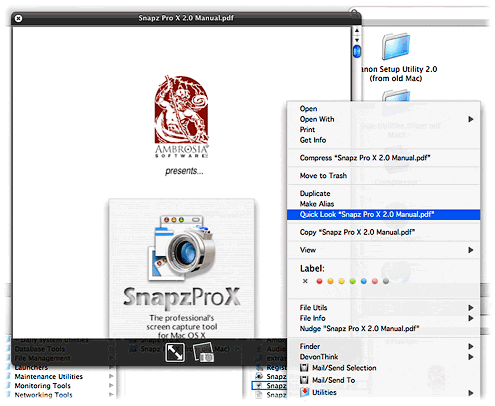
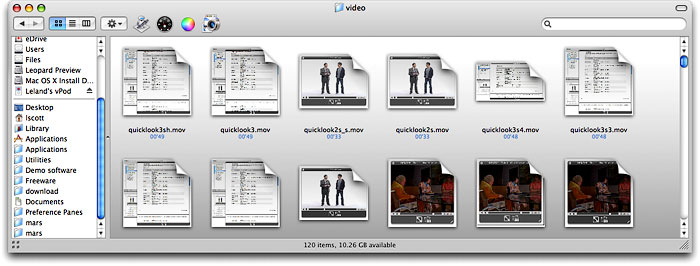
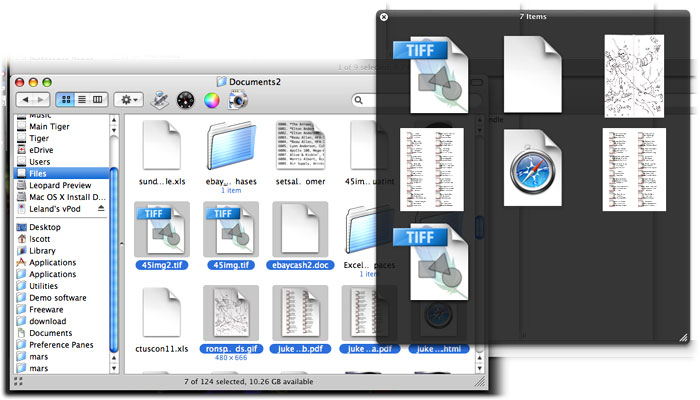
With Leopard's forthcoming "Quick Look" feature in the Finder, Apple is leaping ahead of the file-previewing game by providing a separate, translucent preview window of amazing flexibility and beauty. Quick Look can preview movies at full size or even full screen. It can preview text, HTML, and PDF documents and even let you navigate them. If you select multiple files, Leopard provides an "expose"-like view that lets you navigate among them. Or, if the files are images, you can quickly go into slideshow mode. There's much more... but ain't that enough for now?
Quietly, Safari Finally Gains WYSIWYG Editing Powers
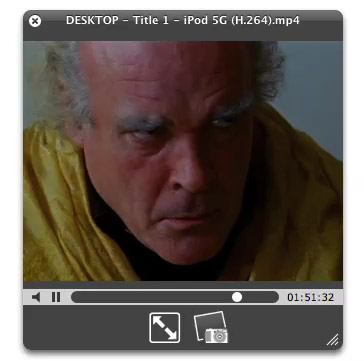
A quiet revolution has taken place for Mac OS X Safari users, but I haven’t seen anyone celebrate it… and I’ve looked! There isn’t even a mention of this dramatic change in Safari’s powers on the Surfin’ Safari blog, where the open source team that’s evolving the WebKit rendering engine used in Safari announce new features and updates. Lately, this team has implemented a number of really amazing features from the CSS 3.0 specification, and each has been trumpeted with some eye-popping examples. But not a word about this.
Well, I for one am celebrating the upgrade with this article and proclaiming to the world that finally, at last, Safari is gaining parity with the other modern browsers in letting users perform WYSIWYG editing whenever the application calls for it. Mac users like me who have simply done without rich-text editing in their WordPress blogs and Gmails, bristling with an unfamiliar envy at the vast majority of users who take this functionality for granted by now, can finally save ourselves some typing and edit in our web browser with the same ease we do in a word processor.
Leopard’s Spaces: Virtual Desktops for the Rest of Us?
I’ve been intrigued
by the concept of virtual desktops since encountering them in a Unix system many years ago (I think it was an SGI Irix system), and then later when I set up Linux about 5 years ago to play around with that OS firsthand. Then, a couple of years ago I saw an early build of Virtue Desktops and thought it was pretty cool. I really loved the nifty transition effects and all the desktop customization you can do with Virtue.
However, Virtue seemed pretty flaky at the time, so I looked around to see what other virtual desktop environments there were for Mac OS X. To my surprise, there were several in addition to Virtue… including some commercial implementations. After trying all the free ones (I wasn’t interested in paying for this feature, since I didn’t even know if I’d like it), I decided Virtue was the best of the bunch.
But I also decided that Virtue’s flakiness was simply adding more time to my routine rather than helping me organize my work, and I finally broke down and decided to try You Control Desktops. Now, it may be a total coincidence, but just after I installed Desktops and restarted my system, the whole OS began to flake out, and I ended up having to trash my hard drive.
Needless to say, whether that was You Desktops’ fault or just a bad hard drive kicking in, it soured me on the whole idea of virtual desktops for awhile.
Then, when Apple announced in August that one of the premier features of its forthcoming Leopard OS would be a virtual desktop system called Spaces, I thought that maybe someone would finally get this thing done right on Mac OS X. Maybe the problem has been that the implementations I’d tried just weren’t intuitive enough, or right-featured enough, to be useful to me. I even said this out loud in an article of video snippets from the WWDC keynote that I published in mid-August.
Apple’s initiative with Spaces also made me question my previous conclusion that virtual desktops were not worth the effort. If Apple is investing the energy to bring virtual desktops to “the rest of us” someone at Apple must believe that they are a user interface enhancement that will really benefit “us.”
So, I opened my mind once again to the idea of virtual desktops. As a member of the select Apple developer group, I’ve been getting the Leopard “seeds” as they’re released, and I’ve taken the opportunity to try out Spaces along with other new features of Leopard. Given my nondisclosure agreement with Apple, I’m not going to say anything about Spaces that isn’t revealed in Apple’s own presentation of it on the Leopard website. Instead, I’m going to spend a few minutes sharing my impressions of virtual desktops in general and of four other specific VD applications that are already available for Mac OS X:
At the outset, I’ll confess that my note-taking for this exercise wasn’t as rigorous as usual… I didn’t test for the same set of features in each application. Unfortunately, I can’t go back now and refresh my memory for the commercial products, because their demo licenses have expired. The reason for my relatively sloppy approach probably reflects my renewed conviction, after thoroughly testing Spaces, that for most computer users, virtual desktops are a waste of time and effort. Simply put, they’re an idea whose time has passed.
That’s a pretty harsh judgment, I realize, and one likely to make a good number of fellow geeks stop reading right here. After all, some users of virtual desktops feel strongly that they are highly valuable and necessary—for them. And I suspect that’s true. Given the probability for misunderstanding when expressing an opinion on a topic like this, I want to begin by exploring why virtual desktops arose in the first place and what benefits users get (or believe they get) from them. I also want to explore the expectations users have of virtual desktops like Spaces, in the very likely event that they’ve never actually used such a system themselves.
Three New Safari 3.0 Tricks Are Producing Leopard Lust
You’ve heard about one or two of them, and you may even have seen a YouTube video of Safari 3.0’s tab tricks. But let me tell you, as part of my Building Leopard project, discovering Safari 3.0 has left me with an insatiable desire to work in Leopard full-time. There are three standout features that I really miss when I “degrade gracefully” to other modern web browsers on my Mac—and that includes Firefox 2.0x, Opera 9.x, and Safari 2.x as my regular web companions.
Even though Firefox has enough cool extensions to keep a software addict fed from now until next year, none of them match the upcoming features Apple has cooked up for Safari 3.0 in Mac OS X 10.5 (”Leopard”). Likewise, Opera and its talented development team is going to be left behind the curve for awhile, as are better-than-Safari wannabes like Shiira and OmniWeb on the Mac. (It took Microsoft 5 years to add tabs to its browser, and from the way they’ve implemented them, I still don’t think they quite get it. So, no, I’m not expecting any innovative new ideas in web browsing from Redmond any time soon.)
Ok, with a buildup like that, I can hear you Safari naysayers out there beginning to clear your throats in preparation for throwing out some canned dissults about Safari. Save ‘em.
I’m not sharing these in order to put down anybody else’s browser of choice (well, IE is so far down it’s hard to do anything else!), and I’m not suggesting they are going to revolutionize web browsing, even remotely. The ideas Apple has implemented are not so unique that the company should have taken out patents or anything. Rather, these are incremental innovations of the sort that keep the art of web browsing moving forward. It’s ideas like these that could potentially jog the minds of other creative programmers, who will then go off and imagine some other cool new enhancements for Firefox or Opera or Shiira or OmniWeb.
In the end, it’s all good for web surfers like you and me. (Hey! Are humans and martians who browse the web “web browsers”? If so, when do we get new features?)
Building Leopard: An Excuse To Take a Mac OS X Software Inventory
As a self proclaimed Software Addict, I have a real problem. Well, many real problems, actually. Downloading software not only consumes hard disk space, but it also bloats my Preferences folder over time as I launch each software package to try it out. If that weren’t bad enough, many applications leave pieces of themselves in the “Application Support” folder, the “PreferencePanes” folder, the “Contextual Menu Items” folder, the “Services” folder, and sometimes in the “Plugins” and “Input Managers” folders. Then, of course, there are the Unsanity “haxies,” which put themselves in the “Application Enhancers” folder.
The worst problem, of course, is the amount of time my addiction consumes… But I don’t want to talk about that, thanks.
When my addiction was just beginning, I forgot that if I told an installer I wanted the software available “for all users” on my Mac, it would put the pieces in the top-level Library, rather than in my home Library. So, as my Mac has aged and gone through, now, four different versions of Mac OS X, I’ve felt a great need for doing spring cleaning to tidy up a bit. Earlier this year, I bought AppZapper, which I really like. It helped to clean out a ton of preferences, application support, and other files for software I had long ago decided I didn’t want. But that was, unfortunately, just scratching the surface of my depraved software addiction.
When the preview build of Leopard (Mac OS X 10.5) came along recently, I decided to do a completely fresh installation and start over. At first, I assumed Leopard would be too unstable to form a base for this new start—after all, it’s still in an Alpha stage. However, so far I’ve been quite impressed with its degree of stability. With only a few exceptions—mostly in some of the newer functionality—Leopard has proven very reliable indeed. Some of the new features are so compelling for me—particularly the enhancements to Safari, Preview, Mail, and Automator, and the wonderful new DashCode tool—that I decided to try to move as much of my current production environment to the Leopard “fresh slate” as I could.
Having decided this, it seemed logical to turn my housecleaning project into a baseline configuration project. In other words, I would start with nothing but Mac OS X and the Apple apps, and I would move to Leopard all of the software I need for the various projects I’m engaged in, as the need arises. I would document each change to the baseline configuration and note what kind of software or configuration change I was making. This way, I’d end up with a complete software inventory, including all of the various bits that make up my rich Mac OS X environment. In the process, I’d clean out software I don’t really need, which can only be a good thing.
WWDC Video Highlights: Five Clips from the Preview Demo for Mac OS X 10.5 “Leopard”
I finally got around to watching all of the WWDC Keynote presentation from last week and culled a few movies from it that I thought others might enjoy. Like any long meeting—even one with Steve Jobs presiding—there are boring points or just moments of less importance than others. The five clips I’m including here are not necessarily the five most significant features of Tiger, but they’re the five I personally found most interesting.
If you’ve seen the QuickTime movies on Apple’s website, let me tell you… you ain’t seen nothin’ yet! Here’s a bit more up-close and personal look at some of the really cool things coming in Leopard. (Note: These videoclips are cut from Apple’s streaming video. What you see here is streaming directly from the Keynote video posted on apple.com. Another bit of QuickTime magic.)
Deconstructing Peter Coffee: This Vista’s Too Narrow
I swore recently that I’d adopt a kinder, gentler attitude toward Earth’s computing majority, which knows (and thinks it loves) Microsoft Windows and nothing else. After all, switching operating systems is no easy task, and merely pondering a switch no doubt evokes mostly fear in the gentle Windows folk of this world. Continuing to use Windows, therefore, in the face of overwhelming evidence that it’s bad for your health, isn’t a sign of weakness or weak-mindedness. It’s simply Human nature to loathe and fear change and to cling to the familiar and comfortable. Hence that wise adage, “The grass is always greener on the other side of the fence,” and its close relative, “If it ain’t broke, don’t fix it.” All I can say is, Thank goodness I’m a Martian!
However, I never said I was going to be nice to narrow minded Windows bigots who pose as thought-leaders at the head of major technology news organizations. And so, with relish, let me dig in and deconstruct a writer whose ignorance, fear, and envy of Mac OS X have led him to write one of the most glaringly ridiculous and self-contradictory bits of Apple FUD I’ve read in months. The guy’s name is Peter Coffee, and you can tell by the photo that accompanies his latest opinion piece, Will Leopard Out-Vista Vista? that he’s bracing himself to be pounced on by guys like me on the Mac side of the fence. (By the way, it really is greener here, folks.)
MacDailyNews has already had a heaping helping of Coffee’s hide, but there’s plenty left for me.
Let me start by making quite clear my view of Windows-oriented technology writers like Coffee who presume to write about Mac OS X or to compare a Mac with a Windows PC: They shouldn’t. “And why the heck not?” You ask.
Well, here’s the thing. Guys like me who trash Windows for sport don’t do so out of ignorance of that operating system. After all, you can’t really turn 50 and be a professional techhie in this world without having had intimate knowledge of Windows over the course of its lifetime. Me, I started using Windows with version 2.0, and every employer I’ve worked for since then has made me use a Windows system. The only one I kind of liked was Windows NT 4.0, and that was only because it was so much better than the Windows 3.1 I had been using. So, you aren’t likely to find a technology writer who prefers the Mac who hasn’t also spent a lifetime working in Windows.
By contrast, guys like Coffee have no earthly idea what Mac OS X is all about. He thinks he knows about Macs by playing with the review copy he receives from the company, or from the few hours he spent back in 2001 with the first version of the operating system. Or from what he reads, or hears, from other technology writers like himself who have no idea what they’re talking about.