



News Posts In Category
Windows 8 UI strategic mistake, argues design guru - Computerworld


Apple v. Samsung: The True Story
White House Freezes IT Projects To Revisit Wasteful IT Contracting
Google Ditching Windows?
Government Going Apple?
ComputerWorld Pits Snow Leopard Against Windows 7 (Again)
As an IT professional, I support both operating systems at work. But I have Macs at home; after all, who wants to troubleshoot computer problems on their own time? My final verdict in this smackdown? It's not even close: Snow Leopard is the better OS.I couldn't have put it better myself.

Analysis Shows Snow Leopard Faster Than Windows 7
Judge Bans Sales of Microsoft Word, Says MS Stole Code
A Gift for Self-Deception
 For a long time now, I've been explaining why the world would have been better off if Apple's computers had come to dominate homes and businesses. I've focused on the virtues of Apple's software almost exclusively, even though Apple has for most of existence been primarily a hardware company, like Dell or Hewlett Packard. Why? Because it's clear to all us Martians that what makes or breaks a computing experience is the software. To paraphrase one of your ex-Presidents, "It's the Software, stupid!"
I've also come to believe that humans are genetically predisposed to self-deception, allowing them to talk themselves into whatever point of view is most convenient, or is perceived as being in their best self-interest. Thus, argument over the relative worth of one technology or another is pointless, because no carefully researched and supported set of facts will ever be enough to persuade someone with the opposite view. Indeed, the truth of this axiom is encapsulated in the common human phrase of folk wisdom,
"You can lead a horse to water, but you can't make him drink."
I've noted that when someone conjures this phrase to explain a colleague or acquaintance's intransigence about something, those listening will nod to each other knowingly and somewhat sadly aver, "So true."
And yet, how many humans really think they're as "stupid" as horses?
The only time a change of opinion occurs is when some circumstance in a person's life changes sufficiently that what was highly dubious before is now patently obvious. This is why you read so many stories of former PC users who, when confronted with the necessity of using a Mac for a period of time, invariably come to understand how far beyond superior the Mac operating system is when compared with Windows.
I spend little time using Windows nowadays, but my wife is still forced to use a PC for her job. As we both work at home, I have become her de facto Help Desk support for tasks that her remote technicians can't handle. So it was that today I managed to raise my green blood pressure far too high for sustainable health, all in the cause of trying to get a scanner to work with her Dell laptop.
Working with Windows is a lot like trying to communicate with automated phone systems. One menu will explain a variety of choices. Then, you find that either none of them are helpful, or some of them promise more than they deliver. For example, in this case Windows let me know that I had attached a new piece of hardware. (Duh!) Then it offered options to (a) let it try to find the driver on its own or (b) insert a CD that contains the driver. I was skeptical of option (a) but decided to try that. Well, of course Windows came back almost immediately to tell me it couldn't find the driver.
On a Mac? Apple keeps hardware drivers current with all of its OS releases, including incremental updates, and I've almost never had to go searching for a driver for common hardware like scanners and printers. (A Windows user at this point will self-deceptively point out how much more hardware is available for the PC, etc. All I can say is, Mac users have more than enough choices in hardware peripherals, thanks.)
Step two was so infuriating that I refuse to explain it in detail. This involved finding and downloading Canon's driver and software. The finding part was easy as pie thanks to Google and Canon's easy-to-use website. The downloading and installation parts, however, were beyond maddening. The experience exposed so many obvious weaknesses in Windows usability that I had to again wonder how PC users put up with it. I said I wasn't going to go into detail, and I'll try not to. But here are a few observations:
- Clicking download doesn't just download the file, as it does on a Mac. Instead, it spawns a dialog box that requires a choice: Download, or "Run". So, I ran. (Again, a Windows guru would say, "But you can avoid having to make that choice each time by..." And I say, "Yes, but you forget how clueless most computer users are. Even though you can do this, it's not the default experience that it should be.")
- So, after running, nothing happened. Nothing. I thought I'd done something wrong, so I downloaded again. My wife noted that Canon's site suggests saving the file rather than running it, so I did that. But where to save it? From the file browser it took far longer than it should to locate the Desktop, which I assumed would be the default location. Even if it's the default, I had to manually choose it. *Groan*
- So once the file was downloaded, I just wanted to click it on the desktop. Guess what? There's no obvious way to expose the desktop. My wife, a 20-year PC user, says she always minimizes all the windows to get there. Good grief. Think of all the lost time in corporate America with clueless users trying to find their desktop. Scary.
- Having installed, I then had to go through another wizard that wanted to help me help Windows connect the hardware with the driver. To get to the wizard, I had to find the control panel for scanners, another task that all its own makes using Windows look hard from a Mac perspective.
Why does this seem ridiculous to Martians? Simply because, using Mac OS X, you just plug your scanner in and... there's no step two. The Mac's built-in Twain driver typically can pair with the scanner even if the company-specific scanner is unavailable. And since this is a core service of the operating system, it works with any Twain-aware software. Isn't that an obvious approach?
This lengthy and agonizing task (don't even get me started on the Windows user interface, and I'm not talking about its relative beauty) reminded me of another tragedy of modern computing, which I've written about before. Namely, the institution of a "Help Desk" in all companies today is not one of the inevitable costs of having computers on every desk. It is quite obviously the result of having IBM PCs running DOS or Windows computers on every desk.
The process of setting up a scanner should be in the skill range of every computer user. In the Mac world, it is. In the PC world, it isn't. It's as simple as that. And you can extrapolate that observation to nearly every other aspect of office computing we have today.
The Help Desk is a huge revenue drain that every PC user simply assumes is necessary, because it has evolved to be so. Today, Help Desks are self-perpetuating organizations, typically driven by contract companies with a clear incentive to make themselves seem indispensable. These folks (or at least, the companies they work for) are at the forefront of the anti-Mac coalition devoted to doing whatever it takes to keep Macs out of the enterprise.
And who is the company that hires the Help Desk to question what the "experts" say? After all, these are the guys who daily keep their computing environment running. Business managers simply aren't qualified to make decisions about their computing infrastructure, so they rely on outside contractors for recommendations. And guess what? Those are the same guys who regularly argue for expanding the Help Desk and who regularly explain why it would be a mistake to let employees start using Macs at the office. (For more on this subject, refer to the third section of my earlier article, Protecting Windows: How PC Malware Became A Way of Life. The third section is called "Change Resisters In Charge.")
In this case, the advocates for the Help Desk aren't deceiving themselves. Many of them fully understand that if Macs came in, many of their jobs would go away. But somehow, the business managers and computer users continue to spend most of their time struggling with simple tasks rather than actually getting work done, all because they're convinced they have no choice. And having to use Windows, the average user continues to perceive their PC as this unpredictable, inscrutable, frustrating device whose only virtue appears to be access to the Web and to iTunes.
I'll never forget my highly intelligent disk jockey friend who purchased a high-end PC with all the bells and whistles for recording and editing audio and video. Not only did it cost more than an iMac with the same basic capabilities, but it sat in his house for over a year before he had the nerve (and time) to figure out how to use it to do the things he bought it for.
I tried to explain to him that... But you know how it goes. Tell a PC user how simple something like recording and editing audio is on a Mac, and either their eyes glaze over or they start to look at you suspiciously. And that's if they're already a friend!
But I'm done with trying to persuade humans of anything. They'll either figure it out, or they won't. Unfortunately, another observation I've made isn't good news for any human figuring out that they're wrong about something:
Changes in human understanding, and the policy implied by that understanding, only occur through crisis.
This observation is directly related to the original premise, because if it's impossible ever to "prove" an idea or even a set of facts to another human or group of humans through cogent argument, how do you manage to change awareness of the virtue of alternative perspectives? I'm taking back to Mars the theory that such changes are only possible after a human undergoes some life-changing crisis, or after a community of humans does the same.
In a followup essay, I'll discuss several other current controversial topics that have quite obvious answers, yet which humans--quite often on both sides of the debate--keep viewing from obviously kooky perspectives.
Well, obvious to any Martian I know, anyway.
Microsoft’s ‘Apple tax’ claims are ’stupid,’ counters analyst
Apple a Monopolist? Only in Microsoft-Think
I recently read another positive article about Apple in Computerworld, this one covering Apple's 5 Biggest Moments in 2008. Unlike some other Apple coverage in Computerworld, this one was largely a yawn, but don't you know that most of the comments (as usual) were from Windows partisans who were simply angry that Apple was given any positive coverage at all!
Recently, that seems to be the standard for virtually any online article that has something nice to say about Apple. Rather than commenting on the substance of the article, some anti-Apple type will immediately start dissing the company in a totally ignorant and offensive manner. Sometimes, such drivel will be met with commenters defending Apple, but quite often it merely attracts other Apple hecklers.
The Computerworld article cited above was no different, but there was one comment from a guy who, though claiming to have some positive feelings about Apple, levels a charge that comes straight from the Microsoft propaganda machine. This propaganda only started a few years ago, when Apple began to have success with non-computer products like iTunes, the iPod, and now the iPhone. Microsoft loved to spread the word that Apple's products were all "closed," while Microsoft's were "open," and many listeners, without actually thinking about this illogical line of thinking, bought the propaganda and are now spreading it themselves.
So it was with this writer on Computerworld, who stated:
Ok, I have to do some flaming here. Apple is a VERY innovative company. I even own some Apple creations. However; not everything Apple does is golden and I think that was minimized by the article. They are the most controlling monopolistic protectionist company in electronics and media. I am not a Microsoft fan, but I am thinking even M$ worships at the alter of Apple's ability to monopolize. If M$ tried half the things Apple flaunts they would be in courts all over the world - again.
These OS revisions... Bunk. Usually not more then a service pack. True Leopard was an advancement, but with only a .x revision? Whatever. It is a way for Apple to make money that has not sunk in with the M$ lot yet. Yearly $99 updates... Much better then 4-5 year complete revisions overall for the company's bottom line. Apple's UNIX flavor is very friendly to these updates too, unlike the M$ monster.
AppStore. Distribution limited to Apple's discretion? Hefty profit sharing with Apple... There are pro's and con's but MONOPOLY is what it comes down to. The word never came up in the article but that is what it amounts to. Think if MS tried to do that? Or RIM or Palm, etc.
iTunes. True great functionality, but at the same time I have complaints. I want to buy 20 songs at once - still can't REALLY do that. (i.e. Fill a cart and then buy) How about the Apple updater that wants you to install all kinds of invasive apps all the time? It IS very invasive too - the fact that it bloats your OS by running half a dozen services at all times is nuts.
iPods/iPhones. Require iTunes for support... Only work with iTunes to date... MONOPOLY?
I just couldn't let this challenge go unanswered, so I didn't. The following is what I published in response on Computerworld. In a nutshell, it explains why this guy's line of reasoning is bunk, and why, no matter how much Microsoft would like folks to think so, Apple is absolutely not a monopolist in any sense of the term.
Confusion over the term "monopoly"
First up in the comments to this article there was the guy who asserted that Microsoft isn't a monopolist even though they have been convicted as one. They still have a legally defined monopoly on corporate desktops, as well as of office productivity software.
Then there's this guy who thinks Apple has a monopoly just because it owns and runs the iTunes store or the AppStore. This is MicrosoftThink at its greatest. Let's see...
Apple produces iTunes. Apple makes iPods. Apple makes iPhones. Apple makes Macs. Etc.
Apple doesn't let anyone else run the iTunes or Appstores, nor do they let other companies produce iPods, iPhones, or Macs.
Microsoft-Think says this is BAD. Why? Because MS is a software company that doesn't make hardware (well, except for Xbox and they're iPod-wannabe), but lets lots of hardware companies license their OS (with lots of strings attached, of course). This has been a very successful model for MS, but is it an appropriate model to use as the basis for looking at Apple?
Hardly.
Apple has always (well, except for a short period when they were desperate) maintained that ensuring quality products requires that they produce both the hardware and software components. There's nothing whatsoever wrong with this model. In fact, this is the model for nearly all the rest of the industrial market. The MS model is a historical accident resulting from IBM's dumb mistake in letting them provide the software for their PC, and then letting other companies clone said PC.
Consider:Toyota makes cars. Toyota makes trucks.Does Toyota let anyone else make Toyota cars or trucks? Of course not.Does that make Toyota a monopoly? It's really silly to ask.
Or...
General Electric makes refrigerators, microwaves, dishwashers, radios, etc.Does GE license the blueprints for these products to other companies?Like I said, what a silly question!
Or...
Amazon.com runs an online store selling books and thousands of other products, sort of an online department store like Macys.While Amazon lets other sellers market their wares on the Amazon store, they don't let anyone else use the intellectual property they developed to build the store, populate it with goods, process transactions, handle customers, etc. No one but Amazon can run the Amazon store.
In much the same way, Apple lets musicians and software developers market their goods on their iTunes stores. Just like Amazon, Apple screens products and suppliers to make sure their products meet the company's standards.
Or finally...
Another parallel to consider re: the store concept is the brick-and-mortar model. Who do you think buys products for Macys? If you think it's anyone but a Macy's employee, you're seriously out of touch. Of course Macy's buys their own products, and they choose only those that meet Macy's standards.
Why? Well, because it's a Macy's store!
There's nothing at all unusual in this, and if you think there is, you're simply living in a Microsoft-Think universe.
So, learn what a monopoly is, and what it isn't, before you start throwing that term around.
Microsoft Still Spreading Apple FUD on Prices
Anyone who thinks there is a "new" Microsoft, one that isn't primarily interested in cornering even more of its monopoly markets, should heed the bullcrap this Microsoft spokesperson dished out the day before MacWorld. A couple of quick points here...
- Microsoft Office is outrageously priced considering the paltry amount Microsoft spends in its production. If it didn't hold a monopoly of the office productivity market, the price would be down near where Apple's iWork suite now is... $49!
- Microsoft charges way more for its operating system than is warranted by costs. Again, it gets away with this because it holds a monopoly on business desktops. For the business edition of Vista, Amazon.com has a discounted price of $250 (regularly $300), whereas Mac OS X Leopard (which isn't crippled like the "home" versions of Vista) runs $110 for a single license or $145 for a 5-pack.
- Microsoft also gets away with charging outrageous amounts for developers to play in their party. To get the bare minimum necessary for developing with Microsoft's tools, you have to shell out $2,500. For Apple? Zero, zilch. And that's for the entire enchilada, including the iPhone dev tools.
Now, who's actually charging a tax here? Seems very obvious to me.
New Zunes Killing Themselves In Droves
Even for those of us who have long maintained that Microsoft products are second-rate (or, in some cases, third), this is surprising news. Still, as a rational Martian I can't imagine why anyone except, perhaps, Microsoft's desperate shareholders, would think Microsoft--a maker of buggy software--could build a reliable music player. Maybe it's their success with the XBox... ?
Virtually Every Windows PC at Risk from Malware
There have been a rash of articles in recent weeks about a new Windows worm that takes several routes to PCs, including Facebook. Apparently, it is now building a huge "Botnet," a network of zombie PCs that can be commandeered to do various evil things, like sending junk mail.
In the midst of this, security firm Secunia now finds that 98% of Windows users work on PCs that already have some form of malware installed. Now, let's see... What percentage of Mac users have this problem? Oh yes, it's still 0%, but don't worry, as the "experts" have been telling us for years now, the hackers will get to the Mac platform eventually. Yeah, right.
Oops, I guess that makes me a "smug Mac user," right? How does that make me smug? Just stating the facts. Despite what they say, it's no accident... and no reflection on market share... that Mac OS X users aren't vulnerable to this kind of bull*hit. It's just good engineering and an attention to detail.
iPhone Races Past Blackberry to No. 2 in SmartPhones
Microsoft IT Shops Upset At Apple’s “Patch Process”
This is clearly a case of limited-brain humans thinking that something different is something bad. Also a bit of Microsoft-minded FUD here, with statements about Mac OS X's "aging code base" (huh?) and Microsoft being "way ahead" of Apple in its security-patching (huh?).
Why should a company like Apple, which has never had even a minor security incident affecting its users, follow the lead of a company like Microsoft, which defined the way to Not build a secure operating system?
Monopoly Charge Against Apple Signals Rising Respect For Mac OS X
It's amazing to me how strongly the readers of Computerworld agree with the monopoly charge and disagree with the views of those, like me, who believe Psystar is just frustrated at not being able to use Mac OS X on its hardware. Apple a monopoly? Hardly. But, as I said in my comment on Computerworld, it may seem so to those who think the Microsoft model of computing is both inevitable and superior to the Apple one:
Let's face it, the whole paradigm of computing is unprecedented in the history of manufacturing. And it's only... what... 30 years old at best? During that time, the two competing models that have emerged are:
- Make operating system software and convince hardware makers to use your product (the Microsoft model), or
- Make the computer hardware as well as the operating system needed to run it (the Apple model)
Obviously, the former has had much more success in the marketplace. But that doesn't mean it's the better model. Why? Well, for one thing, in this case the market didn't really make the decision... IBM did.
IBM was already a monopoly when it started making personal computers, and Microsoft just happened to be the lucky company chosen to make (or rather, buy) the operating system to run on it. That IBM chose Microsoft had much more to do with the sales savvy of Bill Gates than about the quality of their software.
Once Microsoft was in the door with IBM's PC, which was destined to dominate the business market because of IBM's existing standing in the corporate world, that market was simply theirs to lose. Since Microsoft never made hardware to begin with, they only stood to benefit when the IBM "clone" market developed. IBM protested, if you'll remember, but ultimately, since they'd published the specs already, there wasn't anything they could do about it.
Given this actual history, it's clear that Microsoft no more created the model that ultimately gave them a monopoly on corporate desktops than the market made a decision to adopt that model. It was just a fortuitous circumstance for Microsoft, and a reflection of the fact that their business model was in making software alone (until the Xbox and Zune).
On the other hand, Apple was a hardware maker that also made the operating system to run it. With only one brief period, the company has persisted with that model, and I believe they honestly think it's the only way to make truly great computers.
The issue today is that Mac OS X is becoming more popular, and other companies would like a piece of the action. That's well and good, but since Mac OS X is an Apple creation, they are in no way obliged to license it to others. It's like copying machines... Xerox created the market and the hardware, but ultimately other companies reverse-engineered it and made their own versions. Xerox was then forced to compete with other copying machines.
If anyone wants to compete with Apple's OS X, they'll have to build not just a hardware clone, but more importantly a software clone as well.
Because of the complexity and astounding sophistication of Mac OS X and its universe of frameworks, it would be very hard to clone. But ultimately, that's where the competition has to take place. Unless Apple agrees, they are in no way obliged to sell, lease, or share their intellectual capital with any other company.
That doesn't constitute a monopoly, folks. It just constitutes excellent product development and excellent engineering. It has nothing to do with monopoly at all, since there are plenty of competing computers on the market, and in fact Apple has a small minority share of that market.
Sadly, so many people simply forget history, or make up their own to suit their beliefs. Sad, and scary, too.
Phishing and Safari (Part 2): A Sheep in Wolf’s Clothing
And to think I used to like Consumer Reports!
They keep writing me to "come back" and resubscribe, but I've told them that won't happen until they become objective and truly knowledgeable about the Mac... at least as knowledgeable as they are about Windows PCs.
And now, it turns out they're recommending that Mac users "dump Safari," which just happens to be the best web browser on the Mac platform. Oh, and since this article also appears on ZDNet, while other industry journals gave it little play, I begin to conclude that ZDNet is a rats nest of Microsoft zealots.
So, here's the little note I left them today about their latest phishing/Safari scare tactic:
There is nothing in common between phishing and viruses, adware, spyware, or other malware. Phishing is just an old-fashioned scam dressed up in new HTML clothing. Consumers need to be educated about it, and no anti-phishing technology is going to save them. For one thing, most phishing schemes come to consumers through their email client, not their browsers.
Oh, and 6 or 7 years ago, why didn't Consumer Reports advise Windows users to ditch IE? That would have been the single best way for them to avoid Internet malware, but I never heard them do such a thing. The phishing problem pales in comparison to the security nightmares we experienced after IE6 was released (and before SP2), and which millions of Windows users continue to experience today. Active/X is the most dangerous technology out there as far as security is concerned, but is MS being pressured to remove it from IE?
Unfortunately, I don't think we've heard the last of this... At least, until Apple goes ahead and joins the other browsers in adding "anti-phishing technology" to Safari. Like I noted above, it really makes a lot more sense to add this capability to users' mail clients, since phishing is just a form of junk mail in the end.
Phishing and Safari (Part 1): A Sheep in Wolf’s Clothing
There has lately been a rash of articles about how "insecure" Safari is because it has no anti-phishing mechanism. Frankly, I think this is a bunch of hogwash. It's an attempt to show how lax Apple is about security, and, by implication, how great Microsoft is.
It's not that I don't think phishing is a serious problem... I do! It's just that phishing is not a security issue, which is how the anti-Apple, pro-Microsoft (and pro-Firefox) zealots are trying to portray it.
Here's the comment I left on ZDNet's site about this article, dated 7/23/08:
Phishing scams are very bad, but they are not the same as viruses or malware that gets installed on your operating system. Not even in the same category. They are simply a sophisticated con, and unfortunately there are a lot of naive, clueless web users who will click on any link they're offered. Then again, I know people who are so paranoid they won't click on any link in an email at all... even if it comes from a trusted source (like a friend). I'm not at all convinced that anti-phishing software will work any better than junk-mail filters have, though I understand the need to try.
All you guys who are so hot to jump on Apple need to at least know what you're talking about. Though the companies who make money on security vulnerabilities like to lump phishing in with "security" flaws, in my opinion they aren't. Why? Because they pose no threat to the integrity of your computer or to your network.
Later, in reply to a reader who thought I was kidding with this opinion, I wrote:
Of course it's bothersome... on the same plane as the scum who trick old ladies out of their social security checks by conning them into some phony investment.
Phishing is more insidious, but if you have an ounce of common sense, it's easily avoided.
Not so with viruses and spyware, which can invade your system without any action on your part... not even clicking on a link. If following a link loads a virus, that's not phishing, defined as [blockquote] the activity of defrauding an online account holder of financial information by posing as a legitimate company[/blockquote].
My point is, phishing is not so much a security liability as it is a privacy issue... Phishing amounts to identity theft.
I'm not arguing that phishing isn't a serious concern that needs to be addressed. But I'm saying it's not a security issues in that it doesn't install software on your system, invade your network, or propagate itself to others.
I am arguing that it's more like spam, which is likewise a serious problem that can lead individuals to dangerous websites or tempt them into bad decisions. Like spam, I'm doubtful that any software solution to eradicate phishing is possible.
In this light, the urgency to correct a phishing vulnerability is much lower than that to correct a security vulnerability, and the fact that such a vulnerability exists should not alarm users to the same degree.
Turns out this "phishing" scam isn't over with the iPhone or Safari. See more of my ranting in Part 2 of this topic.
Computerworld: Microsoft looks to mimic Apple success, says Ballmer
A Desperate Microsoft Tries To Talk the iPhone To Death
After having failed in its attempt to stop Apple's success with the iPod, Microsoft is trying the same failed strategy again with the iPhone> Talk the thing out of existence. After having failed in its attempt to stop Apple's success with the iPod, Microsoft is trying the same failed strategy again with the iPhone
Seriously, how long has Microsoft been making mobile devices (phones or Palm-killers)? And how long has Apple been making them? Is it any wonder that Microsoft has a lead in this market? Likewise, it's no surprise that there are fewer iPhone apps at this point... it's been less than a month since Apple opened the iPhone app store! I also wonder how easy it is to install apps on your Windows Mobile device compared with the iPhone.
Speaking of apps, I don't know where the Microsoft spokesman is getting his figures. If you visit Microsoft's "Certified Software" at Windows Mobile Catalog website, you'll be surprised how few there really are. I did a quick tally of the Windows Mobile software (the site also lists software Pocket PC), and there are only 41 applications available... all but 6 of which are non-business-related. (There are perhaps 50% more apps for the Pocket PC platform... which means maybe 60-70.)
Microsoft's spokesman Rockfeld is engaging in the typical Microsoft strategy (It's called "lying"), since in less than a month, Apple has more than 10 times as many "certified" apps available for its mobile phone than Microsoft does. This despite the fact that Windows Mobile has been on the market for about 3 years now. I'm sure some reader will say, "But there are tons of Windows Mobile apps that aren't in Microsoft's catalog." To which I'll reply, "Yes, but that means they aren't certified to run on the platform." If Microsoft thought those apps were worth adding to its mobile platforms, don't you think they'd do so?
I've been using a Samsung Q1Ultra with Windows XP on it today, and I never want to touch the thing again. Compared with the iPhone, its touch interface is unbelievably clumsy, and I never did figure out how to adjust its screen brightness so I could use it on battery power. The pen is also horrible... I don't know about Windows Mobile, but on this thing, clicking inside a control is not sufficient. You have to make sure the cursor is there as well. Given these tiny controls, I can't imagine how anyone who's used an iPhone would ever be happy using this.
Microsoft is just desperate, since both RIM and Apple have better mobile devices than it does. This kind of Microsoft PR rubbish is simply not worth publishing, and Computerworld should exercise some judgment before merely passing baloney along to its readers.
Forrester Believes Apple Will Win in Homes
I do not smoke, but it's obvious that you people do. Please send me a kilo of your best. Apple is a small time player with very limited scope, appeal, and resources. There is an obvious reason for that: the buying public does not feel compelled to support them just to "be different".To which I replied:
You may not smoke, but clearly you have your heard buried in the sand. Your irrational anti-Apple attitude is clearly a product of wishful thinking. My only guess is that you own Microsoft stock, which has been flat for years, while Apple stock has skyrocketed. You tihink $190 a share is high for Apple? Just wait a few more years. It's still not too late to face reality and start to cheer, rather than jeer, the company that's put the fun and excitement back into personal computing, as well as home entertainment.The depth and intensity of the anti-Apple pod-People continues to remind me of the Fascists' attitude toward Jews. These guys think Apple fans are religious, but in reality, they're the ones whose brains are dominated by a cult-like hatred. Kinda scary, but then they're typically cowards who wouldn't make such arguments in person.
Gartner Raises Hopes That Microsoft Will Die (Without Yahoo)
PC World - Gartner Explains Why Windows Is Broken
Although hedged in a cushion of blather about the need for companies to upgrade to Vista anyway, it’s impossible to read Gartner’s latest predictions about Microsoft without either glee or anguish, depending on how closely your fate is tied to the Windows platform. Obviously, Martians view this possibility with glee, since it would strike a blow to the foul stench of lawbreaking, cheating, and imitation that has infected global commerce since Microsoft’s success became a model for others. This kind of behavior is not only bad for Microsoft’s competitors and consumers, it’s bad for humans as a whole, since they tend to emulate “winning” behavior and automatically assume that “winners” are doing something right.
Any study of human history informs readers that this is not the case, yet it seems to be a genetic failing that we Martians observe with a great deal of sadness and anguish. We recall not so long ago, in Earth’s “Middle Ages,” when humans believed that physical beauty reflected beauty of the soul and some sort of sanctification by God. The corollary was the ugly people were evil. This is precisely the same thought impulse that so many humans are afflicted with in modern times when taking stock of the actions of their business and political leaders.
But I digress…
This Gartner report is spreading like wildfire through the web and into corporate boardrooms, and hopefully someone will eventually make the terrified-of-change monkeys in their IT department begin to consider alternatives to Windows before it’s too late. Certainly, I’ve been banging my head against that brick wall for too many years now, with no results other than major brain damage. (Nothing permanent, I hope. )
Even if Microsoft hangs on for awhile with the help of its warlike action against Yahoo, the company is doomed so long as it’s led by people like Bill Gates and Steve Ballmer. They truly believe their success is due to some genius on their part, rather than to bad business behavior combined with extraordinary luck in timing. And ever since, their modus operandi has been to acquire innovative products from others rather than build their own. When that strategy has failed, they’ve taken steps to make sure the product itself fails.
From Mars, it’s clear that this is precisely the behavior humans are emulating, and it’s essential that the behavior be condemned—if by no other means than by the final downfall of its most accomplished practitioners—or humans face a long, deadly Darwinian struggle that will end up stifling cultural, spiritual, and intellectual growth for centuries.
Of course, it’s also possible that failure to act to reverse their damage to the Earth’s climate will destroy human civilization before their own behavior towards one another does the job.
Mac Hack Makes for Good Headlines, But…
Even if you believe these things would have happened if Apple's OS held the monopoly (which is a demonstrably false opinion), the burden of computer security has fallen exclusively on Windows users over the last 7 years. Exclusively... not just 90-95% of the burden. I have never spent a dime on security software or subscriptions, nor have I spent a moment worrying about going online. I've never had my machine hijacked by malware, or had my browser go haywire because I visited the "wrong" website. I take sensible precautions about suspicious emails, and I don't download files from suspicious websites.
If someone has developed a true exploit for hacking Mac OS X, I'm sure it'll be quickly squashed by Apple. And one or two such exploits in 7 years is a far more intelligent risk than dealing with thousands of such exploits a year over that period, don't you think?
Microsoft admits it knew about, didn’t patch, bugs
Computerworld: Microsoft admits it knew about, didn’t patch, bugs
OK, Microsoft apologists, take a healthy bite of this one and see if it doesn’t taste as bad to you as it does to me. When are you guys gonna realize that Microsoft is only out for itself and cares nothing for anything but money and maintaining its illegally obtained monopoly? The fact that our government (I mean, specifically, the Bush Administration) has chosen to look the other way is just one more example of how our country has abdicated its moral leadership in economic, political, military, and environmental affairs.
Computerworld Publishes “I Hate Macs” By Staffer/Blogger
I hate Macs - Computerworld Blogs
It’s been awhile since I read anything so asinine it got me riled up enough to write about it. I couldn’t believe the guy ranted on for a whole column without offering one shred of evidence or fact for his apparently deep-seated hatred of Apple, Steve Jobs, and all things Mac. This, my friends, is prejudice, pure and simple. How is “prejudice” defined?
PREJUDICE:
preconceived opinion that is not based on reason or actual experience.
Precisely. How such a rant ends up in a technology journal that wants to be taken seriously is beyond me. As a Martian, it’s just one more piece of evidence that you humans are not evolving as we’d hoped you would.
I wrote to Computerworld and to the author’s editor suggesting the writer be canned, and they defended him by saying they wanted to offer an “opposing view” about Apple. Huh? What opposing view? Aren’t “views” published by journalists in national magazines supposed to have some–I don’t know–factual weight behind them? Aren’t “journalists” like this supposed to be “experts” at the things they write about?
Yet how can someone be an expert yet have opinions “not based on reason or actual experience”? If you can stomach it, read the piece for yourself. Here’s a typical sample:
And I hate the products themselves. Overpriced, overhyped and underwhelming. Oh, I forgot, they have such “elegant” design. They just “feel right.” All the stubble-cheeked, pony-tailed, black-clad hipsters in the design department get it, but us dweeby drones doing the real work are just out of touch.
Gag me. I’ve always been a function-over-form guy. I don’t give a rat’s, uh, tail, if my computer is smooth and white and shiny. I just want to crank out the next project.
And don’t give me those phony cost comparisons that try to make the case that, all things considered, Macs are cheaper than PCs in the long run. Just look at the damn price tags. Spin it any way you want, Macs and the other iCrap cost more.
And innovation? My god, take the blinders off. I remember sitting right here several years ago when Apple came out with the great new feature on their iPods called “shuffle.” I couldn’t believe it. Before then, you couldn’t play your songs in random order? I had been doing that for years, literally. But then, I was into MP3s early on — my first music player was a Rio PMP300, one of the very first on the market. I didn’t have to wait for Apple to tell me they were cool. It took them a few years to catch on. Gee, where was the bleeding-edge innovation there?

This guy is so pathetic. Even on my non-professional website here, I fact-check like you wouldn’t believe. It’s one reason why it takes me so long to write an article. I happen to have a working copy of every version of iTunes back to 1.1 for Mac OS X, which came out in 2001. Guess what? It’s got shuffle mode. Of course it’s got shuffle! Only someone trying to find something to criticize would claim that Apple ever considered “shuffle mode” to be its innovative idea. Good grief. He’s probably confusing Apple’s marketing for the iPod Shuffle with the “shuffle” concept. In fact, nearly all of his opinions seem to be in reaction to advertising rather than to careful study of the actual products in question.
But enough of this… It was just so wrong I had to point it out. And I do hope Computerworld puts him back in the mailroom where he clearly belongs.
Microsoft Junkies Spreading “Apple Messed Up The iPhone” FUD
I was so incensed by this posting at InfoWorld, which builds on an earlier one by respected InfoWorld Test Center lead Tom Yager, that I dashed off the following email to InfoWorld, canceling my print subscription and putting a stop to all of their RSS feeds. From what I can see through my 18-year-old son's eyes (we got him an iPhone as a high school graduation present), Apple has hit a bulls-eye with this gadget. Playing with it myself for a few minutes, this cellphone, Palm Pilot, and Blackberry resister suddenly understood the appeal of such devices. You really have to try the iPhone interface to appreciate how amazing and revolutionary it is. Clearly, this Oliver Rist creep is more interested in pushing Microsoft technology than in assessing the relative merits of whatever technologies exist. It's reminiscent of the way guys like this tried to talk the iPod into a hole 6 years ago, and given their dramatic failure at that attempt, this anti-iPhone talk would be sad if it weren't so creepy.
I've sadly watched InfoWorld go slowly downhill in the last year, as its IT coverage moved more and more mainstream and less honest. By "mainstream," I mean coverage that pays homage to where its advertising dollars come from rather than to integrity ("honest journalism") and the needs of its readership.After having been mostly a fan of Tom Yager in recent years, I was appalled at the sensational slant of his article on the iPhone, "iPhone: The $1,975 iPod." That article was of course widely quoted and utilized by others at InfoWorld who it seems are determined to talk the device down. Apple has made clear that it isn't a business device (heck, it doesn't even offer business accounts!)... it's a consumer device. And a good many of Yager's "cons" are based on unreasonable assumptions of performance that neither Apple nor any other "smartphone" provider aim for.
All that has done is made idiots who think everything IT should be for business first and people later mad. Today I got this garbage in my inbox:
WHAT GIVES WINDOWS MOBILE EDGE OVER IPHONEColumnist's corner: Even though Apple messed up the iPhone, Oliver Rist writes, "much of the device's problems aren't technical, but just bad business." Not so for Windows Mobile, which is plagued by troubled technology, including ActiveSync issues, Wi-Fi woes, application incompatibility, and worse, its very own Blue Screen of Death. "Microsoft has all the advantages that count in this space right now," Rist adds in Windows Mobile needs fixing fast. "The company really has the chance to win one based on functionality and capability rather than just marketing." The news beat: Sources say that a beta of Vista SP1 is... ...
The InfoWorld writer who wrote this also calls consumer who buy Apple products "iSheep," saying they're the type who "need an Apple logo tattooed on as many of their belongings as possible." This is a guy who probably never understood the appeal of the iPod, either. Heaven forbid that he'd see the virtue of a Mac. And he's determined to do Microsoft's bidding by spreading FUD about the iPhone while it's still in its infancy. This is honest journalism? He bases his lead premise that "Apple messed up the iPhone" on Tom Yager's own piece of crap.
I don't know if Yager chose his article's headline or not... oddly, it doesn't seem like his style to me. Because it's the headline that made me not want to read the rest of whatever garbage he was peddling in that article. My teenager has an iPhone (high school graduation gift), and I figure I'll form my own impression of it by hands-on use [Update: I've now done this... see intro]. I really don't know how anyone can form a valid impression of a device like the iPhone in the few days Yager had before spouting off. Yes, I was disappointed with the arrangement with AT&T, too, and the requirement to buy a plan will keep me from buying an iPhone--at least in the short-term. But I seriously doubt that this requirement defeats the obvious genius of the device itself, as the headline asserts. After all, in my opinion the whole cellular industry is built on greed... nothing comes for free in that market, that I can tell. Yet I'm sure the FCC required Apple to establish a relationship with one of the existing carriers if they wanted to offer such services in the iPhone.
Not only does Yager's headline make the deal sound outlandishly expensive, it also gives AT&T equal billing with Apple as the device's creator in the subtitle. I've never owned a cellular phone... I still don't see how it could possibly be worth spending so much a month in order to be constantly available... but my wife and son are heavy users. My wife's plan is paid for by her employer, or she wouldn't have one either. But we pay a monthly fee for my son's plan... which was a Cigna plan at about $30 a month. The plan had no data or SMTP and very limited call options. That would be $720 for 2 years. His phone has no web connectivity, no bluetooth, no video, no email, and no music options.
With the iPhone, he not only gets an incredibly cool device with a revolutionary interface, but he also gets web, bluetooth, video, music, email, and potentially much more over time. With a 2-year plan, this will cost $1,440, and he'll be getting unlimited data services, some limited text messaging, video email, and all the wireless capabilities as well. I mean, to me, this sounds like a great deal to anyone who can afford it, and you can't measure the value of actually being able to use the device for those functions rather than fiddling with unworkable wands or teeny thumbpads.
So at the most, Yager and other idiotic price critics who just don't get it could argue that the iPhone is $500 over 2 years. Given what it offers in terms of functionality and ease of use, I really doubt that your average consumer, who doesn't have Microsoft or its XMinions whispering in their ear, is going to think that's very expensive. After all, given what my son has said, he plans to replace his current 60GB iPod with this 8GB iPhone. I was surprised he could make do with such a small capacity, but he seems to think the device's other virtues make it well worthwhile.
And this is just the first model iPhone... remember what the previous such idiots said about the first iPod's price? Sheesh.
I wanted you to know that I'm canceling my RSS feeds and will not be renewing my print subscription.
Regards,
Leland Scott
Apple Releases Public Beta of Safari 3… For Windows, Too!
Daring Fireball: Microsoft Still Relying on Nasty FUD Rather Than Actual Competition
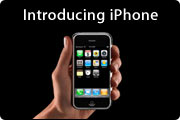 Now that they've lost round one in the mp3 player wars, Microsoft is using the exact same FUD strategy that failed it in fighting Apple in the upcoming "smart phone" wars. It's doing this while simultaneously continuing to fight with nothing but pure FUD in the "home theater" wars. Meanwhile, Apple has released the Apple TV unit, an actual product in the home theater wars that's providing customers with some real value over existing solutions, and the iPhone is a brand new category unlike anything else on the market. This is one thing Microsoft still doesn't understand--or wants to make sure you're confused about--the iPhone is only a phone in name. To consumers like me, who actually don't give a hoot about its telephone creds, the iPhone is first and foremost, a huge-screen iPod. Close behind, it's a wifi internet device for browsing the web, checking email, weather, etc. while traveling. And finally, it's the first step in the development of an actual new Newton, a tiny computer that will ultimately replace things like the Treo. Unlike those other smart phones, you don't even have to get phone service to use the iPhone... nor do you need to subscribe to a data service, if you already treat the web as your data source. Ballmer would like you to think it's not a competitor for the touchpad PCs they've been trying to sell, but it ultimately is. And as John Gruber points out in this recent editorial on Microsoft's latest nastiness, Microsoft itself has nowhere near the market share in the smart phone market that it does on desktops. He quotes Wikipedia's stats that measure Windows Mobile at having only a 6-percent share of the smart phone market, behind 17 percent for Linux and 72 percent for Symbian. Yet Ballmer has the necessary evil to try to say Apple would be wasting its time going after that market, because they could never get more than 2-3 percent of it. As long as Microsoft lets a guy like Ballmer speak for the company, I will continue to have absolutely nothing to do with it, and I hope others feel the same way. This is no way to conduct business in a modern, adult society. It's the playground tactic of a middle-schooler, which apparently is the state of development at which Ballmer stopped.
Ars Technica Predicts Microsoft’s Silverlight Will Kill Flash
Microsoft’s Flash-killer Silverlight steals the show at MIX07
Ars Technica had better can some of these guys who have become blatant cheerleaders for Microsoft, or they’re going to start losing readers. In response to this biased piece on Microsoft’s new Silverlight technology, which is specifically designed to compete with Flex, Apollo, and Flash, I left this little message as a comment:
Regardless of how good or bad Microsoft’s version of Flash (or Ajax, or JPEG, or MPEG, or PDF, or you name it) may be, the fact is that Microsoft has a monopoly on corporate desktops, one that it won illegally by the way but has never been brought to task for. Its technologies should be avoided entirely unless you really want to see Microsoft extend them to the entire range of computing environments eventually.
In other words, unless you really want competition and innovation in computing to grind to a halt, you should always look for alternatives to whatever Microsoft is selling. And please avoid playing Microsoft cheerleader in a serious technology journal like Ars Technica would like to be. The point is, new Microsoft standards aren’t necessary… we have plenty of good ones already. Every time Microsoft comes along with another of its proprietary versions of existing standards, it only serves to confuse the market and slow the adoption and use of web technologies. Look at what happened when they crushed Netscape in the late 1990’s… it’s taken 10 years to recover from that, so that we’re finally seeing the kinds of web interfaces I, for one, was ready to deliver in 1998.
Not only that, but each Microsoft technology takes up mindshare that squeezes out genuinely innovative ideas from much smaller, potential competitors. And small companies, as everybody who’s taken Econ 101 knows, is where innovation occurs in this economy. Every time Microsoft buys up a small company with a good idea (think: Vermeer and FrontPage), it ruins a tool that could be really useful (it didn’t take long for FrontPage to turn the web into a bunch of pages that didn’t work in non-IE browsers, or non-Windows platforms, for example, by injecting Active/X controls and proprietary IE tags into the pages it created… the same is true of every MS development tool, for that matter).
If you’re really in favor of open competition in our economy, you’d never select a Microsoft product as the basis for anything. If they didn’t already own the desktop, it would be different. Since they do, they need to be simply ignored in technologies they don’t already own. Remember, regardless of what their sometimes sympathetic spokespoeple may say, Microsoft’s entire product line is designed to extend the Windows platform as far as possible. That’s it.
I think a lot of people believe it’s extended far enough already, thanks. If you agree, just say no to Microsoft’s latest candy. That includes you, Microsoft apologists who write for Ars Technica.
Dell Customers Demand XP Over Vista
Latest Performance Tests Make WebKit’s Superiority Hard To Deny (But Some Still Try)
More Research Suggests Banning PowerPoint-Style Slides
Even well-meaning, intelligent colleagues of mine who have nothing but disdain for PowerPoint still dutifully prepare their bullet points in PowerPoint whenever giving a presentation. Me, my first act was to just use HTML and a web browser. This was back in the mid-1990's, and I used nothing but HTML (including dynamic HTML, Netscape-style) until Apple released Keynote a few years back. Since then, I've been using Keynote and QuickTime movies.
So it's gratifying to see yet another study pointing out that PowerPoint slides are not only a lazy way to give presentations, they're bad for your audience. Nothing could be more boring (or laughable, if you're from Mars) than watching somebody read along with the bullet points on the screen, trying to make it seem as if they aren't just reading them. Meanwhile, the audience sits with its eyes glued to their printouts, which have the exact same information in the exact same form. No wonder so many people fall asleep in meetings!
I wholeheartedly concur with author John Sweller's conclusions, and hope whoever reads this or any other missives on the subject will step back and think about doing something different next time you step up to a podium:
"The use of the PowerPoint presentation has been a disaster... It should be ditched."
Seriously, if you're a Mac user, get Keynote. It's not just hyperbole to say Keynote is everything PowerPoint should have been. Get one or two of the amazing templates that are available from Apple or third parties, and you'll rediscover the joy of making a truly great presentation slideshow again. Save the bullets for your note cards... use the presentation to show the audience something that actually illuminates what you're trying to say. If you don't believe me or Posen, get a copy of Tufte's books on the subject. Or read the new study by researchers at the University of New South Wales.
Slashdot: Microsoft Accused of Bait-and-Switch in Vista Marketing
Slashdot | Microsoft Sued Over Vista Marketing
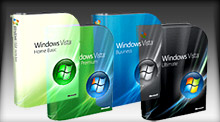 I wondered if someone would get angry at Microsoft over this. I’m still waiting for the FTC to sock it to Dell some time over the same sort of issue. These guys are absolute crooks, swindling home and business buyers alike with their fraudulent sales tactics. Don’t we have laws against selling snake oil and claiming it’s medicine, or love potion? To those of us watching from Mars, it’s amazing that they get away with so much. With Windows Vista, Microsoft divided the one product line into four “editions”, not counting the “Enterprise” edition and a special “Starter” edition for third world countries. (WTF?) Each comes in a different color box (Woah!) and are named “Home Basic,” “Home Premium,” “Business,” and “Ultimate.” No word on whether “Ultimate” is for Home or Business use, and the matrix doesn’t include the Enterprise edition, so I wonder if it’s the same as “Ultimate”? Who knows? Who cares?
Well, actually, a lot of consumers care once they realize they forgot to read the Vista footnotes on that new computer they just bought. The computer says it’s “Vista Ready,” but that’s only if you think an operating system that looks and talks like Windows XP but has a Vista label is really Windows Vista. The low end of the OEM market—all those cheap computers that some tech writers claim are evidence that Windows PCs are cheaper than Macs—is dominated by machines that only run “Home Basic,” which, as the footnotes so clearly state, does not support Windows Aero and Windows Flip 3D navigation, the Mac OS X copycat eye-candy that’s one of the main distinguishing features of the product. Oh, you also don’t get the new Windows DVD Maker, HD support for Windows Movie Maker, or the cool new Windows games (Chess Titans and Mahjong Titans). But that’s not all! You also don’t get Windows Media Center software, backup and restore tools, fax and scan tools, scheduled backup, and so on.
Did I mention that all of these features are standard parts of Mac OS X in the one non-server edition of that product? And that Mac users can run Mac OS X 10.4 on the same hardware they’ve been using for years? The only thing you might absolutely have to upgrade is your video card and RAM. It’s ridiculous that Microsoft is trying to establish a new class system based on which version of Windows you can afford. Geez. When will they learn?
What is it Puck says to Oberon at the end of Shakespeare’s A Midsummer Night’s Dream?
Lord, what fools these mortals be!
Computerworld Writer Thinks Microsoft Should Fear Apple
Scribus: An Open Source App for Desktop Publishing
Mac OS X Spreadsheet Roundup:
A Few Excel, The Rest Should Be Shot

It’s a common myth in the Windows world that Mac users have to make do with only one software title for every 10 that run on Windows. The myth arises from the teeny-tiny or nonexistent retail space afforded to Mac software in the computer stores where Windows users shop. However, the reality is far from that perception. Prior to the emergence of Mac OS X, Mac users did commonly face slim pickings in many software categories, but times have changed dramatically, and nowadays many software categories present so many choices for Mac users that the situation is downright uncomfortable. I certainly feel that way at times!
One of these days, I’m going to do a study of the comparative availability of software titles between Mac OS X and Windows, and my going-in assumption will be that users have an equivalent or greater degree of choice on the Mac platform today in categories such as
- personal information management
- personal organizers
- graphic design tools
- 3D design and animation tools
- image management tools
- project management
- word processing tools
- programmers text editors
- Music mixing and editing tools
- News aggregators (RSS/podcast readers), and
- many others.
Notice that not all of the categories I’m listing are in the realm of creative arts.
However, one category that’s still under-served, in my view, is the original killer app, the good-old spreadsheet. I haven’t researched the Windows market for spreadsheet software, so perhaps the same dilemma affects those guys, too. Undoubtedly, the underwhelming selection of spreadsheets for Mac OS X results directly from the influence of Microsoft Office, and what is probably its best component, Microsoft Excel.
 As Mac history buffs know, Excel was a hit on the Mac market long before it won the battle for supremacy on IBM PCs. Because Excel was entrenched on the Mac OS from early on, there never really was much competition in this space, as there was on DOS and Windows.
  Combine that with Microsoft’s success in convincing everybody who makes software purchases for organizations, large and small, that installing Microsoft Office was a requisite for business success in the electronic age, and Microsoft hasn’t even had to breathe hard to stay way out in front of the spreadsheet race on Mac OS X.
However, this situation doesn’t mean that spreadsheet users are being optimally served. In fact, coming to Excel from Mars makes its shortcomings quite clear. How is it that Mac users put up with an application that is so over-built, unintuitive, uninspired in design, and backwards technologically? Is it because Excel really is the quintessential spreadsheet experience? Is it just that we’re used to it? Or is it because we have no better options?
The answer, I believe, is mostly the second question, with heavy support from the third.
Even after Apple came along and gave Mac users a presentation package that runs rings around PowerPoint and a word-processor that makes Microsoft Word look like the illogical, incomprehensible morass of functions that it is, how many Mac users have turned off PowerPoint and Word and put Keynote and Pages in their place? I suspect the answer is “Not many.” Mac users may like to think they are more discerning than Windows folk, but most are also just as scared of switching software packages, in my experience. Most Mac users will take whatever their employer gives them for the key business processes of writing words and making bullet lists. Heck, some may even try Keynote and Pages and return to the hellhole of PowerPoint and Word because they are more comfortable there.
 However, if you’re the least bit adventurous where software is concerned, I challenge you to get a copy of the $79 iWork, install it, and then delete Word and PowerPoint from your system for 2 weeks. I guarantee you will not miss those Microsoft crown jewels one bit at the end of that time. I’ve been using both for over 2 years now, and no one in my organization has the slightest idea that I’m not using the “corporate standard” for word processing and presentations. These babies not only make preparing your documents much easier and more enjoyable, but they can read and write native Microsoft formats better than I thought possible. (Pages is particularly compatible… I always convert my Keynote presentations to high-quality, interactive QuickTime movies and use those if I have to present something on a Windows machine.)
All of this is prelude to my complaint that Apple hasn’t completed building its iWork triumvirate to replace Microsoft Office. iWork also seems incomplete to the thousands (millions?) of people who had relied on the company’s now dog-eared, orphaned gem, AppleWorks, as an Office stand-in at home. In other words, finding a spreadsheet that’s a solid replacement for Excel is still a challenge on Mac OS X.
This isn’t to say that it’s impossible, mind you. As you’ll see in a moment, there are several alternatives out there that can stand in for Excel just dandy, if you are just patiently determined to use something that’s not from Microsoft. Some of these feel obliged to don all of Excel’s familiar, flawed complexity and its stilted user interface, to make you feel at home. However, you gain nothing in functionality or usability, and you have to put up with quite a bit of pokiness and interface weirdness.
 There is also one spreadsheet package for Mac OS X that I would happily continue using if it weren’t so expensive. In its previous incarnation, RagTime had a free-for-personal-use option called RagTime Solo, which I have used for a couple of years. However, RagTime 5, on which Solo is based, had grown out-dated by 2006, and I found recent releases of Excel to be more responsive and usable. Therefore, I was thrilled when the RagTime 6 beta program began early last year. RagTime 6 is a marvelous suite of business software offering numerous significant improvements over the previous edition. I was happy to migrate to RagTime 6, content that my spreadsheeting needs were being well attended to. Imagine my dismay, then, to discover last fall that RagTime 6 wouldn’t continue a free version, and that I’d have to spend 249 Euros (what’s that… about $325?) to “upgrade” from Solo. This, I was assured, was a terrific bargain, since the commercial rate for RagTime 6 is 850 Euros ($1,100)!
*sigh* No matter how good I think RagTime is, I’m just not willing to spend that much money for a spreadsheet package… Sorry! And the German company that makes RagTime is making the same mistake other software vendors do: You have to buy the whole “suite” or nothing, even if, like me, you only use one of its many components.
RagTime 6.0 performs all of the tricks I require from a modern spreadsheet application. This list is quite specific to my needs, and no doubt leaves off key functions that other users find invaluable, but here are my “must-have” requirements (in no particular order):
- Read and write Excel files from the last 5 years without requiring anything more than superficial cleanup (e.g., font replacements).
- Support column and row hiding.
- Support multiple sheets per workbook.
- Unlimited rows and columns.
- Support antialiased fonts.
- Allow drag-and-drop reordering of columns and rows.
- Support styles or an equivalent method for styling cells with frequently used attributes.
- One-click support for optimizing row and column width.
- Handle copy/paste from and to delimited ASCII data files.
- Export to generic HTML as well as to Excel and delimited ASCII files.
- Speedy sorting of rows and columns by the usual range of options.
- Easy to use math functions for adding formulas to cells.
- Flexible copy/paste of cells, allowing visual formats, data formats, and formulas to be selected independently.
- Easy to use typograpic and visual style management, together with simple, intuitive manipulation of cell data types.
- Simple, intuitive controls for merging/splitting cells and for adding/deleting rows and columns.
- Simple, intelligent controls for printing spreadsheets.
- Simple, intuitive controls for merging sheets into workbooks and for extracting sheets from them.
- Simple, intelligent controls for charting selected data ranges.
- Intelligent handling of text and image content in data cells, minimizing user work in incorporating these data types into a workbook.
- Tools to easily change orientation of data: rows to columns, or vice versa.
See? “I don’t want much,” as Ringo Starr once said. But like Ringo, my tests have confirmed that the holy grail of Mac spreadsheets in 2007 just “don’t come easy.” In fact, as of March, I must report that it don’t come at all!
Still, it do come close. (Gotta stop talking in rock-lyric vernacular already!)
 I have, in fact, purchased a license this month for Mesa, which I’ve come to enjoy using quite a lot after learning a few of its quirky moves. And there is a new Mac spreadsheet package that is evolving swiftly toward my holy grail: With each new release since its debut last summer, Tables gets steadily better, and I’m hoping it’ll give Mesa a run for my affection in the near future. Of course, looming over the horizon, which we originally thought we’d reach in January at Macworld, is Apple’s rumored “Numbers” or “Sheets” or whatever they’re going to call the planned addition to iWork. Apple’s rumored spreadsheet application is probably giving the developer of Tables an ulcer, since I suspect it’s going to look and feel a lot like Tables does. Unfortunately, the U.K. developer of Mesa seems to be sitting this little contest out. My biggest gripe with Mesa is that the company hasn’t released a significant update in more than 2 years, even while both Apple and the Tables developer have been feverishly fixing up their entries in the “Great Mac Spreadsheet Sweepstakes” of 2007. Mesa is a terrific little software product, and I only hope it doesn’t get left behind in the race.
 I also looked at a few semi-spreadsheet products that just don’t do enough of my list to qualify for this competition. They are, nevertheless, sufficiently interesting to list here, and those whose needs for formatted data are even less rigorous than mine may find them of value:
- TableX. Can read and write delimited ASCII data files. Best for use in read-only mode, though… not particularly easy to use for data entry. Totally unique metal-window interface, but you have to pay $20 for the privilege.
- XTabulator. Also limited to reading and writing delimited text files, but better at data entry and with a more flexible interface. That said, you can’t easily use the $10 XTabulator for textual data.
- nView. nView is very similar to XTabulator, with the same limitations. It’s donationware, though, and you can make one contribution good for any of the developer’s many interesting Mac OS X utilities. XTabulator has a much better icon, though.
 Then there’s an application that may in fact be a very good spreadsheet package, but I’ll never know because I don’t have the patience to review another application from this particular vendor. Please don’t take that statement as a sign of disrespect for the vendor’s Mac applications… I just happen to find Intex’s FileMaker-centric software uncomfortable to use. They all have this really quirky interface, an artifact of their heredity as FileMaker “documents,” which require a FileMaker “runtime” that launches them. Unlike regular apps, there is no version number you can find in an “About” sheet. Instead, the “About” sheet tells you what FileMaker version you’re running. (Oh, OK… that’s relevant, I guess.) They have some of the same un-Mac-like weirdness that make certain Java applications hard to use. I reviewed the company’s journal software, Daily vX Journal, in December, and many of the problems I identified with it apply also to their List vX software. But if this doesn’t bother you, you might want to check List vX out, since at 19 Euros, it’s reasonably priced.
Finally, it’s worth noting that many word processing apps for the Mac have a native ability to construct data tables. If your needs are pretty simple, they might be all you want. For example, the little chart you’ll see in the NeoOffice review below was done in Pages using its built-in spreadsheet tool. Pages doesn’t do everything an accountant would require, but for putting together a few numbers, with maybe a few simple formulas, and then quickly charting them, it’s much faster than Excel and can produce nicer results to boot! It’s far superior to the limited table-making tool Microsoft gives you in Word, though it makes no claims to being a full-fledged spreadsheet: You wouldn’t want to ask Pages to handle a table with 1,200 rows and 50 columns. Nevertheless, Pages has surprised me with some nifty spreadsheet-like tricks. For example, you can copy a range of cells from an Excel sheet and paste it into a Pages table. As long as the Pages table has the right number of columns and rows, it’ll parse the data without blinking. Similarly, you can copy and paste any tab-delimited ASCII file into Pages and easily make a handy, sortable, chartable table. Being a word processor, Pages is great at handling text and graphics, so… it’s better than you might suspect for most of the things I see people turning to Excel for.
 Besides Pages, there’s the previously mentioned AppleWorks, which, although a brilliant rethinking of the multipurpose office application, is probably a software dead-end now. Besides, its spreadsheet chops were always iffy, I found. For example, it immediately crashed when trying to open my test Excel file. Finally, a software suite called Papyrus has a table-making component, but in my testing it didn’t appear to be nearly as robust as the one in Pages and was more like that in Microsoft Word. Unlike AppleWorks, Papyrus couldn’t import or export Excel files of any kind, though it could handle delimited ASCII files. At $100, Papyrus probably has other virtues, but I only tested its spreadsheeting skills.
That left the following list of candidates from which I chose Mesa. As confirmation of the paucity of choice in spreadsheets, I have no candidates waiting in a review queue this time, as I have in previous roundups. Mesa is it, until Tables matures some more, or Apple releases a “Numbers” that does for spreadsheets on Mac OS X what Pages and Keynote have done for word processing and presentations. (Note that I’m giving Tables a checkmark, signifying that even though I can’t use it today, it’s close enough to my requirements that I plan to keep an eye on its progress.)


MarinerCalc
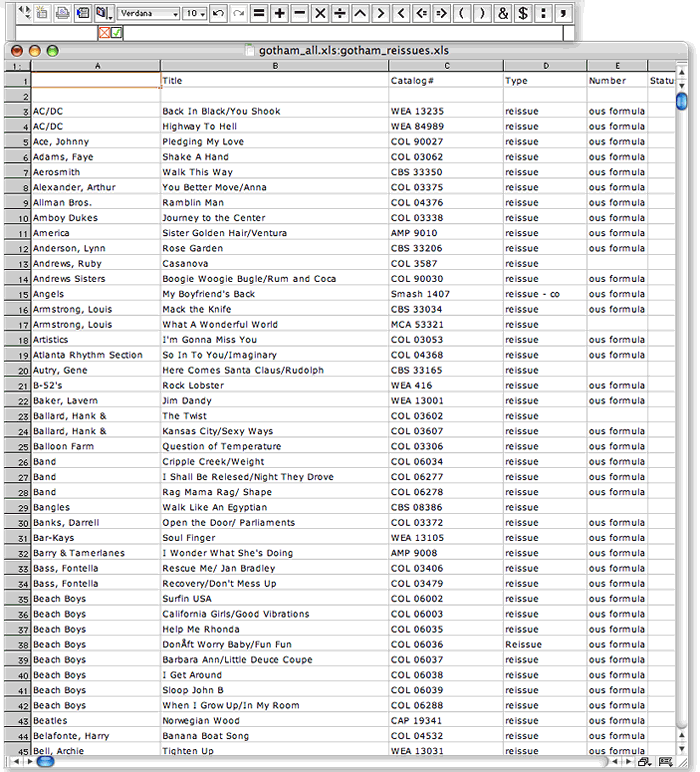 I really hate to say anything bad about Mariner, a Mac software development company that’s been faithfully supplying Mac users with Microsoft-alternative office tools for many years now. Some of their newer products look quite good in fact, but Mariner Calc is not one of their newer products. Designed back in 1998 for the classic Mac OS, it has never really been redesigned for Mac OS X. In fact, from what I can tell, Calc hasn’t been significantly changed since July 2001, when Calc 5.0 was released. Since then, there have been point releases (which, unlike the Mac OS X ones, have really been just that), bringing Calc up to 5.5 today.
Calc looks and feels like a 5-year-old product, one that Mariner has essentially abandoned. Since Calc is probably the most widely used and best-known Mac spreadsheet app outside of Excel, I kept downloading new releases as Mariner offered them, in hopes that Calc would begin to incorporate some of Mac OS X’s enhanced user interface capabilities, but it always looked the same each year… and now I know why. The best thing I could find to say about it was that it opened my test Excel file successfully. Call me picky, but I have been living in Mac OS X since October 2001 when OS X 10.1 came out, and I have no desire to go back to OS 9, thanks very much. Heck, even Microsoft has done a better job updating their old Excel code for Apple’s new operating system, and Calc, sadly, just looks like a pale imitation product. Besides, isn’t anybody else getting tired of the Calc lady, who has been peering up at us from the cover of the Mariner Calc box for 5 years? Mariner, let me give you a word of advice: She ain’t no Betty Crocker or Aunt Jemima or Mr. Clean.
| Mariner Calc (Version 5.5.1, $50) |
|
|---|---|
| Pros | Cons |
|
|

Mesa
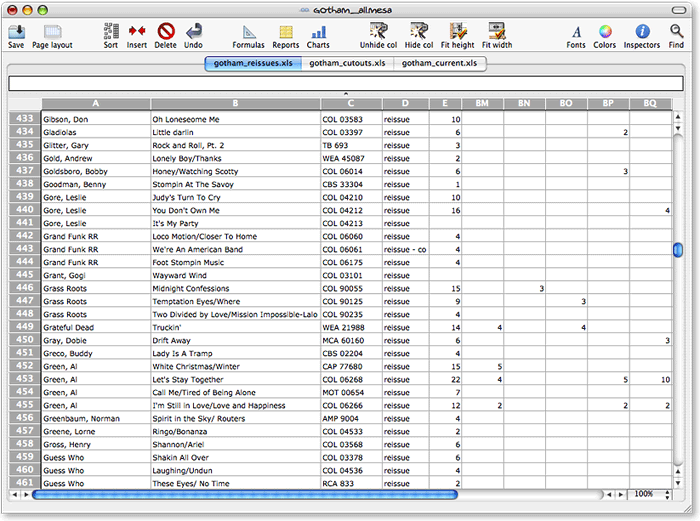 Mesa is a refreshing spreadsheet to use after putting up with Excel for so long. It doesn’t meet all of my requirements, though the main one it misses is the ability to export sheets as HTML. I can work around that, but have asked the company to make it a priority for the next release. Spreaking of which, I found the U.K. company that makes Mesa to be very responsive and forthcoming about the questions I emailed them in January. As I mentioned earlier, I hope they take the work of updating Mesa seriously, or its quirkiness and slightly outdated feel will not keep pace with upcoming competitors. That said, after using it for a few weeks recently, I have found Mesa to be the best all-around spreadsheet (outside of RagTime 6) now available for Mac OS X, and I recently ponied up the $34 for a full license.
If you decide to try Mesa, approach it with a fresh eye. This is not an Excel clone, as so many of the other products I reviewed are. The Mesa developers have actually attempted to rethink a number of the activities one engages in while spreadsheeting, and they’ve made the process remarkably easy. But you do have to learn how Mesa does things occasionally, rather than expecting Mesa to behave the way you’re accustomed. My advice is, if you can’t find a ready function and begin to think Mesa can’t do a given thing, open up the handy Help file and take a look. Chances are, it can. In some cases, Mesa’s “ways” are actually ingenious improvements, but all too often they’re just clumsy missteps that the company should invest time in fixing. (I believe my list of Pros and Cons give examples of both, so I won’t go into detail here.)
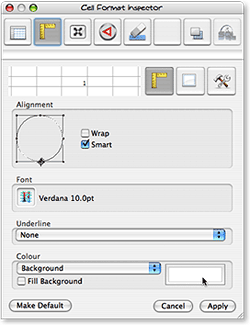 Like the best Mac software nowadays, Mesa utilizes an “Inspector” window where you perform a lot of the contextual work that older software stuffs into menus and toolbars. Mesa’s inspector looks a little dated now, but it’s definitely a welcome step. Also welcome is Mesa’s blissfully simple four-pane Preferences window. Between the Inspector and Preferences, Mesa is a good example of how software developers can simplify a user’s work in adapting to and using spreadsheet software, and it stands in stark contrast to all of the Excel clones in this regard.
One of the most complicated aspects of Mesa, though an example of delightfully simple complexity, is the way the company has utilized the standard Cocoa toolbar. Instead of providing one set of choices on a single sheet (as virtually all other apps I’ve seen do), Mesa lets you make the toolbar as robust and personalized as possible, giving access to any function that you see in Mesa’s menus. The simplest way I can describe this is that when you select “Customize Toolbar,” Mesa first says, “Which menu do you want to add functions from?” You then select, say, the “Edit” menu, and Mesa presents a set of icons representing those functions. You can make this as complicated as you like, by repeatedly digging into Mesa’s “icon chest” and adding items you use frequently to the toolbar. It’s true that all of the Excel clones have very robust toolbar-customization functions, but I just find the Cocoa toolbar’s easy access, customizability (large icons/small icons/text only, etc), and easy disposability a huge improvement over earlier software that envisions toolbars as row upon row of tiny, 16-pixel-square graphics whose purpose you must either guess or ignore.
| Mesa (Version 3.1, $34) |
|
|---|---|
| Pros | Cons |
|
|

NeoOffice
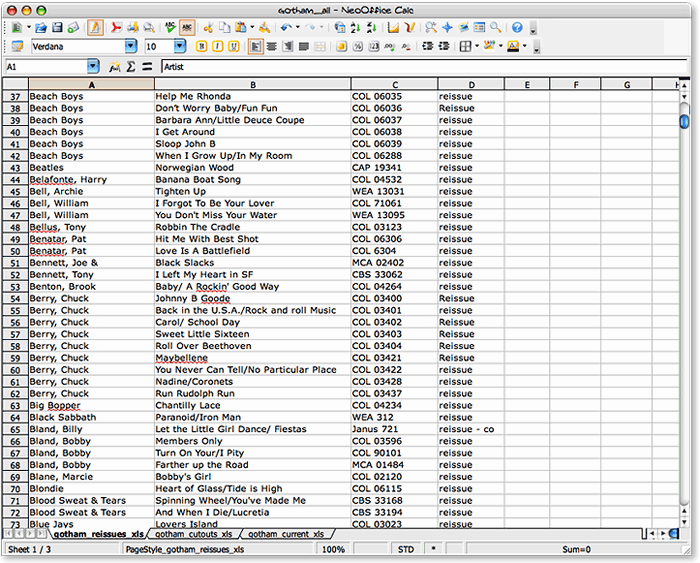 I am probably the biggest proponent of open source software solutions in my agency, and I’m constantly at odds with the IT department over the issue. In my writings as well, no one would ever find anything but delight and joy in open source software development and the programming heroes who make it happen. Even so, as a Mac user I can’t say anything nice about NeoOffice or the project from which it sprung, OpenOffice. If the goal of this project is to provide a realistic, practical, cost-effective alternative to Microsoft’s Office monopoly, it’s going about it ass-backwards, in my humble opinion.
There… now that I’ve insulted all the hard-working, well-meaning, highly intelligent programmers who’ve been toiling for years to make OpenOffice a reality, let me briefly explain why I think their project is fatally flawed. Here’s a simple, one sentence statement of the problem: You can’t beat Microsoft Office by pretending to be Microsoft Office. There are two assumptions this team has made that I happen to disagree with:
- First, Microsoft Office is the cadillac of office suites, and everybody loves using it. Therefore, we have to make sure our product does as much as possible just like Office.
- Second, the Office Suite is an inevitable product of software evolution. We know this because Microsoft won the market, and Office is the standard that won.
Both of these assumptions lead directly to the path the OpenOffice movement has been following, namely: Why mess with success? If Office is what people want, we’ll give them Office… only, for free.
Un-Unh. You can’t win that way, and the reasons are long and complex and would take too many words to completely cover here. Let me try to summarize and hope this isn’t taken too literally: All software migrations are disruptive, no matter how little change is involved. They’re especially disruptive to the IT staff who has to manage the change, and it’s the IT department that will decide whether a company will switch from Microsoft Office to another product. It’s not the accountants or the CEO or the users. As long as the head of IT has a budget to defend, he or she will have no incentive to cut costs by adopting OpenOffice. The only actors that could motivate a company to switch from Microsoft Office today are strong pressure from users, strong pressure from upper management, or strong pressure from the market.
As a strong proponent of user-centric software, I naturally believe the best approach to toppling Office is to build a better mousetrap, not one that just looks like a cheap knockoff. This requires software developers to take a hard look at today’s requirements for (a) word processing, (b) number crunching, and (c) making “decks.” It’s a mistake to assume that the morass of coding that has evolved into Microsoft Office is the platform from which you should build a better experience for users. Surely we’ve learned something in the last 12 years about an organization’s needs for writing memos and reports, making lists and calculations, and making persuasive arguments in front of audiences that could yield us something better than Microsoft Word, Excel, and PowerPoint.
In my opinion, one of the things that’s wrong with Microsoft Office is its assumption that nobody wants to buy word processors, spreadsheet software, or presentation software a la carte. To see how flawed this assumption is, just recall that users didn’t benefit from this conglomeration one iota. It was a strategy concocted by Microsoft to win the office marketplace… and obviously, a very successful one. Clearly, once Microsoft prices its a la carte components ridiculously high, and sets a tempting price on the suite, it seems to make economic sense to buy the suite. Certainly, this is the case if there’s no one selling equivalent components at more reasonable prices. However, there’s no reason why Microsoft Excel should cost $200, if Microsoft can sell you the whole Office suite for $450. Right? Go to Microsoft’s site today, and you won’t find any incentives to buy Excel outside of the suite.
But why? Does every employee of every organization that uses Microsoft Office really use or need all of its components? What exactly do employees need in the way of a word processor in 2007? Does everyone need the same level of complexity in such products? How many of your staff did PowerPoint presentations last year? How many built a spreadsheet? If you begin to ask user-centered questions such as these, I guarantee you’ll come away with a very different set of requirements for office productivity software that looks nothing like Microsoft Office… or NeoOffice or OpenOffice or ThinkFree Office.
This is the fundamental tragedy facing those who are rooting for OpenOffice. OpenOffice isn’t like the Mozilla project, where software designers actually did some hard thinking about user requirements for a web-browser-based computing platform. From what I’ve seen, it’s an attempt to outdo Microsoft using Microsoft’s rules of engagement, and I just don’t think it’s going to advance the state of the art of office computing even if it’s successful.
Instead, take a look at what small, inexpensive software products like Mesa and Tables are doing. By taking a fresh look at the whole business of using spreadsheets, they’re moving the state of the art in the right direction. Apple has already shown one such improved approach in Pages and Keynote. NeoOffice, sadly, is not just a Microsoft Office knockoff, it’s a very bad knockoff that’s impossible to use. Sorry for the lengthy pontificating… take a look at the accompanying data on memory utilization for these products, and you’ll see one reason why they make no sense for Mac users. My test system has 4 GB of RAM, yet NeoOffice was straining my PowerMac’s capabilities after only a few minutes of use. Using ThinkFree Office had similar results, with OpenOffice not far behind. Note that since I’m expending so much hot air on a subject that really covers NeoOffice, OpenOffice, and ThinkFree Office, don’t be surprised if the writeups for the other two are much shorter. I’ll be mostly including the Pros and Cons noted during my testing.
One last word for those who may not know the difference between OpenOffice and NeoOffice. OpenOffice is the core open-source project, with heavy backing by Sun Microsystems. The OpenOffice project was very slow in providing a build that would run on Mac OS X, but eventually gave us one that will run in the Unix X-Window system, using Apple’s X11 software. The NeoOffice project is a relatively small offshoot devoted to building a native Cocoa version of OpenOffice for the Mac. Resources for NeoOffice are likewise very limited compared with Sun Microsystems and the OpenOffice core, so work on the Cocoa build is understandably slow and the resulting software buggy. I have tried numerous times to becomes friends with NeoOffice, but each time, it slaps me back down, and reminds me why the whole project has struck me as odd from the start. That said, I am very grateful that Patrick Luby and Edward Peterlin initiated it, since otherwise the high-profile OpenOffice project was giving the Mac platform very short shrift. Now, at least, Mac OS X has some visibility among that developer community, and hopefully that exposure will be positive in some way.
| NeoOffice (Version 2.0 b3, Free) |
|
|---|---|
| Pros | Cons |
|
|

OpenOffice
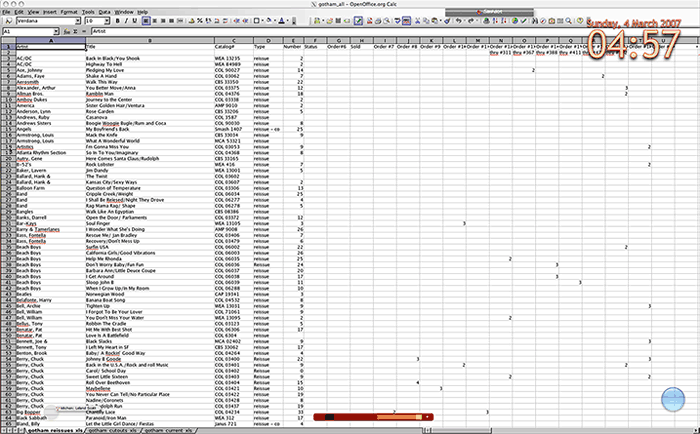 You can read all about OpenOffice and my opinion about its development in the preceding writeup on NeoOffice. The only thing I’d like to add here is that OpenOffice is frankly an insult to the Mac community. Why anyone would expect a Mac user (or any computer user) to have to fire up two applications in order to launch one is beyond me. And then, to expect Mac users to politely suffer the silly dialog-box behavior that Windows users take for granted is unreasonable. The final insult is to be expected to like software that takes 20 seconds merely to present the splash screen, followed by an unexpected but predictable recovery operation to rescue a document that didn’t appear to be in distress, with an inevitable invitation to take a few minutes to let Sun Microsystems know about the failed recovery (which was actually successful… I think). It’s nice to think that OpenOffice is actually usable on Windows or Linux, but it’s far from being so on Mac OS X. For even once the spreadsheet
  has been drawn (to the full width of my 23-inch monitor, natch), the software has buried my resize corner below the bottom of my viewing area, and it caused me a fair amount of frustration trying to whittle that rectangle down to a reasonable size. As if all this weren’t bad enough, every time OpenOffice attempts to communicate with me, I feel like it’s transporting me back in time to the 1990’s, when Windows was 95 or 98, and all text was square and all buttons were shaded to look faux-3D by use of a white pixel painted along the left and top sides and a black pixel along the other two. Sorry… I just can’t take OpenOffice seriously, and hopefully neither will you.
| OpenOffice (Version 2.0, Free) |
|
|---|---|
| Pros | Cons |
|
|
Tables
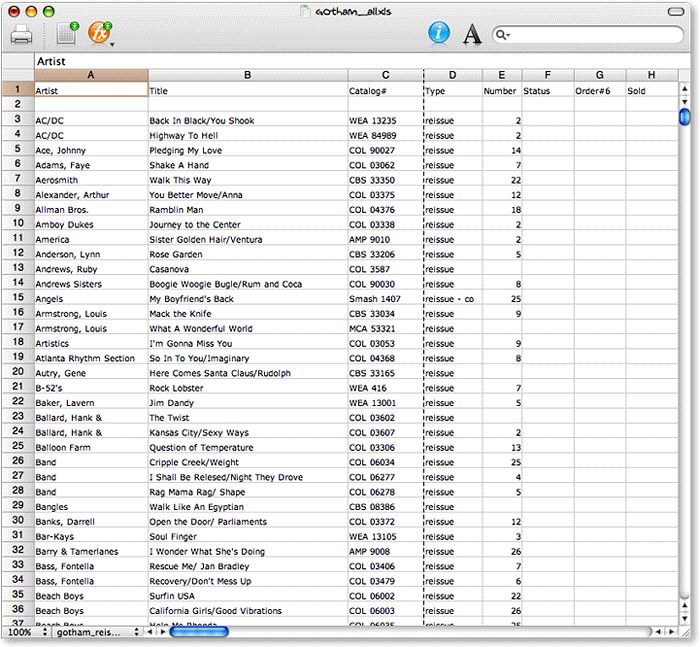 As I wrote when Tables first appeared last summer, “Any time a new spreadsheet package comes out for the Mac, it’s cause for celebration.” With its clean, modern Mac OS X look and feel, Tables was—and remains—a breath of fresh air, but at this point it’s clearly still in development, and not yet up to the task of handling heavy processing loads. The good news is that it’s in active development, with new versions coming out once a month or so. In fact, it’s the only application in this group that had an update during the course of my testing. As usual, the new version of Tables let me scratch out one or two “cons” from the list, while adding one or two new “pros.” The developer seems to understand that his app isn’t yet fully sea-worthy, because he’s made the very user-friendly decision to let your 30-day demo license renew each time he refreshes the application.
At this point, if he can fix the problem with handling large spreadsheets 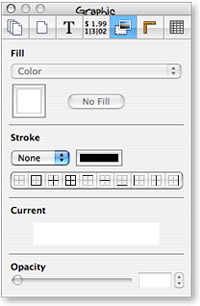 that I note, and make sure copy/paste operations are reliable and intelligent, I just might be willing to hand him a few bucks for his troubles. Like Mesa (and all of Apple’s iLife apps), Tables employs a handy Inspector window to help you out. Clearly understanding the best features of such tools, Tables lets you spawn multiple Inspectors if the need arises (some of Apple’s products, such as Pages, do this as well), and it understands that minimizing the screen real estate required for such helper windows is worth a programmer’s effort.
| Tables (Version 1.2, $51) |
|
|---|---|
| Pros | Cons |
|
|

ThinkFree Calc
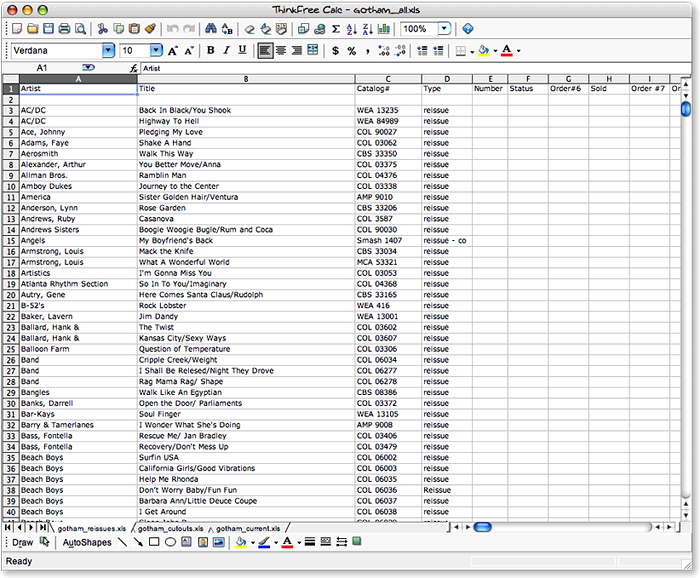 I had such high expectations for ThinkFree when it was first launched about 5 years ago. Here was a $50 office suite that even in its early stages was a good stand-in for Microsoft Office’s “Big Three,” and it was available simultaneously for Windows, Linux, and Mac OS X. Not only that, but the ThinkFree developers were thinking ahead to Web 2.0 by providing a web-hosted workspace for your documents, so that they could be always available, like the Web. In a November 2002 white paper to my agency IT directors recommending that employees be permitted to use Macs as an alternative to Windows (which was loudly ignored, by the way), I wrote of ThinkFree:
ThinkFree Office is a $49.00 office productivity suite that does an excellent job of mimicking Office formats—both in reading and writing them. It comes with modules for writing, spreadsheets, and presentation that are compatible with Microsoft Office. ThinkFree only implements a subset of the Office functions, however, leaving out many advanced functions. The ThinkFree interface is almost identical to that of Microsoft Office.
So what happened to ThinkFree? I checked up on their progress periodically, but there didn’t seem to be much happening. Trying ThinkFree Calc last week, almost 5 years after the first version came out, gave me a strong, sad sense of deja vu. For a nauseatingly long tirade on why I have come to think it’s a mistake to build products like ThinkFree to compete against Microsoft Office, check out the writeup above on NeoOffice. To that, I only have to add that it’s nice to see ThinkFree is still only $49.
Flying in from Mars over the weekend when I was using Calc, a friend looked over my shoulder and wondered why in the world these silly humans choose to spend $400 or more per user to equip them with software that could be had for a tenth of the price merely by switching vendors, and I shrugged my shoulders and quipped,
“Gets me. Free thinking comes naturally to us Martians, but here a product has to make the suggestion to get attention. And even then, the idea backfires when it becomes clear that the developers themselves weren’t thinking freely when they designed their almost-free alternative. Maybe some humans are more comfortable in chains, as long as they’re expensive and come with friendly, talking paper clips…? You know, I’ve observed that it seems to be a common human trait to automatically assume that the most expensive product in a market is the best one. Watch long enough, and you’ll see it time and again.”
My Martian buddy merely shook his head sadly and walked to the kitchen for a bowl of steaming hot fudge.
| ThinkFree Calc (Version 3.2, $50) |
|
|---|---|
| Pros | Cons |
|
|
Addendum: More Spreadsheet Apps?
At the time this article was originally published, it included information about every Mac OS X spreadsheet application I was aware of. Since then, readers pointed to the following two, related applications. I’ve checked them out and agree they should be covered here as well, so I’m adding them to my “review queue”:
- FlexiSheet (Added 4/6/07)
- Quantrix Modeler (Added 4/6/07)


