News Posts In Category
“Just Say No To Flash”
Join The Campaign! Add A Banner To Your Website
 In the past few years, Adobe Flash has become more than an annoyance that some of us have kept in check by using "block Flash" plugins for our web browsers. More and more, entire web sites are being built with Flash, and they have no HTML alternative at all! This goes way beyond annoying, into the realm of crippling.
I had noticed the trend building for quite awhile, but it only really hit home when I realized that Google, of all companies, had redesigned its formerly accessible Analytics site to rely heavily on Flash for displaying content. This wouldn't be absolutely horrible except for the fact that Google provides no HTML alternative. I tried to needle the company through its Analytics forums, but only received assurance that yes, indeed, one must have the Flash plugin running to view the site.
Keep in mind that content like that on Google Analytics is not mere marketing information, like the sales pitch on the Analytics home page.
Those of us who are disturbed by the trend need to be a bit more vocal about our opinion. Hence, I'm starting a "Just Say No To Flash!" campaign, with its own web page, graphics for a banner, and the CSS and HTML code to deploy it on your own web pages.
I've mentioned this to some of my family and friends, and they often come back with: "So, Why should I say no to Flash?" I admit that as a power browser and a programmer geek type who, shall we say, makes more efficient use of the web, I'm more keenly aware of the ways that Flash is chipping away at the foundation of web content.
In the beginning, it seemed harmless: Flash was an alternative to animated GIFs, and an easy way to embed movies on web pages. But then advertisers wrapped their meaty mitts around it, and that's when Flash started to be annoying. However, one could block Flash in the browser, as part of a strategy of shutting out obnoxious advertising.
But publishing content via Flash is just wrong, for a number of reasons.
➠It's A Proprietary Technology
I don't think Flash is what Tim Berners-Lee had in mind when he created the first web browser and the markup language called HTML to run the web. Then, as now, the web is meant to be open to all. It is meant to be built using open standards that belong to no individual or company. The main open formats that should be used to build websites are simply:
- HTML
- CSS
- JavaScript
- Images (open formats)
Open standards for video, audio, vector graphics, virtual 3D graphics, animated graphics, and others are also available to be thrown into the mix.
Adobe PDF is also a common format for distributing final-form documents, and PDF is based on open specifications for both PDF and PostScript that Adobe published back in the 1990s.
➠ It Isn't Backwards-Compatible
If you install a Flash plugin today, there's no guarantee you'll be able to view Flash content created 2 months from now.
If you have a Flash plugin from 5 years ago, it's probably useless today.
Flash is designed with built-in obsolescence, forcing users to repeatedly visit the Adobe website to get an upgrade. This is not only a bother, it forces one company's advertising into the world's face every time it releases a software update.
➠It Can't Be Customized
From time immemorial (well, at least since the beginning of web time), a web page's text could be customized to suit the user's taste and needs. All web browsers provide the tools to increase/decrease the font size, as well as to specify custom fonts for different page elements (headers, paragraphs, etc).
Flash throws all of that out the window with a terse shrug, "Let 'Em Eat Helvetica 10pt."
➠Its Content Is Inaccessible
No, you can't drag and drop images or text from Flash content. This most basic method of interacting with a web page—dragging images off the page, or selecting sections of the page to drag onto an email or text processor—is a non-starter if it's part of a Flash file.
Copy and paste? If the Flash programmer has been thoughtful, you should be able to copy and paste text. But don't even try to copy any other page element.
And that includes copying a link's URL. Right-click (Ctrl-click) anywhere in a block of Flash content, and you get the standard Flash popup menu. Not very helpful.
➠You Can't Save The Page
Another common task many web users take for granted is the ability to save a web page as text, as HTML, or as a format like rich-text format. With Flash, this is impossible.
You may be able to save the file as a web archive, but there's no open standard for a "web archive," and getting at the content inside one is almost as hard as getting inside a Flash movie.
➠Flash Consumes More Of Your Computer
When I'm running Flash — as I am now while shopping at Adobe — my Activity Monitor shows it's consuming a continuous 5-percent of my processing power, and about 130 MB of my RAM.
For What? There's nothing a Flash movie can deliver that can't be delivered using open formats. its heavy resource drain is one reason I keep Flash turned off when browsing the web.
➠You Can't View Flash on an iPhone or iPad
Apple has very good reasons for not supporting Flash on its tiny devices. As the previous point makes clear, Flash isn't a delicate, lightweight technology that your processor and RAM won't notice.
When trying to build hardware and software for small devices that work well and don't lead to memory problems or application crashes, why wouldn't you ditch unnecessary technologies like Flash?
Obviously, Steve Jobs stepped into a hornets nest here, but I think the hornets were wrong.
Make Your Site Say No To Flash
It's easy! Just follow these two steps:
1. Download the Image(s)
You can copy and save one of the following images, or download the Photoshop source and make your own.


2. Add the CSS
Here are two CSS styles for positioning the Just Say No To Flash banner on your web page. One positions the banner at the top-right, and the other at the bottom-right. To use the styles, just copy and paste the following code into the <HEAD> portion of your HTML.
<style>a#noFlash {position: fixed;z-index: 500;right: 0;top: 0;display: block;height: 160px;width: 160px;background: url(images/noFlashTR.png) top right no-repeat;text-indent: -999em;text-decoration: none;}</style>
<style>a#noFlash {position: fixed;z-index: 500;right: 0;bottom: 0;display: block;height: 160px;width: 160px;background: url(images/noFlashTR.png) bottom right no-repeat;text-indent: -999em;text-decoration: none;}</style>
3. Add the HTML
Add the following to the beginning of your HTML, just below the <BODY> tag, or at the end, just before the closing </BODY> tag:
<a id="noFlash" href="http://www.musingsfrommars.org/notoflash/" title="Just Say No To Flash!"> Just Say No To Flash! </a>
Please always link your image to http://www.musingsfrommars.org/notoflash/ so everyone can find the information associated with the image.
Thanks to the "Too Cool for Internet Explorer" campaign run by w3junkies for the concept behind "Say No To Flash," as well as for the general outline of information that campaign provided.


Taking a Snapshot of the Semantic Web:
Mighty Big, But Still Kinda Blurry

It's still somewhat difficult to get a handle on exactly what is meant by the "Semantic Web," and whether today's technologies are truly able to realize the vision of Tim Berners-Lee, who first articulated it back in 1999. From what I've read, I think there's general agreement that we aren't even close to being "there" yet, but that many of the ongoing Semantic Web activities, technologies, development platforms, and new applications are a big leap beyond the unstructured web that still dominates today.
There is a huge, seemingly endless amount of work being done by thousands of groups all trying to contribute to making the Semantic Web a reality. In my few weeks of research, I still feel as though I've just stepped my toe into that vast lake of semantic experimentation. Partly as a result of the many disparate projects, however, it does become rather difficult to see the entire forest for all the tiny trees. That said, these thousands of groups do appear to be working more or less together on the basis of consensus-based open standards, and they have set up mechanisms to keep everyone abreast of new ideas, solutions, and projects, under the general leadership of the World Wide Web Consortium (W3C)'s Semantic Web Activity.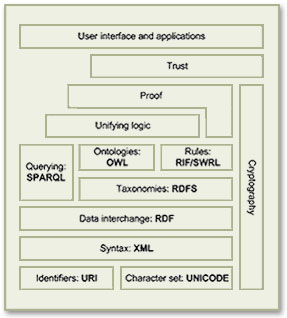 As a starting point for exploration into this topic, the Wikipedia article that describes the Semantic Web Stack is quite good. Among its good overview and many useful links, the article includes the original conception of the Stack as designed by Berners-Lee.
Besides cataloguing the sheer number of different projects all tackling different aspects of building a Semantic Web, it's important to distinguish ongoing projects from those that expired years ago—a distinction that's not always readily apparent to those peering in from the outside. Even excluding these, there are far too many projects to read up on in a few weeks, so this snapshot is necessarily incomplete. But after having the content reviewed by some Semantic Web experts, I'm confident it includes all the most significant threads of this new web, which, as Berners-Lee envisioned it:
As a starting point for exploration into this topic, the Wikipedia article that describes the Semantic Web Stack is quite good. Among its good overview and many useful links, the article includes the original conception of the Stack as designed by Berners-Lee.
Besides cataloguing the sheer number of different projects all tackling different aspects of building a Semantic Web, it's important to distinguish ongoing projects from those that expired years ago—a distinction that's not always readily apparent to those peering in from the outside. Even excluding these, there are far too many projects to read up on in a few weeks, so this snapshot is necessarily incomplete. But after having the content reviewed by some Semantic Web experts, I'm confident it includes all the most significant threads of this new web, which, as Berners-Lee envisioned it:
I have a dream for the Web [in which computers] become capable of analyzing all the data on the Web – the content, links, and transactions between people and computers. A ‘Semantic Web’, which should make this possible, has yet to emerge, but when it does, the day-to-day mechanisms of trade, bureaucracy and our daily lives will be handled by machines talking to machines. The ‘intelligent agents’ people have touted for ages will finally materialize.In my tour of the Semantic Web as it exists today, it's interesting to note that most of the projects are geared not toward machine-to-machine interaction, but rather to the traditional human-to-machine. Humans being by nature anthropocentric, the first steps being taken toward Berners-Lee's vision are to build systems that are semantically neutral with respect to human-to-human communication. Once we can reliably discuss topics without drifting off into semantic misunderstandings, then perhaps we can start teaching machines "what we mean by" ... This paper is an attempt to assess the current state of today's steps, while compiling a list of resources that would prove useful to someone thinking about building a Semantic Web application in 2009. Challenges to Building Semantic Web Applications The process of applying concepts from the Semantic Web to build richer, more knowledge-oriented applications presents developers with several, somewhat challenging prerequisites:
- Taxonomies for the content being published,
- Ontologies for the content, based on the developed taxonomies,
- Content tagged using the developed ontologies,
- Database tools for storing and serving RDF and/or OWL ontologies,
- Database tools for connecting ontologies with the content they describe,
- Application server specializing in querying and formatting semantic content,
- User interface tools to present semantic content in optimum, not necessarily traditional, ways.
- Ontology Development Tools
- Application Development Tools
- Database Tools
- Application Servers
- Semantic Application Demos
- Semantic Website Enhancements
- Other Resources
Ontology Development Tools
Protege- Comes in two "flavors": Version 3.4 handles both OWL and RDF ontologies, while 4.0 is geared toward the latest OWL standards only.
- Impressive software for creating OWL ontologies.
- User interface is well organized, given the complexity of the objects and properties you're dealing with. The interface also must handle multiple views of the information, and it does so quite well.
- Numerous plugins for Protege make specific task work easier. There are many more plugins for Protege 3.4 than for 4.0 at this time.
- One plugin enables database connections, with which you can import entire databases or tables, including their contents. Tables typically become OWL objects, and columns become object properties. Impressively, this tool also creates a complete form with which you can enter new instance information. Each form field can also be customized after creation.
- Protege can also export ontologies to "OWL Document" format, which is a browsable HTML representation of the ontology.
- Stanford is developing a web-based version of Protege. The beta URL is at Web Protege.
- OntoLT. The OntoLT approach aims at a more direct connection between ontology engineering and linguistic analysis. Used with Protege, OntoLT can automatically extract concepts (Protégé classes) and relations (Protégé slots) from linguistically annotated text collections. It provides mapping rules, defined by use of a precondition language that allow for a mapping between linguistic entities in text and class/slot candidates in Protégé. (This plug-in is only available for Protege 3.2.)
- There are a wide array of plug-ins for Protege 3.2, and a much smaller set for 4.0. This page from the "old" Protege wiki has good links to the full library of Protege plug-ins.
- Ontowiki is a tool providing support for agile, distributed knowledge engineering scenarios. It facilitates the visual presentation of a knowledge base as an information map, with different views on instance data. It enables intuitive authoring of semantic content, with an inline editing mode for editing RDF content, similar to WYSIWIG for text documents. Ontowiki is built on the Powl platform. I have downloaded and installed an instance of Ontowiki on my home computer; the installation and configuration was quite simple.
- An online demo of Ontowiki is available.
Application Development Tools
The list in this section is just a small subset of the tools now available for building Semantic Web applications. There are several complete, continuously updated lists on the web, including those at SemWebCentral and the Semantic Web Company. Developer Resources- SemWebCentral is an Open Source development web site for the Semantic Web. It was established in January, 2004 to support the Semantic Web community by providing a free, centralized place for Open Source developers to manage Semantic Web software and content development. Another purpose is to provide resources for developers or other interested parties to learn about the Semantic Web and how to begin developing Semantic Web content and software. SemWebCentral has the following major portals:
- Web Tools by category, a list of 148 projects organized by topic and a wide variety of other attributes.
- Code snippets, an archive of code snippets, scripts, and functions developers have shared with the open source software community.
- Learn About the Semantic Web, a collection of overviews, tutorials, and papers covering Semantic Web topics.
- Programming With RDF is part of the RDF Schemas website. It has links to repositories of programmer resources by programming language, showing the kind of documentation, code, and tutorials covered by the repository.
- Semantic Web Tools is a comprehensive list of over 700 developer tools now available for semantic-web-related projects. There are several such lists on the web, but this one is particularly good since it breaks the list down by category and language, making it much easier to narrow down the list you're interested in. This site is hosted by the Semantic Web Company.
- Developers Guide to Semantic Web Toolkits collects links to Semantic Web toolkits for different programming languages and gives an overview about the features of each toolkit, the strength of the development effort and the toolkit's user community.
-
- Extensions and Plugins
- Rio, a set of parsers and writers for RDF that has been designed with speed and standards-compliance as the main concerns. Currently it supports reading and writing of RDF/XML and N-Triples, and writing of N3. Rio is part of Sesame, but can also be downloaded and used separately.
- Elmo is a toolkit for developing Semantic Web applications using Sesame. Elmo wraps Sesame, providing a dedicated API for a number of well known web ontologies including Dublin Core, RSS and FOAF. The dedicated API makes it easier to work with RDF data for the supported ontologies. Elmo also offers a set of tools related to the supported ontologies, including an RDF crawler, a FOAF smusher and a FOAF validator.
Sesame is an open source Java framework for storing, querying and reasoning with RDF and RDF Schema. It can be used as a database for RDF and RDF Schema, or as a Java library for applications that need to work with RDF internally. Sesame is extremely flexible in how it's used and can work with a variety of data stores, including relational databases and native RDF files. It can be deployed as a server, or as a library incorporated into another application framework. For example, Sesame can be used simply to read a big RDF file, find the relevant information for an application, and use that information. Sesame provides the necessary tools to parse, interpret, query and store all this information, embedded in another application or, if appropriate, in a seperate database or even on a remote server. More generally, Sesame provides application developers a toolbox that contains all the necessary tools for building applications with RDF. Commercial support for Sesame is available from Aduna Software.
Sesame also has a large ecosystem of addons and related toolsets. The following are the main links to these.
- Jess is a rule engine and scripting environment written entirely in Sun's Java language by Ernest Friedman-Hill at Sandia National Laboratories in Livermore, CA. Using Jess, you can build Java software that has the capacity to "reason" using knowledge you supply in the form of declarative rules. Jess is small, light, and one of the fastest rule engines available. Its powerful scripting language gives you access to all of Java's APIs. Jess includes a full-featured development environment based on the award-winning Eclipse platform.
A Jess Plugin for Protege is available, integrating Jess development with your ontology.
-
- ARQ, which is a query engine for Jena. ARQ supports multiple query languages (SPARQL, RDQL, and ARQ, the engine's own language), and besides Jena it can be used with general purpose engines and remote access engines. ARQ can also rewrite queries to SQL.
- Joseki, an HTTP server-based system that support SPARQL queries. Joseki features a WebAPI for the remote query and update of RDF models, including both a client component and an RDF server. The Joseki server can run embedded in an application, as a standalone program, or as a web application inside a suitable application server (such as Tomcat). It provides the operations of query and update on models it hosts.
Jena is a Java framework for building Semantic Web applications. It provides a programmatic environment for RDF, RDFS and OWL, SPARQL and includes a rule-based inference engine. Jena is open source and grown out of work with the HP Labs Semantic Web Programme. Important tools related to the Jena framework include:
-
- RDF/XML parser and writer
- OWL/XML parser and writer
- OWL Functional Syntax parser and writer
- Turtle parser and writer
- KRSS parser
- OBO Flat file format parser
- Support for integration with reasoners such as Pellet and FaCT++
The OWL API is an open-source Java interface and implementation for OWL, focused towards OWL 2 which encompasses OWL-Lite, OWL-DL and some elements of OWL-Full. The OWL API was used to build Protege 4.0 and was developed by Co-Ode, the company that works with Stanford University on the Protege project. It encompasses tool for the following tasks:
- Powl is a web-based platform for building applications designed to support collaborative building and managing of ontologies. It supports many of the features of mature tools like Protege, but for web applications that can be used for team development of ontologies. Powl is an open source project that uses PHP and various RDBMS systems on the back-end. Ontowiki is an example of a collaborative application built using Powl.
- The University of Victoria's Computer Human Interaction & Software Engineering Lab (CHISEL) has developed this visualization tool based on their own Shrimp software. Jamabalaya was developed as a plug-in created for Protégé tool, and uses Shrimp to visualize and query ontologies and knowledge bases the user has created. The University of Georgia (referenced in the next section) built their OntoVista tool using Jambalaya.
- The University of Georgia, as described in the next section of Semantic Applications, has built a large number of interesting semantic software. OntoVista is a particularly useful ontology visualization, navigation, and query tool based on Jambalaya. OntoVista is adaptable to the needs of different domains, especially in the life sciences. The tool provides a semantically enhanced graph display that gives users a more intuitive way of interpreting nodes and their relationships. Additionally, OntoVista provides comfortable interfaces for searching, semantic edge filtering and quick-browsing of ontologies.
- SWRL is intended to be the rule language of the Semantic Web and is based on OWL. It allows users to write rules to reason about OWL instances and to infer new knowledge about those instances.
- Pellet is an open source, OWL DL reasoner in Java that is developed, and commercially supported, by Clark & Parsia LLC. Pellet provides standard and cutting-edge reasoning services. It also incorporates various optimization techniques described in the DL literature and contains several novel optimizations for nominals, conjunctive query answering, and incremental reasoning.
Pronto is an extension of Pellet that enables probabilistic knowledge representation and reasoning in OWL ontologies. Pronto is distributed as a Java library equipped with a command line tool for demonstrating its basic capabilities. It is currently in development stage—more robust and mature than a mere prototype, but less mature than a production-level system like Pellet.
Pronto offers core OWL reasoning services for knowledge bases containing uncertain knowledge; that is, it processes statements like “Bird is a subclass-of Flying Object with probability greater than 90%” or “Tweety is-a Flying Object with probability less than 5%”. The use cases for Pronto include ontology and data alignment, as well as reasoning about uncertain domain knowledge generally; for example, risk factors associated with medical conditions like breast cancer.
-
- This is an online demo of the Validator.
This online tool, developed as part of the WonderWeb Project, attempts to validate an ontology against the different "species" of OWL. Any constructs found which relate to a particular species will be reported. In addition, if requested, the validator will return a description of the classes, properties and individuals in the ontology in terms of the OWL Abstract Syntax.
- Seamark Navigator is part of the commercial Information Access Platform from Siderean. Navigator is the relational navigation server component,which discovers and indexes content, pre-calculates relationships and suggests paths for data exploration. Its primary architectural components include a metadata aggregator, a scalable RDF store, and a relational navigation engine, all within an industry-standard Web services interface.
-
- This online demo takes a URL as input and returns a set of metadata extracted from the page, which developers can use to help develop taxonomies for their content.
The Calais Web Service automatically creates rich semantic metadata for the content you submit – in well under a second. Using natural language processing, machine learning and other methods, Calais analyzes your document and finds the entities within it. Calais goes beyond classic entity identification and returns facts and events hidden within your text as well.
-
- A small online demo shows sample text and entities and actions extracted from it.
Cortex Competitiva employs collectively both state-of-the-art text mining technologies and consolidated techniques in data mining. The main modules of the platform are Information Collection, Information Organization and Collaboration, and Information Use Analysis.
- IdentiFinder Text Suite, a product of BBN Technologies, lets users quickly sift through documents, web pages, and email to discover relevant information. It helps solve the classic problems of text mining: First, how to identify significant documents and then, how to locate the most important information within them.
- DL-Learner is a tool from AKSW for learning concepts in Description Logics (DLs) from user-provided examples. Equivalently, it can be used to learn classes in OWL ontologies from selected objects. The goal of DL-Learner is to construc knowledge about existing data sets. With DL-Learner, users provide positive and negative examples from a knowledge base for a not yet defined concept. The goal of DL-Learner is to derive a concept definition so that when the definition is added to the background knowledge all positive examples follow and none of the negative examples follow. See also the Wikipedia entry for ILP (Inductive Logic Programming). What DL-Learner considers is the the ILP problem applied to Descriptions Logics / OWL.
- GRDDL is a mechanism for Gleaning Resource Descriptions from Dialects of Languages. It is a technique for obtaining RDF data from XML documents and in particular XHTML pages. GRDDL provides an inexpensive set of mechanisms for bootstrapping RDF content from XML and XHTML. GRDDL does this by shifting the burden of formulating RDF away from the author to transformation algorithms written specifically for XML dialects such as XHTML. A repository of transformations is available.
- The Simile project has developed a large number of "RDFizers," which convert various file formats into RDF. This page also contains links to the many RDFizers developed by other organizations to handle even more document types.
Database Tools
Query Languages and Tools SPARQL Query Language for RDF- SPARQL is a w3c specification for querying RDF repositories. It can be used to express queries for native RDF files or for RDF generated from stored ontologies via middleware. he results of SPARQL queries can be results sets or RDF graphs.
- Owlgres is an open source, scalable reasoner for OWL2. Owlgres combines Description Logic reasoning with the data management and performance properties of an RDBMS. Owlgres is intended to be deployed with the open source PostgreSQL database server. Owlgres’s primary service is conjunctive query answering, using SPARQL-DL.
- D2RQ is a declarative language to describe mappings between relational database schema and OWL/RDF ontologies. The D2RQ platform uses these mapping to enables applications to access RDF views on a non-RDF database through the Jena and Sesame APIs, as well as over the Web via the SPARQL Protocol and as Linked Data.
- OntoSynt provides automatic support for extracting from a relational database schema its conceptual view. That is, it extracts semantics "hidden" in the relational sources by wrapping them by means of an ontology. The approach is specifically tailored for semantic information access, enabling queries over an ontology to be answered by using the data residing in its relational sources. Its web interface accepts an XML representation of an RDBMS schema, which can be generated using a tool like SQL Fairy.
- Relational.OWL is an open source application that automatically extracts the semantics of virtually any relational database and transforms this information automatically into RDF/OWL ontologies that can be processed by Semantic Web applications.
- SQL Fairy is a group of Perl modules that manipulate structured data definitions (mostly database schemas) in interesting ways, such as converting among different dialects of CREATE syntax (e.g., MySQL-to-Oracle), visualizations of schemas, automatic code generation, converting non-RDBMS files to SQL schemas (xSV text files, Excel spreadsheets), serializing parsed schemas (e.g., via XML), creating documentation (e.g., HTML), and more.
Application Servers
OpenLink Virtuoso Universal Server- Virtuoso, developed by OpenLink Software, is a complex product that appears to be a total solution for hosting Semantic Web applications, among other uses. In the company's words, from a recent release: "Virtuoso enables end users, systems architects, systems integrators, and developers to interact with data at the conceptual as opposed to the traditional logical level. Data about customers, suppliers, invoices, and orders, stored in existing ODBC- or JDBC-accessible database systems such as Oracle, Informix, Ingres, SQL Server, Sybase, Progress, and MySQL, can be presented in RDF form for use in Semantic Web applications."
- Virtuoso is also available in an Open Source Edition, a very active project that includes a large number of modules for use with various content management systems. The main difference between the open source and commercial editions of Virtuoso is the Virtual Database Engine, which essentially enables an application to incorporate multiple data servers in its queries.
Also available as open source from OpenLink is its OpenLink Ajax Toolkit (OAT), which comes with a wide range of user interface and data widgets, as well as complete applications for building data queries, designing databases, and designing web forms. The OpenLink Data Explorer is one of these standalone OAT applications. Widgets that are part of OAT include:
- Charts
- Tables
- Pivot Tables
- Tree controls
- Docks
- Sidebars
- Timelines
- RDF Visualizer
- Edit-in-place
- Buttons and Sliders
- Windows
- Tag clouds
- Mashups (e.g., data with Google Maps)
- Data modeling
- OpenLink also provides OpenLink Data Spaces (ODS), which run on the Virtuoso server, either the commercial or open-source editions. ODS enables developers to create a presence in the Semantic Web via Data Spaces derived from Weblogs, Wikis, Feed Aggregators, Photo Galleries, Shared Bookmarks, Discussion Forums and more. Data Spaces thus provide a foundation for the creation, processing and dissemination of knowledge for the emerging Semantic Web. ODS is pre-installed as part of the demonstration database bundled with the Virtuoso Open-Source Edition. Existing ODS modules include:
- Blogs
- Wikis
- Briefcase (file-sharing)
- Feed Manager
- Calendar
- Bookmark Manager
- Community (small-group spaces)
- The Cyc Knowledge Server is a very large, multi-contextual knowledge base and inference engine developed by Cycorp. The Cyc technology includes the following components:
- Cycorp also offers an open-source version of Cyc called OpenCyc. OpenCyc contains the full set of (non-proprietary) Cyc terms. The portal for the OpenCyc project, where developers can download the software and learn about ongoing projects and documentation is OpenCyc.org.
- Intelligent Topic Manager (ITM) is a commercial semantic software platform that enables a wide range of applications in enterprise information systems. ITM is designed to help organizations leverage, organize and model content and knowledge, to manage business reference models and taxonomies, to categorize and classify content, and to empower search. The platform consists of the following components and functionalities:
- Terminology, Thesaurus, Taxonomy, Metadata dictionary
- e-Catalog
- Knowledge management software
- Semantic Widgets
- Ontology Management
- Semantic indexing of text, video, image and sound content
- Automated updating of a knowledge base/ontology
- Reasoning and Inference
- Management of Publication Taxonomies for faceted search
- Generating Publication indexes and tables
- Topic Maps
- Oracle Spacial 11g is an open, scalable RDF management platform. Based on a graph data model, RDF triples are persisted, indexed and queried, similar to other object-relational data types. Application developers can use the Oracle server to design and develop a wide range of semantic-enhanced business applications.
- Asio Parliament, released as open source, implements a high-performance storage engine that is compatible with the RDF and OWL standards. However, it is not a complete data management system. Parliament is typically paired with a query processor, such as Sesame or Jena, to implement a complete data management solution that incorporates SPARQL standards. In addition, Parliament includes a high-performance SWRL-compliant rule engine, which serves as an efficient inference engine. An inference engine examines a directed graph of data and adds data to it based on a set of inference rules. This enables Parliament to fill in gaps in the data automatically and transparently, inferring additional facts and relationships in the data to enrich query results.
- Asio Cartographer is a graphical ontology mapper based on SWRL. It utilizes the core functionality of BBN's Snoggle open-source mapping tool to assist in aligning OWL ontologies. It lets users visualize ontologies and then draw mappings between them on an intuitive graphical canvas. Cartographer then transforms those maps into SWRL/RDF or SWRL/XML for use in a knowledge base.
- Asio Scout provides semantic bridges to relational databases and web services that let an organization keep their existing systems in place for as long as necessary to, for example, support ongoing operations. Scout's semantic bridges act like any passive data consumer, but unlike other counterparts, their functionality— in concert with Asio Semantic Query Distribution's high-level perspective—enables consolidated knowledge discovery that wasn't previously conceivable. Scout can be used for web portals, standalone desktop applications, or web-enabled applications.
Semantic Application Demos
Browsers and Search Portals- Disco - Hyperdata Browser is a simple browser for navigating the Semantic Web as an unbound set of data sources. The browser renders in HTML all information that it can find on the Semantic Web about a specific resource. This resource description contains hyperlinks that allow you to navigate between resources. While you move from one resource to another, the browser dynamically retrieves information by dereferencing HTTP URIs and by following rdfs:seeAlso links.
- Here is an online demo of Disco's presentation of DBPedia's Semantic Web database on the concept "Sociobiology."
- Umbel Subject Concepts Explorer is a lightweight ontology structure for relating Web content and data to a standard set of subject concepts. Its purpose is to provide a fixed set of reference points in a global knowledge space. These subject concepts have defined relationships between them, and can act as binding or attachment points for any Web content or data.
- Here is an online demo of Umbel's presentation of the concept "Field of Study."
- Openlink Data Explorer is one product developed from the open-source version of the Virtuoso Universal Server product. This is the platform used by the DBPedia project, including the demos on the DBPedia page. The demo below shows the XHTML view option of a Data Viewer ontology query.
- Here is an online demo of the OpenLink Data Explorer presentation of the concept "speed of light."
- Zitgist DataViewer lets users browse linked data on the web, starting from an RDF or OWL ontology URL.
- Here is an online demo of the Zitgist viewer browsing an ontology on the concept of "music genre."
- The Sindice Semantic Web Index monitors, harvests existing web data published as RDF and Microformats and makes them available under a coherent umbrella of functionalities and services. Its index of data is presented as a search portal much like Google. Sindice is created at DERI, the world’s largest institute for Semantic Web research. It is based on DERI’s unique cluster technology which indexes and operates over terascale semantic data sets (trillions of statements) while also providing very high query throughputs per cluster size. Leveraging unique cluster technologies, Sindice performs sophisticated reasoning which dramatically enhances data reusability, search precision, and recall. It obtains data by focused crawling methods which detects and focuses on metadata rich internet sources.
- Here is an online demo of the Sindice search engine.
- The RKB Explorer is an application built using awards data from the National Science Foundation (NSF). It has used this data to build ontologies around NSF grants, and users can search and browse the data through the Explorer. All URIs on this domain are resolvable, and search results deliver HTML or RDF, depending on the content. The browse interface provides viewing and navigating using RDF triples, and the query interface provides access using SPARQL. I discovered this useful application through a search on "NSF funding" using Sindice.
- Here is an online demo for searching NSF Awards using RKB Explorer.
- Marbles Linked Data Browser is a server-side application that formats Semantic Web content for XHTML clients using Fresnel lenses and formats. Colored dots are used to correlate the origin of displayed data with a list of data sources, hence the name. Marbles provides display and database capabilities for DBpedia Mobile.
- Here is an online demo of the Marbles browser viewer displaying linked data for the National Science Foundation.
- The Cyc Foundation Concept Browser lets users search and browse the content of the OpenCyc knowledge base.
- Brownsauce is a Semantic Web browser that lets users browse RDF files on the web. It runs as a local Java client and has a built-in Jetty web server. Brownsauce uses the Jena Semantic Web framework.
- DBpedia is a community effort to extract structured information from Wikipedia and to make this information available on the Web. DBpedia allows you to ask sophisticated queries against Wikipedia and to link other datasets on the Web to Wikipedia data. DBpedia is one of the projects developed/sponsored by AKSW. A wide variety of articles and publications about DBpedia have been published (see the Resources section of this report).
- jSpace is a WebStart java application that demonstrates how one might search and query a given ontological database. There are several example database available to download for use with jSpace. jSpace's development was apparently inspired by mSpace. (mSpace was an innovative, but now defunct, project that attempted to merge the power of Google with the powerful interface of iTunes. Although the mSpace demo of a classical music explorer is not accessible now, it's well worth checking out the video demos of it.)
- Owlsight is an innovative web application that uses the Google Web Toolkit and the Est JavaScript library to let users navigate OWL ontologies, browsing the relationships between classes, properties, and instances. Owlsight uses the Pellet ontoloty reasoner.
- OpenCyc for the Semantic Web is both a project and an OWL ontology browser. Using this tool, users can access the entire OpenCyc content as downloadable OWL ontologies as well as via Semantic Web endpoints (i.e., permanent URIs). These URIs return RDF representations of each Cyc concept as well as a human-readable version when accessed via a Web Browser.
- Here is an online demo of the the OpenCyc Semantic Web result for "National Science Foundation."
- The KiWi wiki project proposes a new approach to knowledge management that combines the wiki philosophy with the intelligence and methods of the Semantic Web. (KiWi stands for "Knowledge in a Wiki.")
- DeepaMehta is a software platform for knowledge management. Knowledge is represented in a semantic network and is handled collaboratively. The DeepaMehta user interface is completely based on Mind Maps / Concept Maps. Instead of handling information through applications, windows and files, with DeepaMehta the user handles all kind of information directly and individually.
- Here is an online demo of the the DeepaMehta interface on the subject of the computer user interface.
- Semantic MediaWiki and SMW+are extensions to the MediaWiki platform, described elsewhere in this report.
- MIT's Simile project has been extremely creative and productive in applying concepts of linked data, RDF, and the Semantic Web generally to demonstration applications, all available as open source. (Simile is an acronym for "Semantic Interoperability of Metadata and Information in unLike Environments".) Some of its projects are included elsewhere in this report, but here is a list of some others relevant to the Semantic Web:
- Longwell, a server application that applies concepts of faceted browsing with visualizing RDF stores.
- PiggyBank is a Firefox add-on that enables users to develop "mashups" of web data by using "screen scrapers." The software also allows users to tag information found and embed RDF into their content.
- RDFizers, described elsewhere in this report.
- Referee, a server application that creates browsable RDF files from web server logs.
- Welkin, an RDF visualizer built as a client-side java application. (Note: I couldn't get it to run on my Mac, even though MIT makes a Mac OS X disk image available.)
- Fresnel, a vocabulary for displaying RDF.
- Banach, a collection of operators that work on RDF graphs to infer, extend, emerge or otherwise transform a graph into another.
- Data Collecton, a project that aims to develop a collection of RDF data sets that are generally useful for the metadata research and tools community.
- DERI (Digital Enterprise Research Institute) International is the collection of bi-lateral agreements between like minded institutes working on the Semantic Web and Web Science. Its mission is to exploit semantics for people, organizations, and systems to collaborate and interoperate on a global scale. DERI conducts and funds research in Semantic Web technologies, conducts projects that have led to numerous prototype applications, and develops ontologies. The following are a few interesting links from DERI's Irish branch in Galway:
- Research Clusters covering such topics as eLearning, Semantic Reality, Semantic Web Services, Industrial and Scientific Applications of Semantic Web Services, and Social Software. Each cluster has its own website and projects.
- Research Projects, a lengthy list of ongoing projects.
- Tools, a lengthy list of software tools available for download, typically from SourceForge.
- University of Georgia's Large Scale Distributed Information Systems has a wide array of semantic applications available. The online repository has descriptions, downloads, and online demos. The applications cover such functions as visualization, ontology queries, ontology browsing, web services, and more.
- 10 Semantic Apps To Watch From the ReadWriteWeb site, this is an intriguing list of new semantic-web-related applications that are now available out there. The article gives first explains what they mean by a "Semantic Application," and then briefly describes each application's innovative use of this new technology. The ten applications listed are: It's also interesting to read the comments at the end of this article, many of which are from readers pointing out other semantic applications they have discovered.
Semantic Website Enhancements
Semantic Web Crawling: A Sitemap Extension- This specification allows website managers to provide an RDF sitemap which would be visible to users browsing the Semantic Web.
- Triplify is an open-source, light-weight add-on to web applications that can read the content of the application's relational database(s) and expose their inherent semantics. According to the Triplify website, for a typical Web application a configuration for Triplify can be created in less than an hour. Triplify is based on the definition of relational database queries for a specific Web application in order to retrieve valuable information and to convert the results of these queries into RDF, JSON and Linked Data. A "triplified" web application can then provide its data to other applications on the web, enabling use of its information in "mashups."
The Triplify project already has configurations for a variety of widely used content management systems, such as OpenConf, WordPress, Drupal, Joomla!, osCommerce, and phpBB. (The page that has links to these configurations also has a great list of other Semantic Web resources.) Triplify is one of the applications developed by AKSW. (I plan to download Triplify and integrate it in an instance of WordPress on my home computer.)
- Microformats are orthogonally related to the Semantic Web through their use of RDF-like attributes in CSS Class elements. Designed for humans first and machines second, microformats are a set of simple, open data formats built upon existing and widely adopted standards. They are highly correlated with semantic XHTML, sometimes referred to a "real world semantics", or "lossless XHTML." Microformats are designed to enable more/better structured blogging and web publishing. The Microformats site provides an array of code and tools for use in producing markup in microformats.
- RDFa in HTML is a proposed W3C specification that enables markup of RDF-like syntax into XHTML content. RDFa in XHTML provides a set of XHTML attributes to augment human-readable contenta with machine-readable hints. It enables the expression of simple and more complex datasets using RDFa, and in particular turns the existing human-visible text and links into machine-readable data without repeating content. The goals and approach of this specification are similar to that of Microformats, but it extends XHTML by use of and RDF-like syntax rather than using CSS classes.
- Exhibit is a three-tier web application framework written in Javascript, which you can use with various kinds of data files, including JSON and RDF, to produce knowledge-enhancing "mashups" like Google Maps. Exhibit creates interactive user interfaces displaying record data sets on maps, timelines, scatter plots, interactive tables, etc. Exhibit is one of the projects in knowledge management developed by MIT, partly with NSF funding.
- There are several online demos of Exhibit presentations starting here.
- Semantic MediaWiki (SMW) is a free extension of MediaWiki – the wiki system powering Wikipedia – that helps to search, organise, tag, browse, evaluate, and share the wiki's content. While traditional wikis contain only texts that computers can neither understand nor evaluate, SMW adds semantic annotations that bring the power of the Semantic Web to the wiki.
- SMW+ is Ontoprise's production version of the open source Semantic MediaWiki + Halo Extension software, which was originally developed as part of the 2003-04 Halo project for scientific information discovery. SMW+ makes the process of annotating wiki content much easier by adding a variety of useful interface tools, and it also helps writers research information by using the wiki's built-in ontology browser. SMW+ is designed to enable and enhance knowledge collaboration in organizations. It's available as a free download from Sourceforge, or as a reasonably priced bundled version for Windows. Ontoprise also offers service contracts for the product. The impressive detailed list of features on the Ontoprise website gives a good overview of SMW+ capabilities. These include:
- Semantic Toolbar: Lets users create, inspect and alter semantic annotations in the wiki text without knowing the annotation syntax.
- Advanced Annotation Mode: In this mode, wiki pages are displayed in the same way as they are displayed in the standard view mode. However, users can easily add annotations by simply highlighting the word or passage they want to annotate.
- Ontology Browser: Allows easy navigation through the wiki's ontology without the need to access individual articles. It helps the user to understand the ontology and to keep an overview about it.
- Question Formulation Interface: Normally, making queries against the semantic wiki involve knowing and using a complex syntax. The Question Formulation Interface provides a graphical interface that lets inexperienced users easily compose their own queries.
- Auto completion: This tool greatly simplifies users' ability to generate annotations. With auto completion activated, users don't have to care about correct spelling of an article’s or property's name, because the tool extracts possible completions from the semantic context. For example, it checks what attribute values are possible for a particular attribute and show only these to the user. This tool is used in the wiki text editor, the semantic tool bar, the query interface and the combined search.
- ARC is an API for LAMP-based (Linux-Apache-MySQL-PHP) websites. Its goal is to reach out to the larger Web developer community, to enable the combination of efforts like microformats with the utility of selected RDF solutions such as agile data storage, run-time model changes, standardized query interfaces, and mashup chaining. ARC tries to keep things simple and flexible. All features are backed by practical use cases. One of the underlying premises of ARC is that RDF is a productivity booster that can make website implementation much faster if it's used pragmatically.
ARC includes the following capabilities:
- Parsers for RDF/XML, Turtle, SPARQL + SPOG, Legacy XML, HTML "tag soup," RSS 2.0, and others.
- Serializers for N-Triples, RDF/JSON, RDF/XML, Turtle, SPOG dumps.
- RDF Storage using MySQL with support for SPARQL queries
- SemHTML RDF extractors for Duplin Core, eRDF, microformats, OpenID, RDFa
- Use of remote stores, allowing the website to query remote SPARQL endpoints as if they were local stores (results are returned as native PHP arrays)
- SPARQLScript, a SPARQL-based scripting language combined with output templating
- Light-weight inferencing
- dooit - Simple to-do lists
- irs - (i)nterlinking of (r)esources with (s)emantics
- Life Science Identifier (LSID) Tester
- OpenVocab - Community-maintained RDF vocabulary workspace
- paggr - smart data + personalized portals
- Scregg, an "Online Semantic Community Framework"
- SIOC Importer for WordPress
- SMOB - Semantic Microblogging
- SPARQL Endpoint for Library of Congress Subject Headings (2,441,494 triples)
- SPARQLBot - a tiny software agent that simplifies access to linked data and the general Semantic Web
- SparqlPress - WordPress enhanced through use of linked data. Spoogle is a demo site for SparqlPress.
- Talis Applications:
- Trice - A Semantic Web framework (still in development).
- Marmoset, one of several Semantic Web tools from the OpenCalais project, is a simple yet powerful tool that makes it easy for publishers to generate and embed metadata in their content in preparation for Yahoo! Search's new open developer platform, SearchMonkey, as well as other metacrawlers and semantic applications. Marmoset uses the OpenCalais web service, which can provide search engine crawlers with rich semantic data to consider when they index a site's pages. Yahoo!'s search engine can analyze this semantic data, provided in Microformats, and other search engines are likely to follow. As a result, users accessing a Marmoset-enhanced website through search engines will get better targeted results.
Other Resources
Ontology Libraries One of the best features of ontologies is their design for reuse. It's not clear to me what happens when you encounter a dozen ontologies for "person" or "job", etc., in the ontology libraries on the web, but it's certainly useful that you can search for existing ontologies and bring the objects you want to model into your own ontology. There are a few ontologies for commonly used objects that are nearly defacto standards now:- Friend-of-a-Friend (FOAF) for People and Organizations
- Dublin Core for Publications
- Simple Knowledge Organization System (SKOS) for thesauri
- OWL-Time for time intervals
- SIOC (Semantically-Interlinked Online Communities) is commonly used in conjunction with the FOAF vocabulary for expressing personal profile and social networking information.
- Tags, Places, and other specific topics, a repository of ontologies developed by Richard Newman.
- Protege Ontology Library This library is part of the Protege Wiki.
- Simile Ontologies This library includes those developed by MIT as part of the Simile project as well as a list of others that have been used by the project.
- Swoogle Swoogle is a research project being carried out by the ebiquity research group in the Computer Science and Electrical Engineering Department at the University of Maryland
- Google Google can restrict its search to files of type "owl", as this sample search shows.
- OntoSelect Ontology Library This library has an ontology search system with several unique and innovative features, including use of Wikipedia topics as the basis for one type of search.
- BioPortal BioPortal is a sophisticated web application for accessing and sharing biomedical ontologies. It features several advanced search and visualization tools, as well as tools for mapping concepts between different ontologies.
- SchemaWeb This is a comprehensive directory of RDF schemas which, in addition to typical browse-and-search interfaces, also provides an extensive set of web services to be used by software agents for processing RDF data.
- Watson This link points to Watson's terrific web interface, which is one of the best for searching out ontologies that match your topics of interest. Watson also has a Protege plugin, but I haven't been able to make it work. The plugin, when working, would let a developer search and add classes to their ontology directly from within Protege.
- TONES Ontology Repository This repository is primarily designed to be a central location for ontologies that might be of use to ontology tools developers for testing purposes.
- Ping the Semantic Web Developed as a free web service by Zitgist, a company "incubated" by OpenLink, PingtheSemanticWeb (PTSW) is an archive of recently created/updated RDF documents on the web. If one of those documents is created or updated, its author can notify PTSW that the document has been created or updated by pinging the service with the URL of the document. PTSW is used by crawlers or other types of software agents to know when and where the latest updated RDF documents can be found. This dynamically updated library displays the 25 most recently updated ontologies, in real time. Using PTSW's data store, you can retrieve data on all RDF files by namespace or by class, with the option to download the files.
- W3C Semantic Web Activity This portal can be thought of as the Semantic Web's "Home Page." It brings together a vast amount of primary source documentation of the Semantic Web's languages and other standard specifications, including OWL, RDF, RDFa in XHTML, and SPARQL. In addition, this portal gathers all the major ongoing projects involving the Semantic Web and the groups conducting them. The page also lists a large number of publications and presentations on Semantic Web topics.
- Rich Tags This paper describes a proposal/project for developing a system that uses semantic tags for enhancing the searchability of web pages. (The proposal sounds similar to the W3C specification for RDFa in XHTML.)
- Projects That Use Protege This page on the "old" Protege wiki has an extensive list of applications built with Protege.
- Building A Semantic Website This article is a little old (2001), but has a good overview of the steps and components of building a web application using RDF ontologies.
- Ontology Extraction from Text Based on Linguistic Analysis This paper describes the concepts and technical approaches behind the OntoLT Protege plug-in.
- Extracting Ontologies from Relational Databases A detailed, highly technical paper describing the approach adopted and the actual extraction algorithm used by the tool OntoSynt.
- TONES TONES is a European Union research project into the design and use of Thinking ONtologiES. Begun in 2005, it is scheduled to complete its work in 2008. The TONES website has links to all of the outputs of the project, including software tools and research papers. This PDF contains a 2006 presentation overview of the TONES project.
- RapidOWL This methodology for developing OWL ontologies is based on the idea of iterative refinement, annotation and structuring of a knowledge base. A central paradigm for the RapidOWL methodology is the concentration on smallest possible information chunks. The collaborative aspect comes into play, when those information chunks can be selectively added, removed, annotated with comments or ratings. Design rationales for the RapidOWL methodology are to be light-weight, easy-to-implement, and support of spatially distributed and highly collaborative scenarios. This methodology is implemented in the OntoWiki software project.
- Agile Knowledge Engineering and Semantic Web (AKSW) AKSW has been very prolific in providing the Semantic Web community with eye-opening research projects, which have led to several complete applications, including: Powl and OntoWiki, DBPedia, Triplify, and R2D2. Their work has also spawned numerous other public interfaces to the Semantic Web. In addition, the AKSW website publishes a large number of presentations and research papers describing the work leading to their various Semantic Web applications.
- DBPedia information This useful page collects blog posts about DBpedia, publications about the project and related websites.
- Linked Data Comes of Age This very useful article clearly explains what is meant by linked data based on RDF and how it fits into the overarching vision of the Semantic Web.
- Zitgist's Papers and Reports This is a useful list of resources on subjects relevant to Semantic Web research. The Zitgist Lab site also has a good page of documents on Best Practices for RDF.
- RDF Schemas This site has a clear explanation of the various "vocabularies" used to develop ontologies: RDF, RDFS, OWL, and Dublic Core. The site also has a terrific list of resources for programmers.
- Nodalities Magazine Sponsored by Talis, this free, bimonthly online magazine (released in PDF format) tries to bridge the divide between those building the Semantic Web and those interested in applying it to their business requirements. The magazine is supported by the Nodalities blog, podcasts, and Semantic Web development work.
- DERI Papers and Reports This site contains a large collection of research papers and technical reports produced by DERI International.
 BBN is a technology company with a broad range of expertise, services, and products—including support for Semantic Web application development. As an indication of the impressive expertise of this company, BBN was the prime contractor for DARPA (Defense Advanced Research Projects Agency) in development of DAML (DARPA Agent Markup Language), which then led to their development of OWL. BBN also provides the Asio Tool Suite for third-party development and the open source Snoogle and Parliament tools.
 Cycorp is a leading provider of semantic technologies that bring intelligence and common sense reasoning to a wide variety of software applications. The Cyc software combines ontologies and knowledge bases with a powerful reasoning engine and natural language interfaces to enable the development of novel knowledge-intensive applications.
 Clark & Parsia is a small R&D firm—specializing in Semantic Web and advanced systems—based in Washington, DC. They have expertise in a range of semantic-web technologies, including OWL, RDF, reasoning at scale, and ontology development. They offer commercial support for Pellet, a best-of-breed Open Source OWL DL reasoner in Java, and related systems.
 This company helps companies (medium/large with 1,000 to 10,000 employees) migrate to semantically-based SOAs (Service Oriented Architectures).
 Zitgist has a number of interesting products for viewing and querying the Semantic Web, as well as offering services for ontology development, content conversion, and web services. They also provide several open-source products for both consumer and corporate use in furthering use of the Semantic Web.
 The Semantic Web Company (SWC), based in Vienna, Austria, provides companies, institutions and organizations with professional services related to the Semantic Web, semantic technologies and Social Software. They provide services in consulting, education, and project management, among others.Talis has developed its own application development platform—the Talis Platform—and also builds Semantic Web applications for other organizations. To date, Talis' applications have been geared to meeting the needs of libraries and academic institutions.
 Semsol offers a wide range of Semantic Web-related services, from consulting and data modeling to interface design and production. Semsol is a pioneer in bringing Semantic Web technologies to widely deployed server and database environments. Semsol is the company behind development of the open-source tool ARC, as well as for several of the applications built on top of ARC, including Trice, SPARQLBot, and paggr (referenced earlier).
 Cortex's software platform and consulting business is based on their Competitiva system. Cortex’s technology proposes to mine unstructured data on the Web, using Competitiva's intelligent system to automatically convert pages and documents to a semantic format (i.e. RDF). Cortex has an R&D team working to bridge the Semantic Web gap by automatically enriching text with semantic content for themselves and their customers.
InfoWorld Article Dispels Many Enterprise Mac Myths
My only quibble is the author's assertion that enteprise reliance on Microsoft Office means unequal time for Macs. He points out that OpenOffice is a viable alternative but makes no mention of Apple's own terrific iWork suite, which is quite compatible with the basic aspects of Microsoft Office. Likewise, he fails to acknowledge Apple's effective collaboration suite in the form of iCal, Mail, iChat, and Address Book. Perhaps it's because those aren't cross-platform. However, even if that's the case, since they are able to interoperate with Office, they should be considered by businesses seeking to support their growing numbers of Mac users.
WebKit/Safari Keep Blazing the Trail to CSS 3.0

A lot has happened in the world of web browsers and CSS 3.0 since I wrote this article last summer at the time Safari 3.0 became available as a public beta. Besides WebKit/Safari, Opera, iCab, Konqueror, and Firefox have all made progress in adopting CSS 3.0 specifications, the next generation of the W3C's Cascading Style Sheets standard.
However, the WebKit team continues to lead the pack, as they have since I first contemplated this article over a year ago. In the last 6 months, that team has not only adopted more of the CSS 3.0 specs ahead of the others, but they have proposed several exciting new specs of their own, which the W3C is taking up as draft recommendations.
In addition to updating the state of CSS 3.0 in WebKit/Safari, I've also added some new demos for the Backgrounds section of my CSS playground at the end of the article.
Here are the CSS 3.0 features I wrote about in July 2007:
- Box-shadow: Yes! Add drop shadows through CSS!
- Multi-column layout: Can we really do this now? With HTML?
- Resize: Give JavaScript hacks a rest and let users relax when typing input on web pages.
- Rounded corners: The corners of any
element can be made round to any radius you specify. - Colors with transparency: There goes another ugly hack from way back!
- Background image controls: Remember how great it was when you could add images as well as colors to an element's background CSS style? Well, it's about to get a whole lot better!
And since then, WebKit and Safari 3.1 have adopted the following bleeding-edge CSS features:
- Adopted last October, WebKit introduced its first take at CSS Transforms, which it has submitted to the W3C for consideration. With CSS Transforms,
s can be scaled, rotated, skewed and translated... all without using JavaScript! - Announced at the same time is the equally exciting implementation of CSS Animations. At the moment, the only type of animation that's documented and demonstrated on the WebKit blog is based on CSS Transitions, which let you define how an object or attribute changes over time from one state to another. Using this specification, you can now program many kinds of animations with CSS alone.
- Also in October, WebKit added the CSS Web Fonts feature, which lets designers beam fonts to users through CSS and HTML, approximating the capabilities of PDF in a much lighter-weight form.
- Then, after a lull, things started to heat up again last month, when Apple released Safari 3.1. Safari 3.1 incorporated all of the CSS 3.0 features WebKit had pioneered earlier, plus it added a bunch of things the WebKit team hadn't blogged about. Chief among these was support for CSS Attribute Selectors. This is something of a holy grail to advanced web developers, since it opens up a whole world of possibilities for using the Document Object Model (DOM) to build better web interfaces. When released, WebKit was the first and only browser to fully support this geeky, but highly practical feature. (Some of the other browsers have implemented partial support.)
- And then, just today, WebKit added support for CSS Gradients to its portfolio. Gradients are not yet a CSS 3.0 specification, but they are part of the HTML 5.0 spec. No doubt Apple's implementation will be referred to the W3C for consideration. (This is the only new feature in this list that as yet works only in the latest WebKit nightly build.)
This article lists the CSS 3.0 features that were first available in Safari or the nightly WebKit browser. Besides listing them, I've tried to keep up with what the features can actually do for me as a web designer, so each feature is accompanied by a demo or two and some explanatory notes. Since some of the features are a bit complex, and almost totally lacking in documentation from either W3C (which only lists the standards, not the implementation details), Apple, or the WebKit team, I've had to experiment to discover what some of the attributes do.
Fortunately, a forward-thinking group of techno-weenies is keeping a close eye on the emerging details of the CSS 3.0 implementations, and they have done some experimenting of their own. Since they're in the same boat I am (actually, they have a much better boat!), it's not surprising that I'm finding ambiguities in the way they've built some of their demos. Still, it's the closest thing to documentation that I've found, and I highly recommend that anyone interested in learning more about CSS 3.0 pay a visit to the terrific CSS3.info website. In fact, you'll find links to their pages throughout this site.
Following CSS3.info's lead, I'm organizing the (at this time) CSS 3.0 available in Safari into four categories: Borders, Background, Effects, and User Interface. These correspond to the W3C draft modules for CSS 3.0. The fifth tab in the navigation control below gathers the CSS 3.0 specifications that have been implemented by Safari and at least one other major browser. As you browse through these up-and-coming features, I think you'll understand my excitement about the benefits they offer to web graphic- and user-interface designers.
In the first release of this article, I only had demos for the section on Borders. Today I've added demos for CSS Backgrounds, and I plan to continue experimenting with the rest as time permits. In the meantime, as mentioned before, do pay a visit to CSS3.info for their demos of each, or follow the links to demos at the WebKit site. I hope you're inspired to take up a keyboard and pound out some experiments of your own!

Apple Posts Major Update to Safari
Apple - Support - Downloads - Safari 3.1
This update brings in all the latest standards implementations and innovations in the open-source WebKit project, plus a few interface enhancements as well. The Windows version gets some important updates too. From Apple’s tech document on Safari 3.1:
Performance
- Improves JavaScript performance
Standards
- Adds support for CSS 3 web fonts
- Adds support for CSS transforms and transitions
- Adds support for HTML 5 <video> and <audio> elements
- Adds support for offline storage for Web applications in SQL databases
- Adds support for SVG images in <img> elements and CSS images
- Adds support for SVG advanced textÂ
Developer
- Adds option in Safari preferences to turn on the new Develop menu which contains various web development features
- Allows access to Web Inspector
- Allows access to Network Timeline
- Allows editing CSS in the Web InspectorÂ
- Allows custom user agent string
- Improves snippet editor
Other
- Double clicking on the Tab Bar opens new tab
- Includes URL metadata when images are dragged or saved from browser
- Opens Download and Activity window in current Space
- Supports trackpad gestures for back, forward, and magnify on MacBook Air and compatible MacBook Pro computers
- Shows Caps Lock icon in password fields
Ars Technica Predicts Microsoft’s Silverlight Will Kill Flash
Microsoft’s Flash-killer Silverlight steals the show at MIX07
Ars Technica had better can some of these guys who have become blatant cheerleaders for Microsoft, or they’re going to start losing readers. In response to this biased piece on Microsoft’s new Silverlight technology, which is specifically designed to compete with Flex, Apollo, and Flash, I left this little message as a comment:
Regardless of how good or bad Microsoft’s version of Flash (or Ajax, or JPEG, or MPEG, or PDF, or you name it) may be, the fact is that Microsoft has a monopoly on corporate desktops, one that it won illegally by the way but has never been brought to task for. Its technologies should be avoided entirely unless you really want to see Microsoft extend them to the entire range of computing environments eventually.
In other words, unless you really want competition and innovation in computing to grind to a halt, you should always look for alternatives to whatever Microsoft is selling. And please avoid playing Microsoft cheerleader in a serious technology journal like Ars Technica would like to be. The point is, new Microsoft standards aren’t necessary… we have plenty of good ones already. Every time Microsoft comes along with another of its proprietary versions of existing standards, it only serves to confuse the market and slow the adoption and use of web technologies. Look at what happened when they crushed Netscape in the late 1990’s… it’s taken 10 years to recover from that, so that we’re finally seeing the kinds of web interfaces I, for one, was ready to deliver in 1998.
Not only that, but each Microsoft technology takes up mindshare that squeezes out genuinely innovative ideas from much smaller, potential competitors. And small companies, as everybody who’s taken Econ 101 knows, is where innovation occurs in this economy. Every time Microsoft buys up a small company with a good idea (think: Vermeer and FrontPage), it ruins a tool that could be really useful (it didn’t take long for FrontPage to turn the web into a bunch of pages that didn’t work in non-IE browsers, or non-Windows platforms, for example, by injecting Active/X controls and proprietary IE tags into the pages it created… the same is true of every MS development tool, for that matter).
If you’re really in favor of open competition in our economy, you’d never select a Microsoft product as the basis for anything. If they didn’t already own the desktop, it would be different. Since they do, they need to be simply ignored in technologies they don’t already own. Remember, regardless of what their sometimes sympathetic spokespoeple may say, Microsoft’s entire product line is designed to extend the Windows platform as far as possible. That’s it.
I think a lot of people believe it’s extended far enough already, thanks. If you agree, just say no to Microsoft’s latest candy. That includes you, Microsoft apologists who write for Ars Technica.
OAT Framework: OpenAjax Alliance Releases Ajax Framework
Questions About Adobe’s Spry Ajax Framework
Widgets 1.0: W3C Drafts A Widget Spec
An About-Face by Microsoft with Atlas?
Seriously Twisted ZDNet Writer Wants Ajax To Stay Out of Flash’s Way
Guys like Ryan Stewart don't understand that the web is built on open standards, and that the web browser is a client that understands how to interpret and display those standards. The standards themselves have matured greatly since the early-to-mid 1990's, and more standards have been added to the web browser's repertoire. But the fact is that Flash is not a native content type that the web browser understands... it does so only through plugins. Folks who argue that the rich-interface web should be built with native standards like JavaScript, HTML, and CSS are making the case for continued reliance on open standards in web application development. Why? I know the reason it matters to me is that I don't want to see the web fractured along proprietary-standard lines.
ÂAlthough Flash is widely deployed, well respected, and powerful, it's not an open standard. It's a legitimate foundation for application development, but it's not web-based development... web as in World Wide Web... as in Tim Berners-Lee and his NextStep HTML browser. Â
At least Flash is cross-platform, however. To talk about Windows Presentation Foundation in the same breath with talk of web application development is simply a commercial argument for Microsoft Windows. Folks who think this way don't care about non-Windows platforms, and in fact would likely prefer that they just go away. Â
Apollo and Flex are more likely to work cross-platform, but they are still commercial products from one company--Adobe. To allow any one company to usurp the power of open standards on which the web is built is simply to argue against the web browser itself. Ever since Microsoft engaged Netscape in battle 10 years ago, companies have tried to lay claim on the "standards" for web development, and I sincerely hope that web developers continue to resist those efforts. Â
It may be that SVG and Canvas are too young to build fancy graphical apps with. But they won't be young for long! In the meantime, I have no objection to pulling in a flash object now and then as the need arises, just as I think it's fine to use java or QuickTime or other plugin objects. But let's remember they are plugins. HTML does not plug in to Flash, folks... it's the other way around, or it's no longer a web application.
HyperScope Uses Dojo But Leaves Out Mac Users
Interesting Argument Against the Microformats Craze
How’re We Doing Now? An Update on DHTML/Ajax Browser Compatibility
 Since my original report on the browser and platform compatibility of some 50 Ajax JavaScript libraries in March, the market has continued to produce new toolkits at a rapid pace. I recently finished grading all (but one) of the 8 libraries added since March, and I’ve revisited the scores of another 8. With that, the time seemed right for a report on how Ajax library developers are doing at achieving cross-browser, cross-platform compatibility in the tools they’re giving us–tools which programmers around the world are using to hammer out their unique vision of Web 2.0.
I’m very pleased to report that the trend is moving strongly toward full compatibility. Of the eight new libraries, a full five of them achieve top grades of “A”. That’s a much higher percentage of the total than in March, and of the three non-A libraries, only one was a D (D+ actually). One was graded C+ and the other B. Of the revisited libraries, I was able to raise grades for three–Backbase, ICEfaces, and MochiKit. Only one library had a lower grade (Rico, down from A- to B), and the rest were unchanged.
Only two of the 8 new libraries have commercial licenses you’d have to pay for, and in one case you are really only paying for the IDE. Three of the new libraries require a java server architecture in order to be happy, one would prefer Cold Fusion, and the others are pure client libraries that are agnostic with respect to the application server. One library was added just a couple of days ago (Jitsu), and I haven’t had time to review it yet–but you’ll find it summarized here with the rest. Only one of these 16 libraries is DHTML with no Ajax controls–Uize. Even without Ajax, however, I think you’ll find Uize to be one of the most interesting here–especially in terms of visual richness.
Here is a tabulation of the results for this group:
| Name | Grade | Date Added | Date Rated | Date Revisited | Direction | Server Req | License |
| Libraries New to the List | |||||||
| Echo 2 | A | 6/4/06 | 6/5/06 | Java | Commercial | ||
| Google Toolkit | A- | 6/4/06 | 6/5/06 | Java | Open/Free | ||
| Jitsu | NA | 6/25/06 | .NET/Mono | Open/Free | |||
| jsLINB | A- | 6/4/06 | 6/18/06 | No | Open/Free | ||
| Neuromancer | C+ | 6/4/06 | 6/18/06 | ColdFusion | Open/Free | ||
| Uize | A- | 6/4/06 | 6/24/06 | No | Open/Free | ||
| Zapatec | A | 6/4/06 | 6/22/06 | No | Commercial | ||
| ZK | D+ | 4/27/06 | 6/23/06 | Java | Open/Free | ||
| Revisited Libraries | |||||||
| AjaxFace | E | 6/5/06 | o | Proprietary | Commercial | ||
| Atlas | D | 6/27/06 | o | Proprietary | Open/Free | ||
| Backbase | B | 5/3/06 | + | Proprietary | Commercial | ||
| Dojo | A | 6/5/06 | o | No | Open/Free | ||
| ICEfaces | B+ | 6/25/06 | + | Java | Commercial | ||
| MochiKit | A | 6/18/06 | + | No | Open/Free | ||
| Rico | B | 6/18/06 | - | No | Open/Free | ||
| Tibco General Interface | E | 6/23/06 | o | Proprietary | Commercial | ||
All of the notes about these libraries are now included as part of the original article, but I’m presenting the brief writeups about each one here as well, since some of these may be new to you. The libraries are presented in the same order as the preceding table–the new libraries first, and then the revisited libraries.
One other general observation I can make before getting into the details… It’s clear that the Ajax application market is splitting into two camps, pretty much the same two that have dominated application development teams since the dawn of the client-server era:
- Those who like, need, or want a visual development tool and a minimal amount of actual coding (in Ajax, this also means preferably as little JavaScript coding) as possible,
- Those who prefer to code with a text editor or equivalent, with as much control over the actual code as possible.
In general, the commercial tools lean toward the former approach, while the open source libraries lean toward the latter. The commercial products also tend to favor proprietary server-side components, either in the form of an actual server or in the form of the data formats delivered by their own GUI IDE tool. It’s probably as a result of their use of proprietary components that the scores for the commercial products are, by and large, much lower than the open source products in terms of platform and browser compatibility.
Finally, a quick note about the lengthy table on Microsoft Atlas: Atlas is the only one of the many libraries I’ve tested that doesn’t seem to understand that if a control or link causes a page refresh, it isn’t Ajax. In that case, it’s just a synchronous server connection like we’re all used to. One of the aspects of Ajax that makes it special is the ability to design a user interface that doesn’t disappear on you just because you entered some data or made a selection in a form. Web users have become accustomed to the page refresh as normal behavior, since it’s what all web applications do. Linking from one page to the next is just the web norm and has been since the web was born.
Don’t misunderstand me to be saying that Ajax is meant to put an end to the page refresh. It’s not, and I’m not. I’m merely saying that Ajax provides the technique to allow seamless contextual changes to a persistent user interface, where that’s appropriate… As it’s often described, Ajax lets you make web interfaces more like the interfaces of desktop software, which don’t do page refreshes. What we now call Ajax is a new tool that user interface developers can work with in order to improve usability as they continue on their quest for that Holy Grail of usability: Providing a truly intuitive web interface. Eliminating the page refresh is one of Ajax’s signature features, and the presence of a page refresh means it ain’t Ajax.
Many of the Atlas controls require a page refresh to get the job done, and therefore I have counted them as “not working.” Yes, some of them “work”, but not as Ajax controls, and that’s what Atlas is supposed to be providing. I have no idea what techniques Microsoft engineers are trying to use in Atlas, but I do know that by and large the controls Atlas provides are extremely pedestrian and have been available since DHTML was new. Why these simple DHTML behaviors would cause a page refresh in modern browsers like Firefox and Safari–and why they don’t work at all in Opera–is a complete mystery to me. By all means, visit the Atlas site and judge for yourself.
Note that nowhere in late June could I find a statement that Atlas is a “preview” or “beta” product, which was the excuse many Atlas defenders used when I pointed out some compatibility issues back in April. In April, the reference to “preview” release was on a page linked to the Atlas home page, but if such a statement exists today I couldn’t find it. My purpose here is not to “bash” Microsoft or any other developer, and if I seem to dwell on Microsoft’s weaknesses here, it’s only a reflection of the company’s dominating position in computing. Every action Microsoft takes automatically receives a great deal of attention, and many people who look at Atlas may have no idea how weak it is compared with most of the competition. In this field, not only was Microsoft late to the game, but they are entering with very few chips. The chips may appear large and shiny, but if you look closely, you’ll find they are quite thin–and actually hollow on the inside.
Once you try out the Atlas demos, be sure to also visit the many A-rated toolkits in this list, as well as in the full list from the April article. I think you’ll find that the A-rated libraries not only provide superior compatibility across browsers and platforms, but also embody amazingly innovative thinking and offer some truly elegant, mind-opening approaches that will get your wrists itching to get typing.  I’ve tried to point out each library’s noteworthy features in the library summaries, but I’m sure I missed some. If you know of a particularly cool feature of your favorite library that’s not mentioned here, by all means let me know!
Frankly, the hard part about settling on an Ajax library these days is getting over the yearning to try all the great ones out! I’ve personally been doing nearly all of my Ajax experimentation with Prototype and Script.aculo.us, but I really want to set them aside if time permits and try jQuery, Dojo, and MochiKit, all of which I find appealing for one reason or another. Did anyone say “kid in a candy shop?” That’s truly what delving into these wonderful JavaScript libraries has been like for me.
Ajax/DHTML Libraries New to the List
Echo 2
Grade: A
Server Required: Java
License: Commercial
Echo2 is the next-generation of the Echo Web Framework, a platform for developing web-based applications that approach the capabilities of rich clients. Echo2 applications are developed using only server-side Java code. No JavaScript, HTML, or XML development is required.
Echo 2 uses a java-based server architecture, plugged into a servlet engine, to transform HTTP requests into client-side Javascript that run in the user’s web browser. The FAQ’s claim that you don’t need to know JavaScript to build an Echo application, and if you use the company’s Echo Studio, an Eclipse plugin, you probably don’t as long as you don’t want to do anything Echo Studio can’t do. The library itself is free and open source, but the IDE is available as a 30-day trial. For the life of me, I couldn’t find anywhere on the site any information on how much a full license for Echo Studio costs. The Echo 2 website has a large number of sample applications and includes an interactive tool for building Echo widgets that presumably is similar to the kind of work you would do in Echo 2. Also available is a tutorial and a full javadoc (in HTML) that fully documents the java API.
Echo 2 has this statement about browser support: “Echo2 supports browsers that support the Level 2 DOM and CSS specifications and provide XMLHttpRequest support.” They specifically mention Firefox/Mozilla, and also note that they support IE “because of its widespread use.” I encountered no difficulties navigating the Echo 2 demos in Firefox 1.5, Opera 9, and Safari 2. Echo 2 has a complete set of DHTML and Ajax components that feel very robust and are thoughtfully designed, including an accordian widget, window widget, tabbed panes, and split panes. DHTML effects are limited to a few transition effects. I also downloaded the Echo Studio IDE, and it worked just fine in Eclipse on Mac OS X Tiger. If you’re a Java developer who doesn’t know (or want to know) JavaScript, HTML, CSS, and the rest, and who is used to working in a full-featured visual IDE, Echo 2 may be a good choice. Certainly, I saw no browser or platform-compatibility issues.
Google Web Toolkit
Grade: A-
Server Required: Java
License: Open Source/Free
Google Web Toolkit (GWT) is a Java software development framework that makes writing AJAX applications like Google Maps and Gmail easy for developers who don’t speak browser quirks as a second language.
The GWT has attracted the kind of attention you would expect for an Ajax toolkit developed by the company that released what many consider the first major Ajax applications: Gmail and Google Maps. If you’re a java developer, it’s especially appealing since you don’t have to know JavaScript or other server languages, just java. GWT comes with a command-line tool for compiling your files into a project, and that project can also be built to be Eclipse-aware. To avoid what Google refers to as “browser quirks”, the GWT is extremely spartan in the DHTML department, having only the kind of widgets that have been stable for many years: DHTML menus, trees, buttons, and tabs. It steers clear of effects completely, and in general reflects the developers’ disdain for JavaScript and the state of compatibility in today’s web browsers. Here’s Google’s statement about browser compatibility with the GWT: “If you stick to built-in widgets and composites, your applications will work similarly on the most recent versions of Internet Explorer, Firefox, and Safari. (Opera, too, most of the time.) DHTML user interfaces are remarkably quirky, though, so make sure to test your applications thoroughly on every browser.” Indeed, I found nothing that didn’t work fine in my test browsers.
Google Web Toolkit provides the fundamentals for Ajax application development, and if you favor the spartan appearance and functionality found in Google Calendar and Gmail, and if you are a java programmer who doesn’t require anything more than Eclipse for development, GWT is certainly worth a try, and you can be certain you won’t be building incompatible Ajax web apps. (Note: I’ve subtracted 1/2 point for GWT because it’s so bare-bones in the DHTML department. One of the reasons it’s able to be cross-browser compatible is that it eschews DHTML to a great extent.)
Jitsu
Grade: Not Yet Rated
Server Required: .NET/Mono
License: Open Source/Free
Jitsu contains an integrated set of tools to enable developers to build and deploy sophisticated user interfaces for web applications. These include an Xml markup language, page compiler, data binding engine, JavaScript runtime, control library, runtime inspector, animation engine, cross-platform library, Ajax, and back button support. Jitsu apps use DHTML and run in most modern web browsers.
Jitsu is an open-source Ajax toolkit and framework that’s been in development for a couple of years. Unlike most, it uses XML as the presentation language, and I believe it’s unique in providing a compiler for the XML. It works in all modern browsers and has the usual full range of user interface controls and widgets for web interfaces. The site has plenty of documentation, a free download (it’s an .exe), and a slew of demos available. It uses Microsoft’s .NET framework, so much run either on a .NET server or a Mono server (Unix port of .NET). The product has just entered public alpha stage, with production release planned for March 2007.
jsLINB
Grade: A-
Server Required: None
License: Open Source/Free
jsLINB (Lazy INternet and Browser) is designed to allow developers coding in a more targetable, clearly, and efficiently way. jsLINB is platform-independent and language-independent, which is C/S, B/S, RIA and Web2.0 compatible.
This toolkit appears to be the product of a Chinese developer, and the English documentation is shaky in spots. Oddly, the toolkit home page uses jQuery and moo.js rather than jsLINB itself for the DHTML bits. Like several other toolkits, the documentation itself is a demo of the JavaScript widgets and DHTML effects. The javascript navigation for the documentation loaded unreliably or not at all in Safari and Firefox. The developer states that the jsLINB library has been tested and certified in IE6/IE7, Netscape 8 Firefox 1.5, Opera9, and Safari 2.0 (limited). Indeed, I had no trouble running any of the widgets and demos except for the Windows widget, which didn’t work in Safari (though this may have been a temporary glitch). The developer doesn’t make the library available for anonymous download, but will provide the URL on request. Overall, my impression is that jsLINB is a work-in-progress by a single developer, who has developed some striking and unique approaches to JavaScript-enabled web interfaces using a rigorous object-oriented framework.
Neuromancer
Grade: C+
Server Required: ColdFusion
License: Open Source/Free
Neuromancer is a set of javascript libraries that provide a common interface between browsers and allow for javascript remoting.
This is an open source library with nightly builds that was begun in 2004. The library provides APIs for Ajax functions as well as “eye candy”–in other words, DHTML effects. The site has very good documentation and a set of sample applications built with Neuromancer. Unfortunately, it provides no systematic demos of all the Ajax/DHTML functions, and the demo applications don’t cover all of them. Further, the demo apps didn’t work consistently, or at all, in some of the test browsers. For example, the OS emulator partially worked in Opera, but the window wasn’t movable; the window wasn’t resizable in any of the browsers, though it’s not clear that it should have been. The first demo, the online presentation package, crashed Opera without trying too hard, and it was impossible to add text to the bullet lists in Safari and Firefox. The photo slideshow worked fine in Safari and Firefox, but failed to load images in Opera. My impression is that some of these applications may not be using the most recent version of Neurmancer, and that they are, in fact, old demos rather than ones prepared to show off Neuromancer. Therefore, it’s hard to rate the library objectively. I did download the latest version and ran the test page, but the server-side installation requires Cold Fusion in order to test. In fact, it appears that Neuromancer has been used thus far primarily with Cold Fusion as the back end app server. All three browsers passed the tests that don’t require a server, except Safari failed the cookie tests (even though I set its permissions to “accept all”). The rating given here reflects my inclination to give the Neuromancer developers the benefit of the doubt for functions I couldn’t test.
Uize JavaScript API
Grade: A-
Server Required: None
License: Open Source/Free
The UIZE JavaScript API is a suite of code libraries to help you create more effective user interfaces in your Web content and Web-based applications and services. Many of the UI widgets have been designed using the GLUE (Glue Logic Upon Elements) paradigm. At its heart, GLUE aims to aid the Web interface design process by decoupling the interface skin development from the interface functionality development.
UIZE provides some of the most sophisticated DHTML effects available from any library in these lists. The developer has conceived some truly original and unique user interface enhancements, particularly in transition “wipe” effects, a unique slide show widget, a “marquee” image viewer, dynamically beveled images, and many others. As the author states, UIZE is a “work in progress” that began in April 2005. Like Dojo, it comes with a “scruncher” to pack the code as tightly as possible. At this time, UIZE contains no Ajax functions, but it does have a sophisticated event model and highly evolved widget system. There is no simple download offered, but all of the javascripts are available in “scrunched” form at http://tomkidding.com/uize/uize-js-api/js/.
The UIZE documentation says nothing about the library’s browser support goals, but I’m happy to report that the vast majority of UIZE’s widgets and effects work fine in all the modern browsers. I noted that generally performance was slower–in some instances, quite noticeably so–in Firefox, although Firefox was the only Mac OS X browser that correctly displayed every UIZE demo. There were 6 demos out of the 40 total that didn’t work in Safari, and smaller subsets of those six demos affected Opera (5) and WebKit (Safari nightly build) (2) as well. Although some of the magic displayed here appears to be using Ajax, in fact the library doesn’t make use of the XMLHttpRequest method at all.
Zapatec
Grade: A
Server Required: None
License: Commercial
Jump start your AJAX deployment by using the Zapatec suite which includes six widgets, three modules and a library. Don’t be intimidated by the Suite’s breadth, its components are built with ease of use in mind, and you can start with one or two and migrate to using the full suite as your needs and familiarity increase.
The Zapatec Suite is a commercial toolkit for building Ajax-enabled, rich-interface web applications. It has modules and libraries that provide a wide range of DHTML effects and widgets. The Zapatec website is rich with examples and demos, and an evaluation copy of the suite can be downloaded, along with documentation. Some of the widgets come with web-based “wizards” that allow you to develop JavaScript code without knowing JavaScript. A “lite” license is available for free, which requires the developer to link to Zapatec for each module used. The commercial licenses start at $399 for a single-server license.
This is one of the most impressive commercial Ajax/DHTML suites I’ve encountered since starting this list. I downloaded the “lite” Zapatec suite and went through all of the demos with Firefox, Opera, and Safari on Mac OS X. I’m pleased to report that everything worked, and in fact worked in almost exactly the same way in each browser. There were a few anomalies that I noted–for example, the custom visual effects are “flickery” in Firefox, and the background color for the modal windows appears opaque black in Safari and Opera rather than translucent grey. There were a few others, but frankly the suite is so strong that I started noting every tiny discrepancy simply because there was so little deviation in appearance and functionality.
Particularly impressive are Zapatec’s powerful and flexible menu, calendar, tab, and table grid widgets, as well as the suite’s visual effects. To date, I’ve found the Script.aculo.us effects to be about the best out there in terms of variety and flexibility. But Zapatec’s go a step further. Like Script.aculo.us, Zapatec offers combo effects, but the effects are much smoother, and it’s much easier to set up and modify them. The table grid widget is likewise the best I’ve encountered. Not only can you do the standard column sorting, you can also filter the HTML table on any of the various column fields it contains. You’ll have to see this to believe me, but it’s truly remarkable. One of the grid demos shows how Zapatec can even take Yahoo search results and set them up as a grid on the fly, allowing you to sort on modification date, URL, title, etc. Simply amazing.
All this power would be for naught if the company had built it on lousy, proprietary, and difficult to maintain JavaScript. But I’m also pleased to report that their DHTML implementations are pure DOM scripting–Unobtrusive JavaScript in the very best sense. Behind their menus, tabs, table grids, etc. are simply HTML constructs with DOM ID’s–Unordered lists, HTML tables, and so on. All of the JavaScript is in the header, where it belongs. One additional advantage that helps in implementing the library quickly is that each set of functions is associated with a discrete combination of JavaScript files that have little if any overlap. Aside from a utility (util.js) file that’s common to all, you add to your application only the needed components, and those are clearly documented.
Which brings me to the final strength of this package–Documentation. Whereas Dojo has some terrific widgets, and even some you won’t find in Zapatec (yet… its scope is quickly being expanded), you also can’t find documentation on the Dojo widgets. The Zapatec developers have meticulously documented each and every function, widget, and demo they’ve provided, and it’s all presented in a clean, consistent manner with convenient print versions available as well. If you investigate, I do recommend downloading the full suite. In one case, I found a couple of drag-and-drop demos that aren’t on the website or in the demo index file, but which filled in a functionality it seemed to lack: Namely, sortable, draggable lists. Those are there, hidden in the drag/drop demo folder.
ZK
Grade: D+
Server Required: Java
License: Open/Free
ZK is an open-source Ajax Web framework that enables rich UI for Web applications with no JavaScript and little programming. With event-driven feature-rich components, developing becomes as simple as programming desktops. With a markup language, designing becomes as simple as authoring HTML.
ZK uses XUL and XHTML components, together with its own scripting language, XUML, to build rich interface Ajax applications. Your web pages are served up by any of a number of java servlet engines (including Tomcat and JBoss), and the XUML code is transformed into client-side javascript on the fly. The ZK website has a tree-based list showing all of its interface elements. When I first visited in April 2006, viewing this page generated an “unsupported browser” message in Safari 2.0.
Update 6/23/06: ZK’s support for Safari 2.0 didn’t improve over the last 2 months, but it does now support the WebKit nightly to a large extent. Although support for WebKit doesn’t substitute for support for Safari 2.0 (the latest supported browser), I’m giving the kit a “+” for it. Unfortunately, ZK also fails completely in Opera 9, on both Windows and Mac OS X. (I’ve made a screenshot of the javascript error message in Opera for future reference.) On the Mac, Firefox was supported to about the same extent as WebKit: The sliders didn’t work quite right (though better on Windows), and the right-click menus didn’t work at all. Even in IE6 on Windows, this library had some quirks: The tab boxes drew themselves painfully slowly–the only browser that exhibited this behavior.
ZK does have a couple of unique and worthy features. The two I really liked were the dynamic table demo, where data is pulled from the server as you scroll down a long set of data (sort of like the Google Maps functionality). And also this is the first attempt I’ve seen to demo drag-and-drop for tables where the user can move entire rows of multi-column data. All of the other demos of this kind show only single-column data.
Unfortunately, ZK has not reached the maturity level needed for cross-browser, cross-platform functionality, primarily because of insufficient testing by the development team. Here is their statement on browser support: “Theoretically, any modern browser supporting DOM and JavaScript could be used. However, due to compatibility issue, we don’t know whether a browser is supported, until we test and make some adjustments. Currently, ZK has been tested on Internet Explorer 6+ and Firefox 1+.”
Ajax/DHTML Libraries Revisited Since March
AjaxFace
Grade: E
Change from Previous Grade: No change
Server Required: Proprietary
License: Commercial
AjaxFace from VertexLogic is a framework for building rich WEB UI using client-side rendering architecture. The main component of the framework is a rendering-engine written in JavaScript. Developers use a high level API for constructing UI in JavaScript.
Evaluation copy available for download by registering. No documentation available on the website. Application scheduled for production in March 2006. Demos say they work only in IE 6.0 and that Firefox support is in development, “Please check back after 1/15/2006.” However, when I turned on Safari’s “spoof” mode to IE 6.0, the widgets loaded, though most were semi-broken. The data load function, in particular, did not work at all. (Note from 6/5/06: The individual component demos still have the same message originally reported in March–”Please check back after 1/15/2006″.) AjaxFace is a commercial product that uses a proprietary server component.
Atlas
Grade: D
Change from Previous Grade: No change
Server Required: Proprietary
License: Commercial
ASP.NET “Atlas” makes it easy to build rich, interactive web-based applications for personalized web experiences. It allows you to create rich web applications that also harness the power of the server and browser. This brings a richer, user experience to web applications without the traditional need to post-back to the server.
Since my first in-depth review of Atlas in mid-April, Microsoft has had a couple of small upgrades, one of which claimed that Atlas now supports Safari. So on June 27, I returned to test Atlas again, and much to my surprise, Atlas was actually no better than when it was first released in April. Although Microsoft is claiming they now support Safari, that’s not really true. Of 13 controls now available (up from 9 in April), only 4 work as they’re supposed to in Safari. Whereas 3 controls worked in Opera in April, none work in Opera now. This is actually moving backwards from standards compliance, folks, not forward. With Firefox, the same control that didn’t work in April still doesn’t work. It also doesn’t work in IE 6.0, as it turns out. Here are a few details of my latest test of Atlas.
|
Microsoft Atlas Control Toolkit (June 2006) |
|||||
|
Opera |
Safari |
Firefox |
Comment |
||
|
Always Visible Control |
No |
Yes |
Yes |
This control is so 1990’s. Why would you bother doing this, when you can use a CSS element with position:fixed? I don’t get it. Besides the control itself failing in Opera, the "Additional Text for Scrolling" link also fails. In Safari, each change in positioning causes a complete page refresh, which means it doesn’t work as an Ajax control. It works fine in Firefox. |
|
|
Cascading Drop Down |
No |
No |
Yes |
The submission form for this basic JavaScript form causes a page refresh in Safari. |
|
|
Collapsible Panel |
No |
Yes |
Yes |
Still No in Opera. Why doesn’t Microsoft just go to one of the other vendors on this list and borrow their JavaScript? Seriously, every library can do this but Atlas. |
|
|
Confirm Button |
No |
No |
Yes |
In both Opera & Safari, clicking these links causes a complete page reload. Note, this control worked in both browsers in April. |
|
|
Drag Panel |
No |
No |
Yes |
In Opera, nothing happens at all. In Safari, bizzarely enough, dragging causes the whole window to move, though at a somewhat slower pace. This was working in Safari in April. (Note: the window drag probem does not affect WebKit, the Safari nightly build.) |
|
|
Drop Shadow |
No |
Yes |
Yes |
This is the lamest drop shadow script I’ve ever seen. The script also tries to "round" the square box and sort of succeeds. The drop shadows are nothing a professional web designer would ever be happy with. If you want to see what configurable, good-looking drop shadows would be like, check out the ones implemented in Dojo. As with the shadows, this control’s “show more” link is the worst implementation of a simple DHTML animation I’ve ever seen. If you think I’m exaggerating, take a look at the screen movie of how it looks in Firefox. |
|
|
HoverMenu |
No |
No |
Yes |
As with the Reorder List control, this control completely refreshes the page in Safari in attempting to work some Ajax magic. Note that this is not the case for Firefox. Why can’t Microsoft achieve what so many other vendors with far skimpier resources have, and provide a uniform interface experience for all modern, standards-compliant browsers? This is far inferior to the many excellent in-page editing controls from other Ajax toolkits, such as Dojo and Script.aculo.us. In April, this control was the same in Safari as in Opera. Now, Safari gets the menu, but the whole page has to reload with each action you take. See screen movie. |
|
|
Modal Popup |
No |
Yes |
Yes |
Opera does a page refresh when you click the link, but that’s all. |
|
|
Popup Control |
No |
No |
Yes |
This is one of the four new controls. In Safari, you get the popups, but as the Atlas page notes they don’t work to populate the field. If you fill in the field manually and click the submit button, the page reloads and displays the new information. The same is true in Opera, except there you don’t see the popups, which are the whole point of the demo. |
|
|
Reorder List |
No |
No |
No |
The probem with drag/drop introduced for Safari and noted in the drag panel control affects this one, too. Firefox still has the bizarre refresh behavior. (See screen movie.) I also tested this in IE 6 on Windows, and it has the same refresh behavior. (Note: WebKit does not have the window-drag problem that Safari does.) |
|
|
Rounded Corners |
No |
No |
No |
Opera does nothing but a page refresh for each selection. Safari does a complete page refresh too, accompanied by a strange, jerky transition. (See screen movie.) Firefox does the jerky transition too, which appears as a flicker in some cases, but Firefox users are spared the page refresh. (See screen movie) IE6 is fine. |
|
|
Textbox Watermark |
No |
No |
Yes |
First of all, I object to Microsoft’s use of the term "watermark" in this context. This is not a watermark in any sense of the term (see Wikipedia’s disambiguation page for "watermark". This appears to be a case of Microsoft trying to make a commonly used technique sound more important and special than it is. There’s nothing at all special here… web designers have been putting labels and instructions in text fields for ages using standard JavaScript. Here, however, the control causes a page refresh in both Opera and Safari. (Now, that is special!) |
|
|
Toggle Button |
No |
No |
Yes |
As an indication of the amateurish nature of most of the Atlas controls, check out what happens when you load a page with this "toggle button" control. That’s right… in both IE and Firefox, where it actually works, the page loads with a regular HTML checkbox which is visible for a moment before being replaced by the thumbs-up image. How lame is that? In Safari, Microsoft has managed to get the thumbs images to work as in IE and Firefox, but not in Opera. And both Opera and Safari do a full page reload when you submit the form. |
|
Backbase
Grade: B
Change from Previous Grade: Up
Server Required: Proprietary
License: Commercial
Our goal is to make development of rich AJAX applications fast and easy for you. We want to provide you with AJAX development software that is fully based on open Internet standards, doesn’t require plug-ins and operates on all browsers, offers over 50 out-of-the-box AJAX widgets (including source code), and runs on any platform (e.g. J2EE, .NET, PHP, Coldfusion, or XML).
(Updated 5/3/06) Backbase has a lofty vision and promises to provide a comprehensive ajax/dhtml library with impressive gui controls, which will be free for noncommercial/noninstitutional use. Backbase eschews JavaScript on the client, instead introducing its own XML-based markup language, BXML. Backbase relies on an XML server to generate native JavaScript from the BXML/HTML pages it receives, tailored for each client. The Backbase server can be used with a variety of back-end server architectures, including J2EE, .NET, and LAMP. Although the Backbase home page still puts up a roadblock to Safari, Opera, and other DOM-compliant browsers that use neither an IE nor Gecko engine, Backbase this week released a public preview of its Backbase Explorer application for testing by Opera and Safari users. (Note! This pre-release of Backbase works only in the WebKit nightly build, not in the Safari that Apple includes with Mac OS X 10.4 (Tiger). References to Safari in this description are to the WebKit nightly.)
In my tests, I found the Explorer to be very slow, especially in Opera. (Backbase acknowledges slow JavaScript on Opera to be a known problem.) However, the vast majority of Backbase’s rich GUI widgets worked in both Safari and Opera on my test G5 PowerMac. The experience wasn’t 100%, however: With both Safari and Opera, Backbase’s drag-and-drop Tree Widget failed to function as expected. In addition, the Backbase datagrid widget failed (rather horribly) in Opera. Nevertheless, this is a step in the right direction for Backbase. Although this version of Backbase is not officially released, and though it’s still got some work to be fully functional in Safari and Opera, and though it still doesn’t support Apple’s official Tiger version of Safari, I’m upgrading Backbase’s score to a B from a C. Now all they have to do is finish eliminating those caveats, and they’ll be at an “A!”
Dojo
Grade: A
Change from Previous Grade: Unchanged
Server Required: None
License: Open/Free
Dojo is the Open Source JavaScript toolkit that helps you build serious applications in less time. It fills in the gaps where JavaScript and browsers don’t go quite far enough, and gives you powerful, portable, lightweight, and tested tools for constructing dynamic interfaces. Dojo lets you prototype interactive widgets quickly, animate transitions, and build Ajax requests with the most powerful and easiest to use abstractions available.
Dojo is one of the most mature and most popular DHTML/Ajax toolkits now available. It was initiated by and is still closely affiliated with Jot.com, which uses Dojo as the Ajax/DHTML engine of its powerful wiki system, Jotspot. (Updated 6/5/06) Dojo clearly states its broad browser support to include Safari 2.0+, Opera 8.5+, IE 5.5+, Firefox/Mozilla 1.0+, and Konqueror 3.5+. A new home page now provides a fully Dojo-powered, Ajax interface to all of Dojo’s many widgets and to its Ajax and DHTML features. Dojo’s documentation has also improved, as the company’s new wiki provides a growing set of API documentation and tutorials.
ICEfaces
Grade: B+
Change from Previous Grade: Up
Server Required: Java
License: Commercial
ICEfaces is an Ajax application framework that enables J2EE application developers to easily create and deploy thin-client rich web applications in pure Java.
This is another impressive framework for building rich web 2.0 interfaces using client-side javascript and ajax technologies, but using a java server framework to manage the view. ICEfaces is available in a free “Community Edition” that has most of the product’s full functionality, and a commercial “Enterprise Edition” that adds features of interest to large deployments. The ICEfaces website has a comprehensive demo of their user interface components, as well as three complete applications built with the product. Each of the demos is documented and provides a “peek” at the source code.
Update 6/25/06. ICEfaces was released as a production application in May 2006, so I decided to take a second look at the product. This time around, I tested all of the online demos in all of the modern browsers for Mac OS X, since previously the grade was based on IceSoft’s statement that Opera was not supported, while Safari, Firefox, and IE were.
As it turns out, ICEfaces doesn’t work 100% in any of the three browsers, though it supports all of them about equally. The failures are relatively minor and can generally be worked around by an end-user. Of the 22 interface demos, I noted 4 problems in Opera, 3 in Firefox, and 2 in Safari. (This document shows the specific problems I found.) In WebKit, the Safari nightly edition, ICEfaces worked perfectly. Given the relatively broad–but still incomplete–support for these browsers, I’m giving ICEfaces a “+” for effort. Clearly, they need to do a little more testing of ICEfaces on different platforms.
MochiKit
Grade: A
Change from Previous Grade: Up
Server Required: None
License: Open/Free
MochiKit is a highly documented and well tested suite of JavaScript libraries that will help you get things done, fast. MochiKit makes JavaScript suck less.
Updated 6/18/06. When reviewing Mochikit 3 months ago, the DHTML functionality provided was pretty weak, which is fine for some kinds of apps. The MochiKit team also had a relatively few number of demos available online. What a difference 3 months makes in AjaxLand, eh? Now, MochiKit has incorporated the Script.aculo.us effects library, has a full drag-and-drop suite, and has added a number of innovative demos to their site. Everything I tried passed with flying colors, and I noted that the team has this statement on browser compatibility: “Our current test platforms include all of the modern and popular browsers: Safari 2.0.2, Firefox 1.0.7, Firefox 1.5b2, Internet Explorer 6, and Opera 8.5. Other JavaScript platforms should work if they’re standards compliant.”
On top of its powerful Ajax and DHTML libraries, MochiKit provides some unique and extremely useful tools for developers–an interactive JavaScript interpreter, a logging pane (either floating or embedded) for displaying errors and debugging, a terrific code-display module that includes syntax highlighting (!), and “hundreds” of tests for–among other things–reporting errors in MochiKit back to the development team, led by Bob Ippolito. As Dan Webb noted in a recent article in SitePoint, MochiKit appears to be an extremely well designed JavaScript library that draws from both Objective C and Python for its inspiration, syntax, and structure. And if you’re looking for top-notch documentation, MochiKit will not disappoint. It’s very detailed and well organized. I noticed also that the TurboGears Ajax application development framework is built with MochiKit as the JavaScript backbone, and TurboGears itself looks very inviting, especially if you are a Python programmer.
Rico
Grade: B
Change from Previous Grade: Down
Server Required: None
License: Open/Free
An open-source JavaScript library for creating rich internet applications. Rico provides full Ajax support, drag and drop management and a cinematic effects library.
Rico is another DHTML/Ajax toolkit based on Prototype. It focuses on an accordian widget, a data grid widget, some effects, and an Ajax engine. It was originally financed by Sabre Airlines, which retains rights to widgets developed by Rico. All demos but those that use drag/drop work in Safari.
Updated 6/18/06. The original grade of A- was giving the Rico team the benefit of the doubt on their support for Safari. However, after 3 months, two of the drag and drop demos still do not work in Safari, and in general progress on this toolkit has been agonizingly slow. Rico’s best feature is the accordian widget, but if that’s your main interest, you can use Moo.fx for a lot less disk space. In addition to weakness in Safari support, Rico also has a couple of bugs in Opera 9. The first is a simple display anomaly in the first motion effects demo, but more seriously, the Ajax Weather widget demo fails in Opera. Also odd in Opera is Rico’s DataGrid demo, which shows the scrollbar below the table rather than within it (as usual).
A sneak preview of Rico build 31 is available for download, though it represents only a small part of Rico–namely, it serves to show some new “skins” for the accordian widget and presents four demos of the widget.
Tibco General Interface
Grade: E
Change from Previous Grade: Unchanged
Server Required: Proprietary
License: Commercial
TIBCO General Interface is a framework that enables you to quickly and easily develop and deploy rich Internet applications (RIAs) using AJAX—the asynchronous JavaScript and XML capabilities already in Web browsers.
From original March 2006 review: Tibco requires developers to register, but then use of the client-side toolkit is free (as stipulated). However, Tibco’s download is a Windows .exe file, and the company’s browser compatibility statement still claims that IE is on 97% of corporate and end-user desktops. Support for Firefox is “forthcoming,” and support for Safari is not mentioned.
Update 6/23/06: About a month ago (mid-May), Tibco announced plans to integrate their toolkit with Dojo and Yahoo! User Interface, saying “With our open architecture, we’re addressing the needs of developers who want to include open source and commercial AJAX components in their applications.” So I added a re-review of Tibco to the punchlist, hoping to get some better news this time around and raise their grade. Unfortunately, it turns out that Tibco’s marketing language is highly exaggerated. To say that Tibco has an “open architecture” is misleading in a style worthy of “Microsoft’s greatest hits” when you consider that this is one of the very few Ajax libraries that can only be used on a Windows platform.
Anyone who has worked with JavaScript and modern browsers know that you have to tie yourself pretty tightly to Microsoft’s Internet Explorer platform to have a hard time making your scripts work with Firefox, Opera, and Safari. And I don’t think basing your code on IE’s proprietary extensions can be called “open.” The best Tibco has been able to say to date is that partial Firefox support will be coming in “late Summer.” This means it’s taken them 3 months simply to get to the point of providing a timetable, and it’s going to be another 2-3 months before they’re ready to let developers try the code–and then, only Windows developers.
Tibco makes a point of saying that their applications require no special server or client components. But if you read the installation instructions, it’s clear that you can’t build or deploy a Tibco application without using their GUI Tibco General Interface software, which is a visual builder tool like Microsoft’s Visual Studio. It writes out proprietary format files that contain the XML, XSL, and JavaScript that will be transformed into your Ajax application when served through HTTP.
It’s clear from reading their developer forum topic on this subject that they have no intention of widening support beyond Firefox, which simply isn’t adequate unless you’re interested only in covering Windows users. To show their progress toward Firefox, they’ve posted a video of Tibco working in that browser, but unfortunately–like everything else they make available–it’s in a video format that’s very difficult to view on a Macintosh. With all the other truly excellent JavaScript libraries available today for DOM scripting and Ajax, I can’t imagine why anyone would even give a second look to Tibco’s tool if they care about providing truly open, standards-based Web 2.0 applications. Perhaps if a company is firmly committed to Windows and has no non-Windows desktops, Tibco might be appropriate for building Intranet applications. I’ll keep an eye on Tibco, only because they do so much advertising it’s hard not to. I hope things improve, and I’ll certainly document that here if they do.
MuseStorm Desktop A Flop in Safari
On Open Formats and Closed Minds: A Love Story
 With growing interest and amazement, I read the back-and-forth argument between two long-time, highly respected Mac nerds yesterday on the subject of Mark Pilgrim’s decision to abandon Mac OS X for Ubuntu Linux. John Gruber is simply one of the best Mac writers there is, and regardless of what he has to say on a particular subject, you have to admire the elegance, precision, and logic of his writing. So when Gruber raised questions about the wisdom of Pilgrim’s move in a recent blog post, his large readership weighed in, and Pilgrim responded, you can be sure that a great many Mac users like me paid attention.
As usual, I agreed with nearly everything Gruber had to say, and the couple of niggles I have are not worth mentioning here since they would distract from the purpose of this article. And what is that purpose, you are wondering? Before I get to that, let me briefly summarize (if I dare) the exchange so far between Gruber and Pilgrim.
- Pilgrim has become fed up with Apple’s “closed”-edness. After 22 years as a sophisticated, high-end user, he’s decided Apple’s “closed” ecosystem of software and hardware is too closed for him. His primary concern is that the integrity of the data he stores in that ecosystem is at risk, because Apple doesn’t always document its data formats and doesn’t respect for long the proprietary formats it develops for storage. Pilgrim feels jerked around from one closed format to another and is tired of the data conversions and consequent data loss they inevitably entail.
- Gruber is surprised and a bit incredulous that Pilgrim would have suddenly been bitten by this bug. He agrees that closed formats aren’t good for long-term archival purposes, but questions whether losing his iTunes metadata and other format problems is worth chucking his expertise with the Mac operating system for something completely different. He points out that a good backup strategy is part of the solution to preserving precious content. He also devotes a large part of his response to criticizing the Mac blog writers who had knee-jerk reactions against Pilgrim’s decision, and who cited old “Mac is better than Windows because…” arguments without realizing the advances Windows has made since Windows XP (or 95, or whatever). Gruber argues against black-and-white thinking in general and for the very reasonable position of respecting other people’s choices even if you don’t agree with them.
- Pilgrim replies that Gruber missed his point and reemphasizes that his feeling “closed in” by proprietary formats has been coming on for a long time. Apple’s decision to abandon the widely used and understood mbox format for Mail was just the last straw. He feels betrayed that Apple switched formats in Tiger without informing its users, without providing them a way to back out, and without documenting the new format.
So why do I want to wander into this disagreement between two Macintosh heavyweights I don’t know, but greatly admire and respect? As I read their separate articles, I saw something with my Martian eyes that may not be clear to them. What I saw wasn’t an OS switch story, but rather a love story.
I’m coming to believe that the human brain just isn’t very reliable. Long ago I concluded that humans would never understand their own behavior, simply because they’re not capable of analyzing behavior without affecting it. The mind is too complex, there are too many variables that define behavior, and how can you stand outside human-ness and study it without reflecting your own beliefs and preconceptions? It just can’t be done, which is why we’ve made so little progress in psychotherapy and instead are becoming more and more dependent on the “objective” injection of drugs (which we also don’t fully understand).
So the prospect of someone as intelligent and knowledgeable (those are different things) as Mark Pilgrim abandoning an OS as highly evolved as Mac OS X over a file format issue is incredible. This is clearly an emotional response, and that’s the only way I can understand it. As a heavily invested Apple user myself, I have become incensed at the way Apple often treats its customer base. I’ve only been a Mac user for 10 years–less than half of Pilgrim’s 22–but I definitely feel Apple “owes me” something for my “loyalty”, especially after not abandoning the platform in the sad years of the late 1990’s when Apple lost its way. Like Pilgrim–and Gruber–I have many criticisms of the Apple platform and software, and if that Automator action interrupts my work one more time I’m gonna scream! (Why can’t it work in the background when it doesn’t require any input from me?) I have tried–and abandoned–and tried–and abandoned–using a local iDisk with .Mac so many times it’s not at all funny. Each time Apple says they’re improving webdav for .Mac, my hopes go up, and I try again. I’m currently trying again, in fact… we’ll see how long it lasts.
One of the advantages of being a Martian, though, is that I do have the ability to stand outside myself and see when I’m being silly. (It’s the antennae.) So I would recognize when my “fed-up”-ness was wresting control of my good judgment and rein it in. In this case, I think Pilgrim has failed to recognize that his beef isn’t with Mac OS X or the physical entity he calls his Mac, but rather it’s with the faceless corporate entity called Apple, run by its arrogant and righteous managers and programmers.
As Gruber points out, the question isn’t whether Apple is open or not, but whether they’re open enough. One of the things I value about Apple and its products is the new ideas they bring to computing and their willingness to take risks with new approaches. I’m a “love new stuff” kind of guy, so I welcome anything new with open arms. This can be a problem when the new thing turns out to be a skunk in disguise, but with Apple that’s pretty rare. As a New-loving guy, though, I realize that nothing lasts forever. New things always displace old things, and they’re only new for a short time.
As I reminded a web developer colleague of mine recently, when you’re in the business of building websites, you simply have to accept the fact that whatever you think you know today is not going to be sufficient 2 years from now. API’s change, languages change, programming techniques change, graphics technology changes, browser technology changes, hardware capabilities change… you name it! It’s all malleable, and you have to be able to roll with it.
This constant “newness” in computing means that if you want to play and create in the digital world, you have to be prepared to convert from one format to another many times over in the course of your lifetime, or risk leaving valuable creations behind, locked in some old file format (or hardware format) nothing can read anymore. (The alternative, of course, is to stick with easels and canvas and pencil and paper.) I can easily identify with Pilgrim’s concern here… all creative individuals can. What we make we want to keep (the good stuff, anyway), and we want to be able to enjoy it again 5 years from now, or whenever the mood strikes. (I better do something about that large reel of magnetic tape with the original copies of my 1978 recordings on it before it’s too late!) Like Pilgrim, this is a constant worry. I try not to go into any new technology or tool without understanding how I’ll get my content out again. If I find I can’t, I abandon the technology before I’ve invested more of myself than can be easily migrated manually.
A couple of recent examples from my world… Bloglines is a great RSS service, and after having used NetNewsWire for about a year, I switched because Bloglines had this very cool “clip” function. In Bloglines, you can easily “clip” an article and assign it to a folder. Sounds like a great way to archive content you’re interested in, no? No. It turns out Bloglines provides no way either to present that content except through their administrative interface, and no way to export the metadata the clips represent. So, bye bye Bloglines.
Del.icio.us is another terrific service for Web 2.0, and I still use it. But when a series of service interruptions meant I had no access to my bookmarks a few days last fall, I panicked. I used a free plugin to Wordpress called Mysqlicious to import all of my Del.icio.us content and metadata into a MySQL database, and I now keep a mirror of all my Del.icio.us bookmarks there.
In fact, these two conversions are what led to the evolution of Musings from Mars. The “library” of News, Resources, and Software I keep here is nothing more than my bookmarks, all grown up with a great deal more content and metadata than I could store in Del.icio.us or Bloglines. I’m completely at ease now, because relational databases and SQL are standard, well understood data stores and methods of retrieval. The content itself is simply Unicode text, in some cases tagged with HTML. As a web guy, I’m very comfortable with HTML as an archival storage method, and with standard graphics formats like GIF, JPEG, PNG, and TIFF to store the images.
So, what about some of the conversions Pilgrim has had trouble with? Mail, for example? I’ve had lots of fun with mail formats over the years, but it’s possible that the solutions that work for me just wouldn’t do it for him. First, regarding Apple’s new “closed” format that replaces mbox. Is this such a tragedy? I’m of the mind that the engineers at Apple are a lot smarter than me about this kind of thing, and if they felt the need to change mbox in order to optimize Spotlight, I say, go for it! Being able to search across all of my past email is the most important thing anyway, isn’t it? What’s the good of having your mail in an “open” format, if it’s not easy to search? Pilgrim’s beef seems very strange to me, especially after I did a couple of quick experiments this morning with the .emlx format. (Actually, it looks to me like Apple still uses mbox for the mailboxes themselves, and emlx for the individual mail items. In any case, .emlx refers to the mail items, not to the mailboxes.)
First, I tried a new (to me) piece of shareware called File Juicer just to see what would happen when I fed it a folder-full of .emlx files. I was pleasantly surprised to find that everything converted very neatly to .txt, .html, .gif, .jpg, etc files. File Juicer put each file type in its own folder at the end. Lo and behold, all those ads I’d trashed still had their HTML files gloriously preserved! All of the attachments were neatly dumped out for me. Now, this isn’t an email archive, but if it’s the content you want to get at, it’s certainly an easy way to do that.
Second, I used a tried-and-true piece of shareware called Emailchemy, which I had previously used when archiving my Exchange mail to Apple Mail last year. Emailchemy makes it wonderfully easy to convert from just about any email format to another. You just point it at your Mail folder, and Emailchemy will preserve the directory structure, setting up mbox files, Eudora files, Thunderbird files, and more, which you can then import into another mail program. If you want to use a Mail client interface for accessing your archived mail, this is a very easy way to do that. It didn’t take long to import my Apple Mail mail into the terrific Opera mail client this way.
 Third, I went ahead and tried a piece of freeware I’d downloaded earlier this year called MHonArc, which is specifically designed to convert from email formats to HTML as an archival utility. Now, this is thinking outside the box, folks! MHonArc is a command-line utility, but there’s a Mac OS X interface (also free) that makes it easy to use without having to learn the command syntax. You just point the software at your mail files, and it converts them to linked HTML. After I combined my “sent” and “inbox” folder in the same archive, I really saw the wisdom of this approach. Since the software preserves threads, now I could easily find my replies and my receipts in the same thread! And honestly, I think data in HTML is pretty darn safe!
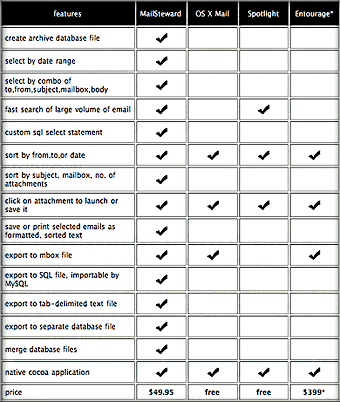 A last option I didn’t bother to try, but which I find also very compelling is a tool like MailSteward, which converts your email to a relational database. Now honestly, Mark, doesn’t this sound better than switching to Linux? For $50, you can sock your email in a safe database from which you can output text files, SQL files, mbox files (yes!), and print (PDF) files, and which you can search much more flexibly than any Mail client can.
See, Mark… it’s not Mail, and it’s not iTunes, and it’s not AppleWriter, or whatever. Slowly, over many years of frustrations, you’ve developed a negative attitude toward Apple, and the bough has now broken. Apple is a lucky company in that they instill intense loyalty, verging on worship, in their users. But like love, loyalty has a dark side. Like someone we love who has betrayed us, Apple has a way of pissing off its loyal customers through neglect and indifference. Everyone who has used the Apple support forums has found them useful, but also quite cold. I have never ever seen an Apple employee step in to one of them to help people out. In fact, they seem to deliberately avoid doing so. Not good PR, in my view.
Apple and PR
A lot of Windows tech writers think Apple is great at PR, and that we all love Apple products because we love the packaging, or the advertising, or whatever. But Apple is actually pretty lousy at PR, except the very quiet kind at a very safe distance. Their website is wonderful… easy to use, inviting, attractive, informative, filled with tutorials and videos, and other fun stuff. The support site is great, too, but you never sense there’s anyone at Apple actually at home when you visit.
As an introvert personality, I can understand this: I like to provide interesting things and hope people enjoy them or find them stimulating. But I don’t want to shake hands with anybody or stand in a room filled with readers and give a talk. Still, you gotta admit it’s not a great PR approach.
When Apple does get noticed–its latest TV commercials, for example–they’re flashy and interesting and well made, but they aren’t going to change anyone’s minds. I don’t think the iPod ads ever sold an iPod, actually. What sold the iPod was friends meeting friends who showed them their iPod. It’s such a great product it “advertises itself.” If iPods were priced like PC’s, this would not have happened, but once Apple got the iTunes music store going on Windows, and an iPod for under $300, that’s when the gates really opened up for the iPod economy.
After having spent $7,000 in one year at my local Apple store, I became livid at a manager there who refused to give me my Federal employee discount, simply because I’d forgot to bring it to the store with me. I said, “Just look me up in your database.” He said, “We don’t have access to that information.” “What!? How can you provide top-notch customer service when you have no way of getting to know your customers?” He just shrugged his shoulders and acted like he didn’t know, didn’t care.
If Apple’s customers sometimes feel like they have a personal relationship with the company, then it can be a particularly bruising relationship for guys like Pilgrim who are digitally gifted and technologically savvy. It would be like being married to a spouse who you admire because they’re a little bit smarter than you. The spouse does many wonderful things and makes many fine decisions. But lots of decisions get made without consulting you. You argue about this, and she promises to get your opinion the next time before going off in a different direction. But then she doesn’t. Never does, in fact. Even when you think she’s brilliant, you bristle at her superior attitude. Finally, it’s too much for your ego, and off you go.
For “the rest of us,” Apple is simply brilliant so much of the time that we just forgive the few blunders. I personally stand in awe of so much about Mac OS X that I could give a rat’s ass about the mailbox format it uses. My issue is, “Make Mail play nice with Exchange 2000!” I’m delighted that Apple uses XML as a core data format, including the format for my iTunes metadata. I’m in love with QuickTime because it’s completely interoperable with open video and audio standards, and it’s extremely easy to convert from one format to another. Unlike Microsoft, Apple hasn’t tried to develop its own formats for the sake of controlling the standard and locking up the market. At least, I don’t believe that’s their motivation. This is why there is no Apple video codec, or audio “codec,” or graphics “codec.” Apple uses PostScript (PDF) as the basis for its graphics engine rather than developing one of its own. Isn’t that pretty darn open?
No, the beef isn’t with Apple’s openness or about conversion issues, which are generally very easy to work out. Actually, one of the risk factors for data that Pilgrim leaves out is the degree of support the format has from developers. To that extent, as Gruber says, the era of being at risk by using a Mac is now over, and if anything the pendulum is swinging the other way. There are so many developers building quality Mac OS X applications nowadays, that Cocoa is well on its way to being a factor that converts users to the Mac all by itself.
On the other hand, a format like mbox is used less often nowadays. Thunderbird doesn’t use it, and neither does Outlook, or Opera mail. Eudora has a shrinking slice of the pie, and Apple Mail’s slice is rising. I’m not saying mbox is at risk, but I wouldn’t count on it being around forever. It’ll be around only so long as there are developers willing to support it, which requires customers who are demanding it. Moving from one minority platform to an OS with even smaller support–especially when the platform you’re leaving supports everything the minority platform does–seems a little odd. Especially when the platform you’re leaving is more open than it has ever been before, as Gruber points out.
So odd, in fact, that I think it can’t be explained logically. None of the reasons Pilgrim gives make any sense. I’m not arguing for Mac OS X or against Linux here, I’m just saying a switch like this takes a great deal of effort, and why turn your world upside down over a change in mail formats? Especially when all you really have to do is switch mail clients. That, I could understand. I’ve done it often enough myself.
No, what we are witnessing is the end of a love affair. And when someone falls “out of love” with a company like Apple, there are no counselors the couple can turn to for help. So they do the only thing possible… a clean break, get away from everything that reminds you of the great things you accomplished with that beautiful spouse over the last 20 years.
You write up your reasons for breaking up, and everyone but you realizes you can’t see the full picture. But certainly I, like many Mac users in a similar position vis a vis Apple, mourn the breakup and wish it didn’t have to be so. Powerful emotions can close minds as surely as any proprietary format. And unlike that closed format, prying open a closed mind is nearly impossible.
Good Discussion of innerHTML vs. DOM methods
Subtraction: How Much Is That Browser in the Windows OS?
Yahoo’s Ajax/DHTML User Interface Library Apparently Fails Its Own Test

I have been among the developers and observers who have praised Yahoo for the technical strength of their recently launched User Interface Library. In my tests for the Ajax/DHTML Scorecard project in March, Yahoo’s library was a clear “A” in its cross-browser credentials, and I was very impressed with Yahoo’s development team, which published clear and exacting browser standards for their library.
According to Yahoo’s own Graded Browser Support table, Safari is an A-graded browser, meaning it achieves the highest level of support possible with the Yahoo interface library. Clearly, the thought that went into this table is impressive, and the authors conclude the explanation that precedes the table itself with an appropriate quote from Tim Berners-Lee on the importance of cross-browser support:
“Anyone who slaps a ‘this page is best viewed with Browser X’ label on a Web page appears to be yearning for the bad old days, before the Web, when you had very little chance of reading a document written on another computer, another word processor, or another network.â€
It is therefore highly disappointing and disillusioning to discover tonight that Yahoo has released a preview of its new, Ajax-enabled home page with support only for Internet Explorer 6.0 and Firefox 1.5. The only logic one can use to justify such a move is based on a totally PC-centric viewpoint, which argues that only Windows users are worth troubling with, since they comprise the vast majority of potential viewers. But this is precisely the viewpoint that must cease if Web 2.0 is to become the fertile melting ground for truly cross-platform interdependence that it wants to be. It’s simply not the viewpoint of any company that really cares about Berners-Lee’s vision or about the millions of users on platforms other than the virus- and malware-riddled mess that is Microsoft Windows today.
Web 2.0 sites should be built to open standards, and any catering to specific browser extensions should be avoided. If proprietary extensions are utilized, they should have no effect on the site’s core functionality, and should not be even noticed by users of other browsers. For example, I’ve employed a harmless extension to the HTML text input field that Apple developed in order to beautify search forms in Safari. It’s nice for Safari users, but has no impact on IE users or on Firefox users on any platform.
From my experience working with Ajax and DHTML in 2006, I am certain that Internet Explorer was the hardest browser for Yahoo to support in terms of time and resources. No doubt the rollout of this new home page had to wait until it worked well enough in IE. What boggles my mind is that if you can support Firefox, there’s no earthly reason why you shouldn’t also be able to support Opera 9.0 and WebKit (Safari). (OK, you might have to make a few very minor tweaks, but nothing too challenging for a reasonably skilled CSS/JavaScript guru.)
Does this mean that the Yahoo Interface Library isn’t as truly cross-browser as Yahoo claims? Does it mean that Yahoo is blatantly disregarding its own graded browser support standards?
In answer to the first question, “Who knows?” All I know is, the new site doesn’t work in Safari or Opera. And that’s just plain wrong. Using a modern JavaScript library, it’s much easier to build an Ajax/DHTML Web 2.0 site that supports Firefox, Opera, and Safari, all of which have A+ compliance with w3c standard, and then figure out what hacks you need to use to get the site to work in IE 6.0. To do the work backwards starting with IE 6.0 simply exaggerates that browser’s importance to the future of the web. If Yahoo used their own JavaScript library to build their new home page, it doesn’t speak very highly of that toolkit’s abilities.
In answer to the second question, the answer is clearly, “Yes!” Yahoo has blatantly disregarded its own published standards for browser support in 2006.
Yahoo, I’m extremely disappointed, and I’m sure others will be, too. If nothing else, this will push back to a much lower priority my plan to rebuild a number of the Ajax/DHTML functions of Musings from Mars using Yahoo’s library… simply for comparison purposes. Now, I’m definitely going to make Dojo the next library on my list… especially now that they have that spiffy new home page design, which I can actually use in Safari. (Imagine that!)
Mozilla’s Brendan Eich Points To JavaScript 2
Cross-Browser Ajax: It Don’t Come Easy
In a case demonstrating that you can’t be sure your Ajax/DHTML website will truly be cross-browser just by including one of the toolkits that are known themselves to be fully so. From my own experience, even if you use Prototype, you’re likely to pick up a few odd JavaScripts along the way to include in your site. Or, you might take a stab at writing a function out of the blue. Either of the latter two steps can get you in trouble if you’re not careful.
Today’s case is an Ajax/DHTML “tutorial” which has been advertised on a couple of websites that a lot of folks in the Ajax community rely on for good tips and pointers. Unfortunately, the only thing the script is a good example of is cross-browser carelessness, or perhaps simply cross-browser “couldn’t care less”-ness on the part of the developer.
In mid-April, Max Kiesler blogged about a Wordpress “shelf” script that he described as a “nice tutorial on how to build a sliding shelf in Wordpress,” with a pointer to the website. Naturally, since I’m a WordPress guy myself, I thought this could be useful! Much to my amazement and dismay, on arriving at the suggested site I realized that this “shelf” is totally out of order for WebKit-based browsers (the most prominent of which is Safari for Mac OS X). I blogged a brief complaint and noted that a reader had already left a comment with the Asymptomatic.com owner letting him know it wasn’t working in Safari. I’m pretty sure I also wrote a note to Max Kiesler, but it was through his online form, and I never heard back about it.
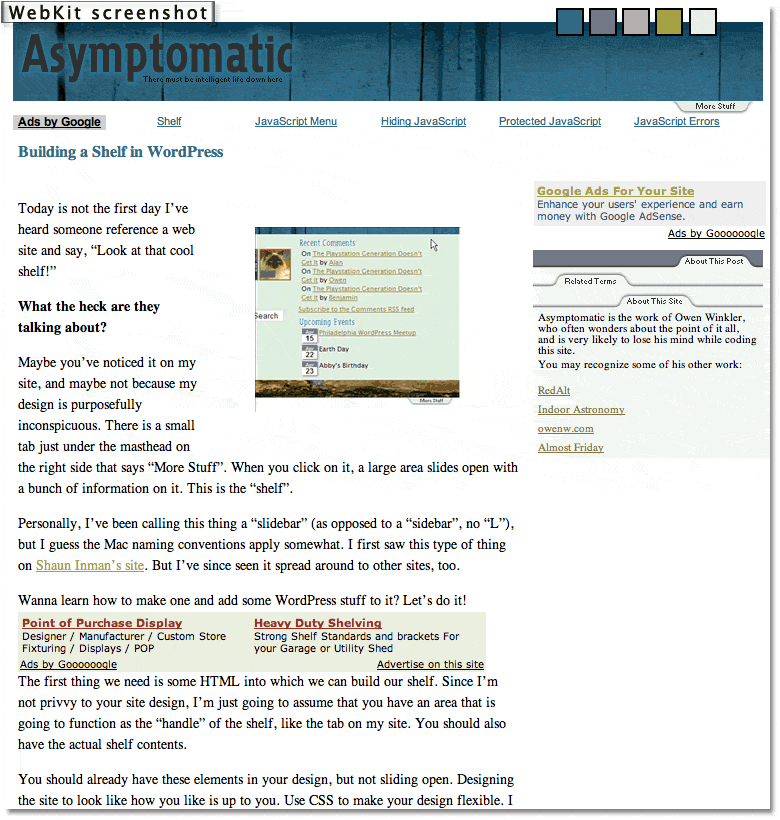
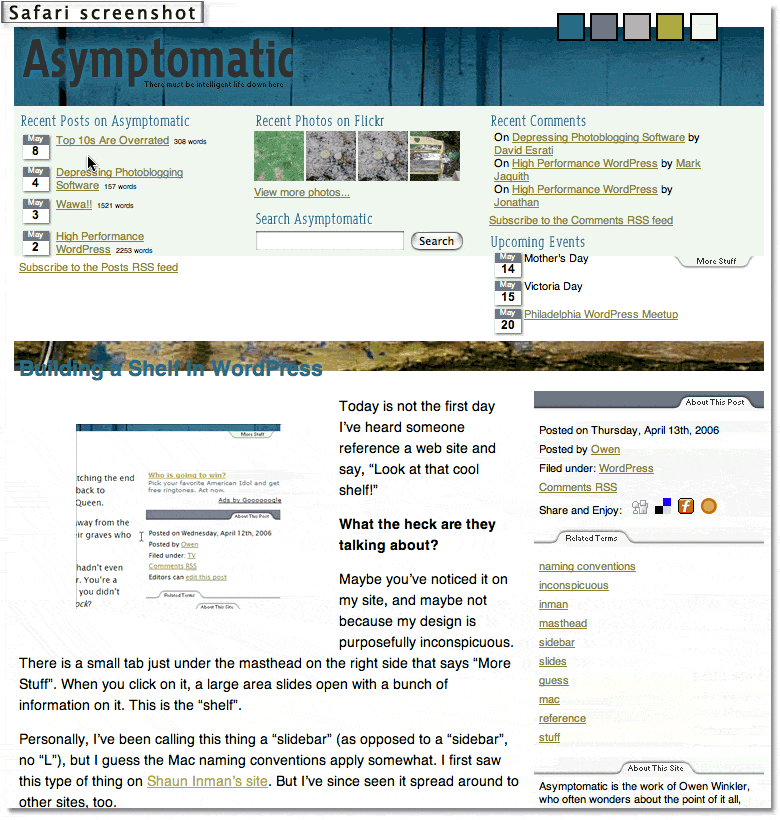 Click on the screenshot thumbnails if you want to see how the “sliding shelves” look in Safari and WebKit.
Kiesler subsequently included this guy’s tutorial twice in his continuing roundup of Ajax Tutorials, the concept of which is great, but the execution of which needs a little more editorial oversight to ensure that only Ajax representing industry best practices are promoted. From the feedback I’ve received to my own article grading 50 or so Ajax/DHTML toolkits on their adherence to a cross-browser, standards-based approach, I’m pretty sure most developers believe we should be writing standards-based code these days.
The terrific Ajax-themed website Ajaxian.com promptly picked up both of Kiesler’s “tutorials lists” that had pointers to the Symptomatic’s problematic WordPress script, so I’m sure with the popularity of WordPress, that script has been passed around far and wide by now.
In the meantime (about a month), has the script’s author attempted to fix the problem? Unfortunately, no. I tried again today, and just as before, the sliding “windows” are simply static content in Safari. They’re weirdly nonfunctional in the latest WebKit nightly build as well.
Looking at his code, I see he’s using Prototype, along with moo.fx, which he talks about at length in the tutorial. Both of these are A-graded JavaScript toolkit, and I use Prototype myself… a lot. But Prototype alone won’t save you, my friend. Not when you also include a half-dozen third-party scripts and a dollop of homemade code that isn’t anywhere near Prototype. I can only assume that those other scripts are what’s making these “shelves” stick so.
You know, Tim Berners-Lee blogged recently in support of a standards-based Web. Quite eloquently, I thought. When I wrote in an earlier article that the web was built by folks who believed in open communications and complete interoperability between different OS’s and browser platforms, I didn’t have a good quote to back me up. Now I do. From the guy who actually wrote the World Wide Web software–on a NeXT machine (from which Mac OS X is descended, by the way)–here are some thoughts I hope we can all try to live by as Web 2.0 matures:
When, seventeen years ago, I designed the Web, I did not have to ask anyone’s permission… The new application rolled out over the existing Internet without modifying it. I tried then, and many people still work very hard still, to make the Web technology, in turn, a universal, neutral, platform. It must not discriminate against particular hardware, software, underlying network, language, culture, disability, or against particular types of data…
It is of the utmost importance that, if I connect to the Internet, and you connect to the Internet, that we can then run any Internet application we want, without discrimination as to who we are or what we are doing… The Internet is increasingly becoming the dominant medium binding us. The neutral communications medium is essential to our society. It is the basis of a fair competitive market economy. It is the basis of democracy, by which a community should decide what to do. It is the basis of science, by which humankind should decide what is true.
Let us protect the neutrality of the net.
Those of you who are devoted to promoting best practices for Ajax and Dynamic HTML (DOM Scripting, nowadays), please keep this in mind, and try to make sure the scripts you are offering for others to emulate are truly worth of that trust. Unfortunately, as cool as WordPress Shelves look in IE, Opera, and Firefox, they leave a large majority of the Mac OS X user community out in the cold. And for no good reason.
The script’s author points as his inspiration to another example of sliding shelves, from Shaun Inman. Those work beautifully in all browsers, but it looks to me like he’s using MovableType instead of WordPress. Otherwise, perhaps Shaun would be willing to prepare a WordPress plugin for sliding shelves. Failing that, whoever is promoting scripts like this needs to take the time to make sure they work. Otherwise, bad scripts like this become a building block to a really bad, balkanized Web 2.0.
And I don’t think anybody involved in this exciting technology wants that.
Tim Berners-Lee Makes Appeal for Platform-Neutral Web
ATLAS: Microsoft Live Shopping Supports Only IE
Rob Gonda on ATLAS: Microsoft Live Shopping - No Firefox
Interesting discussion afterwards… how can these bozos not realize that by not supporting anything but IE in the initial launch, Microsoft is achieving its aim of shutting other browsers out? Most of the business a site like this gets is in the first few weeks, and if you’re a newcomer to Firefox, it’s just one more site you’d like to visit that doesn’t work! Stop apologizing for Microsoft. They have no intention of “ultimately” making Atlas cross-browser. And by the way, Firefox is not the only other browser that needs supporting.
Backbase Trying To Widen Browser Support
CED Releases Major Report Calling for Open Standards, Open-Source Software for U.S.
Nothing To Cheer Here: Microsoft’s Ajax Toolkit Is a “D”

Back in early March when I first released the Ajax/DHTML Scorecard, rating all of the existing Ajax/DHTML toolkits against an ideal cross-browser scale, I rated Atlas an “E.†So, the good news for Microsoft fans is that Atlas is actually better than that. But not by much.
On April 4, I rescinded the original score after some readers correctly pointed out that I was treating Atlas differently from the other toolkits in the shootout. That’s because Atlas was simply vaporware in early March, and there was nothing to test. As I explained in an update to the article, the “E†was based on Microsoft’s past conduct in the cross-browser-support department. Here, they had been very bad big boys. Microsoft is the reason that we have to worry so much about cross-browser support today, so it stood to reason that their entry in the Ajax field would continue their past strategy of steering all users to Microsoft products and away from alternatives.
Though I was skeptical Microsoft had changed its stripes, one writer assured me that
In general Microsoft’s strategy with .NET is to require Windows on the server, but to be 100% browser compatible on the client. .NET components configure themselves automatically for the available browser features ( i.e. CSS levels, javascript dialects, or css/js disabling). While I’m still in the early phases of researching Atlas, it seems that this style of browser support has continued.
And so, I began testing with an open mind, especially after an Ajax blogger raved about Atlas in an article that was picked up by the No Fluff, Just Stuff RSS feed that I follow. (I’ll have to remember to ignore future articles by Brad Abrams, whose blog after all is hosted by msdn.com…)
Since Abrams was celebrating the release last week of the Atlas Control Toolkit, which includes 9 online demos of different Atlas controls, I decided to start my testing there. Unfortunately, Atlas failed on the very first control, the “Cascading Drop Down.†Though it worked in Firefox on Mac OS X, it failed in both Safari 2 and Opera 9. After going through three or four of these, Atlas was batting a very low score, and I decided to keep track of results more scientifically.
The end result? Of the 9 Atlas controls very publicly celebrated by Microsoft this week, here’s how Atlas rates:
- Firefox, 8 of 9 controls worked
- Safari, 4 1/2 of 9 controls worked
- Opera, 3 1/2 of 9 controls worked
I don’t think you can count this as cross-browser support, folks.
Because the vast majority of the controls worked in Firefox, I’m counting that as almost-full Firefox support, giving the Atlas toolkit a “D-â€.
Now really, with all of the A-rated toolkits available to you, why would you choose Microsoft’s if you care about cross-browser compatibility? There’s no good reason to do so. Especially with the status of IE 7 so out-of-focus, and Vista even blurrier. The only reason to do so is if you don’t care about cross-browser compatibility and are married to a Windows server or Windows developer tools. Anybody who really cares about cross-browser, cross-platform support for the next generation of web applications will avoid Atlas like the lovely but deadly Siren it is.
Test Results
As I kept detailed notes on my tests of Atlas, here are the results. For each control that didn’t work, I’ve included one or more screenshots of the broken control. Also included are the detailed JavaScript error messages generated in Opera. I’m including these not only to show the error message, but also as a hint to those of you JavaScript gurus who haven’t experienced the wonder of these little gems yet. Far better than what’s available in Firefox or Safari, the Opera message gives you an invaluable backtrace that pinpoints the source of the error. If you know of a better JavaScript error log than this for any Mac browser, please clue me in.
- Cascading Drop Down
- Firefox | Safari | Opera
Screenshots: Atlas Control | JavaScript Error - Collapsible Panel
- Firefox | Safari | Opera
Screenshots: Atlas Control | JavaScript Error - Confirm Button
- Firefox | Safari | Opera
- Drag Panel
- Firefox | Safari | Opera
Screenshots: Atlas Control | JavaScript Error - Hover Menu
- Firefox | Safari | Opera
Screenshots: Atlas Control | JavaScript Error - Popup Control
- Firefox | Safari | Opera
- Reorder List
- Firefox | Safari | Opera
Screenshots: Atlas Control | JavaScript Error - Textbox Watermark
- Firefox | Safari | Opera
- Toggle Button
- Firefox | Safari | Opera
Screenshots: Atlas Control in Firefox | Atlas Control in Safari
For the last control, I gave Atlas only one-half credit in Opera and Safari since for some reason Microsoft couldn’t get those browsers to display the nifty thumbs-up/thumbs-down graphic that Firefox and IE users enjoy. Why this should be hard is beyond me… it’s just a graphic, after all! Also, the only failure that Atlas suffered in Firefox was for the Reorder List control. Here, the drag/drop function worked, but once I dropped a list item, the whole browser had to refresh in order to register the new list order. Hate to tell you, Microsofties, but that ain’t Ajax.
I also noted that besides the broken Ajax controls, the Atlas website failed Opera visitors on other fronts… most notably, the tabbed interface on the Atlas home page can’t be navigated in Opera 9. And finally, unlike nearly every other toolkit on these lists–even those that rate D or E–you can’t even use Atlas JavaScript controls unless you’re using Windows on the desktop and on the server. Try to download the “samplesâ€, and you get “AtlasSamples.msiâ€, which I couldn’t crack open on my Mac OS X system. Presumably, this is an ASP.NET file of some kind, although Ajax is based purely on open standards of JavaScript, CSS, XML, and HTML. Again, this bundling is simply an attempt to make you use Windows systems for your Ajax-enabled websites. Why do this, when there are dozens of extremely able frameworks that give you more freedom? Heck, even nearly all of the commercial frameworks on these lists open the source code for anyone to leaf through.
In conclusion, although Atlas has some nifty DHTML/Ajax controls, that is true of virtually all of the A- and B-rated toolkits. There’s something to like about most of these, and there’s a fair amount of picking and choosing to do when deciding on a toolkit. My point is that because you now have so many great tools at your disposal, there’s no reason to accept less than full browser/platform compatibility as one of the criteria for deciding which to use. Just because Microsoft is the 300-pound gorilla of IT doesn’t mean its nicely packaged toolkit should turn your head. Take a closer look… this is one beautiful Siren that will eat you alive if you get too close.
P.S. I want to thank the author of the very nifty JavaScript widget DOMinclude for making this available! DOMinclude is a wonderful, unobtrusive DHTML control that lets you make any external content a DOM “popup†just by adding a class to its anchor tag. This was perfect for the screenshots and JavaScript error snippets I wanted to include with this article.
Many of you seem to think that because Microsoft released Atlas and these controls with the language “early preview” that this translates to the software being “beta” or even “alpha,” as one of you has suggested. If any of you have ever been in a true beta test, or, earlier, alpha test, you’ll know that this is just language Microsoft is using to cover itself. The fact is, all of Microsoft’s releases have always been “beta” in that sense… there are always bugs that need to be fixed.
But why pick on Microsoft? They’re not the only ones that play this game. Google has released oodles of software under the guise of being “beta” releases, but we all know that they aren’t, really. Apple released Boot Camp recently as a “Public Beta,” and like Google they at least made that clear on the product’s home page. (Microsoft’s Atlas home page gives you no hint that the product is beta in any sense of the word.) So stop trying to apologize for Microsoft’s “beta” product… they released controls that were not cross-browser or cross-platform in the sense that I defined them in my first article on this subject. All the other vendors have been graded the same way, and I won’t make an exception for Microsoft.
It’s also important to distinguish between the release of a beta product for consumers and one for developers, which is what Atlas supposedly is. Despite its being “preview” software, Microsoft actively encourages its developers to begin building web applications with Atlas–now–which means that its “beta” software is in turn going to produce hundreds or thousands of “beta” web applications, which won’t work correctly on all platforms. If you’re building for a company Intranet and want to do this, it’s up to you. But many people use ASP and .NET to build public websites and web applications. Those are not going to work for every visitor, which is precisely what happened with an earlier breed of Microsoft development tools. (Here’s a PDF file of the Atlas home page as it was yesterday afternoon. Tell me if you see anything here that remotely suggests that Atlas isn’t production-ready.)
 Second, the grade I’ve given Atlas does not reflect the total value of Atlas as a framework for doing web development. That’s not the issue here. The server-side technology, or development environment used, is not considered in the score. As the first article makes clear, this scorecard grades the toolkits solely on the basis of whether or not the client-side output they produce will adhere to a cross-browser, cross-platform ideal. I get the sense from some of your (rather nasty) remarks that you don’t really give a *%!+/*&! about whether you build a website that can be used by non-IE, non-Windows users or not. That, of course, is your right. I just hope your views don’t prevail as Web 2.0 gets built out, and that the next generation of web software will be as open and accessible to all as the web’s pioneers originally envisioned.
Opera 9 Passes Acid 2 Test
Ajax/DHTML Library Scorecard: How Cross Platform Are They?

- Reviewed and rated Spry, Jitsu, and Morfik toolkits.
- New article summarizing recent additions and changes
As I mentioned in an earlier post, the whole Ajax/Web 2.0 thing that’s happened this last year reminds me vividly of the mid-1990’s. Back then, the web was brand new, it was exciting, everyone was learning how to build web applications, developers were totally turned on and creative, everybody was pointing out cool new apps and sites, and the potential of this new computing platform seemed unlimited. Leading the charge was a young company that built software for every operating system under the sun, and they clearly had a solid vision of where they were headed. During 1994-96, Netscape introduced one astonishing new client-side technology after another to what a web browser could do–tables, animated graphics, client-side imagemaps, frames, cookies (yes, these really were a vital improvement to the web client), and something they called Javascript.
Each of these technologies offered dramatic new ways of presenting information in a web browser, and developers who loved new gadgets glommed on to every advance, racing each other to see who could do the coolest things with these first. A lot of mistakes were made–a lot of really ugly eggs were hatched–but excitement and optimism were the buzz feelings. With Netscape in charge, you felt like you do when working as a protege with a master hacker: Does this guy ever stop pulling amazing tricks out of his sleeve?
One of the promises of Netscape’s vision was that the web–and, in particular, the web browser–could make one’s choice of operating system irrelevant. The web could level the computing playing field, since applications built for the web were applications for all, regardless of what OS you happened to prefer. What worked for NeXT, OS/2, Irix, Solaris, and Windows would also work just fine on Linux, Mac OS, Be OS, HP-UX, and BSD. The web browser could be the OS, and the only limiting factor in what you could do would be your hardware and connection speed. Microsoft’s lock on the computer desktop could be broken, and new competitors in operating systems and computers could unleash the full potential of the personal computer to improve our lives–both at work and at leisure.
Only, it didn’t quite turn out that way.
Sensing the danger–in fact, being taunted with it by this upstart Netscape Communications Corp.–Microsoft dipped into its deep pockets and threw all its resources at thwarting that utopian vision. Microsoft knew it couldn’t stop the web from happening. This Unix-born technology was simply too potent a force. However, it could certainly make sure that when its customers reached for a web browser, that browser would be Internet Explorer rather than Netscape (or any other). Whole books have been written about that epic saga, and I could certainly sit here and write a dozen pages about it without even taking a bathroom break. But of all the things that Microsoft did, the most damaging to Netscape in the long run, and the act that virtually forced users into migrating to IE, was to introduce an incompatible document object model (DOM) and some incompatible Javascript extensions in IE 4.0.
I clearly recall attending a Microsoft briefing in 1997, when the company was starting to show off its own version of “dynamic HTML.” Netscape had a slight head start on DHTML, having introduced its 4.0 browser in the summer of 1997, several months ahead of Microsoft. (Of course, being the vaporware Microsoft it still is today, Microsoft behaved as if IE 4.0 and its version of DHTML had already been released by the time Netscape Communicator came out.) Netscape 4.0 was another leap in browser capabilities, continuing the innovative approach Netscape had wowed us with in prior years. Most significant was Javascript 1.2, with its layer tag, Javascript-accessible Cascading Style Sheets, and a continued strengthening of the Netscape DOM. The eye candy Microsoft was showing off in IE 4.0 looked great, too. However, unlike before, when Microsoft had played “follow the leader” with Javascript, the company now made a conscious decision to split Javascript into two incompatible halves. After IE 4.0, developers who wanted to build web applications that had a chance of competing against PC desktop apps would have 6 choices:
- They could continue to ignore Javascript and stick to vanilla HTML with little client-side interactivity other than rollover images, doing their best to utilize graphics and great page design to wow customers,
- They could try to develop rich DHTML applications that would work in both Netscape and IE,
- They could ignore Javascript and introduce rich controls using Active/X (which would effectively bench Netscape from the game),
- They could ignore IE 4.0 and write rich DHTML apps for Netscape Communicator,
- They could ignore Netscape and write rich DHTML apps for IE, or
- They could ignore Javascript and turn to a new client-side technology called Flash which, inexplicably, had ended up being equally supported by both leading browsers. (Of course, in 1998, Flash technology was pretty primitive compared with its 2006 abilities.)
Prior to this, those of us who believed in the potential of a DHTML-driven Web couldn’t wait to begin writing interfaces that would take web applications to a new level. If people thought the web was cool in 1997, just wait a few years… this halting page-refresh after page-refresh model could now be broken. Netscape’s layer tag had the ability to put bits of asynchronously loading content anywhere on the page, and it was incredibly easy to use. With layers, you could suddenly put layers on top of each other, and by combining Javascript, layers, and CSS you could perform amazing tricks such as drag-and-drop, or you could dynamically rewrite the page and the style of its elements.
Alas, we had only just begun to fantasize about the possibilities when Microsoft foisted the great Javascript/DOM Split on the world. By forcing a choice between Netscape and IE, and then illegally using its Windows monopoly to make sure customers didn’t choose Netscape, Microsoft ensured that its desktop monopoly would be extended to the browser market as well. You want the browser to be the OS? Sure… no problem… as long as you’re running IE on Windows, that is.
So, what did web developers do when confronted with this choice back in 1997-98?
Those who wanted to keep the web open and standards-based typically went with #1, and that included the vast majority of e-Commerce firms like Amazon.com and eBay. Only a very small percentage opted for #6, reflecting an aversion to relying on browser plug-ins for core functionality that continues today, perhaps with implications for Laszlo and the other rich-interface frameworks that rely on Flash.
A few brave souls tried to work at #2 by building cross-browser DHTML libraries and writing tutorials on the subject. But those of us who actually tried to satisfy both browsers–while also degrading gracefully to more primitive ones–found it was simply too hard to become a standard practice. A few DHTML widgets–mainly navigation menus of the cascading and tree variety–eventually became stable enough to work well in both browsers. Though these struggled along through the dark years between 1998 and 2005, most of the public web had to turn its back on Javascript, CSS, and the DOM.
Inside Intranets, a tiny percentage of companies like the one I worked for (Citibank) decided to ignore IE and build to Netscape’s DHTML model. A much larger percentage of developers took advantage of Microsoft’s dev tools to build apps that would work only in IE. Even larger still was the percentage that said “To heck with Javascript!” Just use VBscript and build Active/X controls! To my utter amazement, this latter impulse ended up overrunning company firewalls and making its way broadly into public websites.
Why was I amazed at the spread of Active/X?
Well, it was just such a devastating lack of collective judgment in the web programmer community. Active/X did two very bad things to the web and to personal computing:
- It built a direct route for writers of viruses, worms, and other malware to infiltrate the Windows operating system. Not that Active/X was the only way in. But it sure was low-hanging fruit, particularly given how easy it was to write and deploy the controls. Microsoft’s irresponsible implementation of default browser options for Active/X in IE, together with its abysmal user interface for “Internet Options” in general, helped grease the skids that has ended up costing the U.S. and world economies untold amounts of money and time in a seemingly futile battle to stop these villains from taking over company and personal PC’s. Sure, we now have a vibrant and healthy information security industry. But claiming that’s a good or inevitable thing is like arguing that disease is something you can only address by building more hospitals and insurance companies. Yet, when was the last time the health care industry gave us a disease that put hundreds or thousands of people out of commission all at once? When was that, like 1919? Unlike the computer industry, where vast numbers of otherwise intelligent people act as if Windows were the only game in town, in health care they actually have competition and hordes of highly motivated people trying to solve health problems by developing new medicines and new techniques. Gee… sounds a little like the open source folks, doesn’t it? (Hint, hint.)
- Using Active/X turned web applications into Windows applications, effectively putting up a “Macintosh and Linux users not welcome” sign on website after website for several years. Ironically, one of the things that’s saved the web from turning into a big Windows desktop by now has been the persistent, relentless attacks on it by malware entering via Active/X.
So, with all this as prelude (and, like I said, I could continue preluding for quite some time on this subject…!), 2005 started with the amazing and improbable reentrance of Javascript as a respectable tool for web application development. At its side was a new kid called Ajax, which was a fancy name for a greatly enhanced version of the layer tag’s src attribute from 1997. We have Google to thank for recognizing that the time was ripe, once again, to begin expanding the web application’s potential. With Google Maps and gMail, Google had the market power to showcase some truly amazing and Different apps that got a lot of geeks thinking “outside the box” again after many years.
In Google’s wake came a sudden stream of tiny companies with new and astounding applications like Backpack, JotSpot, Writely, Net Vibes, Rallypoint, and Basecamp. Also last year, Firefox started breaking down the IE wall and gaining noticeable market share. Apple’s Mac OS X was also gaining market share for the first time in years, evidenced by a doubling in Safari’s share of the web browser market.
And that’s when it hit me, some time last fall: The vision of a rich and OS-agnostic web was still possible, after all.
Despite Microsoft’s dominance of the web through Windows and IE, a significant portion of the developer community still cares very much about open standards, such as HTML, XML, CSS, and Javascript, and they actually have quite a few positive, platform-neutral trends on their side:
- In the years following the w3c’s blessing of its own DOM (which was different still from the 1997 Netscape and Microsoft models), both IE and the Mozilla open-source juggernaut had migrated toward common ground. Significant differences remain, but they no longer seemed insurmountable.
- Years of struggling with the browser incompatibilities had yielded a large number of stable hacks that could make things work roughly the same across the big IE/Mozilla divide.
- Years of neglect for IE had allowed both Mozilla/Firefox and the newly standards-based and open-sourced Safari to gain mindshare and momentum away from proprietary extensions and toward standards-based, open-source solutions.
- Years of wrestling with viruses and worms had begun to force Active/X out of the developer’s toolkit for web apps
- Personal computers themselves were vastly more powerful than in the 1990’s, and computer users had faster and bigger pipes connecting them to the net… making it easier to contemplate stuffing richer client loads into them.
And finally, the “modern” browsers–particularly Firefox and Safari–had by now implemented most of the advanced CSS elements and methods that we had drooled over in the late 1990’s. (It’s worth noting that the Netscape/IE battle brought the exciting CSS specification to a virtual halt in 1998, when CSS 2.0 became an official recommendation, only 2 years after finalizing CSS 1.0. After that, it took 4 years for CSS 2.1 to even reach the draft stage.)
So last fall, once it seemed likely that Ajax was going to stick around for a few years, I dove in and began checking out the large array of new toolkits that were available for Ajax and DHTML. It wasn’t long before I started worrying again. It turns out that some of these libraries actually supported only IE, or only IE and Firefox, or (in one case) only Safari. Most alarming was the large percentage of Ajax/DHTML libraries that failed to include Safari. Since Safari had just last fall distinguished itself by becoming the first browser to pass the Web Standards Project’s Acid2 test, this made me worry that IE’s hold on the web–and on the hearts, minds, and wallets (primarily wallets, truth be told) of developers–was still too strong to shake. If that was the case, would the trend toward Firefox and Safari continue once Microsoft actually updated its browser to version 7.0, which presumably would arrive with new bells and whistles appropriated from the pioneers, and hopefully in a sandbox a little safer than Windows XP?
Naturally, as a user of a “minority” operating system, I am a strong advocate of an OS-agnostic web. The standards set down by the w3c are amazingly powerful, and if computer users could have browsers that actually implement those standards in full, we could have not only the promise of truly rich, exciting, and time-saving web applications, but the freedom to choose our operating system without worrying so much about incompatibilities.
In other words, 2005 was starting to look a heckuva lot like the mid-1990’s to me. But this time, I’m hoping things can turn out differently. With Microsoft distracted by Apple’s surprise win in the music download game, and with IE still holding a very comfortable 85% share of the browser market, maybe they won’t try to ruin everything this time.
So, after googling around a bit, I decided to try to document the current state of things. I set about to compile a comprehensive list of all the Ajax/DHTML toolkits that web developers now have to choose from, and then to test those toolkits against a standard for cross-browser compatibility. In doing so, I made use of several existing lists:
- One from a fellow geek-oriented blogger, Ian Sheridan at Savage Vines
- One from the Ajaxian website,
- One from the Open Source Application Foundation (OSAF), and
- One in that great 2005 book on Ajax, Ajax in Action.
Even with these four large lists, I had found several on my own that didn’t exist in the other lists, and a few new ones emerged in just the last 2 months. Given how fast this Ajax steamroller is moving, I won’t be surprised if my own list is obsolete within a week or two. However, I am going to try to keep it current–both by adding and grading new libraries as they announce themselves and by updating grades as existing libraries update themselves. And with a Web this big, I’m certain there are Ajax/DHTML toolkits that I simply don’t know about yet, but hopefully these will get a nod in the days to come, from either their loving owners or adoring fans.
Now, everybody is going to define “cross-browser” slightly differently, so I wrote down a grading system to use in measuring each DHTML/Ajax library. The cross-browser ideal is a library that is tested and certified against all of the major browsers–defined as IE, Firefox, Safari, and Opera (including browsers that share “core” rendering engines with these)–and that theoretically supports any browser that claims to be compliant with the w3c DOM. The least desirable library is one that the developer will certify to run only in IE (or, let’s say, in only one of any of the major browsers). Here, then, moving from ideal to nadir, is the grading scale:
| A | IE 6 ↑ Firefox 1.0 ↑ Safari 1.2 ↑ Opera Other DOM-compliant |
| B | IE 6 ↑ Firefox 1.x ↑ Safari 2.x ↑ Other DOM-compliant |
| C | IE 6 ↑ Firefox 1.x ↑ Other DOM-compliant |
| D | IE 6 ↑ Firefox 1.5 ↑ |
| E | IE 6 ↑ |
Now, many well-intentioned developers think they are providing a cross-browser library if they certify it against only IE and Firefox on a Windows workstation. But this is a completely Windows-centric perspective, whether such developers realize it or not. Safari is to the Macintosh what IE is to Windows–in a positive sense, though, not as an illegal monopoly strategy. It’s perfectly possible to remove Safari from a Mac OS X computer and never miss it, whereas Microsoft will presumably insist until the day it dies that removing IE from Windows would cripple the operating system.
Therefore, to deliberately exclude Safari from testing, and therefore from making the few minor tweaks that might be needed to raise one’s library to the cross-browser ideal, is to deliberately exclude Macintosh users from your worldview. Yes, Mac users can switch to Camino, Firefox, Netscape, or any number of other Gecko-based browsers, or they could use Opera or iCab or other completely different browsers. Camino is particularly popular with some Mac users–me included–who at a minimum insist on a Cocoa-based web browser that takes advantage of all the Cocoa framework has to offer. I switched completely to Camino some time during Panther, because it was so noticeably faster than Safari. But with Tiger, I switched back, since Safari 2.0 was once again head-and-shoulders above the Gecko crowd in a number of ways.
You simply can’t claim that your Ajax/DHTML library is cross-browser if it denies a user the right to select the best browser for her operating system. It’s for this reason that Opera is included here, because a number of studies have clearly shown that Opera bests Firefox at rendering Javascript, CSS, and other content types on a Windows PC. Likewise, if you want to be called “cross-browser” or “standards compliant”, you need to include Safari in your testing. Each browser has its own quirks, and Safari has its share. But not nearly so many today as does IE 6.0. If using your library forces developers to build web applications that overcome the quirks of Browsers A and B while ignoring the quirks of minority, but standards-compliant, Browsers C and D, then you can’t claim to have provided a Grade A cross-browser solution.
Some of these libraries have partial support for Firefox, or for Safari–that is, some functions work, and some don’t. This is also taken into account. During the testing, I made use of all the online demos that were provided (or tried to download and test in the few cases with no online demos), and I independently certified those libraries against both Firefox 1.5 and Safari 2.0 on Mac OS X 10.4 (Tiger). In a small number of cases, a developer claimed that their library worked in one of these browsers, but in fact it did not.
In the lists that follow, I’ve included a “Notes” section for each entry that records various observations about the libraries and their attributes–open source or commercial, well documented or not, freely downloadable or not, etc. However, the only attributes that count toward a given score in this “shootout” are those that affect a library’s level of commitment to a cross-browser standard.
It was relatively easy to divide the different libraries into four categories, only the first two of which were actually rated:
- Ajax/DHTML libraries (these are comprehensive toolkits that provide functions both for asynchronous user interactions and content management and for the user interface effects and GUI widgets that together define a Web 2.0 application).
- DHTML-only libraries (these are toolkits that provide only the rich UI tools one needs).
- Ajax-only libraries (ditto for the Ajax part of the equation).
- Other Related Projects (this is where items from the four starting lists ended up if they either seemed too insignificant to include, were too narrow in scope to fall into any of the other categories, weren’t libraries at all but rather related resources, or were unavailable due to server problems on multiple occasions when I visited for testing).
I didn’t grade the Ajax-only libraries, because it’s not Ajax per se that causes browser incompatibilities. Rather, it’s differences in Javascript, CSS, and DOM implementations, and these are the components that together comprise what are known as Dynamic HTML (DHTML).
I’ll bet some of you are starting to wonder, “When is he going to shut up and let me see the scores?” If that’s you, rest assured… I’m almost done.
Let me close this introduction by briefly summarizing the scores. First, despite my fears, and despite a few prominent Ajax/DHTML libraries that have a very narrow degree of browser support, I was delighted and surprised to find so many that made Grade A. Clearly, if you want to build astonishing Web 2.0 applications in 2006, you’ve got a lot of fine Javascript libraries to choose from! And nearly all of the Grade A libraries are open-source, so you can build without shelling out a license fee for the privilege.
There are 18 A-graded Ajax/DHTML libraries out of 42, and 8 A-graded DHTML libraries out of 15, and at the bottom of the barrel are 3 Ajax/DHTML scoundrels I had to grade E, and 6 that get a D.
| Ajax/DHTML Libraries | DHTML-only Libraries |
|---|---|
| THE GOOD GUYS (Grade A Toolkits) | |
| Dojo Toolkit | DHTML Kitchen |
| Echo 2 | DynAPI 3.0 |
| Javascript/Ajax Toolbox | How To Create |
| Jitsu | Open Cube |
| jQuery | Todd Ditchendorf’s DHTML Gallery |
| jsLINB | UIZE JavaScript API |
| MochiKit | Walter Zorn |
| Moo.fx | X Library |
| Prototype | |
| Sardalya | |
| Script.aculo.us | |
| Spry | |
| Tacos | |
| TurboWidgets | |
| TwinHelix | |
| Wicket | |
| Yahoo! User Interface Library | |
| Zapatec Ajax Suite | |
| THE BAD GUYS (Grade D or E Toolkits) | |
| AjaxFace | Bindows |
| EBA Ajax | Plex Toolkit |
| Microsoft Atlas | ThyApi |
| Rialto | |
| TIBCO General Interface | |
| ZK | |
As a final note, I have included Apple’s Dashboard Widgets framework in the Ajax/DHTML Libraries list, but refrained from grading it since it’s not offered as a toolkit for building websites. If it were, of course, it would be graded “E”, since it only supports one platform. For those of you who are wondering why Dashboard Widgets would be here at all, be sure to read the notes about it in the list below, and check out the resource links I’ve provided. Widgets are simply little Ajax/DHTML objects that live outside of the browser. AOL and Microsoft are both trying to copy the idea for their own platforms, and Yahoo, recognizing how cool they were, bought Konfabulator, which originally brought a version of widgets to the Mac OS X platform. Naturally, Yahoo is calling Konfabulator “Yahoo! Widgets” now.
Ajax/DHTML Libraries (42 Libraries)
DHTML-Only Libraries (15 Libraries)
Ajax-Only Libraries
Other Related Projects
Updates:
- 3/07/06
- - Upgraded Backbase to C after confirming it works in Firefox 1.5
- Added AHAH and DWR to list of Ajax-only libraries - 3/09/06
- - Added My-BIC (Easy Ajax for PHP) to list of Ajax-only libraries
- 3/11/06
- - Moved Behaviour from Ajax/DHTML list to “Other Related Projects” list, since it’s really an add-on to prototype.js rather than a standalone library.
- Added jQuery to list of DHTML/Ajax libraries with a grade of “A”. This new library gets better all the time and is well worth a try! - 3/14/06
- - Added Matt Kruse’s Javascript Toolbox, which he launched in January. Also linked is a fully functional Ajax Toolbox. Combined, they form a new “A” grade Ajax/DHTML library.
- 3/28/06
- - Added Alf Magne Kalleland’s DHTML Goodies website to the Ajax/DHTML list. The site opened up in September 2005.
- 4/4/06
- - Removed grade for Microsoft Atlas, pending an evaluation. When the scorecard was prepared a month ago, little of Atlas was available for testing, and what there was was for Windows IE only. The original grade–E–was consistent with the company’s traditional strategy of locking non-IE browsers out of web applications developed with Microsoft developer tools. I hope to have an evaluation completed within a week.
- 4/16/06
- - Added review and new grade for Microsoft’s Atlas DHTML/Ajax toolkit. See accompanying article, containing a full explanation and test results.
- 4/27/06
- - Added ZK from Potix Corp. Not yet reviewed, ZK is an open source Ajax framework that builds dynamic HTML components without JavaScript, using XUL interface elements.
- 5/3/06
- - Updated information for Backbase. Backbase released a public preview of a future version of the product, which has partial support for Safari and Opera.
- 6/4/06
- - Added six new libraries that need to be reviewed and rated:
- Google Toolkit
- Zapatec
- Uize
- Echo 2
- LINB, and
- Neuromancer
In addition, I plan to revisit the scores for Atlas and Tibco General Interface, as a result of recent updates to those libraries. For now, this article has brief descriptions of and links to the new libraries, but no ratings yet.
- 6/5/06
- - Reviewed Echo 2 with an “A” rating.
- Reviewed Google Web Toolkit with an “A-” rating.
- Updated information for Dojo and AjaxFace.
- Removed AOL’s “I Am Alpha” entry, since it’s now clear that it is an Ajax-enabled application, not a library for building Ajax applications. - 6/18/06
- - Reviewed Neuromancer with a “C+” rating.
- Reviewed jsLINB with an “A-” rating.
- Reviewed the latest build of MochiKit and raised its rating to “A”.
- Revisited the Rico library and lowered its rating to “B”. - 6/22/06
- - Reviewed Zapatec Ajax Suite with an “A” rating.
- 6/23/06
- - Reviewed ZK, which gets a “D+” rating.
- Tibco General Interface revisited, rating of “E” sustained. - 6/24/06
- - Reviewed UIZE JavaScript API, a DHTML library that gets an “A-” rating.
- 6/25/06
- - Added newly released Ajax/DHTML toolkit Jitsu for review.
- Revisited ICEfaces framework and raised grade from “B” to “B+” - 6/27/06
- - Reviewed the latest version of Atlas, which has 4 new controls since April. Â Support for Safari and Opera both declined, despite Microsoft’s statement to the contrary for Safari. Â Grade remains a “D”.
- 6/29/06
- - Published followup article summarizing the Ajax toolkits added since March as well as those revisited. The summaries of each library presented there are also included in the main lists in this article.
- 7/13/06
- - Added two new libraries that need to be reviewed and rated:
- Spry Framework for Ajax, and
- Morfik WebOS AppBuilder
For now, this article has brief descriptions of and links to these four libraries, but no ratings yet. Also added XAP (Extensible Ajax Platform) and CFAjax to the Ajax-only list.
- 9/27/06
- - Reviewed Spry Framework for Ajax, with an A rating.
- Reviewed Jitsu, also with an A.
- Reviewed Morfik WebOS AppBuilder, which gets a C.
- Added UniAjax to the “Other” toolkits list.
Ajax: Home Was Never Like This!
 When I first read about Ajax last summer, it sounded too good to be true. After all, I was a web geek who was raised on Netscape Navigator, and for whom Javascript had always been the holy grail of great web applications. I had delighted with each new release of Navigator, excitedly diving into the new objects, methods, and properties as they were unveiled by Netscape. Indeed, Javascript was one of the major reasons to use Netscape in the mid-1990’s, since no other browser could touch it for providing rich client-side interactivity to web pages and applications.
Then, around the time that Communicator (Netscape 4) was released in June 1997, the storm clouds that had been forming from Microsoft’s threatening posture against Netscape began to be really troubling. When IE 4 was released that fall, it finally caught up to Netscape in Javascript support. Indeed, until then Microsoft had simply been copying Javascript in order to provide Netscape compatibility, as part of their strategy to win the market. But IE 4 was different. Microsoft took Javascript in a different, and incompatible direction. Thus began the great cross-browser incompatibility nightmare for Javascript lovers like me–a dark, stormy decade that lasted until the clouds began to part in 2005 with the emergence of Ajax.
I don’t have time tonight to write the complete history, but I hope to get back and do that soon. In brief, the company I was working for at the time, Citibank, stayed firmly in the Netscape Communicator camp. At Citibank expense, I went to the Netscape Developer Conference in 1997 to hear firsthand about the latest client-side technologies, only to find Microsoft employees picketing the event, trying to crash the party. You couldn’t walk out of the complex without some Microsoft hiree trying to stuff leaflets in my jacket, explaining how wonderful Microsoft IE was going to be. It was really sick, and that behavior was symptomatic of Microsoft’s no-holds-barred, anything-goes war against Netscape. A war that unfortunately they ultimately won.
But I learned a huge amount about Communicator and Javascript 1.2 at that conference, and I returned all fired up to redesign our corporate Intranet using the wonderful new layers tag, CSS, events, and all the other shiny new toys that became available. Since we were a Netscape 4.0-only shop, I was free to program the site with abandon using the layer tag, glancing nervously over my shoulder at this new totally incompatible DOM that Microsoft had foisted on the world.
Microsoft’s idea was to use something called document.all, which would rely on getting the ID of the page element you wanted to reference. This concept was similar to the getElementById that ultimately won acceptance by the w3c, which was still in the process of developing its version of the DOM. getElementById was not only a horrible mouthful compared with the elegance of layer, it was also much more complicated to learn and employ. For awhile, I couldn’t imagine it actually gaining traction. But of course, by 2000, Microsoft had crushed Netscape, the w3c’s DOM was the accepted standard, and Microsoft went on to smother the web with everything Windows they could think of.
I’m not doing the story justice, because I’m in a rush this evening, but bear with me as I reminisce for a few more moments.
Ajax is great because it returns rich interactivity to the web client, and the winners will be not only web developers who “get it†and do great, exciting new things with it, but more importantly, customers and visitors, who will finally see that websites don’t have to be boring scrolling, clicking, waiting, clicking, scrolling, loading, reloading labyrinths in which you try not to get lost. Persistence is again within grasp, and web applications are going to finally live up to their potential. Google maps was just the beginning, and the Ajax steamroller is picking up steam.
We’ll soon be free of consultants who advise clients that Javascript should be avoided, and that all interactivity should spring from server processes, citing this reason or that. That attitude has kept us stuck in 1994, when perl and CGI scripts were all the rage. Remember when imagemaps were new? Yes, that’s right, they were originally server-based maps until Netscape introduced client-side imagemaps in Netscape 2.0.
 My sharp point today is that as delighted I am to see Ajax returning, part of me is sad and angry when I think about the wasted years we spent wandering in the wilderness deliberately created by Microsoft with IE 4.0. If Netscape had kept their lead with Javascript, we would have had rich Ajax applications back in the late 1990’s. Think I’m nuts? Well, consider this: The
 layer tag already had the capability of loading server content onto existing pages back in 1997. No, you couldn’t do this with DIV’s and the DOM at that time, and you couldn’t get there with Microsoft’s iframe, try as you might. But I was able to do Ajax-style code in 1997 for Citibank’s Intranet. Take a fresh look at what the layer tag gave us, and it might make you a bit nostalgic, too. (Note: The attached PDF file (280kb) is an excerpt from the Javascript 1.3 documentation of layer, including the layers property of document, 1998. Here is a link to the layer specification for Javascript 1.2 from the Sun website.)
Besides its amazingly elegant implementation of events, CSS style manipulations, and DOM properties, layer had the lovely, convenient, and logical src attribute:
src- A string specifying the URL of the layer’s content.
To my way of thinking, layer was a logical extension of HTML and together with the new CSS capabilities, had everything an interface designer could want. But it was not to be.
Having long ago resigned myself to DIV and getElementById, I hadn’t given layer any thought for many years until Ajax came around. When I heard what it was, my mind immediately flew back to that src attribute. Of course, to read that Microsoft was being credited with creating HTTPRequest only made my head ache a little. Well, let me just say very clearly that Microsoft did not originate the idea of allowing asynchronous calls to a server to retrieve content in the background. Even when they added it to IE, they didn’t exploit it. Why? *sigh* You’re not paying attention!
The web is not the way Microsoft wants to win. Yes, they want to win the web, and they almost did. (I think we’re through with that now, aren’t we? Firefox is on the rise, and so is Mac OS X and Safari.) But what Microsoft really wants is to maintain control of the personal computer, and to make sure developers write applications that work only in Windows. That’s a hard thing to do when you’re dealing with open standards like XML, CSS, HTML, and Javascript. Much easier to do when you get people to write Windows applications. So why would they push rich HTML/Javascript applications when that could backfire by showing developers and customers how great a web browser can really be?
And as sour as I sound about what’s happened since 1997, I want to emphasize how thrilled I am to see Javascript returning to a place of respect in the developer’s toolbox. For too many years, I had to hide my enthusiasm for Javascript. It was considered “evilâ€, like cookies. Or it was considered uncool, or it was a weak, unstructured, unsophisticated language unworthy of brainpower.
Imagine my delight to wake up in 2005 and discover prototype, Rico, script.aculo.us, dojo, and the rest? The nightmare of Netscape 4 (for that’s how it ended up appearing to everyone) is now over. IE 5 on the Mac is dead. IE 6 will soon be dead (thank god), and developers have the pleasure of working with mature, sophisticated, powerful Javascript/CSS libraries and frameworks. We’ve finally got stable, amazing, Javascript widgets! We’ve got cool, elegant effects! We’ve got Ajax!
To celebrate, I started redesigning my WordPress blog a few weeks ago. I settled on using prototype and the script.aculo.us library, though there are many other very good ones. The more I studied prototype, the more impressed I became. And script.aculo.us is simply too beautiful and amazing to ignore. I’ve still got some polishing to do on some of these widgets, but I’ve got Ajax in the “newsbox†that displays links from my del.icio.us library, Ajax in the “newsarticle†free-floating box that displays individual items, Ajax in the new tabbed navigation panes in the sidebar, and script.aculo.us effects putting a gleam on everything. I’ve even fooled around with drag and drop in the sidebar (yeah, you can rearrange the tabbed panes if you like), and I have big plans for using that next on my e-commerce site, Classic 45’s.
Yes, there are still a few wrinkles in building rich web interfaces… both in the toolbox and on developer’s foreheads. But nearly all of them stem from IE 6.0’s dreadful support for CSS, and hopefully that will soon fade.
In 1996, Javascript was well on its way to winning the desktop for the web browser. In 2006, I predict, it finally will. Long live Netscape Navigator!