



News Posts In Category
HTML5 Audio and Video Guide


Theming A Web Page With Crystal Black:
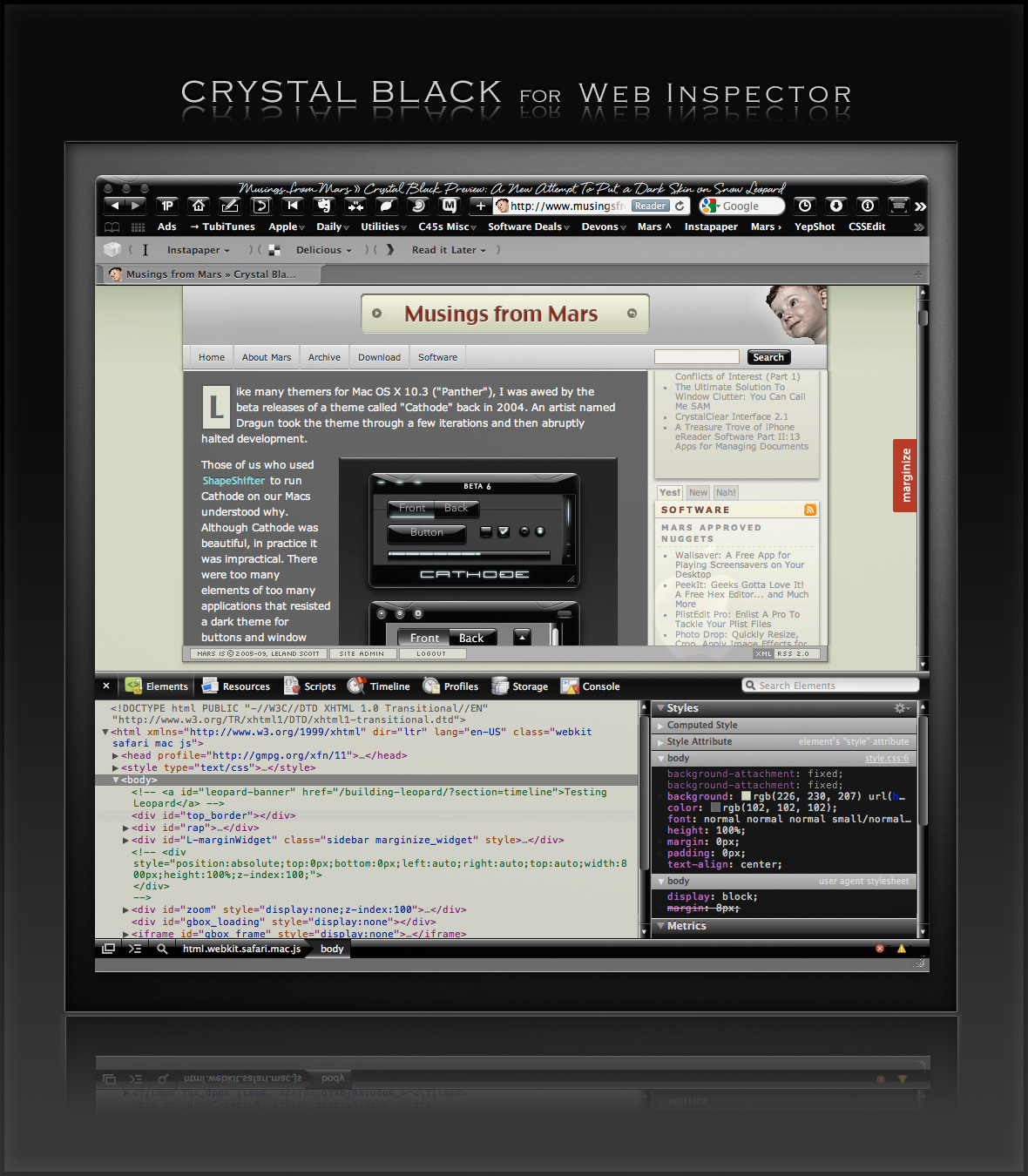
A CSS Design for Web Inspector
One of the many challenges of building a usable black theme for Mac OS X is making it work with web pages. If you use Safari, the buttons, scrollbars, and other interface widgets on web pages get their marching orders from the system's graphics files—the same ones that regular applications use.
So, if a web page has a pushbutton, the button will by default take on the style of the active theme. If you're running Crystal Black, this means that the button inherits the Crystal Black style. We like this.
Color for the button's text, on the other hand, gets its marching orders from the browser's default Cascading Style Sheet (CSS) file—which, naturally, makes the text black, and therefore unreadable on top of a black button. We don't like this.
On first glance, the solution seems to merely design a special CSS file for Crystal Black and make Safari use it. 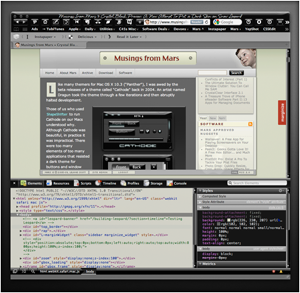 And that does work for many web sites and many buttons. However, many folks who design web pages like to fiddle with the CSS style for their pages' buttons, and such fiddling means that there's nothing "mere" about designer a Crystal Black style sheet.
Further, many Mac applications these days have views that are simply embedded web content using Apple's WebKit framework. The practical implication here is that Mac apps don't know how to read a Crystal Black CSS file, so Crystal Black must do some fiddling under the hood to avoid having unreadable buttons in such web views.
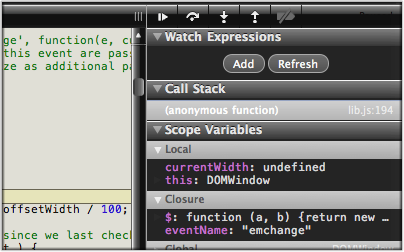
Then there's Safari itself. I really wanted to theme the Web Inspector—the incredibly useful built-in website viewer/debugger/designer assistant—with the Crystal Black look and feel, but it wasn't immediately obvious how to do this. I assumed that the tool was just a part of Safari, and therefore built with classes and widgets from the Cocoa AppKit (which is the framework all Cocoa apps are built with). However, when I began to inspect the Inspector, I discovered that everything contained within its borders was simply web content: HTML, CSS, JavaScript, and images.
In other words, the Web Inspector tool is nothing but an intricate, sophisticated, and extremely well designed web page!
Having built a Crystal Black CSS file for web pages in general, and with my past expertise in CSS, I attacked this challenge with relish! It reminded me of the time I realized that Dashboard widgets are, at their core, nothing but little web pages (as are simply apps for the iPhone). In tackling this one, the main question was, How should the various elements look? And the hardest part was inspecting the various parts in of the Inspector in great detail to determine which CSS rules governed their default appearance and behavior.
As I discovered, the WebKit has a a sub-framework called "WebCore," which in turn has a folder of resources specifically for the Web Inspector. In the Inspector folder, among other things, is a suite of CSS files that handle different aspects of the Inspector's design and behavior. Of these, the primary one I needed to tweak was called simply "inspector.css."
Besides controlling the usual attributes of a web page—document elements, text elements, image elements, layout elements, form elements, and so on—this style sheet applies various advanced CSS properties that serve the purpose that in years past would have been handled by many individual images. As I've described this CSS 3.0 magic previously, there's no longer a need for using graphics and JavaScript to add box shadows, rounded box corners, borders, gradients, and reflections to your web pages.
Naturally, since the open-source WebKit project was initiated by Apple, and since that project zoomed ahead of all other browser engines in developing new ways to design with CSS, that's how the Web Inspector is built. This approach—using a command syntax rather than images to design a user interface—is one that Apple has been adopting for its desktop applications. In recent years, Apple has been adding new classes and methods to the AppKit that make it a trivial matter to build a window frame, a border, a toolbar, or a button using code rather than individual graphics.
While this is a logical and efficient approach, it also presents challenges for theming Mac applications, a challenge that Crystal Black is often unable or unwilling to overcome. (The story of all the challenges in building Crystal Black are described in this article.)
Not so with the Web Inspector, fortunately.
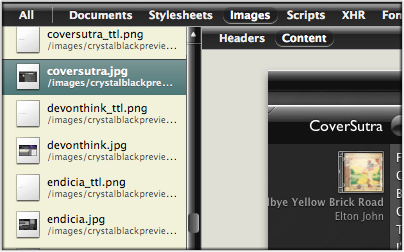
The Inspector does use a few images in its design, but most of the toolbar, separators, and section headers are built with CSS gradients. Very cool indeed!
This bit of Crystal Black will eventually be bundled with the whole theme, but for now I offer it as a free download. Admittedly, the audience for such software is small—you have to like Crystal Black, and you have to be a regular user of the Web Inspector—but it might be of interest to others who are curious about how such things are done.
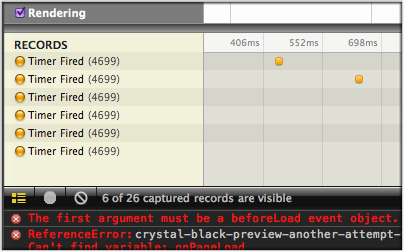
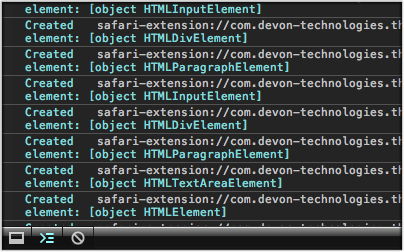
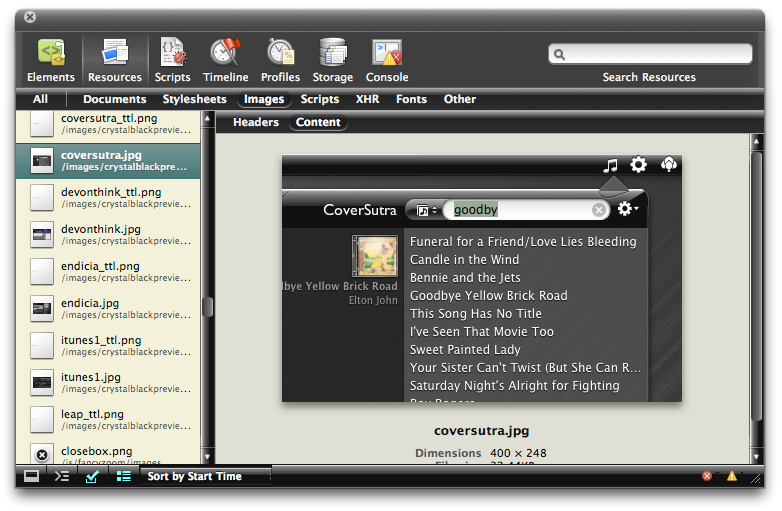
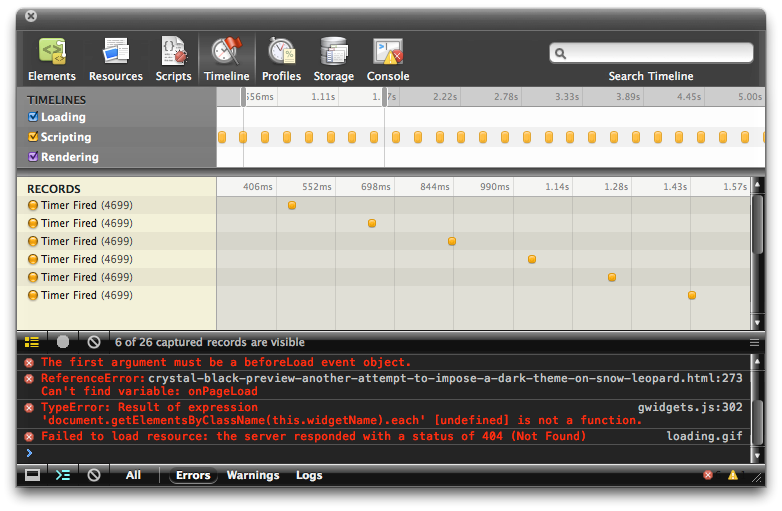
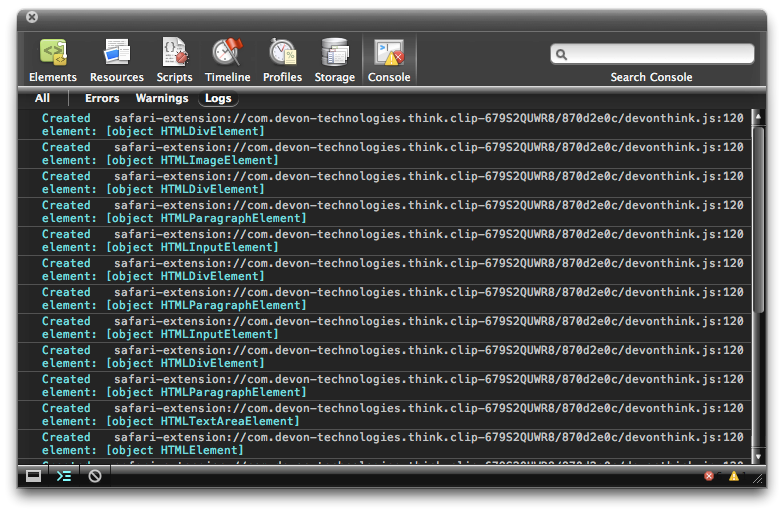
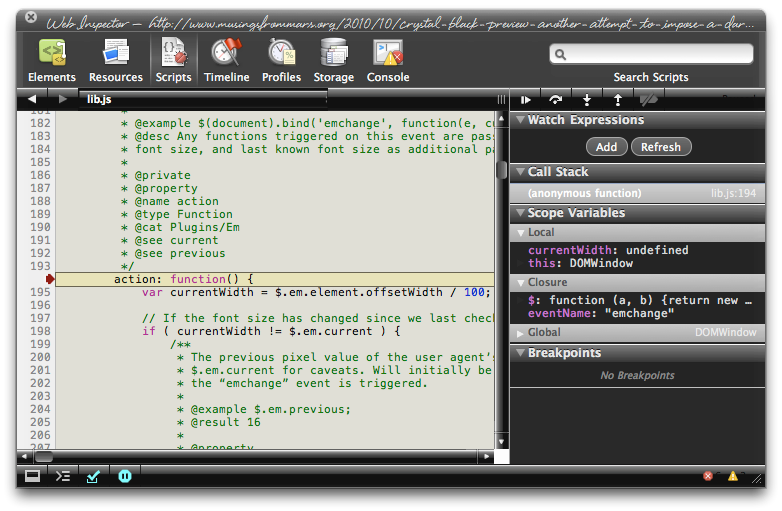
One caveat in viewing the screenshots... The scrollbars that appear, as well as the HUD window style, are part of the overall Crystal Black theme and are not part of the Web Inspector theme itself.
Enjoy!
Update 4/18/11: The full Crystal Black 1.0 theme is now available from the Crystal Black website.
Installing Crystal Black for Web Inspector
The download contains a small application that you can use to install—and to uninstall—the theme. Simply double-click and select "Install" to apply the theme. Or select "Uninstall" to restore the default CSS files and graphics.
After installing or uninstalling the theme, you'll need to quit and restart Safari for the theme to take effect.
Crystal Black for the Web Inspector (Download file is 1.0MB)





Scripty2: In Beta, A Rewrite of Scriptaculous
WebKit Introduces Styleable Scrollbars
Compass: A New Concept for Managing CSS Styles
Atlas: Very Cool Developer UI for Capuccino
JSTalk: AppleScript For Cocoa Fans
Here's the latest offshoot of the jsCocoa universe: JSTalk is a scripting language that can be used to easily interact with Cocoa apps. It's what Applescript would be if rewritten today using Cocoa and JavaScript. The download comes with a slew of example scripts and a script editor application.
JSCocoa — A bridge from JavascriptCore to Cocoa
On the heels of learning about Cappuccino, here's a project that lets developers access Cocoa from within JavaScript! Natch, it's open source, with documentation on on a google code site.
Classy: Unbelievably Cool Web Page Analysis
Classy is an online application that takes a URL and parses it into a very useful list of all the CSS classes and IDs on the page. It breaks the classes down to show what HTML elements they're tied to, and does the same with each ID. Besides using the website version, you can also add Classy to your browser toolbar and run it on any web page you happen across.
Classy isn't a replacement for tools like FireBug or WebInspector, but it's a highly useful supplemental tool that gives you a quick overview of a web page's CSS structure that you can't easily get with those tools.
Fancy Boxes and Fancy Zooms
I keep running across cool and useful JavaScripts that emulate Apple's zoom boxes, which it uses for adding detail about products or showing larger versions of thumbnails. This is a new one to me. It doesn't have the nice rounded corners of Apple's but does have some features my other fave lacks.
Speaking of which, the script I've been using lately is FancyZoom... the variant that works with Prototype and jQuery and doesn't pull images in using Ajax. The original version of FancyZoom is also cool, more like Fancy Box.
Apple Weighs In To Web 2.0 With Sproutcore Framework
InfoWorld Article Dispels Many Enterprise Mac Myths
My only quibble is the author's assertion that enteprise reliance on Microsoft Office means unequal time for Macs. He points out that OpenOffice is a viable alternative but makes no mention of Apple's own terrific iWork suite, which is quite compatible with the basic aspects of Microsoft Office. Likewise, he fails to acknowledge Apple's effective collaboration suite in the form of iCal, Mail, iChat, and Address Book. Perhaps it's because those aren't cross-platform. However, even if that's the case, since they are able to interoperate with Office, they should be considered by businesses seeking to support their growing numbers of Mac users.
WebKit/Safari Keep Blazing the Trail to CSS 3.0

A lot has happened in the world of web browsers and CSS 3.0 since I wrote this article last summer at the time Safari 3.0 became available as a public beta. Besides WebKit/Safari, Opera, iCab, Konqueror, and Firefox have all made progress in adopting CSS 3.0 specifications, the next generation of the W3C's Cascading Style Sheets standard.
However, the WebKit team continues to lead the pack, as they have since I first contemplated this article over a year ago. In the last 6 months, that team has not only adopted more of the CSS 3.0 specs ahead of the others, but they have proposed several exciting new specs of their own, which the W3C is taking up as draft recommendations.
In addition to updating the state of CSS 3.0 in WebKit/Safari, I've also added some new demos for the Backgrounds section of my CSS playground at the end of the article.
Here are the CSS 3.0 features I wrote about in July 2007:
- Box-shadow: Yes! Add drop shadows through CSS!
- Multi-column layout: Can we really do this now? With HTML?
- Resize: Give JavaScript hacks a rest and let users relax when typing input on web pages.
- Rounded corners: The corners of any
element can be made round to any radius you specify. - Colors with transparency: There goes another ugly hack from way back!
- Background image controls: Remember how great it was when you could add images as well as colors to an element's background CSS style? Well, it's about to get a whole lot better!
And since then, WebKit and Safari 3.1 have adopted the following bleeding-edge CSS features:
- Adopted last October, WebKit introduced its first take at CSS Transforms, which it has submitted to the W3C for consideration. With CSS Transforms,
s can be scaled, rotated, skewed and translated... all without using JavaScript! - Announced at the same time is the equally exciting implementation of CSS Animations. At the moment, the only type of animation that's documented and demonstrated on the WebKit blog is based on CSS Transitions, which let you define how an object or attribute changes over time from one state to another. Using this specification, you can now program many kinds of animations with CSS alone.
- Also in October, WebKit added the CSS Web Fonts feature, which lets designers beam fonts to users through CSS and HTML, approximating the capabilities of PDF in a much lighter-weight form.
- Then, after a lull, things started to heat up again last month, when Apple released Safari 3.1. Safari 3.1 incorporated all of the CSS 3.0 features WebKit had pioneered earlier, plus it added a bunch of things the WebKit team hadn't blogged about. Chief among these was support for CSS Attribute Selectors. This is something of a holy grail to advanced web developers, since it opens up a whole world of possibilities for using the Document Object Model (DOM) to build better web interfaces. When released, WebKit was the first and only browser to fully support this geeky, but highly practical feature. (Some of the other browsers have implemented partial support.)
- And then, just today, WebKit added support for CSS Gradients to its portfolio. Gradients are not yet a CSS 3.0 specification, but they are part of the HTML 5.0 spec. No doubt Apple's implementation will be referred to the W3C for consideration. (This is the only new feature in this list that as yet works only in the latest WebKit nightly build.)
This article lists the CSS 3.0 features that were first available in Safari or the nightly WebKit browser. Besides listing them, I've tried to keep up with what the features can actually do for me as a web designer, so each feature is accompanied by a demo or two and some explanatory notes. Since some of the features are a bit complex, and almost totally lacking in documentation from either W3C (which only lists the standards, not the implementation details), Apple, or the WebKit team, I've had to experiment to discover what some of the attributes do.
Fortunately, a forward-thinking group of techno-weenies is keeping a close eye on the emerging details of the CSS 3.0 implementations, and they have done some experimenting of their own. Since they're in the same boat I am (actually, they have a much better boat!), it's not surprising that I'm finding ambiguities in the way they've built some of their demos. Still, it's the closest thing to documentation that I've found, and I highly recommend that anyone interested in learning more about CSS 3.0 pay a visit to the terrific CSS3.info website. In fact, you'll find links to their pages throughout this site.
Following CSS3.info's lead, I'm organizing the (at this time) CSS 3.0 available in Safari into four categories: Borders, Background, Effects, and User Interface. These correspond to the W3C draft modules for CSS 3.0. The fifth tab in the navigation control below gathers the CSS 3.0 specifications that have been implemented by Safari and at least one other major browser. As you browse through these up-and-coming features, I think you'll understand my excitement about the benefits they offer to web graphic- and user-interface designers.
In the first release of this article, I only had demos for the section on Borders. Today I've added demos for CSS Backgrounds, and I plan to continue experimenting with the rest as time permits. In the meantime, as mentioned before, do pay a visit to CSS3.info for their demos of each, or follow the links to demos at the WebKit site. I hope you're inspired to take up a keyboard and pound out some experiments of your own!

Apple Posts Major Update to Safari
Apple - Support - Downloads - Safari 3.1
This update brings in all the latest standards implementations and innovations in the open-source WebKit project, plus a few interface enhancements as well. The Windows version gets some important updates too. From Apple’s tech document on Safari 3.1:
Performance
- Improves JavaScript performance
Standards
- Adds support for CSS 3 web fonts
- Adds support for CSS transforms and transitions
- Adds support for HTML 5 <video> and <audio> elements
- Adds support for offline storage for Web applications in SQL databases
- Adds support for SVG images in <img> elements and CSS images
- Adds support for SVG advanced textÂ
Developer
- Adds option in Safari preferences to turn on the new Develop menu which contains various web development features
- Allows access to Web Inspector
- Allows access to Network Timeline
- Allows editing CSS in the Web InspectorÂ
- Allows custom user agent string
- Improves snippet editor
Other
- Double clicking on the Tab Bar opens new tab
- Includes URL metadata when images are dragged or saved from browser
- Opens Download and Activity window in current Space
- Supports trackpad gestures for back, forward, and magnify on MacBook Air and compatible MacBook Pro computers
- Shows Caps Lock icon in password fields
Apple: Optimizing Web Applications and Content for iPhone
More Eye Candy JavaScript with Prototype/Scriptaculous
Table Sorting with Prototype: TableKit
MindFrame Brings Adobe’s XML-Data Spry Approach To Prototype Using ZParse
Loupe.js: Using Canvas To Enable Quick Image Magnifiers
 This is the greatest little demonstration of the Canvas tag I've seen yet. Really amazing... it degrades for all the suckers who are still using IE, but works fine in the modern browsers that support Canvas: Firefox, Opera, and Safari. With Loupe, you can let users call up a little magnifying glass to take a closer look at a small image on your site. Is this cool, or what? The demos are amazing!
gWidgets: A Set of Simple Prototype/Scriptaculous Widgets
Script.aculo.us Slider Demos: Everything You Could Want in a DHTML Slider
ModalBox: Ajax Popups and Wizards Using Scriptaculous
LightWindow: Awesome Prototype-Script.aculo.us Add-On for Adding Media, Forms, PDFs, and More to Lightboxes
 If not, check out the LightWindow demos! As some readers have noticed, I had earlier hacked Lightbox to enable running videos, but this does so much more. And it's more than a hack as well! Thanks, Kevin!
Latest Performance Tests Make WebKit’s Superiority Hard To Deny (But Some Still Try)
A New JavaScript Library Handles Keyboard Shortcuts
Emprise JavaScript Charts Enable Dynamic Charting Using Canvas
New Framework Enables SVG Drawings Using Prototype
Zimbra Releases Desktop Runtime… One More “Web Apps” on Your Desk Entry
Control.Modal: A Gallery of Lightbox and Modal-Window Effects Using CSS and Prototype
Far Out Menu Highlighter with JavaScript and CSS
Ajaxian » Cross Browser Keyboard Handler
Parallax Web Page Background Using Javascript and CSS
OpenLaszlo Goes 4.0 and DHTML/Ajax, Too!
Yet Another JavaScript Library: Is This Getting Ridiculous, Or What?
DED|Chain JavaScript Library Combines Yahoo! UI and jQuery
Auto-Scrolling Alternative for Prototype Using $$ Function
Programmer Tobie Langel has published a prototype implementation of auto-scrolling that he feels is superior to the one I'm using, which uses the Script.aculo.us "Effect.ScrollTo" function. Hey, I'm always interesting in learning something new and better... And was a little distressed at how the readers of the post on Ajaxian pounced on Langel, acting as if existing tools had this function all wrapped up, and he was an idiot and troublemaker for suggesting an alternative. Very un-Mars-like, guys. I noticed in a subsequent Ajaxian post that the Prototype guys feel they've cleaned up Prototype's $$ function's speed problems in the latest beta, so maybe it's time to take a closer look at solutions like Langel's. His page of autoscroll demos is here.


