News Posts In Category
HTML5 Audio and Video Guide


Theming A Web Page With Crystal Black:
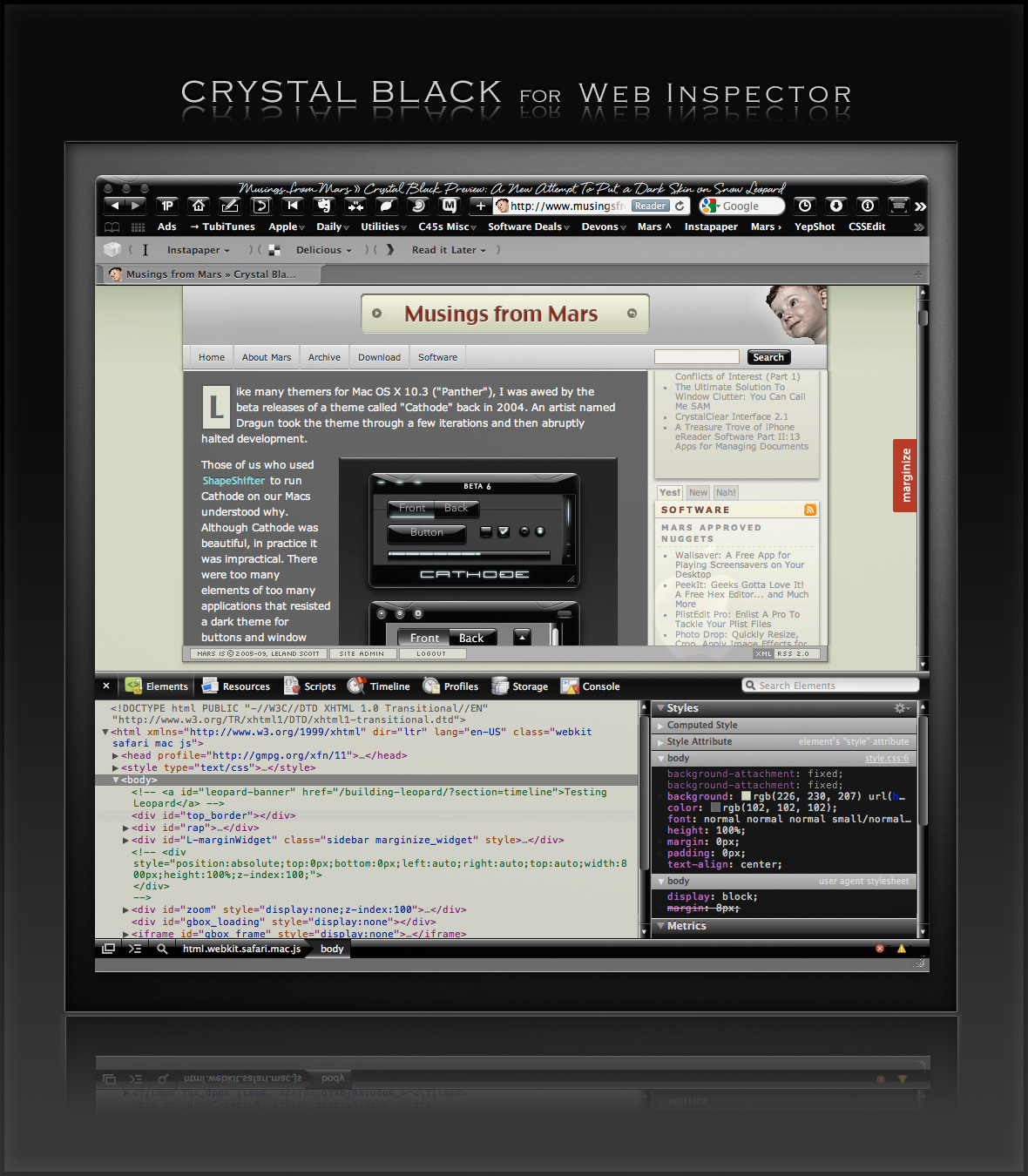
A CSS Design for Web Inspector
One of the many challenges of building a usable black theme for Mac OS X is making it work with web pages. If you use Safari, the buttons, scrollbars, and other interface widgets on web pages get their marching orders from the system's graphics files—the same ones that regular applications use.
So, if a web page has a pushbutton, the button will by default take on the style of the active theme. If you're running Crystal Black, this means that the button inherits the Crystal Black style. We like this.
Color for the button's text, on the other hand, gets its marching orders from the browser's default Cascading Style Sheet (CSS) file—which, naturally, makes the text black, and therefore unreadable on top of a black button. We don't like this.
On first glance, the solution seems to merely design a special CSS file for Crystal Black and make Safari use it. 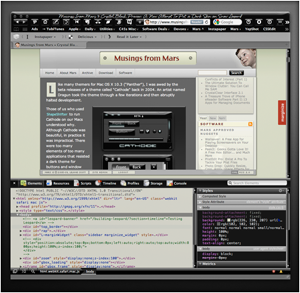 And that does work for many web sites and many buttons. However, many folks who design web pages like to fiddle with the CSS style for their pages' buttons, and such fiddling means that there's nothing "mere" about designer a Crystal Black style sheet.
Further, many Mac applications these days have views that are simply embedded web content using Apple's WebKit framework. The practical implication here is that Mac apps don't know how to read a Crystal Black CSS file, so Crystal Black must do some fiddling under the hood to avoid having unreadable buttons in such web views.
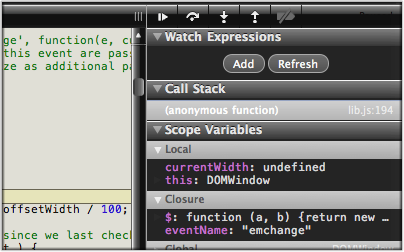
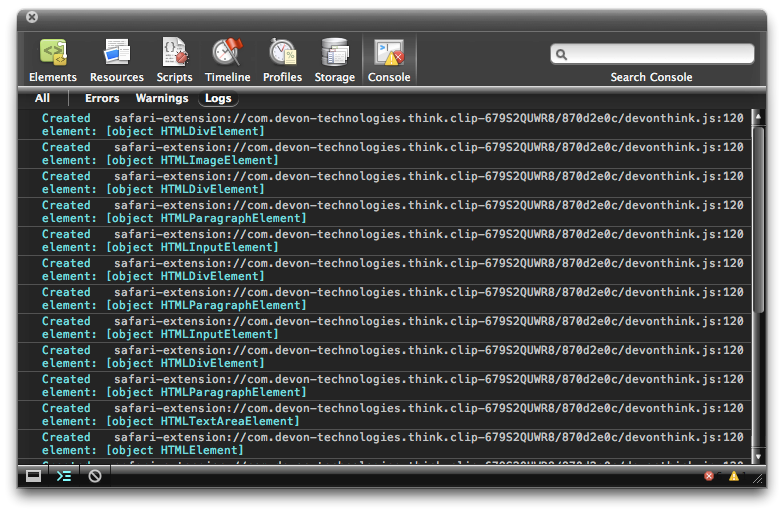
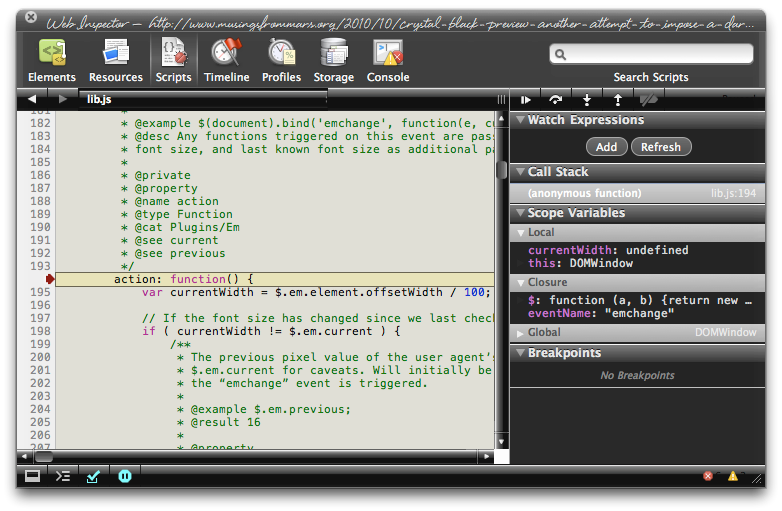
Then there's Safari itself. I really wanted to theme the Web Inspector—the incredibly useful built-in website viewer/debugger/designer assistant—with the Crystal Black look and feel, but it wasn't immediately obvious how to do this. I assumed that the tool was just a part of Safari, and therefore built with classes and widgets from the Cocoa AppKit (which is the framework all Cocoa apps are built with). However, when I began to inspect the Inspector, I discovered that everything contained within its borders was simply web content: HTML, CSS, JavaScript, and images.
In other words, the Web Inspector tool is nothing but an intricate, sophisticated, and extremely well designed web page!
Having built a Crystal Black CSS file for web pages in general, and with my past expertise in CSS, I attacked this challenge with relish! It reminded me of the time I realized that Dashboard widgets are, at their core, nothing but little web pages (as are simply apps for the iPhone). In tackling this one, the main question was, How should the various elements look? And the hardest part was inspecting the various parts in of the Inspector in great detail to determine which CSS rules governed their default appearance and behavior.
As I discovered, the WebKit has a a sub-framework called "WebCore," which in turn has a folder of resources specifically for the Web Inspector. In the Inspector folder, among other things, is a suite of CSS files that handle different aspects of the Inspector's design and behavior. Of these, the primary one I needed to tweak was called simply "inspector.css."
Besides controlling the usual attributes of a web page—document elements, text elements, image elements, layout elements, form elements, and so on—this style sheet applies various advanced CSS properties that serve the purpose that in years past would have been handled by many individual images. As I've described this CSS 3.0 magic previously, there's no longer a need for using graphics and JavaScript to add box shadows, rounded box corners, borders, gradients, and reflections to your web pages.
Naturally, since the open-source WebKit project was initiated by Apple, and since that project zoomed ahead of all other browser engines in developing new ways to design with CSS, that's how the Web Inspector is built. This approach—using a command syntax rather than images to design a user interface—is one that Apple has been adopting for its desktop applications. In recent years, Apple has been adding new classes and methods to the AppKit that make it a trivial matter to build a window frame, a border, a toolbar, or a button using code rather than individual graphics.
While this is a logical and efficient approach, it also presents challenges for theming Mac applications, a challenge that Crystal Black is often unable or unwilling to overcome. (The story of all the challenges in building Crystal Black are described in this article.)
Not so with the Web Inspector, fortunately.
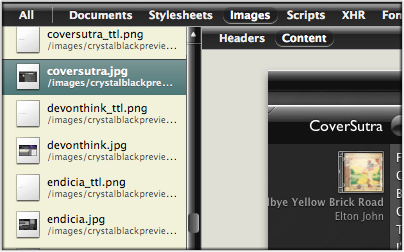
The Inspector does use a few images in its design, but most of the toolbar, separators, and section headers are built with CSS gradients. Very cool indeed!
This bit of Crystal Black will eventually be bundled with the whole theme, but for now I offer it as a free download. Admittedly, the audience for such software is small—you have to like Crystal Black, and you have to be a regular user of the Web Inspector—but it might be of interest to others who are curious about how such things are done.
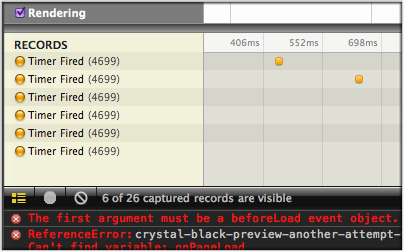
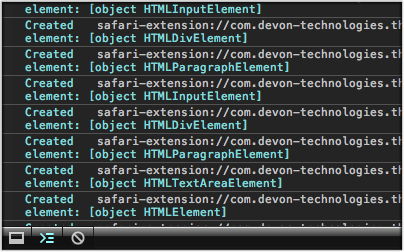
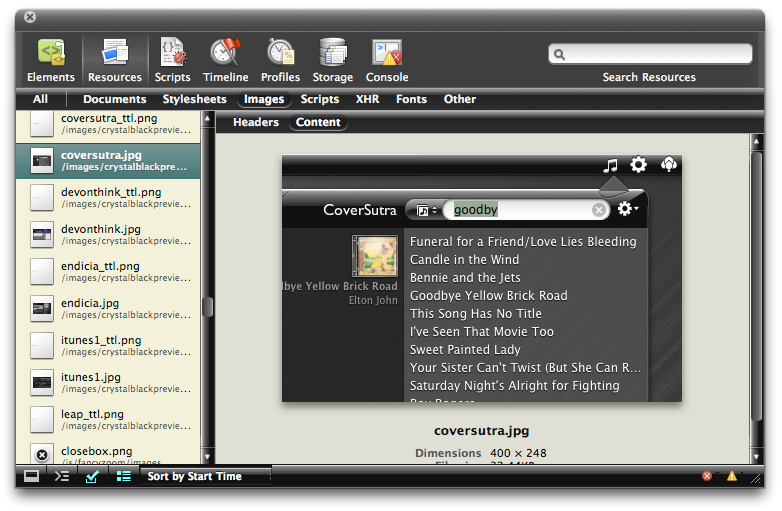
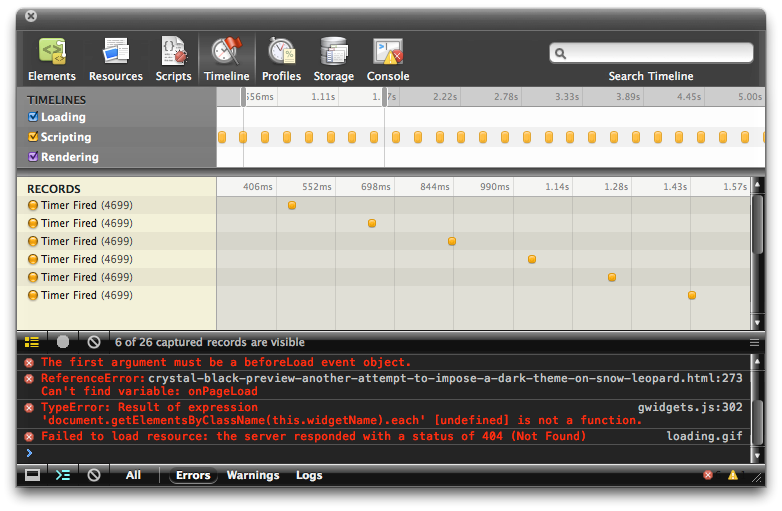
One caveat in viewing the screenshots... The scrollbars that appear, as well as the HUD window style, are part of the overall Crystal Black theme and are not part of the Web Inspector theme itself.
Enjoy!
Update 4/18/11: The full Crystal Black 1.0 theme is now available from the Crystal Black website.
Installing Crystal Black for Web Inspector
The download contains a small application that you can use to install—and to uninstall—the theme. Simply double-click and select "Install" to apply the theme. Or select "Uninstall" to restore the default CSS files and graphics.
After installing or uninstalling the theme, you'll need to quit and restart Safari for the theme to take effect.
Crystal Black for the Web Inspector (Download file is 1.0MB)





Scripty2: In Beta, A Rewrite of Scriptaculous
WebKit Introduces Styleable Scrollbars
Compass: A New Concept for Managing CSS Styles
Classy: Unbelievably Cool Web Page Analysis
Classy is an online application that takes a URL and parses it into a very useful list of all the CSS classes and IDs on the page. It breaks the classes down to show what HTML elements they're tied to, and does the same with each ID. Besides using the website version, you can also add Classy to your browser toolbar and run it on any web page you happen across.
Classy isn't a replacement for tools like FireBug or WebInspector, but it's a highly useful supplemental tool that gives you a quick overview of a web page's CSS structure that you can't easily get with those tools.
InfoWorld Article Dispels Many Enterprise Mac Myths
My only quibble is the author's assertion that enteprise reliance on Microsoft Office means unequal time for Macs. He points out that OpenOffice is a viable alternative but makes no mention of Apple's own terrific iWork suite, which is quite compatible with the basic aspects of Microsoft Office. Likewise, he fails to acknowledge Apple's effective collaboration suite in the form of iCal, Mail, iChat, and Address Book. Perhaps it's because those aren't cross-platform. However, even if that's the case, since they are able to interoperate with Office, they should be considered by businesses seeking to support their growing numbers of Mac users.
WebKit/Safari Keep Blazing the Trail to CSS 3.0

A lot has happened in the world of web browsers and CSS 3.0 since I wrote this article last summer at the time Safari 3.0 became available as a public beta. Besides WebKit/Safari, Opera, iCab, Konqueror, and Firefox have all made progress in adopting CSS 3.0 specifications, the next generation of the W3C's Cascading Style Sheets standard.
However, the WebKit team continues to lead the pack, as they have since I first contemplated this article over a year ago. In the last 6 months, that team has not only adopted more of the CSS 3.0 specs ahead of the others, but they have proposed several exciting new specs of their own, which the W3C is taking up as draft recommendations.
In addition to updating the state of CSS 3.0 in WebKit/Safari, I've also added some new demos for the Backgrounds section of my CSS playground at the end of the article.
Here are the CSS 3.0 features I wrote about in July 2007:
- Box-shadow: Yes! Add drop shadows through CSS!
- Multi-column layout: Can we really do this now? With HTML?
- Resize: Give JavaScript hacks a rest and let users relax when typing input on web pages.
- Rounded corners: The corners of any
element can be made round to any radius you specify. - Colors with transparency: There goes another ugly hack from way back!
- Background image controls: Remember how great it was when you could add images as well as colors to an element's background CSS style? Well, it's about to get a whole lot better!
And since then, WebKit and Safari 3.1 have adopted the following bleeding-edge CSS features:
- Adopted last October, WebKit introduced its first take at CSS Transforms, which it has submitted to the W3C for consideration. With CSS Transforms,
s can be scaled, rotated, skewed and translated... all without using JavaScript! - Announced at the same time is the equally exciting implementation of CSS Animations. At the moment, the only type of animation that's documented and demonstrated on the WebKit blog is based on CSS Transitions, which let you define how an object or attribute changes over time from one state to another. Using this specification, you can now program many kinds of animations with CSS alone.
- Also in October, WebKit added the CSS Web Fonts feature, which lets designers beam fonts to users through CSS and HTML, approximating the capabilities of PDF in a much lighter-weight form.
- Then, after a lull, things started to heat up again last month, when Apple released Safari 3.1. Safari 3.1 incorporated all of the CSS 3.0 features WebKit had pioneered earlier, plus it added a bunch of things the WebKit team hadn't blogged about. Chief among these was support for CSS Attribute Selectors. This is something of a holy grail to advanced web developers, since it opens up a whole world of possibilities for using the Document Object Model (DOM) to build better web interfaces. When released, WebKit was the first and only browser to fully support this geeky, but highly practical feature. (Some of the other browsers have implemented partial support.)
- And then, just today, WebKit added support for CSS Gradients to its portfolio. Gradients are not yet a CSS 3.0 specification, but they are part of the HTML 5.0 spec. No doubt Apple's implementation will be referred to the W3C for consideration. (This is the only new feature in this list that as yet works only in the latest WebKit nightly build.)
This article lists the CSS 3.0 features that were first available in Safari or the nightly WebKit browser. Besides listing them, I've tried to keep up with what the features can actually do for me as a web designer, so each feature is accompanied by a demo or two and some explanatory notes. Since some of the features are a bit complex, and almost totally lacking in documentation from either W3C (which only lists the standards, not the implementation details), Apple, or the WebKit team, I've had to experiment to discover what some of the attributes do.
Fortunately, a forward-thinking group of techno-weenies is keeping a close eye on the emerging details of the CSS 3.0 implementations, and they have done some experimenting of their own. Since they're in the same boat I am (actually, they have a much better boat!), it's not surprising that I'm finding ambiguities in the way they've built some of their demos. Still, it's the closest thing to documentation that I've found, and I highly recommend that anyone interested in learning more about CSS 3.0 pay a visit to the terrific CSS3.info website. In fact, you'll find links to their pages throughout this site.
Following CSS3.info's lead, I'm organizing the (at this time) CSS 3.0 available in Safari into four categories: Borders, Background, Effects, and User Interface. These correspond to the W3C draft modules for CSS 3.0. The fifth tab in the navigation control below gathers the CSS 3.0 specifications that have been implemented by Safari and at least one other major browser. As you browse through these up-and-coming features, I think you'll understand my excitement about the benefits they offer to web graphic- and user-interface designers.
In the first release of this article, I only had demos for the section on Borders. Today I've added demos for CSS Backgrounds, and I plan to continue experimenting with the rest as time permits. In the meantime, as mentioned before, do pay a visit to CSS3.info for their demos of each, or follow the links to demos at the WebKit site. I hope you're inspired to take up a keyboard and pound out some experiments of your own!

Apple Posts Major Update to Safari
Apple - Support - Downloads - Safari 3.1
This update brings in all the latest standards implementations and innovations in the open-source WebKit project, plus a few interface enhancements as well. The Windows version gets some important updates too. From Apple’s tech document on Safari 3.1:
Performance
- Improves JavaScript performance
Standards
- Adds support for CSS 3 web fonts
- Adds support for CSS transforms and transitions
- Adds support for HTML 5 <video> and <audio> elements
- Adds support for offline storage for Web applications in SQL databases
- Adds support for SVG images in <img> elements and CSS images
- Adds support for SVG advanced textÂ
Developer
- Adds option in Safari preferences to turn on the new Develop menu which contains various web development features
- Allows access to Web Inspector
- Allows access to Network Timeline
- Allows editing CSS in the Web InspectorÂ
- Allows custom user agent string
- Improves snippet editor
Other
- Double clicking on the Tab Bar opens new tab
- Includes URL metadata when images are dragged or saved from browser
- Opens Download and Activity window in current Space
- Supports trackpad gestures for back, forward, and magnify on MacBook Air and compatible MacBook Pro computers
- Shows Caps Lock icon in password fields
Control.Modal: A Gallery of Lightbox and Modal-Window Effects Using CSS and Prototype
Far Out Menu Highlighter with JavaScript and CSS
Parallax Web Page Background Using Javascript and CSS
DED|Chain JavaScript Library Combines Yahoo! UI and jQuery
SEEdit: A Pro’s XHTML Editor
SEEdit XHTML Editor Covers CSS and Javascript Functions As Well As Website Management
 Originally downloaded 4/9/06. Having grown disillusioned with Dreamweaver over the last few years, I haven’t used it in a long while. But I’m also not pleased with using BBEdit “Bare Bones,” either. This looks like a nice upgrade from BBEdit’s built-in HTML/CSS tools and may be just what I’m looking for. It also has link-checking and Javascript coding tools that BBEdit doesn’t have, but it works as a BBEdit plug-in or on its own. At only $30, it’s way more affordable than Dreamweaver and may be a real bargain.
Update 10/14/06. SEEdit is now updated to version 5.0 and redubbed “SEEdit Maxi”.
Update 2/20/07. In a pique of naming confusion, the latest SEEdit Maxi is now referred to SEEdit Maxi 2007 and has no numerical version number. In testing the latest version tonight, I’ve finally concluded that SEEdit Maxi’s not the one for me. Even though the newest release is a dramatic improvement in user interface, as well as adding several very useful new features, over the version released just last October, it still has enough annoying traits and missing parts to keep me away.
Annoying trait #1 is its tendency towards window proliferation. SEEdit Maxi, like BBEdit before it, seems to think that the more windows you can open for the user, the better. I disagree. In my mind, the best Mac OS X applications are marvels of ingenuity that tuck discrete features in drawers or sliding compartments, or various other nooks and crannies that a modern Mac app is capable of. Part of the reason SEEdit doesn’t take advantage of these is that it’s a Carbon application, using the Mac’s older application framework rather than the new one Steve Jobs brought over from NeXT, called Cocoa. Since SEEdit doesn’t have a Windows counterpart, I can’t imagine why the developers aren’t rewriting this app in Cocoa…
Annoying trait #2 is that SEEdit doesn’t have a visual table editor. That’s one of the main things I really need to do visually, and I can’t in SEEdit.
Bottom line is that SEEdit is a great value if you’re not bothered by some of the things that bother me. At only $29, it does a huge amount… right up there with Dreamweaver, without the WYSIWYG editing capability. For a few other notes on SEEdit, see my short list of pros and cons below.
|
Pros |
Cons |
|---|---|
|
|
If you’d like to see some screenshots of SEEdit, the developer provides a slew of them here.
One final note: SEEdit is still available in a freeware version, which is quite similar to the shareware one but lacks a variety of features that are explained on the downloads page. SEEdit “mini” is only available for private or educational use.
Version as tested: 2007 r4.
WebKit Browser Adds Support for CSS3 Multi-Column Text Layouts
WebKit Adds Support for CSS Box Shadows
GoodPage: A New WYSIWYG HTML/CSS Editor Debuts
 Originally downloaded 12/27/06. My main first impression of GoodPage was that it seems expensive. $99 is a lot to pay for anything outside of the Macromedia/Adobe sphere of influence these days, so this company must think they've really got a competitor here. From the looks of the screenshots, they may be right. Definitely worth a try. As an incentive, you also get the company's FlyPath (a $13 Finder alternative) for free.
Version as tested: 1.3.0.
WebKit Team Adds New CSS Methods for Text-Stroke
 Now that the WebKit team's made this code available, it suddenly seems so obvious, I wonder why the designers of CSS 3.0 didn't think of it? Oh well, you can't think of everything, can you?
Background Gradiants with CSS
Run: Yet Another Prototype-Based Animation Framework Enters the Race
CSS3 Previews: Glimpses of Exciting Web Design Options To Come
Style Master: Pro Power Over Your CSS Code
 Originally downloaded 1/24/06. This software has a lot of good reviews and looks like it has more power than CSSEdit.
Update 10/6/06. My comment from late January turns out to have been a major understatement. Style Master makes CSSEdit look like a toy, to be honest. It has so much power and so many functions that its interface struggles to retain the simple intuitive grace that Mac OS X software is famous for. And I have to say that it does succeed. Although it takes longer to get to know than a simpler tool like CSSEdit, the study is rewarded with the kind of power that will carry you through the toughest style sheet tests.
Style Master pitches itself as the right tool no matter what your skill level with CSS, and I suspect that may be true. Being myself way past the beginner stage, it’s hard to evaluate it from that perspective. However, certainly Style Master has a plethora of “wizards”—as well as tutorials, references, and other resources—that would be great for getting you started on a CSS-based website. There are entire website templates as well—all using CSS instead of HTML, of course—as well as starter kits for blogs based on WordPress, Movable Type, and Blogger. Specific wizards walk you through setting up basic style sheets, page-layout style sheets, and stylesheets for page components like breadcrumbs and tabbed navigation.
The company that makes Style Master, Westciv, appears to have only one line of business—CSS. That line has two components: One focuses on training courses (which are available for sale), and the other focuses on Style Master (the tool component). As such, making CSS accessible to beginners is an important facet of what Style Master tries to accomplish.
Still, they understand that there are by now many designers and programmers who have intermediate and advanced CSS skills, and Style Master is chock full of goodies for them as well. Need to see the generated CSS for a given website? No problem—You can load the site into Style Master and have a look. The “Get Info” function, always available for any selected CSS statement or page component, has four tabsfull of info:
- Info: This pane shows syntax and usage information.
- Compatibility: What browsers support this element/attribute/function?
- Style: This is where the computed style shows up. StyleMaster shows you the value of every CSS property that’s set for the selected element.
- HTML: Here, you can peruse the HTML source code for the selection.


Style Master amazed me in several ways as I tested it out. I’m not going to go through a comprehensive look at all the interface features… just at the ones that impressed me the most. To start with, I learned how Style Master can import a style sheet from any website… pretty essential if you want to jump in and work with the CSS code for an existing website. I did have to refer to the documentation to learn how to do this. By default, Style Master can import web pages from your hard drive, but by setting up a website in your “Preview Options” pane, it will load any URL, thereafter displaying the style sheet it reads.
One of the first power features I was impressed with was the way Style Master can format your style sheet rules. Even if it imports a scrunched, optimized set of styles (as it did with mine), you can select Edit/Format Style Sheet, and Style Master will reformat the rules so they’re readable, using formatting you define in the Preferences window. This was marvelous, but what really did it for me was the realization that StyleMaster has the ability to always upload an optimized version to the website. This lets you work with a human-readable version in StyleMaster, but let the browser read a much smaller version when it downloads your web pages.
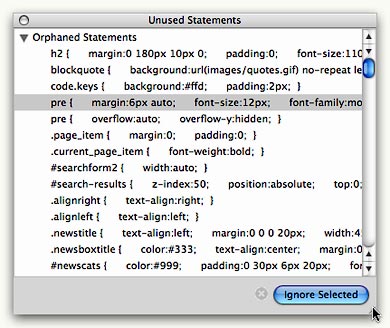
Another power feature I know I’m going to enjoy is Style Master’s ability to identify “orphan” rules. How many people besides me learned CSS by adding rules until something worked the way we wanted? Given browser differences and general CSS quirks, quite often the rules just wouldn’t work the way they were supposed to… so you might leave a declaration in place whether it was needed or not. This kind of behavior can really lead to style-sheet bloat, and Style Master’s ability to sniff out unused rules should help shrink that back.
After I’d played with the software for awhile, I discovered a very useful option in the “Statements List” drawer, which you can optionally display on the left-hand side of the StyleMaster window. By default, this drawer lists all the CSS statements defined in a given style sheet. (The order of display is configurable.) However, when you have a style sheet as big as the one for Musings from Mars, that becomes a very long, scrolling list. Fortunately, Style Master will jump to or highlight statements that are contextually relevant when you select something in the preview pane. But even better, you can toggle a setting in the drawer’s “gear” menu that tells Style Master to only show statements relevant to your current selection. This is a very powerful way of filtering that list into a usable length.
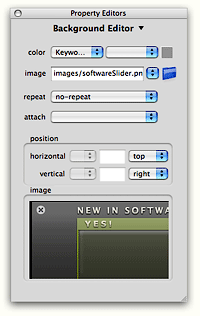
Working with Style Master is like watching a really talented dancer. Everything is done in a smooth, coordinated fashion, and with a grace that delights and satisfies. Select an element in the stylesheet code view, and Style Master will also select the relevant CSS statement from the Statements list. If you have Style Master’s handy visual CSS-builder tool open, it will automatically switch to show the right pane and display the selected values. Meanwhile, if you have the “smart” preview pane open, Style Master will highlight the HTML element that’s using the rule you selected. The same thing happens if you select an HTML element in the preview pane or a CSS statement from the Statements list. Given all this coordinated action, it’s really quite hard to get lost.

A couple of other features that will keep me using Style Master are its good FTP support, so you can download and upload files from within Style Master, and its ability to create CSS statements from selected HTML. This latter feature requires a bit of an explanation. Basically, it means that you can import an HTML page that has no style sheet and ask Style Master to create one based on the formatting it finds. Is that cool, or what? You can do this on a micro level also… that is, select a portion of an HTML document, and you’ll find a contextual command in Style Master to make “New Statements from HTML.”
Style Master will continue to surprise me, I think, as I get to know it better. And I’m convinced I’ll have to fork over the dough to get it, too! At $60, it’s quite a bit more than the $25 CSSEdit (which I bought last year), but I expect I’ll be relying on it quite a bit more than I rely on CSSEdit these days. I expect I’ll still find the need to call upon the marvelous XyleScope now and then, but I may not need it quite so often.
Version as tested: 4.5.
Rendertests: Lots of useful browser testing here
Unobtrusive AJAX Star Rating Bar
Image Caption Makes Captioning Web Graphics Easy
CSS Tweak: Optimize Your CSS Online or With Dashboard Widget!
 This is another great tool for squeezing your CSS code as small as possible. Unlike other tools, it includes an option to retain your rule layout (though obviously that could have a big impact in how "tweaked" your file can be). It's also available for Mac OS X 10.4 as a very cool and useful Dashboard widget!
Reflection.js: Really Cool DHTML Reflection Script, Now With Reflectomatic!
curvyCorners - Another Cool Script for Making Corners Round
Better Approach for Browser-Specific CSS?
WebKit Implements CSS3 Resize Property
Hack To Speed up Prototype’s Selectors
How’re We Doing Now? An Update on DHTML/Ajax Browser Compatibility
 Since my original report on the browser and platform compatibility of some 50 Ajax JavaScript libraries in March, the market has continued to produce new toolkits at a rapid pace. I recently finished grading all (but one) of the 8 libraries added since March, and I’ve revisited the scores of another 8. With that, the time seemed right for a report on how Ajax library developers are doing at achieving cross-browser, cross-platform compatibility in the tools they’re giving us–tools which programmers around the world are using to hammer out their unique vision of Web 2.0.
I’m very pleased to report that the trend is moving strongly toward full compatibility. Of the eight new libraries, a full five of them achieve top grades of “A”. That’s a much higher percentage of the total than in March, and of the three non-A libraries, only one was a D (D+ actually). One was graded C+ and the other B. Of the revisited libraries, I was able to raise grades for three–Backbase, ICEfaces, and MochiKit. Only one library had a lower grade (Rico, down from A- to B), and the rest were unchanged.
Only two of the 8 new libraries have commercial licenses you’d have to pay for, and in one case you are really only paying for the IDE. Three of the new libraries require a java server architecture in order to be happy, one would prefer Cold Fusion, and the others are pure client libraries that are agnostic with respect to the application server. One library was added just a couple of days ago (Jitsu), and I haven’t had time to review it yet–but you’ll find it summarized here with the rest. Only one of these 16 libraries is DHTML with no Ajax controls–Uize. Even without Ajax, however, I think you’ll find Uize to be one of the most interesting here–especially in terms of visual richness.
Here is a tabulation of the results for this group:
| Name | Grade | Date Added | Date Rated | Date Revisited | Direction | Server Req | License |
| Libraries New to the List | |||||||
| Echo 2 | A | 6/4/06 | 6/5/06 | Java | Commercial | ||
| Google Toolkit | A- | 6/4/06 | 6/5/06 | Java | Open/Free | ||
| Jitsu | NA | 6/25/06 | .NET/Mono | Open/Free | |||
| jsLINB | A- | 6/4/06 | 6/18/06 | No | Open/Free | ||
| Neuromancer | C+ | 6/4/06 | 6/18/06 | ColdFusion | Open/Free | ||
| Uize | A- | 6/4/06 | 6/24/06 | No | Open/Free | ||
| Zapatec | A | 6/4/06 | 6/22/06 | No | Commercial | ||
| ZK | D+ | 4/27/06 | 6/23/06 | Java | Open/Free | ||
| Revisited Libraries | |||||||
| AjaxFace | E | 6/5/06 | o | Proprietary | Commercial | ||
| Atlas | D | 6/27/06 | o | Proprietary | Open/Free | ||
| Backbase | B | 5/3/06 | + | Proprietary | Commercial | ||
| Dojo | A | 6/5/06 | o | No | Open/Free | ||
| ICEfaces | B+ | 6/25/06 | + | Java | Commercial | ||
| MochiKit | A | 6/18/06 | + | No | Open/Free | ||
| Rico | B | 6/18/06 | - | No | Open/Free | ||
| Tibco General Interface | E | 6/23/06 | o | Proprietary | Commercial | ||
All of the notes about these libraries are now included as part of the original article, but I’m presenting the brief writeups about each one here as well, since some of these may be new to you. The libraries are presented in the same order as the preceding table–the new libraries first, and then the revisited libraries.
One other general observation I can make before getting into the details… It’s clear that the Ajax application market is splitting into two camps, pretty much the same two that have dominated application development teams since the dawn of the client-server era:
- Those who like, need, or want a visual development tool and a minimal amount of actual coding (in Ajax, this also means preferably as little JavaScript coding) as possible,
- Those who prefer to code with a text editor or equivalent, with as much control over the actual code as possible.
In general, the commercial tools lean toward the former approach, while the open source libraries lean toward the latter. The commercial products also tend to favor proprietary server-side components, either in the form of an actual server or in the form of the data formats delivered by their own GUI IDE tool. It’s probably as a result of their use of proprietary components that the scores for the commercial products are, by and large, much lower than the open source products in terms of platform and browser compatibility.
Finally, a quick note about the lengthy table on Microsoft Atlas: Atlas is the only one of the many libraries I’ve tested that doesn’t seem to understand that if a control or link causes a page refresh, it isn’t Ajax. In that case, it’s just a synchronous server connection like we’re all used to. One of the aspects of Ajax that makes it special is the ability to design a user interface that doesn’t disappear on you just because you entered some data or made a selection in a form. Web users have become accustomed to the page refresh as normal behavior, since it’s what all web applications do. Linking from one page to the next is just the web norm and has been since the web was born.
Don’t misunderstand me to be saying that Ajax is meant to put an end to the page refresh. It’s not, and I’m not. I’m merely saying that Ajax provides the technique to allow seamless contextual changes to a persistent user interface, where that’s appropriate… As it’s often described, Ajax lets you make web interfaces more like the interfaces of desktop software, which don’t do page refreshes. What we now call Ajax is a new tool that user interface developers can work with in order to improve usability as they continue on their quest for that Holy Grail of usability: Providing a truly intuitive web interface. Eliminating the page refresh is one of Ajax’s signature features, and the presence of a page refresh means it ain’t Ajax.
Many of the Atlas controls require a page refresh to get the job done, and therefore I have counted them as “not working.” Yes, some of them “work”, but not as Ajax controls, and that’s what Atlas is supposed to be providing. I have no idea what techniques Microsoft engineers are trying to use in Atlas, but I do know that by and large the controls Atlas provides are extremely pedestrian and have been available since DHTML was new. Why these simple DHTML behaviors would cause a page refresh in modern browsers like Firefox and Safari–and why they don’t work at all in Opera–is a complete mystery to me. By all means, visit the Atlas site and judge for yourself.
Note that nowhere in late June could I find a statement that Atlas is a “preview” or “beta” product, which was the excuse many Atlas defenders used when I pointed out some compatibility issues back in April. In April, the reference to “preview” release was on a page linked to the Atlas home page, but if such a statement exists today I couldn’t find it. My purpose here is not to “bash” Microsoft or any other developer, and if I seem to dwell on Microsoft’s weaknesses here, it’s only a reflection of the company’s dominating position in computing. Every action Microsoft takes automatically receives a great deal of attention, and many people who look at Atlas may have no idea how weak it is compared with most of the competition. In this field, not only was Microsoft late to the game, but they are entering with very few chips. The chips may appear large and shiny, but if you look closely, you’ll find they are quite thin–and actually hollow on the inside.
Once you try out the Atlas demos, be sure to also visit the many A-rated toolkits in this list, as well as in the full list from the April article. I think you’ll find that the A-rated libraries not only provide superior compatibility across browsers and platforms, but also embody amazingly innovative thinking and offer some truly elegant, mind-opening approaches that will get your wrists itching to get typing. I’ve tried to point out each library’s noteworthy features in the library summaries, but I’m sure I missed some. If you know of a particularly cool feature of your favorite library that’s not mentioned here, by all means let me know!
Frankly, the hard part about settling on an Ajax library these days is getting over the yearning to try all the great ones out! I’ve personally been doing nearly all of my Ajax experimentation with Prototype and Script.aculo.us, but I really want to set them aside if time permits and try jQuery, Dojo, and MochiKit, all of which I find appealing for one reason or another. Did anyone say “kid in a candy shop?” That’s truly what delving into these wonderful JavaScript libraries has been like for me.
Ajax/DHTML Libraries New to the List
Echo 2
Grade: A
Server Required: Java
License: Commercial
Echo2 is the next-generation of the Echo Web Framework, a platform for developing web-based applications that approach the capabilities of rich clients. Echo2 applications are developed using only server-side Java code. No JavaScript, HTML, or XML development is required.
Echo 2 uses a java-based server architecture, plugged into a servlet engine, to transform HTTP requests into client-side Javascript that run in the user’s web browser. The FAQ’s claim that you don’t need to know JavaScript to build an Echo application, and if you use the company’s Echo Studio, an Eclipse plugin, you probably don’t as long as you don’t want to do anything Echo Studio can’t do. The library itself is free and open source, but the IDE is available as a 30-day trial. For the life of me, I couldn’t find anywhere on the site any information on how much a full license for Echo Studio costs. The Echo 2 website has a large number of sample applications and includes an interactive tool for building Echo widgets that presumably is similar to the kind of work you would do in Echo 2. Also available is a tutorial and a full javadoc (in HTML) that fully documents the java API.
Echo 2 has this statement about browser support: “Echo2 supports browsers that support the Level 2 DOM and CSS specifications and provide XMLHttpRequest support.” They specifically mention Firefox/Mozilla, and also note that they support IE “because of its widespread use.” I encountered no difficulties navigating the Echo 2 demos in Firefox 1.5, Opera 9, and Safari 2. Echo 2 has a complete set of DHTML and Ajax components that feel very robust and are thoughtfully designed, including an accordian widget, window widget, tabbed panes, and split panes. DHTML effects are limited to a few transition effects. I also downloaded the Echo Studio IDE, and it worked just fine in Eclipse on Mac OS X Tiger. If you’re a Java developer who doesn’t know (or want to know) JavaScript, HTML, CSS, and the rest, and who is used to working in a full-featured visual IDE, Echo 2 may be a good choice. Certainly, I saw no browser or platform-compatibility issues.
Google Web Toolkit
Grade: A-
Server Required: Java
License: Open Source/Free
Google Web Toolkit (GWT) is a Java software development framework that makes writing AJAX applications like Google Maps and Gmail easy for developers who don’t speak browser quirks as a second language.
The GWT has attracted the kind of attention you would expect for an Ajax toolkit developed by the company that released what many consider the first major Ajax applications: Gmail and Google Maps. If you’re a java developer, it’s especially appealing since you don’t have to know JavaScript or other server languages, just java. GWT comes with a command-line tool for compiling your files into a project, and that project can also be built to be Eclipse-aware. To avoid what Google refers to as “browser quirks”, the GWT is extremely spartan in the DHTML department, having only the kind of widgets that have been stable for many years: DHTML menus, trees, buttons, and tabs. It steers clear of effects completely, and in general reflects the developers’ disdain for JavaScript and the state of compatibility in today’s web browsers. Here’s Google’s statement about browser compatibility with the GWT: “If you stick to built-in widgets and composites, your applications will work similarly on the most recent versions of Internet Explorer, Firefox, and Safari. (Opera, too, most of the time.) DHTML user interfaces are remarkably quirky, though, so make sure to test your applications thoroughly on every browser.” Indeed, I found nothing that didn’t work fine in my test browsers.
Google Web Toolkit provides the fundamentals for Ajax application development, and if you favor the spartan appearance and functionality found in Google Calendar and Gmail, and if you are a java programmer who doesn’t require anything more than Eclipse for development, GWT is certainly worth a try, and you can be certain you won’t be building incompatible Ajax web apps. (Note: I’ve subtracted 1/2 point for GWT because it’s so bare-bones in the DHTML department. One of the reasons it’s able to be cross-browser compatible is that it eschews DHTML to a great extent.)
Jitsu
Grade: Not Yet Rated
Server Required: .NET/Mono
License: Open Source/Free
Jitsu contains an integrated set of tools to enable developers to build and deploy sophisticated user interfaces for web applications. These include an Xml markup language, page compiler, data binding engine, JavaScript runtime, control library, runtime inspector, animation engine, cross-platform library, Ajax, and back button support. Jitsu apps use DHTML and run in most modern web browsers.
Jitsu is an open-source Ajax toolkit and framework that’s been in development for a couple of years. Unlike most, it uses XML as the presentation language, and I believe it’s unique in providing a compiler for the XML. It works in all modern browsers and has the usual full range of user interface controls and widgets for web interfaces. The site has plenty of documentation, a free download (it’s an .exe), and a slew of demos available. It uses Microsoft’s .NET framework, so much run either on a .NET server or a Mono server (Unix port of .NET). The product has just entered public alpha stage, with production release planned for March 2007.
jsLINB
Grade: A-
Server Required: None
License: Open Source/Free
jsLINB (Lazy INternet and Browser) is designed to allow developers coding in a more targetable, clearly, and efficiently way. jsLINB is platform-independent and language-independent, which is C/S, B/S, RIA and Web2.0 compatible.
This toolkit appears to be the product of a Chinese developer, and the English documentation is shaky in spots. Oddly, the toolkit home page uses jQuery and moo.js rather than jsLINB itself for the DHTML bits. Like several other toolkits, the documentation itself is a demo of the JavaScript widgets and DHTML effects. The javascript navigation for the documentation loaded unreliably or not at all in Safari and Firefox. The developer states that the jsLINB library has been tested and certified in IE6/IE7, Netscape 8 Firefox 1.5, Opera9, and Safari 2.0 (limited). Indeed, I had no trouble running any of the widgets and demos except for the Windows widget, which didn’t work in Safari (though this may have been a temporary glitch). The developer doesn’t make the library available for anonymous download, but will provide the URL on request. Overall, my impression is that jsLINB is a work-in-progress by a single developer, who has developed some striking and unique approaches to JavaScript-enabled web interfaces using a rigorous object-oriented framework.
Neuromancer
Grade: C+
Server Required: ColdFusion
License: Open Source/Free
Neuromancer is a set of javascript libraries that provide a common interface between browsers and allow for javascript remoting.
This is an open source library with nightly builds that was begun in 2004. The library provides APIs for Ajax functions as well as “eye candy”–in other words, DHTML effects. The site has very good documentation and a set of sample applications built with Neuromancer. Unfortunately, it provides no systematic demos of all the Ajax/DHTML functions, and the demo applications don’t cover all of them. Further, the demo apps didn’t work consistently, or at all, in some of the test browsers. For example, the OS emulator partially worked in Opera, but the window wasn’t movable; the window wasn’t resizable in any of the browsers, though it’s not clear that it should have been. The first demo, the online presentation package, crashed Opera without trying too hard, and it was impossible to add text to the bullet lists in Safari and Firefox. The photo slideshow worked fine in Safari and Firefox, but failed to load images in Opera. My impression is that some of these applications may not be using the most recent version of Neurmancer, and that they are, in fact, old demos rather than ones prepared to show off Neuromancer. Therefore, it’s hard to rate the library objectively. I did download the latest version and ran the test page, but the server-side installation requires Cold Fusion in order to test. In fact, it appears that Neuromancer has been used thus far primarily with Cold Fusion as the back end app server. All three browsers passed the tests that don’t require a server, except Safari failed the cookie tests (even though I set its permissions to “accept all”). The rating given here reflects my inclination to give the Neuromancer developers the benefit of the doubt for functions I couldn’t test.
Uize JavaScript API
Grade: A-
Server Required: None
License: Open Source/Free
The UIZE JavaScript API is a suite of code libraries to help you create more effective user interfaces in your Web content and Web-based applications and services. Many of the UI widgets have been designed using the GLUE (Glue Logic Upon Elements) paradigm. At its heart, GLUE aims to aid the Web interface design process by decoupling the interface skin development from the interface functionality development.
UIZE provides some of the most sophisticated DHTML effects available from any library in these lists. The developer has conceived some truly original and unique user interface enhancements, particularly in transition “wipe” effects, a unique slide show widget, a “marquee” image viewer, dynamically beveled images, and many others. As the author states, UIZE is a “work in progress” that began in April 2005. Like Dojo, it comes with a “scruncher” to pack the code as tightly as possible. At this time, UIZE contains no Ajax functions, but it does have a sophisticated event model and highly evolved widget system. There is no simple download offered, but all of the javascripts are available in “scrunched” form at http://tomkidding.com/uize/uize-js-api/js/.
The UIZE documentation says nothing about the library’s browser support goals, but I’m happy to report that the vast majority of UIZE’s widgets and effects work fine in all the modern browsers. I noted that generally performance was slower–in some instances, quite noticeably so–in Firefox, although Firefox was the only Mac OS X browser that correctly displayed every UIZE demo. There were 6 demos out of the 40 total that didn’t work in Safari, and smaller subsets of those six demos affected Opera (5) and WebKit (Safari nightly build) (2) as well. Although some of the magic displayed here appears to be using Ajax, in fact the library doesn’t make use of the XMLHttpRequest method at all.
Zapatec
Grade: A
Server Required: None
License: Commercial
Jump start your AJAX deployment by using the Zapatec suite which includes six widgets, three modules and a library. Don’t be intimidated by the Suite’s breadth, its components are built with ease of use in mind, and you can start with one or two and migrate to using the full suite as your needs and familiarity increase.
The Zapatec Suite is a commercial toolkit for building Ajax-enabled, rich-interface web applications. It has modules and libraries that provide a wide range of DHTML effects and widgets. The Zapatec website is rich with examples and demos, and an evaluation copy of the suite can be downloaded, along with documentation. Some of the widgets come with web-based “wizards” that allow you to develop JavaScript code without knowing JavaScript. A “lite” license is available for free, which requires the developer to link to Zapatec for each module used. The commercial licenses start at $399 for a single-server license.
This is one of the most impressive commercial Ajax/DHTML suites I’ve encountered since starting this list. I downloaded the “lite” Zapatec suite and went through all of the demos with Firefox, Opera, and Safari on Mac OS X. I’m pleased to report that everything worked, and in fact worked in almost exactly the same way in each browser. There were a few anomalies that I noted–for example, the custom visual effects are “flickery” in Firefox, and the background color for the modal windows appears opaque black in Safari and Opera rather than translucent grey. There were a few others, but frankly the suite is so strong that I started noting every tiny discrepancy simply because there was so little deviation in appearance and functionality.
Particularly impressive are Zapatec’s powerful and flexible menu, calendar, tab, and table grid widgets, as well as the suite’s visual effects. To date, I’ve found the Script.aculo.us effects to be about the best out there in terms of variety and flexibility. But Zapatec’s go a step further. Like Script.aculo.us, Zapatec offers combo effects, but the effects are much smoother, and it’s much easier to set up and modify them. The table grid widget is likewise the best I’ve encountered. Not only can you do the standard column sorting, you can also filter the HTML table on any of the various column fields it contains. You’ll have to see this to believe me, but it’s truly remarkable. One of the grid demos shows how Zapatec can even take Yahoo search results and set them up as a grid on the fly, allowing you to sort on modification date, URL, title, etc. Simply amazing.
All this power would be for naught if the company had built it on lousy, proprietary, and difficult to maintain JavaScript. But I’m also pleased to report that their DHTML implementations are pure DOM scripting–Unobtrusive JavaScript in the very best sense. Behind their menus, tabs, table grids, etc. are simply HTML constructs with DOM ID’s–Unordered lists, HTML tables, and so on. All of the JavaScript is in the header, where it belongs. One additional advantage that helps in implementing the library quickly is that each set of functions is associated with a discrete combination of JavaScript files that have little if any overlap. Aside from a utility (util.js) file that’s common to all, you add to your application only the needed components, and those are clearly documented.
Which brings me to the final strength of this package–Documentation. Whereas Dojo has some terrific widgets, and even some you won’t find in Zapatec (yet… its scope is quickly being expanded), you also can’t find documentation on the Dojo widgets. The Zapatec developers have meticulously documented each and every function, widget, and demo they’ve provided, and it’s all presented in a clean, consistent manner with convenient print versions available as well. If you investigate, I do recommend downloading the full suite. In one case, I found a couple of drag-and-drop demos that aren’t on the website or in the demo index file, but which filled in a functionality it seemed to lack: Namely, sortable, draggable lists. Those are there, hidden in the drag/drop demo folder.
ZK
Grade: D+
Server Required: Java
License: Open/Free
ZK is an open-source Ajax Web framework that enables rich UI for Web applications with no JavaScript and little programming. With event-driven feature-rich components, developing becomes as simple as programming desktops. With a markup language, designing becomes as simple as authoring HTML.
ZK uses XUL and XHTML components, together with its own scripting language, XUML, to build rich interface Ajax applications. Your web pages are served up by any of a number of java servlet engines (including Tomcat and JBoss), and the XUML code is transformed into client-side javascript on the fly. The ZK website has a tree-based list showing all of its interface elements. When I first visited in April 2006, viewing this page generated an “unsupported browser” message in Safari 2.0.
Update 6/23/06: ZK’s support for Safari 2.0 didn’t improve over the last 2 months, but it does now support the WebKit nightly to a large extent. Although support for WebKit doesn’t substitute for support for Safari 2.0 (the latest supported browser), I’m giving the kit a “+” for it. Unfortunately, ZK also fails completely in Opera 9, on both Windows and Mac OS X. (I’ve made a screenshot of the javascript error message in Opera for future reference.) On the Mac, Firefox was supported to about the same extent as WebKit: The sliders didn’t work quite right (though better on Windows), and the right-click menus didn’t work at all. Even in IE6 on Windows, this library had some quirks: The tab boxes drew themselves painfully slowly–the only browser that exhibited this behavior.
ZK does have a couple of unique and worthy features. The two I really liked were the dynamic table demo, where data is pulled from the server as you scroll down a long set of data (sort of like the Google Maps functionality). And also this is the first attempt I’ve seen to demo drag-and-drop for tables where the user can move entire rows of multi-column data. All of the other demos of this kind show only single-column data.
Unfortunately, ZK has not reached the maturity level needed for cross-browser, cross-platform functionality, primarily because of insufficient testing by the development team. Here is their statement on browser support: “Theoretically, any modern browser supporting DOM and JavaScript could be used. However, due to compatibility issue, we don’t know whether a browser is supported, until we test and make some adjustments. Currently, ZK has been tested on Internet Explorer 6+ and Firefox 1+.”
Ajax/DHTML Libraries Revisited Since March
AjaxFace
Grade: E
Change from Previous Grade: No change
Server Required: Proprietary
License: Commercial
AjaxFace from VertexLogic is a framework for building rich WEB UI using client-side rendering architecture. The main component of the framework is a rendering-engine written in JavaScript. Developers use a high level API for constructing UI in JavaScript.
Evaluation copy available for download by registering. No documentation available on the website. Application scheduled for production in March 2006. Demos say they work only in IE 6.0 and that Firefox support is in development, “Please check back after 1/15/2006.” However, when I turned on Safari’s “spoof” mode to IE 6.0, the widgets loaded, though most were semi-broken. The data load function, in particular, did not work at all. (Note from 6/5/06: The individual component demos still have the same message originally reported in March–”Please check back after 1/15/2006″.) AjaxFace is a commercial product that uses a proprietary server component.
Atlas
Grade: D
Change from Previous Grade: No change
Server Required: Proprietary
License: Commercial
ASP.NET “Atlas” makes it easy to build rich, interactive web-based applications for personalized web experiences. It allows you to create rich web applications that also harness the power of the server and browser. This brings a richer, user experience to web applications without the traditional need to post-back to the server.
Since my first in-depth review of Atlas in mid-April, Microsoft has had a couple of small upgrades, one of which claimed that Atlas now supports Safari. So on June 27, I returned to test Atlas again, and much to my surprise, Atlas was actually no better than when it was first released in April. Although Microsoft is claiming they now support Safari, that’s not really true. Of 13 controls now available (up from 9 in April), only 4 work as they’re supposed to in Safari. Whereas 3 controls worked in Opera in April, none work in Opera now. This is actually moving backwards from standards compliance, folks, not forward. With Firefox, the same control that didn’t work in April still doesn’t work. It also doesn’t work in IE 6.0, as it turns out. Here are a few details of my latest test of Atlas.
|
Microsoft Atlas Control Toolkit (June 2006) |
|||||
|
Opera |
Safari |
Firefox |
Comment |
||
|
Always Visible Control |
No |
Yes |
Yes |
This control is so 1990’s. Why would you bother doing this, when you can use a CSS element with position:fixed? I don’t get it. Besides the control itself failing in Opera, the "Additional Text for Scrolling" link also fails. In Safari, each change in positioning causes a complete page refresh, which means it doesn’t work as an Ajax control. It works fine in Firefox. |
|
|
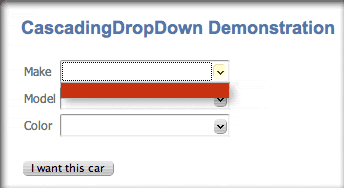
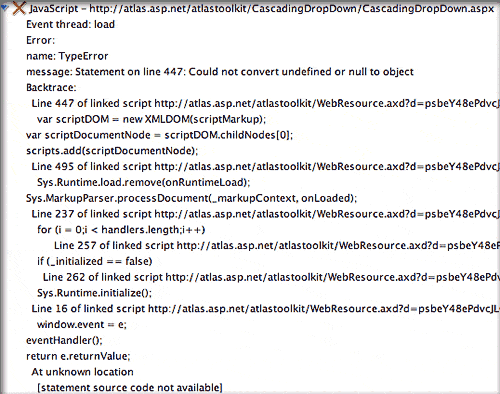
Cascading Drop Down |
No |
No |
Yes |
The submission form for this basic JavaScript form causes a page refresh in Safari. |
|
|
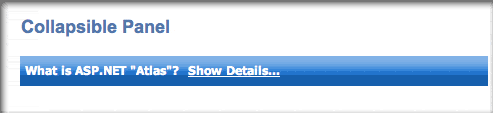
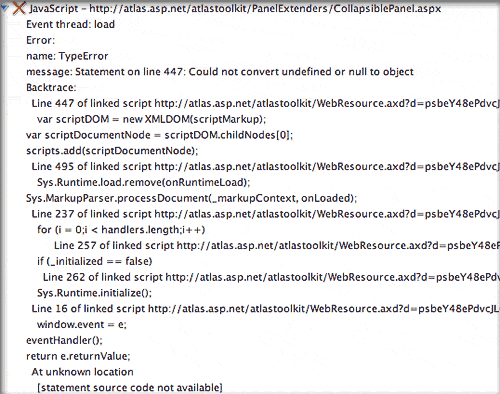
Collapsible Panel |
No |
Yes |
Yes |
Still No in Opera. Why doesn’t Microsoft just go to one of the other vendors on this list and borrow their JavaScript? Seriously, every library can do this but Atlas. |
|
|
Confirm Button |
No |
No |
Yes |
In both Opera & Safari, clicking these links causes a complete page reload. Note, this control worked in both browsers in April. |
|
|
Drag Panel |
No |
No |
Yes |
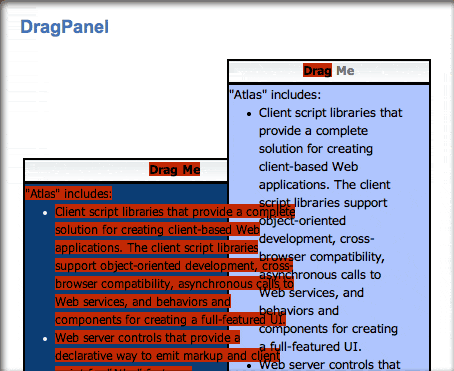
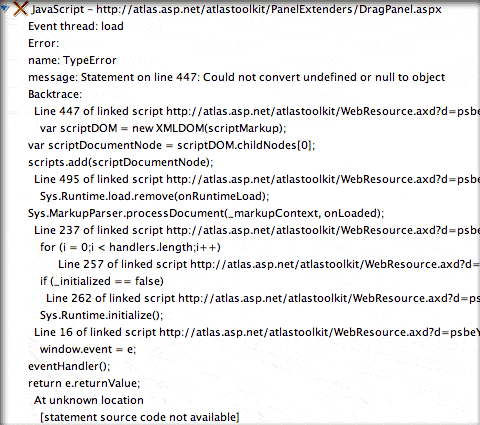
In Opera, nothing happens at all. In Safari, bizzarely enough, dragging causes the whole window to move, though at a somewhat slower pace. This was working in Safari in April. (Note: the window drag probem does not affect WebKit, the Safari nightly build.) |
|
|
Drop Shadow |
No |
Yes |
Yes |
This is the lamest drop shadow script I’ve ever seen. The script also tries to "round" the square box and sort of succeeds. The drop shadows are nothing a professional web designer would ever be happy with. If you want to see what configurable, good-looking drop shadows would be like, check out the ones implemented in Dojo. As with the shadows, this control’s “show more” link is the worst implementation of a simple DHTML animation I’ve ever seen. If you think I’m exaggerating, take a look at the screen movie of how it looks in Firefox. |
|
|
HoverMenu |
No |
No |
Yes |
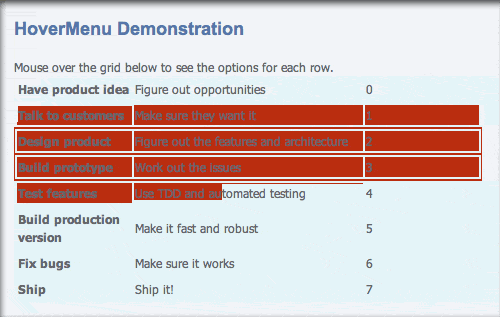
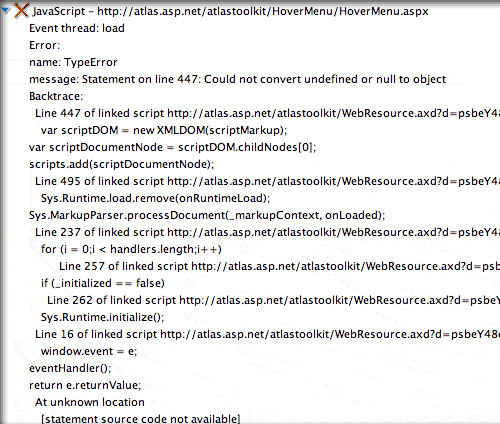
As with the Reorder List control, this control completely refreshes the page in Safari in attempting to work some Ajax magic. Note that this is not the case for Firefox. Why can’t Microsoft achieve what so many other vendors with far skimpier resources have, and provide a uniform interface experience for all modern, standards-compliant browsers? This is far inferior to the many excellent in-page editing controls from other Ajax toolkits, such as Dojo and Script.aculo.us. In April, this control was the same in Safari as in Opera. Now, Safari gets the menu, but the whole page has to reload with each action you take. See screen movie. |
|
|
Modal Popup |
No |
Yes |
Yes |
Opera does a page refresh when you click the link, but that’s all. |
|
|
Popup Control |
No |
No |
Yes |
This is one of the four new controls. In Safari, you get the popups, but as the Atlas page notes they don’t work to populate the field. If you fill in the field manually and click the submit button, the page reloads and displays the new information. The same is true in Opera, except there you don’t see the popups, which are the whole point of the demo. |
|
|
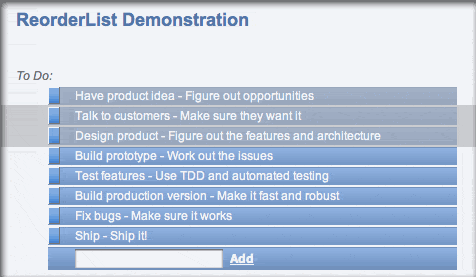
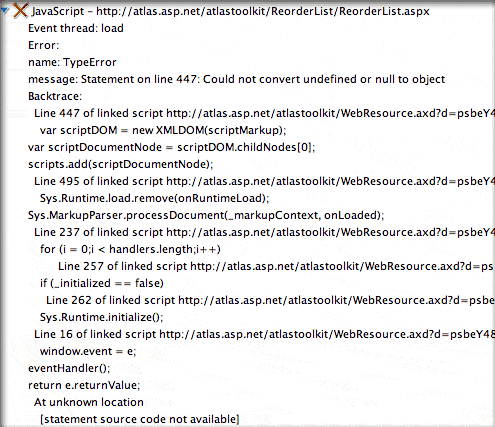
Reorder List |
No |
No |
No |
The probem with drag/drop introduced for Safari and noted in the drag panel control affects this one, too. Firefox still has the bizarre refresh behavior. (See screen movie.) I also tested this in IE 6 on Windows, and it has the same refresh behavior. (Note: WebKit does not have the window-drag problem that Safari does.) |
|
|
Rounded Corners |
No |
No |
No |
Opera does nothing but a page refresh for each selection. Safari does a complete page refresh too, accompanied by a strange, jerky transition. (See screen movie.) Firefox does the jerky transition too, which appears as a flicker in some cases, but Firefox users are spared the page refresh. (See screen movie) IE6 is fine. |
|
|
Textbox Watermark |
No |
No |
Yes |
First of all, I object to Microsoft’s use of the term "watermark" in this context. This is not a watermark in any sense of the term (see Wikipedia’s disambiguation page for "watermark". This appears to be a case of Microsoft trying to make a commonly used technique sound more important and special than it is. There’s nothing at all special here… web designers have been putting labels and instructions in text fields for ages using standard JavaScript. Here, however, the control causes a page refresh in both Opera and Safari. (Now, that is special!) |
|
|
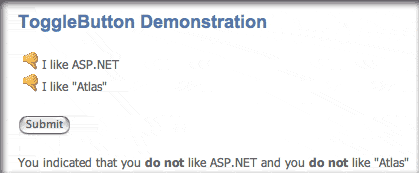
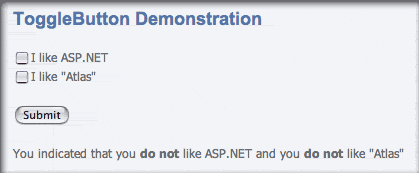
Toggle Button |
No |
No |
Yes |
As an indication of the amateurish nature of most of the Atlas controls, check out what happens when you load a page with this "toggle button" control. That’s right… in both IE and Firefox, where it actually works, the page loads with a regular HTML checkbox which is visible for a moment before being replaced by the thumbs-up image. How lame is that? In Safari, Microsoft has managed to get the thumbs images to work as in IE and Firefox, but not in Opera. And both Opera and Safari do a full page reload when you submit the form. |
|
Backbase
Grade: B
Change from Previous Grade: Up
Server Required: Proprietary
License: Commercial
Our goal is to make development of rich AJAX applications fast and easy for you. We want to provide you with AJAX development software that is fully based on open Internet standards, doesn’t require plug-ins and operates on all browsers, offers over 50 out-of-the-box AJAX widgets (including source code), and runs on any platform (e.g. J2EE, .NET, PHP, Coldfusion, or XML).
(Updated 5/3/06) Backbase has a lofty vision and promises to provide a comprehensive ajax/dhtml library with impressive gui controls, which will be free for noncommercial/noninstitutional use. Backbase eschews JavaScript on the client, instead introducing its own XML-based markup language, BXML. Backbase relies on an XML server to generate native JavaScript from the BXML/HTML pages it receives, tailored for each client. The Backbase server can be used with a variety of back-end server architectures, including J2EE, .NET, and LAMP. Although the Backbase home page still puts up a roadblock to Safari, Opera, and other DOM-compliant browsers that use neither an IE nor Gecko engine, Backbase this week released a public preview of its Backbase Explorer application for testing by Opera and Safari users. (Note! This pre-release of Backbase works only in the WebKit nightly build, not in the Safari that Apple includes with Mac OS X 10.4 (Tiger). References to Safari in this description are to the WebKit nightly.)
In my tests, I found the Explorer to be very slow, especially in Opera. (Backbase acknowledges slow JavaScript on Opera to be a known problem.) However, the vast majority of Backbase’s rich GUI widgets worked in both Safari and Opera on my test G5 PowerMac. The experience wasn’t 100%, however: With both Safari and Opera, Backbase’s drag-and-drop Tree Widget failed to function as expected. In addition, the Backbase datagrid widget failed (rather horribly) in Opera. Nevertheless, this is a step in the right direction for Backbase. Although this version of Backbase is not officially released, and though it’s still got some work to be fully functional in Safari and Opera, and though it still doesn’t support Apple’s official Tiger version of Safari, I’m upgrading Backbase’s score to a B from a C. Now all they have to do is finish eliminating those caveats, and they’ll be at an “A!”
Dojo
Grade: A
Change from Previous Grade: Unchanged
Server Required: None
License: Open/Free
Dojo is the Open Source JavaScript toolkit that helps you build serious applications in less time. It fills in the gaps where JavaScript and browsers don’t go quite far enough, and gives you powerful, portable, lightweight, and tested tools for constructing dynamic interfaces. Dojo lets you prototype interactive widgets quickly, animate transitions, and build Ajax requests with the most powerful and easiest to use abstractions available.
Dojo is one of the most mature and most popular DHTML/Ajax toolkits now available. It was initiated by and is still closely affiliated with Jot.com, which uses Dojo as the Ajax/DHTML engine of its powerful wiki system, Jotspot. (Updated 6/5/06) Dojo clearly states its broad browser support to include Safari 2.0+, Opera 8.5+, IE 5.5+, Firefox/Mozilla 1.0+, and Konqueror 3.5+. A new home page now provides a fully Dojo-powered, Ajax interface to all of Dojo’s many widgets and to its Ajax and DHTML features. Dojo’s documentation has also improved, as the company’s new wiki provides a growing set of API documentation and tutorials.
ICEfaces
Grade: B+
Change from Previous Grade: Up
Server Required: Java
License: Commercial
ICEfaces is an Ajax application framework that enables J2EE application developers to easily create and deploy thin-client rich web applications in pure Java.
This is another impressive framework for building rich web 2.0 interfaces using client-side javascript and ajax technologies, but using a java server framework to manage the view. ICEfaces is available in a free “Community Edition” that has most of the product’s full functionality, and a commercial “Enterprise Edition” that adds features of interest to large deployments. The ICEfaces website has a comprehensive demo of their user interface components, as well as three complete applications built with the product. Each of the demos is documented and provides a “peek” at the source code.
Update 6/25/06. ICEfaces was released as a production application in May 2006, so I decided to take a second look at the product. This time around, I tested all of the online demos in all of the modern browsers for Mac OS X, since previously the grade was based on IceSoft’s statement that Opera was not supported, while Safari, Firefox, and IE were.
As it turns out, ICEfaces doesn’t work 100% in any of the three browsers, though it supports all of them about equally. The failures are relatively minor and can generally be worked around by an end-user. Of the 22 interface demos, I noted 4 problems in Opera, 3 in Firefox, and 2 in Safari. (This document shows the specific problems I found.) In WebKit, the Safari nightly edition, ICEfaces worked perfectly. Given the relatively broad–but still incomplete–support for these browsers, I’m giving ICEfaces a “+” for effort. Clearly, they need to do a little more testing of ICEfaces on different platforms.
MochiKit
Grade: A
Change from Previous Grade: Up
Server Required: None
License: Open/Free
MochiKit is a highly documented and well tested suite of JavaScript libraries that will help you get things done, fast. MochiKit makes JavaScript suck less.
Updated 6/18/06. When reviewing Mochikit 3 months ago, the DHTML functionality provided was pretty weak, which is fine for some kinds of apps. The MochiKit team also had a relatively few number of demos available online. What a difference 3 months makes in AjaxLand, eh? Now, MochiKit has incorporated the Script.aculo.us effects library, has a full drag-and-drop suite, and has added a number of innovative demos to their site. Everything I tried passed with flying colors, and I noted that the team has this statement on browser compatibility: “Our current test platforms include all of the modern and popular browsers: Safari 2.0.2, Firefox 1.0.7, Firefox 1.5b2, Internet Explorer 6, and Opera 8.5. Other JavaScript platforms should work if they’re standards compliant.”
On top of its powerful Ajax and DHTML libraries, MochiKit provides some unique and extremely useful tools for developers–an interactive JavaScript interpreter, a logging pane (either floating or embedded) for displaying errors and debugging, a terrific code-display module that includes syntax highlighting (!), and “hundreds” of tests for–among other things–reporting errors in MochiKit back to the development team, led by Bob Ippolito. As Dan Webb noted in a recent article in SitePoint, MochiKit appears to be an extremely well designed JavaScript library that draws from both Objective C and Python for its inspiration, syntax, and structure. And if you’re looking for top-notch documentation, MochiKit will not disappoint. It’s very detailed and well organized. I noticed also that the TurboGears Ajax application development framework is built with MochiKit as the JavaScript backbone, and TurboGears itself looks very inviting, especially if you are a Python programmer.
Rico
Grade: B
Change from Previous Grade: Down
Server Required: None
License: Open/Free
An open-source JavaScript library for creating rich internet applications. Rico provides full Ajax support, drag and drop management and a cinematic effects library.
Rico is another DHTML/Ajax toolkit based on Prototype. It focuses on an accordian widget, a data grid widget, some effects, and an Ajax engine. It was originally financed by Sabre Airlines, which retains rights to widgets developed by Rico. All demos but those that use drag/drop work in Safari.
Updated 6/18/06. The original grade of A- was giving the Rico team the benefit of the doubt on their support for Safari. However, after 3 months, two of the drag and drop demos still do not work in Safari, and in general progress on this toolkit has been agonizingly slow. Rico’s best feature is the accordian widget, but if that’s your main interest, you can use Moo.fx for a lot less disk space. In addition to weakness in Safari support, Rico also has a couple of bugs in Opera 9. The first is a simple display anomaly in the first motion effects demo, but more seriously, the Ajax Weather widget demo fails in Opera. Also odd in Opera is Rico’s DataGrid demo, which shows the scrollbar below the table rather than within it (as usual).
A sneak preview of Rico build 31 is available for download, though it represents only a small part of Rico–namely, it serves to show some new “skins” for the accordian widget and presents four demos of the widget.
Tibco General Interface
Grade: E
Change from Previous Grade: Unchanged
Server Required: Proprietary
License: Commercial
TIBCO General Interface is a framework that enables you to quickly and easily develop and deploy rich Internet applications (RIAs) using AJAX—the asynchronous JavaScript and XML capabilities already in Web browsers.
From original March 2006 review: Tibco requires developers to register, but then use of the client-side toolkit is free (as stipulated). However, Tibco’s download is a Windows .exe file, and the company’s browser compatibility statement still claims that IE is on 97% of corporate and end-user desktops. Support for Firefox is “forthcoming,” and support for Safari is not mentioned.
Update 6/23/06: About a month ago (mid-May), Tibco announced plans to integrate their toolkit with Dojo and Yahoo! User Interface, saying “With our open architecture, we’re addressing the needs of developers who want to include open source and commercial AJAX components in their applications.” So I added a re-review of Tibco to the punchlist, hoping to get some better news this time around and raise their grade. Unfortunately, it turns out that Tibco’s marketing language is highly exaggerated. To say that Tibco has an “open architecture” is misleading in a style worthy of “Microsoft’s greatest hits” when you consider that this is one of the very few Ajax libraries that can only be used on a Windows platform.
Anyone who has worked with JavaScript and modern browsers know that you have to tie yourself pretty tightly to Microsoft’s Internet Explorer platform to have a hard time making your scripts work with Firefox, Opera, and Safari. And I don’t think basing your code on IE’s proprietary extensions can be called “open.” The best Tibco has been able to say to date is that partial Firefox support will be coming in “late Summer.” This means it’s taken them 3 months simply to get to the point of providing a timetable, and it’s going to be another 2-3 months before they’re ready to let developers try the code–and then, only Windows developers.
Tibco makes a point of saying that their applications require no special server or client components. But if you read the installation instructions, it’s clear that you can’t build or deploy a Tibco application without using their GUI Tibco General Interface software, which is a visual builder tool like Microsoft’s Visual Studio. It writes out proprietary format files that contain the XML, XSL, and JavaScript that will be transformed into your Ajax application when served through HTTP.
It’s clear from reading their developer forum topic on this subject that they have no intention of widening support beyond Firefox, which simply isn’t adequate unless you’re interested only in covering Windows users. To show their progress toward Firefox, they’ve posted a video of Tibco working in that browser, but unfortunately–like everything else they make available–it’s in a video format that’s very difficult to view on a Macintosh. With all the other truly excellent JavaScript libraries available today for DOM scripting and Ajax, I can’t imagine why anyone would even give a second look to Tibco’s tool if they care about providing truly open, standards-based Web 2.0 applications. Perhaps if a company is firmly committed to Windows and has no non-Windows desktops, Tibco might be appropriate for building Intranet applications. I’ll keep an eye on Tibco, only because they do so much advertising it’s hard not to. I hope things improve, and I’ll certainly document that here if they do.
Beautiful CSS Experiment in Equal Text Columns
CSS Drive: CSS galleries, examples, references, and tools
Cross-Browser Ajax: It Don’t Come Easy
In a case demonstrating that you can’t be sure your Ajax/DHTML website will truly be cross-browser just by including one of the toolkits that are known themselves to be fully so. From my own experience, even if you use Prototype, you’re likely to pick up a few odd JavaScripts along the way to include in your site. Or, you might take a stab at writing a function out of the blue. Either of the latter two steps can get you in trouble if you’re not careful.
Today’s case is an Ajax/DHTML “tutorial” which has been advertised on a couple of websites that a lot of folks in the Ajax community rely on for good tips and pointers. Unfortunately, the only thing the script is a good example of is cross-browser carelessness, or perhaps simply cross-browser “couldn’t care less”-ness on the part of the developer.
In mid-April, Max Kiesler blogged about a Wordpress “shelf” script that he described as a “nice tutorial on how to build a sliding shelf in Wordpress,” with a pointer to the website. Naturally, since I’m a WordPress guy myself, I thought this could be useful! Much to my amazement and dismay, on arriving at the suggested site I realized that this “shelf” is totally out of order for WebKit-based browsers (the most prominent of which is Safari for Mac OS X). I blogged a brief complaint and noted that a reader had already left a comment with the Asymptomatic.com owner letting him know it wasn’t working in Safari. I’m pretty sure I also wrote a note to Max Kiesler, but it was through his online form, and I never heard back about it.
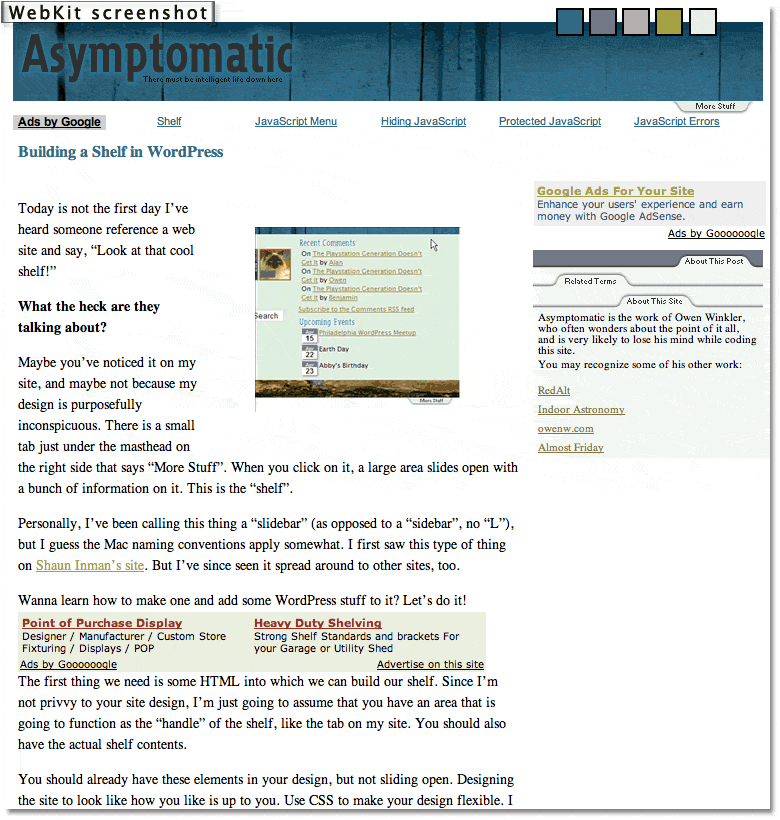
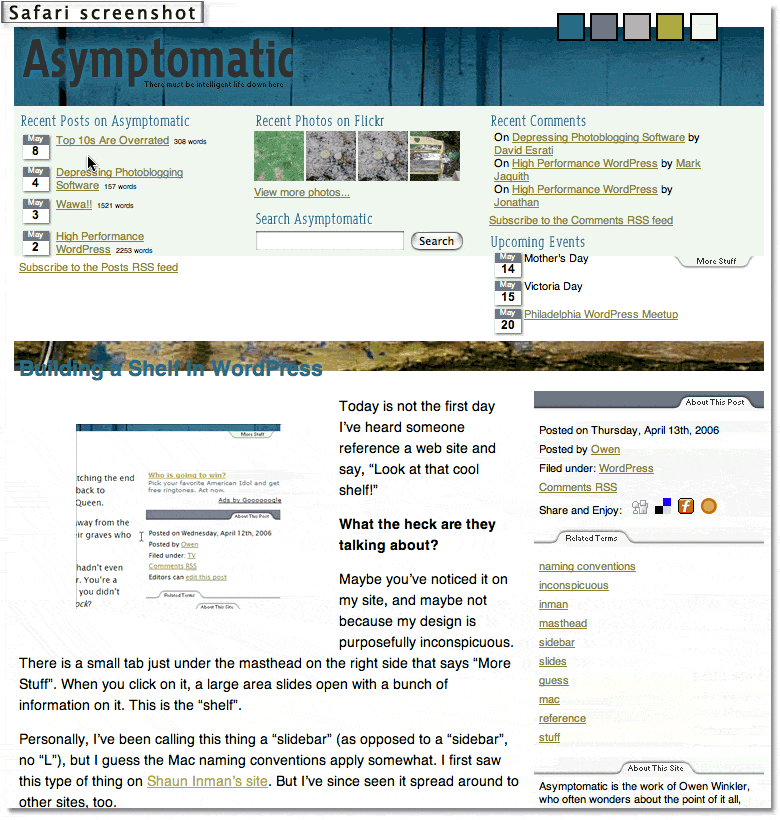 Click on the screenshot thumbnails if you want to see how the “sliding shelves” look in Safari and WebKit.
Kiesler subsequently included this guy’s tutorial twice in his continuing roundup of Ajax Tutorials, the concept of which is great, but the execution of which needs a little more editorial oversight to ensure that only Ajax representing industry best practices are promoted. From the feedback I’ve received to my own article grading 50 or so Ajax/DHTML toolkits on their adherence to a cross-browser, standards-based approach, I’m pretty sure most developers believe we should be writing standards-based code these days.
The terrific Ajax-themed website Ajaxian.com promptly picked up both of Kiesler’s “tutorials lists” that had pointers to the Symptomatic’s problematic WordPress script, so I’m sure with the popularity of WordPress, that script has been passed around far and wide by now.
In the meantime (about a month), has the script’s author attempted to fix the problem? Unfortunately, no. I tried again today, and just as before, the sliding “windows” are simply static content in Safari. They’re weirdly nonfunctional in the latest WebKit nightly build as well.
Looking at his code, I see he’s using Prototype, along with moo.fx, which he talks about at length in the tutorial. Both of these are A-graded JavaScript toolkit, and I use Prototype myself… a lot. But Prototype alone won’t save you, my friend. Not when you also include a half-dozen third-party scripts and a dollop of homemade code that isn’t anywhere near Prototype. I can only assume that those other scripts are what’s making these “shelves” stick so.
You know, Tim Berners-Lee blogged recently in support of a standards-based Web. Quite eloquently, I thought. When I wrote in an earlier article that the web was built by folks who believed in open communications and complete interoperability between different OS’s and browser platforms, I didn’t have a good quote to back me up. Now I do. From the guy who actually wrote the World Wide Web software–on a NeXT machine (from which Mac OS X is descended, by the way)–here are some thoughts I hope we can all try to live by as Web 2.0 matures:
When, seventeen years ago, I designed the Web, I did not have to ask anyone’s permission… The new application rolled out over the existing Internet without modifying it. I tried then, and many people still work very hard still, to make the Web technology, in turn, a universal, neutral, platform. It must not discriminate against particular hardware, software, underlying network, language, culture, disability, or against particular types of data…
It is of the utmost importance that, if I connect to the Internet, and you connect to the Internet, that we can then run any Internet application we want, without discrimination as to who we are or what we are doing… The Internet is increasingly becoming the dominant medium binding us. The neutral communications medium is essential to our society. It is the basis of a fair competitive market economy. It is the basis of democracy, by which a community should decide what to do. It is the basis of science, by which humankind should decide what is true.
Let us protect the neutrality of the net.
Those of you who are devoted to promoting best practices for Ajax and Dynamic HTML (DOM Scripting, nowadays), please keep this in mind, and try to make sure the scripts you are offering for others to emulate are truly worth of that trust. Unfortunately, as cool as WordPress Shelves look in IE, Opera, and Firefox, they leave a large majority of the Mac OS X user community out in the cold. And for no good reason.
The script’s author points as his inspiration to another example of sliding shelves, from Shaun Inman. Those work beautifully in all browsers, but it looks to me like he’s using MovableType instead of WordPress. Otherwise, perhaps Shaun would be willing to prepare a WordPress plugin for sliding shelves. Failing that, whoever is promoting scripts like this needs to take the time to make sure they work. Otherwise, bad scripts like this become a building block to a really bad, balkanized Web 2.0.
And I don’t think anybody involved in this exciting technology wants that.
Complete, Compact CSS 2.1 Reference
xCuts Dashboard Widget: Tripping the Light Script.aculo.us
I’ve been writing for some time now about the kinship between Apple’s Dashboard Widgets and web pages. I’ve recently written a time or two about Ajax and the various wonderful dynamic HTML (DHTML) JavaScript libraries that are now available to web developers. And when I first starting compiling the lists of available Ajax/DHTML JavaScript libraries, I was planning to grade Apple’s Widgets library along with all the rest. In explaining why I didn’t, here’s what I wrote last month about Widgets and DHTML pages:
It’s interesting that 2 months after an Adaptive Path essay coined the term “Ajax,” Apple released Mac OS X 10.4 “Tiger”, with its amazing and powerful dashboard widgets system. Within a couple of months, there were over 1,000 widgets available on the web, and these little babies were capable of completely replacing (almost all for free!) a number of system utilities, menubar items, and whole applications on the Mac. I’m tempted to think that awareness of Apple’s widgets helped promote awareness of, and interest in, what could be accomplished with rich Ajax/DHTML toolkits. After all, widgets are simply little Ajax/DHTML programs running in a special layer of Mac OS X called the Dashboard… They use exactly the same technologies as all of the Ajax/DHTML libraries, and in fact you can run them inside of Safari outside of the Dashboard.*
And so, it was fitting that when I finally found time to work on xCuts, a widget I’d been planning to build since last summer, I decided to use one of the leading Ajax/DHTML toolkits rather than Apple’s own, for most of the widget’s functionality. Having done most of my recent DHTML web work with Prototype and its light-hearted, freewheeling sidekick, Script.aculo.us, I naturally turned to those libraries to help me out.
Whenever I use script.aculo.us, I invariably get carried away and overdo the cool effects. (Witness this website!) But I do only use the effects when you’re supposed to–namely, as a visual cue to the user that some page content has changed. Without this visual cue, content can change so fast and smoothly on an Ajax page that users may not realize anything has happened… especially if they’re expecting the link they clicked to cause a page refresh that never comes. As an example, consider this link, which replaces this paragraph with different text stored on the server.
See what I mean? Even though your eyes were actually on the content that changed, the difference was so subtle you might have missed it. Now take a look at the lists of articles and news items in my navigation panels in the sidebar. Without Ajax, one list would give way to another so similar-looking that you might not notice. On the other hand, if you add an effect or two to the change, it’s impossible to miss. For example, try this link, which replaces this paragraph with another one from the server.
Now, having said all that, my primary failing is in going overboard with the effects. Rather than one simple yellow-fade, I prefer a yellow-fade combined with a slide-down, or perhaps a slide-down combined with a scale-up. But hey–don’t blame me! Blame that elvin genius Thomas Fuchs, who keeps thinking these things up. Why, just this week he published an article explaining how to do custom effects, as if the ones that come with script.aculo.us aren’t enough! If you’ve looked at this library, you know that what I’m saying is true. In addition to some powerful Core Effects (opacity, scale, moveby, highlight, and parallel), script.aculo.us comes with a series of Combination Effects, which are built using the core ones. In fact, it’s the “Parallel” core effect that makes this magic possible, allowing a developer to mix and match the core effects as much as their time and imaginations permit.**
But that’s not all! I haven’t even mentioned the possibility of using Callbacks, Transitions, and Effect Queues to fine-tune your effects… As much as I’d like to, I don’t have time right now to go into a full tutorial on the script.aculo.us effects, but fortunately, the script.aculo.us wiki is bursting with useful demos, reference documentation, and sample code to study. I usually start at the wiki’s All Pages view, which links to pages describing all the script.aculo.us functions, most of the relevant prototype functions, and all the demos and other documentation as well.
So I approached building the new xCuts widget as if it were basically a little web page that uses prototype and script.aculo.us to work its Ajax magic.*** Besides the animation, effects, and basic Ajax server calls, the widget incorporates the very popular live search form, which is my first implementation. It was actually surprisingly easy to build using prototype’s Ajax.Update function. Speaking of the search, the input element implements Apple’s HTML extensions, which were actually developed as part of Dashboard but can be used on any website as well. Using them, you can surprise Safari-toting visitors to your website with nice, rounded search forms… you know, the ones with the little magnifying glass filling one end and the spiffy focus, blur, and clear bits Mac OS X users have come to expect from native Cocoa apps. Though they are non-standard, these extensions do no harm to other browsers and merely enhance the web experience for WebKit users.
In addition, at the last minute I found the great DOMinclude library from Chris Heilmann, which came in handy to add the “i”  supplemental information about certain shortcuts. Here’s a case where DHTML (Chris would prefer we start referring to it as DOM scripting, and he has a point, but habits are hard to break…) can come to the rescue: How can you present a lot of information on a keyboard shortcut in a compact space? There are always trade-offs in such a design, but I try to focus the user’s attention on the primary bits of info and provide secondary info in an opt-in format of some kind that doesn’t detract from the presentation or otherwise draw too much attention to itself. As I saw it, I had three options:
- Squeeze the “other info” data column in either a third column of the lists, or as a second paragraph in the second column. The first option ended up squeezing the first two columns too much, which seemed silly since only a few shortcuts need the third column. The second option mingles the “other” info column with the “action” column, which may not be appropriate in many cases. It also makes the whole list longer than necessary.
- Use DHTML to slide in the “other info” data as a new row, just beneath the row for its shortcut. This would have been an effective choice, but was going to take a bit more custom programming and would have caused the whole column to shift up or down a lot, which seemed a bit ungainly.
- Use traditional DHTML tooltips. Searching for a tooltip I liked is what led me to Chris Heilmann’s elegant solution. Before finding it, I was spending way too much time considering all the permutations of possible scripts, time that also involved learning how the script’s code was implemented and ensuring it was compatible with the other JavaScript functions in the widget. I ultimately bookmarked a handful of “tooltip” scripts that made the final running, but decided DOMinclude was perfect for my needs here. Besides its unobtrusive JavaScript foundation, I like the way it emulates the visual appearance of Apple’s Dictionary service.
Another spoonful of “syntactical sugar” I threw into the pot was Justin Palmer’s CSS event:Selector script. On Mars, I have been using Behaviour.js to enable unobtrusive, CSS-event-driven JavaScript functions, but then a month ago a leaner, more powerful script appeared that immediately synched with my brain. As Palmer says, event:Selectors are better integrated with Prototype, so the corresponding event rules require fewer “words.” In addition, they are more flexible, and presumably faster as well. So, I decided to try his script out in building xCuts rather than Behaviour, and I have to say it has an excellent aftertaste! As soon as time permits, I’ll rewrite the CSS Behaviour-style rules on Mars as event:Selector rules. The transition is easy, since, as Justin notes in his blog article, “Behaviour was the inspiration for event:Selectors,” and as such it adopts a similar syntax.
For convenience, I did use the Apple libraries for the flip animation and for the scrollbar and drag animations. Of those, the only one you really need the Apple libraries for is the flip animation, although the JavaScript cube animation script that Kava.net published recently could possibly be a replacement if you’re willing to accept a more jaggedy visual. Another area that prototype and script.aculo.us aren’t particularly strong in is scrollbars… they have no native function for them. On Mars, I’ve cobbled together a thin scrollbar for the navigation “panes”, but I went with a native OS scroll function in the “News Article” window that materializes in the middle of the page because it allows mousewheel scrolling and is much simpler to implement. I could do that with a Dashboard widget, too, but in this case native scrollbars can kind of ruin the look.
One small note is that as I got the widget built out I wanted users to be able to copy and paste from it if they chose. Looking around, I noticed that nearly all Dashboard widgets only had text-selectable sections in form fields. That’s because the onmousedown function that lets you drag widgets around the Dashboard also prevent the widget from understand a “copy” style mouse drag. I finally found one or two widgets that overcame this, and a quick visit to the Apple Dashboard docs revealed that the proprietary CSS code that implements the drag function is DOM-element-specific. In other words, though most developers seem to go with the default example code Apple provides, which applies the “-apple-dashboard-region” style to the whole face of the widget, you can instead restrict the region to whatever parts of the widget you want to be draggable. Cool.
For a back end, I had originally hoped to use Core Data, but I just didn’t have the time to learn how to access Core Data with JavaScript, and Apple doesn’t provide any roadmaps. Core Data would be ideal for this, but instead I fell back on existing skills and just set up a MySQL table and wrote a PHP page to access and format the data. Because of this, you won’t be able to use the widget when you’re disconnected from the Web. I still hope to transition it to Core Data in a future update, mostly for the learning exprience. On the other hand, with the database maintained remotely, I can easily continue to update the data source without having to publish new versions of the widget. Particularly in the first few months–when I have a lot of data I still want to add–that’s probably a good thing!
So… what did I use to build this widget? Gather round, and I’ll share this secret with you. Shhhh!! Here it is:
Find a widget you like, and use its code as a starting point.
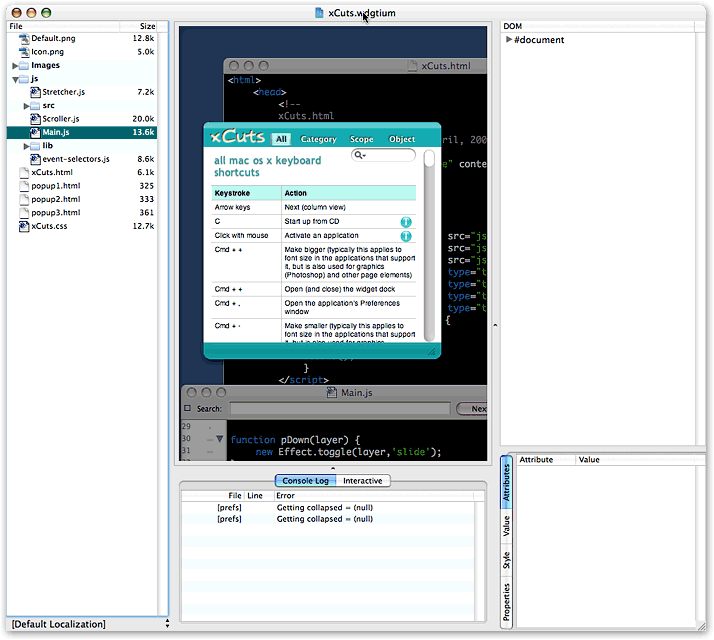 As I pointed out last summer, one of the best things about building widgets is also one of the best things about building web sites: It’s all open-source code, and most developers release under free and open licenses that don’t make you feel like you’re stealing if you borrow a function here or there. That was certainly the case with one of my favorite widgets, SeeSS, a great CSS reference widget. Besides being at my fingertips when needed, I love this widget because it curls up into a tiny ball when you’re done, taking very little screen space. I also admire its overall layout and the fact that you can resize it as needed. By the time I was done, there really wasn’t very much of SeeSS left, but it was a great way to jump-start my work and gave me a nice framework to build from.
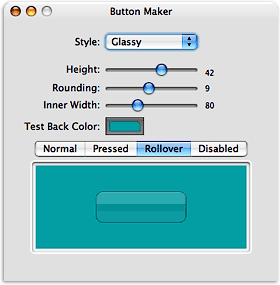 Tools? Definitely Widgetarium from Gandreas Software. I used this program for my first widget last July, and it has grown seriously more powerful since then. First of all, Widgetarium is great because you can start a project by choosing “File/New Project from Widget…”, after which you simply browse to any widget on your system, and select Open. Widgetarium automatically builds a new project for you from the components of that widget, including all image files, scripts, other source code, and–most conveniently–the XML .plist files without which the widget won’t work in Dashboard. After that, you can start tinkering with the code as you please without, of course, affecting the original widget.
Next, this tool still has that nice transparent window in which the widget builds, so you can stop and restart it all without leaving Widgetarium. As before, it has nice graphics tools for building pieces of the widget, but now you five tools instead of one. Besides the basic Panel Maker, you get a Button Maker, an Icon Maker, a “Roundie” Maker, and a slicing tool that lets you chop a panel into smaller pieces. I still export all the pieces to Photoshop for fine-tuning, and use Photoshop for the overall graphic design of the widget, but unless you’re extremely picky, the graphics tools in Widgetarium will give you a nice jump start on assembling the images you need. (You know, I’m seriously thinking of testing out other graphics editors since Adobe’s taking so long to get Photoshop Intel-ready. Anybody else thinking along those lines?)
New to Widgetarium is a truly useful JavaScript debugger, which has the usual stop/breakpoint features that let you step through the JavaScript code one function at a time. While doing this, the debugger provides a wealth of information on the variables and the DOM environment you’re working in. In fact, if anything the wealth is a little too much, and without a search feature it can be hard to find the variable you’re looking for. Still, this is a big improvement. In addition, there’s a console panel under the widget area that provides useful error messages, and you can toggle between that and a panel that lets you actually enter an interactive JavaScript session with your widget… testing different DOM calls, CSS properties, and so on, as part of debugging.
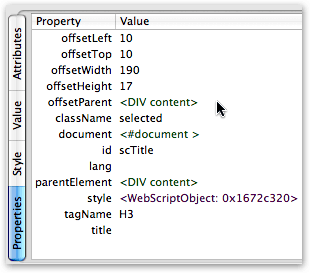
Just as useful is the DOM tree Widgetarium provides. Here, once you navigate down to a particular node, you get 4 panes of info about the node:
- Attributes: The node’s ID and all other attributes (like attached events) visible in the HTML source code
- Value: Only for text nodes, this contains the displayed text
- Style: The node’s CSS style as defined in the project’s style sheet(s), and
- Properties: I invariably find this the most interesting pane. Here you’ll find the node’s offsetParent, its parentElement, and its top and left offset measures (see screenshot).
If you’re developing JavaScript in Firefox,you can get this information in Mozilla’s DOM Inspector, but frankly Widgetarium’s interface is a heckuva lot more useful. What you get in the DOM Inspector is the same kind of thing that Widgetarium’s Debug window provides: Anything and everything, and good luck focusing on what you’re trying to find.
Even better than Widgetarium is the WebKit team’s Web Inspector, which presents the DOM and its nodes and styles in an incredibly compact, useful interface. The only problem with Web Inspector is that it isn’t finished. For now, it provides the Attributes, Value, and Style information you get from the other tools (including the “computed” style that’s so important in debugging), but not the Properties information. Web Inspector has two panes that stand empty as “Not finished” for now: Metrics, and Properties. I can’t wait to get them! Just like Mozilla’s Inspector, WebKit’s highlights the elements you select as you navigate, but Web Inspector has a far superior search interface. If you’re used to the Mozilla DOM Inspector search tool, you’ll be blown away by what you can do in Web Inspector.
Which brings me back to Widgetarium. One of the most glaring weaknesses–which I’ve pointed out to the developer, and he’s working on it–is the inability to search in either the DOM tree or the JavaScript debugger. This means, for example, that each time you want to find a node in the tree you have to manually traverse its parent nodes. Not a problem once, but unfortunately Widgetarium crashes often enough that you find yourself doing this walk way too often.
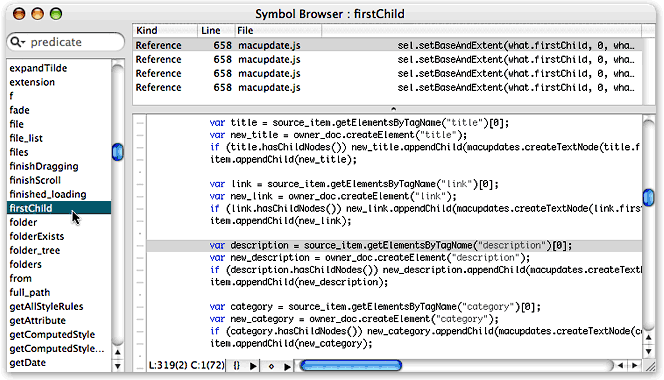 In my use, one of the things that crashed Widgetarium most reliably was trying to use the powerful “Symbol Browser.” How I wish I could have made use of this little puppy, but alas Widgetarium crashed every time I tried. I know it works with other widgets (the screenshot is from the MacUpdate widget), and I can see it would be very useful. What Symbol Browser does is the sort of thing you can do in TextMate and Eclipse in searching across your code base: Namely, Widgetarium compiles a list of all the functions, variables, properties, and methods used in your code, and you can find instances of whatever you’re looking for across all your files. If, like me, you have multiple, interrelated JavaScript files, this could be a real timesaver! The tool not only shows you the lines of code in a search-list format, but also brings up the full source code in a third pane when you select a given line. (Note: Click on the Symbol Browser thumbnail graphic to see the full screenshot.)
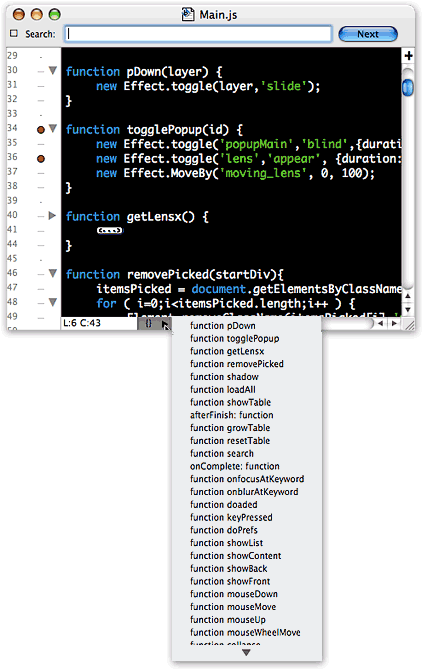 All of the Widgetarium editing screens have four useful features in common:
- A pulldown menu showing all the JavaScript functions (or CSS styles, or HTML elements, etc.) defined in the file, which you can use for quick navigation
- A pulldown showing various options for auto-indent, code-folding, syntax-coloring, line-numbering, and so on.
- A quick “go to line number” search, and
- The ability to split panes–as many times as you could possibly want! There are times I’d like to be able to bring another file into one of the split panes, but that wasn’t possible
The editing environment in Widgetarium is good, but not great. To improve it, my primary suggestion to the developer is to implement a single tabbed window. I find navigating among four or five open source code windows a bit tedious, especially after getting used to tabbed editing in BBEdit, TextMate, Eclipse, etc. Still, I no longer find myself using Widgetarium for some things and BBEdit for others, like I did last year.
There are many more useful features to Widgetarium, which I don’t have time to go into detail about but want to just mention here to whet your appetite (assuming you have one by now):
- Customizable syntax coloring
- Customizable key bindings
- Built-in lint and syntax checkers
- Incremental search option (should be the default, actually)
- Screenshot export options
- Image files viewer
- Top-notch documentation
- Full suite of embedded JavaScript and Dashboard reference material from Apple, the w3c, and elsewhere,
- Built-in extensions for working with audio, speech, AppleScripts, data from Spotlight, the Mac OS X clipboard, the file system, and more.
If it sounds like I’m a Widgetarium fan, you’re right… I am. And if the developer continues to improve this tool, pretty soon I won’t have any quibbles with it at all! At $50, I’m more than glad I shelled out the bucks last summer.
It’s hard to believe I could have so much to say about this simple little widget. As usual, I meant to sit down for an hour and found myself writing for four instead… All without even talking about the widget’s functionality! I guess you’ll have to figure that out for yourself! I hope you find it useful and enjoyable, and please let me know if you think of a good idea for improving it.
But most of all, have some fun building your own Ajax/DHTML widget!****
* Yes, I know that widgets can incorporate many native Mac OS X technologies that web pages can’t–like AppleScript, Core Data, file system calls, Core Image, and so on–and some of them do. But they don’t have to, and most of them don’t.
** And of course, down below, holding the whole structure firmly in place, is prototype.js, which provides the foundation that makes extending and combining JavaScript functions possible.
*** Both libraries were updated to new versions during development, but xCuts 1.0 is behind one or two releases (it uses prototype 1.5.0_pre0 and script.aculo.us so the 1.5.3). I’ll be updating xCuts soon to bring it up to the latest (prototype 1.5.0_rc0 and script.aculo.us 1.6.1).
**** If you want to build for Windows or for a browser other than Safari, check out Yahoo’s free Widget Engine, or Opera’s spanking new
Widgets API, which you can check out in the Opera 9 public beta.
Nothing To Cheer Here: Microsoft’s Ajax Toolkit Is a “D”

Back in early March when I first released the Ajax/DHTML Scorecard, rating all of the existing Ajax/DHTML toolkits against an ideal cross-browser scale, I rated Atlas an “E.†So, the good news for Microsoft fans is that Atlas is actually better than that. But not by much.
On April 4, I rescinded the original score after some readers correctly pointed out that I was treating Atlas differently from the other toolkits in the shootout. That’s because Atlas was simply vaporware in early March, and there was nothing to test. As I explained in an update to the article, the “E†was based on Microsoft’s past conduct in the cross-browser-support department. Here, they had been very bad big boys. Microsoft is the reason that we have to worry so much about cross-browser support today, so it stood to reason that their entry in the Ajax field would continue their past strategy of steering all users to Microsoft products and away from alternatives.
Though I was skeptical Microsoft had changed its stripes, one writer assured me that
In general Microsoft’s strategy with .NET is to require Windows on the server, but to be 100% browser compatible on the client. .NET components configure themselves automatically for the available browser features ( i.e. CSS levels, javascript dialects, or css/js disabling). While I’m still in the early phases of researching Atlas, it seems that this style of browser support has continued.
And so, I began testing with an open mind, especially after an Ajax blogger raved about Atlas in an article that was picked up by the No Fluff, Just Stuff RSS feed that I follow. (I’ll have to remember to ignore future articles by Brad Abrams, whose blog after all is hosted by msdn.com…)
Since Abrams was celebrating the release last week of the Atlas Control Toolkit, which includes 9 online demos of different Atlas controls, I decided to start my testing there. Unfortunately, Atlas failed on the very first control, the “Cascading Drop Down.†Though it worked in Firefox on Mac OS X, it failed in both Safari 2 and Opera 9. After going through three or four of these, Atlas was batting a very low score, and I decided to keep track of results more scientifically.
The end result? Of the 9 Atlas controls very publicly celebrated by Microsoft this week, here’s how Atlas rates:
- Firefox, 8 of 9 controls worked
- Safari, 4 1/2 of 9 controls worked
- Opera, 3 1/2 of 9 controls worked
I don’t think you can count this as cross-browser support, folks.
Because the vast majority of the controls worked in Firefox, I’m counting that as almost-full Firefox support, giving the Atlas toolkit a “D-â€.
Now really, with all of the A-rated toolkits available to you, why would you choose Microsoft’s if you care about cross-browser compatibility? There’s no good reason to do so. Especially with the status of IE 7 so out-of-focus, and Vista even blurrier. The only reason to do so is if you don’t care about cross-browser compatibility and are married to a Windows server or Windows developer tools. Anybody who really cares about cross-browser, cross-platform support for the next generation of web applications will avoid Atlas like the lovely but deadly Siren it is.
Test Results
As I kept detailed notes on my tests of Atlas, here are the results. For each control that didn’t work, I’ve included one or more screenshots of the broken control. Also included are the detailed JavaScript error messages generated in Opera. I’m including these not only to show the error message, but also as a hint to those of you JavaScript gurus who haven’t experienced the wonder of these little gems yet. Far better than what’s available in Firefox or Safari, the Opera message gives you an invaluable backtrace that pinpoints the source of the error. If you know of a better JavaScript error log than this for any Mac browser, please clue me in.
- Cascading Drop Down
- Firefox | Safari | Opera
Screenshots: Atlas Control | JavaScript Error - Collapsible Panel
- Firefox | Safari | Opera
Screenshots: Atlas Control | JavaScript Error - Confirm Button
- Firefox | Safari | Opera
- Drag Panel
- Firefox | Safari | Opera
Screenshots: Atlas Control | JavaScript Error - Hover Menu
- Firefox | Safari | Opera
Screenshots: Atlas Control | JavaScript Error - Popup Control
- Firefox | Safari | Opera
- Reorder List
- Firefox | Safari | Opera
Screenshots: Atlas Control | JavaScript Error - Textbox Watermark
- Firefox | Safari | Opera
- Toggle Button
- Firefox | Safari | Opera
Screenshots: Atlas Control in Firefox | Atlas Control in Safari
For the last control, I gave Atlas only one-half credit in Opera and Safari since for some reason Microsoft couldn’t get those browsers to display the nifty thumbs-up/thumbs-down graphic that Firefox and IE users enjoy. Why this should be hard is beyond me… it’s just a graphic, after all! Also, the only failure that Atlas suffered in Firefox was for the Reorder List control. Here, the drag/drop function worked, but once I dropped a list item, the whole browser had to refresh in order to register the new list order. Hate to tell you, Microsofties, but that ain’t Ajax.
I also noted that besides the broken Ajax controls, the Atlas website failed Opera visitors on other fronts… most notably, the tabbed interface on the Atlas home page can’t be navigated in Opera 9. And finally, unlike nearly every other toolkit on these lists–even those that rate D or E–you can’t even use Atlas JavaScript controls unless you’re using Windows on the desktop and on the server. Try to download the “samplesâ€, and you get “AtlasSamples.msiâ€, which I couldn’t crack open on my Mac OS X system. Presumably, this is an ASP.NET file of some kind, although Ajax is based purely on open standards of JavaScript, CSS, XML, and HTML. Again, this bundling is simply an attempt to make you use Windows systems for your Ajax-enabled websites. Why do this, when there are dozens of extremely able frameworks that give you more freedom? Heck, even nearly all of the commercial frameworks on these lists open the source code for anyone to leaf through.
In conclusion, although Atlas has some nifty DHTML/Ajax controls, that is true of virtually all of the A- and B-rated toolkits. There’s something to like about most of these, and there’s a fair amount of picking and choosing to do when deciding on a toolkit. My point is that because you now have so many great tools at your disposal, there’s no reason to accept less than full browser/platform compatibility as one of the criteria for deciding which to use. Just because Microsoft is the 300-pound gorilla of IT doesn’t mean its nicely packaged toolkit should turn your head. Take a closer look… this is one beautiful Siren that will eat you alive if you get too close.
P.S. I want to thank the author of the very nifty JavaScript widget DOMinclude for making this available! DOMinclude is a wonderful, unobtrusive DHTML control that lets you make any external content a DOM “popup†just by adding a class to its anchor tag. This was perfect for the screenshots and JavaScript error snippets I wanted to include with this article.
Many of you seem to think that because Microsoft released Atlas and these controls with the language “early preview” that this translates to the software being “beta” or even “alpha,” as one of you has suggested. If any of you have ever been in a true beta test, or, earlier, alpha test, you’ll know that this is just language Microsoft is using to cover itself. The fact is, all of Microsoft’s releases have always been “beta” in that sense… there are always bugs that need to be fixed.
But why pick on Microsoft? They’re not the only ones that play this game. Google has released oodles of software under the guise of being “beta” releases, but we all know that they aren’t, really. Apple released Boot Camp recently as a “Public Beta,” and like Google they at least made that clear on the product’s home page. (Microsoft’s Atlas home page gives you no hint that the product is beta in any sense of the word.) So stop trying to apologize for Microsoft’s “beta” product… they released controls that were not cross-browser or cross-platform in the sense that I defined them in my first article on this subject. All the other vendors have been graded the same way, and I won’t make an exception for Microsoft.
It’s also important to distinguish between the release of a beta product for consumers and one for developers, which is what Atlas supposedly is. Despite its being “preview” software, Microsoft actively encourages its developers to begin building web applications with Atlas–now–which means that its “beta” software is in turn going to produce hundreds or thousands of “beta” web applications, which won’t work correctly on all platforms. If you’re building for a company Intranet and want to do this, it’s up to you. But many people use ASP and .NET to build public websites and web applications. Those are not going to work for every visitor, which is precisely what happened with an earlier breed of Microsoft development tools. (Here’s a PDF file of the Atlas home page as it was yesterday afternoon. Tell me if you see anything here that remotely suggests that Atlas isn’t production-ready.)
 Second, the grade I’ve given Atlas does not reflect the total value of Atlas as a framework for doing web development. That’s not the issue here. The server-side technology, or development environment used, is not considered in the score. As the first article makes clear, this scorecard grades the toolkits solely on the basis of whether or not the client-side output they produce will adhere to a cross-browser, cross-platform ideal. I get the sense from some of your (rather nasty) remarks that you don’t really give a *%!+/*&! about whether you build a website that can be used by non-IE, non-Windows users or not. That, of course, is your right. I just hope your views don’t prevail as Web 2.0 gets built out, and that the next generation of web software will be as open and accessible to all as the web’s pioneers originally envisioned.
Surfin’ Safari: Text Fields Getting Wild!
 This is a big surprise, and a very nice one! The Webkit blog published an article today demonstrating what you'll soon be able to do in styling HTML forms--specifically the text field. The article includes demos as well as a link to a page showing the code used.