



News Posts In Category
Government Going Apple?


ComputerWorld Pits Snow Leopard Against Windows 7 (Again)
As an IT professional, I support both operating systems at work. But I have Macs at home; after all, who wants to troubleshoot computer problems on their own time? My final verdict in this smackdown? It's not even close: Snow Leopard is the better OS.I couldn't have put it better myself.

Judge Bans Sales of Microsoft Word, Says MS Stole Code
New Zunes Killing Themselves In Droves
Even for those of us who have long maintained that Microsoft products are second-rate (or, in some cases, third), this is surprising news. Still, as a rational Martian I can't imagine why anyone except, perhaps, Microsoft's desperate shareholders, would think Microsoft--a maker of buggy software--could build a reliable music player. Maybe it's their success with the XBox... ?
Forrester Believes Apple Will Win in Homes
I do not smoke, but it's obvious that you people do. Please send me a kilo of your best. Apple is a small time player with very limited scope, appeal, and resources. There is an obvious reason for that: the buying public does not feel compelled to support them just to "be different".To which I replied:
You may not smoke, but clearly you have your heard buried in the sand. Your irrational anti-Apple attitude is clearly a product of wishful thinking. My only guess is that you own Microsoft stock, which has been flat for years, while Apple stock has skyrocketed. You tihink $190 a share is high for Apple? Just wait a few more years. It's still not too late to face reality and start to cheer, rather than jeer, the company that's put the fun and excitement back into personal computing, as well as home entertainment.The depth and intensity of the anti-Apple pod-People continues to remind me of the Fascists' attitude toward Jews. These guys think Apple fans are religious, but in reality, they're the ones whose brains are dominated by a cult-like hatred. Kinda scary, but then they're typically cowards who wouldn't make such arguments in person.
AppleInsider: Vista dawns, world yawns
Universal Music Group CEO Calls Non-Zune Owners “Thieves”
AppleInsider: Zune Not Playing Nicely With Vista
Zune’s Debut Spoiled by a Brief Shuffle on CNN
CNN.com Video: Microsoft’s New Zune
 I saw this on TUAW, and had to share it here as well. This is a hilarious video that all Apple/iPod lovers will get a kick out of. While looking sheepishly like a Microsoft-paid spokesman, the New York Times fellow shows off the new Zune to a somewhat skeptical pair of CNN anchors. Then, at the end, one of the anchors whips out her new iPod shuffle and pins it to her lapel. Everyone agrees it’s much sexier than the Zune, and the other anchor wonders why Microsoft “can’t get some good designers in there” because the Zune is so “clunky” looking. Priceless!
ABI Research: iTunes Is Key To Apple’s Market Growth
ABI Research Analyst: iTunes Could Be Apple’s ‘Trojan Horse’ in the Home Audio-Video Market
It’s always nice when professional analysts from the “mainstream” media come out and say the same things you’ve been arguing. Now, if only they’d get on the anti-Microsoft horse, and start advising business customers to abandon the poisoned and poisoning Windows franchise, I’d really have cause to cheer. eWeek also covered this report, among other sources.
Media Central: An Alternative to Front Row
 This software has been in the works for awhile now, and version 1.0 was pretty lame and NRPT (not ready for prime time). But version 2.0 looks like a huge improvement, and also a lot of functionality for 30 bucks. Gotta give this one a go.
MovieLink: How Stupid Can You Get?
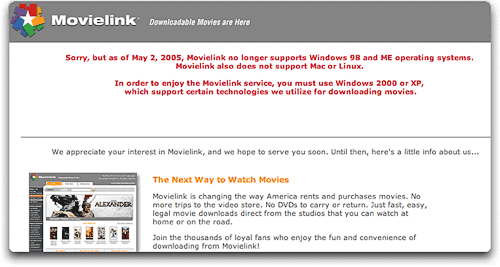 Good grief. Who the heck is in charge of strategic thinking at those movie studios? Movielink, a consortium of 5 Hollywood studios, launched a new movie-download service today that is only available for users of Windows XP or Windows 2000. They will for the first time allow full-length feature films to be downloaded to consumers. From the AP press release on the new service:
Warner Bros., Universal Pictures, Sony Pictures, Paramount Pictures, Twentieth Century Fox and MGM will offer some first-run and older titles on Movielink. New films will be priced similar to DVDs — between US$20 and $30 — while older titles will sell for $10 to $20.
What the news release doesn’t mention is that the service is not available for non-Windows customers. It’s amazing that the writer wouldn’t think this was worth mentioning.
Talk about repeating history! Isn’t this precisely what the music companies did for a couple of years before Apple launched the iTunes music store? Of course it is… And like then, they had that big Gorilla, Microsoft, tagging along to make sure no one messed with them. But did that make them successful? Of course not!
Exclusionary tactics are not American, for heaven’s sake! Why would you deliberately exclude potential customers, even if you could? Isn’t this what we used to call “prejudice”? Anyone who put a sign on their shop window today saying, “We do not serve Blacks, Gays, or Jews,” would never last a day. But somehow this is OK.
Aside from the moral issue are the technical and business issues… Technically, QuickTime’s .H264 codec is so far superior to any other video delivery system it’s pathetic to even think of anything else. The only reason you would is if you allowed yourself to be led by an advisor who was in Microsoft’s pocket. That adviser would make sure you never saw what .H264 is capable of. And never knowing about .H264 would allow you to pick Windows Media. I guess they hadn’t heard that Accuweather had just gone the other way–embracing .H264 for its newscasts. Anyone who actually pays a visit to Accuweather today couldn’t possibly miss the vast superiority in their new videos over the old ones based on Windows and Real media.
From a business perspective, are these guys blind? Apple has the market for downloadable video already sewn up! Even before introducing a true video download service for iPod users, Apple has established the iPod “with video” as a shoe-in to be the replacement for DVD’s that it has already become for CD’s. And by going with QuickTime, you make your service available to a much broader spectrum of computer users. It’s also painfully obvious that the Windows Media Center PC is a failure, and Apple’s new entry in that space, Front Row running on a Mac mini or iMac, has the potential to draw iPod users in droves. Geez, I’m wasn’t a business major, but this is just common sense, unless you live totally in the goofy Windows world where so little is expected of a computer and anything associated with it.
This is the kind of prejudiced action that should be outlawed. Microsoft should not be allowed to dictate what operating system you must have in order to use a new Internet service. When will people realize that Microsoft’s system is the closed one? Apple keeps its technologies in synch in order to provide the best computing experience. Microsoft restricts access to services in order to tie users to Windows.
Anyway, here’s the note I sent to the idiots running MovieLink:
It’s outrageous that you are deliberately excluding millions of potential customers by restricting customers to buggy, virus-infested Windows systems. Only really stupid people use Windows these days, so good luck attracting any business. Stupid people are not early adopters… Mac and Linux users are. Stupid people do not know how to download movies. Mac and Linux users do.
Unless you change this right away (don’t you realize how far superior QuickTime .h264 is over Windows media??) you will go down to a well deserved failure.
Leland Scott
Windows XP on Intel iMac: Confirmed
InfoWorld: Apple Products Go Wild
Mac Mini vs. Microsoft Media Center: Round 1
A Remote Control that Tells the Future? In Praise of Apple Simplicity
2006: The Year Apple Gets Respect!
2006 Prediction #1: The Year Of The Mac
Computers vie to become home media centers
Tell Me One Thing You Can Do With a Mac that I Can’t Do With Windows! (Part 2)
2. A Freakin’ Awesome Dictionary
I’ll bet those of you who read my first article in this series last spring are either Windows fans who have been chuckling, “See, he could only think of one thing!” Or you’re Mac fans who are disappointed that I started in strong to give the other side “what for,” but then left the match just when it was getting interesting.
Although you’d both be wrong, you have to understand that here on Mars, time moves at a somewhat slower pace than it does on Earth. You see, here it’s only been a month since I wrote that first installment, and I thought I was doing pretty good to be getting a second one in already. Then I realized how it might look from down here, and, well… I’ll try to get the third article done in a time frame that will make more sense to you folks.
Now, you ask, “Exactly how could something as mundane as a dictionary possibly induce envy in a Windows user?” Ah, I see you’re one of those who still hasn’t fully appreciated the awesome Dictionary.app built into Tiger (Mac OS X 10.4). It’s already been highlighted in all the Mac news magazines, glorified in all the Mac blogs, and praised endlessly in the Mac discussion forums. Yet I still encounter good, hardworking Mac users who don’t know about it yet. How could that be?
Well for one thing, the Tiger Dictionary ain’t exactly a flashy product. It doesn’t sit in your Dock, so it’s easy to miss. I don’t think Steve included it in any of his Tiger demos. On its website, Apple doesn’t do anything more than mention the Dictionary as one of Tiger’s 200+ new features. And, well, it’s just a Dictionary, after all.
You know, one of things I admire most about Apple is the way they nourish creative programmers who come up with crazy ideas that may or may not work out. Rather than forcing these guys (and gals) to prepare Business Cases for their ideas–as so many companies do–they actually allow them to flesh the ideas out into slick, ingenious new features of the operating system. Many of these features, like the Tiger Dictionary, bring to life functionality that no user was clamoring for, but that quickly becomes such an obvious improvement that you can’t imagine a Mac without it.
In a future article in this series, I’ll talk a bit more about a related technology that fits this mold–namely, application “Services.” With services, Apple’s engineers provided not just one little application, but rather an entire new software foundation upon which users and developers could build beautiful, intricate software playgrounds and tools. The Dictionary is, in fact, a specialized application service that’s been added to Mac OS X.
This is a pretty big buildup, fella. You better go ahead and get specific with the Dictionary hoopla, or I’m outta here!
OK, I hear you… On with the shew!
Imagine this scenario. You’re a Windows user (hey, stay with me for a minute on this! You only have to use Windows hypothetically, and only for a few minutes), cruising along in Internet Explorer (stay with me!), and you encounter a word you don’t precisely understand. For example, “registry.”
At this point, you have two options (without resorting to third-party software):
- You interrupt what you’re doing and open a new browser window to load dictionary.com (or one of many others). There, you type in (or, if you’re a geek, you cut/paste) your word and hit return. Back comes your definitions! In the old days, we thought this was pretty spiffy, because it sure beat option
- You can get up and hunt through all the bookshelves in the house for that dictionary you used to keep around for the kids to use, instead of Mom or Dad’s brain, to look up new words. If you can’t find the portable one, you can go leafing through the Webster’s Third International monster on its pedestal in the living room, which means making a trip back to your desk to retrieve your reading glasses since the monster has such teeny tiny type. (By the way, did Webster ever come out with a Fourth International? Hmmm…)
Incidentally, get a load of the irrelevant drivel I had to endure while looking up “registry” in the Internet dictionary:
Or perhaps you think that’s entertaining. Sorry! I didn’t mean to insult your obvious good taste by calling it drivel. ;-] Now that I’ve found my definition, I’m in a separate window, of course (IE still doesn’t support tabs!) and must make my way back to the window I started from. At which point I no longer have my definition before me… But that’s what the clipboard is for, right?
So, I can hear you saying, “What’s so bad about option 1?” To which I reply, “Well, I never said option 1 was bad… I was happy with it myself until Tiger was released earlier this year. However, just as option 2 has been mostly superceded nowadays by option 1, option 1 has now been superceded on the Mac by something better!”
How much better? Well, imagine you’re an Apple user running Tiger, and you encounter an unknown word… like, oh, how about “Adware”? Well now all you have to do is highlight the word, press a couple of keys or click your mouse, and Boom! The definition will materialize right over your mystery word. No more having to leave your current application or document, no more cutting/pasting to enter your word in the dictionary, and no more having to return to where you started while trying to remember the definition you ventured forth to find. [If you can play QuickTime movies, you're welcome to view the accompanying narrated screencast, which is provided in reduced-size h264 format (1.2mb) or in full-size h264 (3.5mb) or reduced-size mpeg4 (3.4mb).]
To get there in Tiger, you just select the word or phrase you want to define (on a Mac, this means just doubleclick the word) and use the contextual menu to select “Look Up In Dictionary.” This auto-magically pops up a small frame with the definition. If you want to load the full Dictionary application, click on the small “more” link in the lower right-hand corner of the panel. The full Dictionary window gives you some very cool ways to explore further, and I’ll get back to those in a moment.
By the way, roughly 90% of computer owners on this planet would never have to look up words like “Adware” and “Spyware,” I’m sure. But give us poor Mac nuts a break… We still don’t really understand what you’re going through. In fact, this whole page I used as an example is filled with words that simply don’t make sense when you’re talking about a computer–from a Mac perspective, that is:
- Spyware
- Virus
- Trojans (Gee, I thought I knew what those were… but for a computer?)
- Malformed
- Vulnerability
- Tracking threats
- Worms
But I digress…
Another neat feature of the little popup dictionary panel is the built-in Thesaurus. You can toggle between the Dictionary and Thesaurus information for each word you look up.
When you load the full Dictionary window for a word or phrase, you discover a totally new take on hypertext. Imagine a book where every word is a link to its definition, and you get some idea of what the Dictionary is like. To follow the trail of a word, just click on any interesting word on the page.
This is going to be huge for anyone still going to school or college! And what a relief for parents of young kids, too. Anything that makes looking up words in the dictionary easier brings them a step closer to actual learning, and a step away from laziness. In my experience, even the Internet has been too many steps for my sons to bother with, when they can always shout out to old Dad,
Hey Dad! What’s “enlightenment”?
So when you’ve embarked on a word-hunt in Apple’s Dictionary, you pretty soon find yourself a long way from where you started. And just like a web browser, the Dictionary’s back button provides a navigation trail. Hold the back button down to see the full list of all the words you’ve seen. For example, in my screencast that accompanies this article, I started with “Malformed” and ended up with “Malevolent.” I don’t know why Microsoft words like “Adware” and “Virus” automatically beat a path to words like “Malevolent,” but they always seem to.
By the way, you can also use the Dictionary on phrases. Just select the phrase and “Look Up In Dictionary” to see what it means. If you’re a keyboard kind of person, you’ll be happy to hear that there’s a built-in keyboard shortcut for this. Just hover the mouse over a word and select Ctrl-Cmd-D to see its definition.
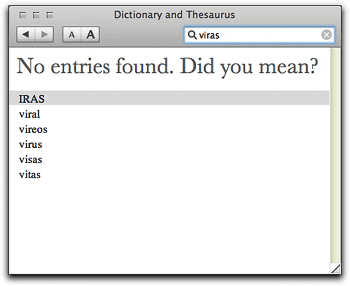 Did I mention that the Dictionary can also guess at a misspelled word? For example, when I first mis-typed “virus” into the Dictionary search field, here’s what it helpfully provided —»
Oh, and on a Mac, if you want to hear a word spoken, you can use another built-in software service, “Speech.” Just select the word and mouse to “Services/Speech/Start Speaking Text.” Like the Dictionary, the Speech service is available in all service-aware Macintosh applications. The Mac’s software services are a hard-working, invisibly wonderful part of the Mac experience nowadays. Along with the new Dictionary, they expand our understanding of what’s possible on a computer, providing one more way to make our interaction with them easier, more rewarding, and more fun.
I know it’s hard to imagine, but yes, the Apple Dictionary is actually fun to use! Perhaps one day Windows users will see such a feature built into their chosen operating system.* But for quite a while, I suspect, it’s one of the many things I can do with a Mac that simply aren’t possible on a Windows PC.
10.4: Easily use Front Row on a second monitor (TV)
Why Buy A Mac Instead Of Windows?
It’s hard for me to see choosing Apple over Microsoft as striking some great blow for populism just because Apple is a smaller company… In my mind, choosing Apple is substituting one greedy corporation for another.
It’s a sad commentary on my peers when I hear them voice opinions like this. What it means is that they think Microsoft’s behavior is the norm, and that all companies would behave like Microsoft if they could. This is the same cynical view that destroyed our faith in politicians after Richard Nixon’s crimes. For some reason, rather than understanding that Nixon was a political outlier, we adopted the view that all politicians would behave like Nixon if they could. And many people appear to be making the same mistake with Microsoft.
Good grief, to a man from Mars this looks like mass insanity. Microsoft is no more the norm than Richard Nixon was. But what they have in common is substantial:
- A total disregard for the truth
- A willingness to engage in dirty tricks against enemies
- Corrupt management from the top down
- A paranoia about–and intolerance of–deviations from any standards they have set for the world.
If you’re a Microsoft fan who’s just wandered into this article, you’ll no doubt think this is pure hyperbole. And though nothing I can say is likely to convince you otherwise, I do intend to try.
The question at hand is, “Why should I give my dollars to Apple instead of to Microsoft, since they’re both evil in the end?” And the answer to that is like a magnet, with a strong positive force on one side, and a strong negative force on the other. On the positive side, you have the significant contributions Apple has made and continues to make to personal computing. On the negative side, you’ve got the damage done so far by Microsoft. This is too large a topic to cover in one article, so I’ll need to split it up. This first article largely covers the positive side–the factors that should attract users to Apple’s computing platform. A later article will cover the negative side–the factors that should repel users from Microsoft’s platform.
Before I start saying nice things about Apple, though, please permit me to reveal a few more unpleasant things about Microsoft. It’s just so timely that I can’t resist. You see, like Nixon, Microsoft and its top management are willing to say just about anything, whether true or not, in order to win. If they can fan the flames of customers’ fears at the same time, all the better. And those Microsoft boys have been on the road lately saying all kinds of nasty things about Apple.
Microsoft’s current beef with Apple has nothing to do with competition, really, but is instead about control: The control of computing standards. Returning for a moment to Richard Nixon, he was a guy who was also openly hostile to any deviations from his personal values, but he never had enough power to get megalomaniacal about trying to enforce them on society. Microsoft, on the other hand, has more than enough power to think it can, and should, set the standards for how computers work and interoperate. And the company is openly hostile to any third party that attempts to develop a technical standard outside of its control. Because, you see, Microsoft perceives every non-Microsoft standard as a threat to its dominance. And as more and more of our lives get digitized, the parts of our lives Microsoft insists on controlling continues to expand. Which explains why Apple’s runaway success with the iPod and the iTunes music store is driving Microsoft crazy this year.
Besides having to endure Apple’s rogue success with a non-Microsoft standard for digital music, Microsoft’s cozy bear-hug on the world’s computer desktop has been shaken this year by a rash of negative publicity about Windows. I mean, who hasn’t talked about computer viruses, spyware, and adware lately? Some people have actually penetrated Microsoft’s FUD on the subject and realized that these things don’t have to be a source of continual worry and expense. That you can switch to Mac OS X and go on a download spree again without fear of what those files might contain. Because the Apple platform has ZERO viruses and ZERO adware/spyware, and it’s not just because Apple holds only 3-5 percent of the market as Microsoft would like you to believe. It’s because Windows is fundamentally flawed, while Mac OS X is brilliantly secure. More and more Windows users are switching to Mac OS X and shouting, “Super ultrafast DSL broadband connection, get ready to party!”
Oh, and then there’s the next version of Windows that Microsoft keeps talking about. And talking about. When did Microsoft first start talking about “Longhorn”? According to Paul Thurrott–keeper of the infamous “Supersite for Windows” and one of Microsoft’s top publicists for its FUD–Microsoft began talking up Longhorn in June 2001. Yep, that’s right–the same year that Apple released the first version of Mac OS X. Which was FOUR YEARS AGO. Paul must be so sad, cause according to Microsoft he still has at least another year and a half to wait before he can start bragging about Longh…. But wait! Not in Paul’s case. If you visit his site, you’ll see that he has already filled a deep and stagnant trough with brags about the promised features of this bloated vaporware called Longhorn. And though Thurrott may be able to maintain his cheery pro-Microsoft stance, a lot of other folks who’ve been watching this l-o-n-g-h-o-r-n show are a bit discouraged. After all, the rest of us don’t make our living by selling Microsoft.
But I’m being too hard on Paul. To quote from Paul’s review of the latest preview release of “Longhorn,” “I have to be honest here.” Paul says that he, too, has gotten discouraged with Microsoft:
After a year without a single new Longhorn build and very little concrete information about what was going on with the project, I had high expectations for build 5048…. It gets worse. Apple’s Mac OS X, recently upgrade[d] to version 10.4 … is more than “good enough.” In many ways, OS X is simply better than Windows, especially for experienced computer users, and Tiger rubs Microsoft’s nose in the embarrassment of shipping a key Longhorn feature–instant desktop search–a full year ahead of the software giant. That’s right folks. We already knew that Microsoft was facing smaller, nimbler competitors. But those competitors are now starting to outperform Microsoft in the feature department too…. Longhorn build 5048 is pretty boring.
Boring is definitely not a characteristic of Apple’s latest operating system, Mac OS X 10.4 (Tiger), which by the way is the fourth major OS release from the company in the 5 years Microsoft has spent thinking about Longhorn. This technological lag is even more notable when you recall that Longhorn represents Microsoft’s latest attempt to copy Apple’s ideas and sell them as its own. They’ve had 4 years to get there, but Apple keeps sprinting ahead, perfecting its previous advances and introducing new ones. (It’s humorous, and a little sad, to read reports that Microsoft employees think Apple is stealing ideas from them, when clearly it’s the other way around.)
Tiger is actually attracting a lot of interest from former Windows users, helped along by Apple’s recent strategy of building products for the lower-price tier of the computer market. That, together with the “halo effect” surrounding Apple’s extraordinarily popular iPod platform and bolstered by Apple’s hugely successful retail strategy, has given Microsoft and its fans like Paul their first genuine worry in years that the Windows market share will start falling instead of rising, possibly even threatening Microsoft’s desktop monopoly.
What to do?
Well, where some companies might actually try some original thinking and put those billions of research dollars to work on exciting and useful new products and technologies, Microsoft sends its top corporate executives on the road to spread fear and loathing of its competitor. Honestly, when was the last time you heard the chairman of Citibank say nasty things about a competitor one-tenth its size? Now, it’s true that other top technology executives engage in bashing their competitors’ technology–Larry Ellison of Oracle, Scott McNealy of Sun, and of course, Steve Jobs of Apple are all pretty outspoken. However, there are two crucial differences here. First, the only bashing they really do is directed at Microsoft, which after all started the “nobody can throw an insult better than me” behavior that now infects the industry. And second, none of those guys has a market monopoly or enough clout to follow up their verbal bashing with equally threatening actions. By contrast, when Bill Gates or Steve Ballmer do it, people assume the company has some kind of “hit” in the works. After all, it was a taunt directed at Microsoft that got Marc Andreessen and Netscape in trouble to begin with. They didn’t realize that Microsoft is a big bully… a huge Goliath ready to squash David for looking at him cross-eyed, let alone pulling out his slingshot.
Now, bullies bashing weaker foes would be less objectionable if they were actually making an honest point. But Gates and Ballmer think consumers are so stupid they can say whatever they want…. whatever will sound good and make Microsoft look good. For example, earlier this month Gates set out to try to talk the iPod down once again, telling a German audience “You can make parallels with computers: Apple was very strong in this field before, with its Macintosh and its graphics user interface — like the iPod today — and then lost its position.”
Now, Gates knows that there aren’t genuine parallels between the Macintosh and the iPod, but he’s hoping that you’ll think so. The lack of parallels is extremely well documented, but the story sounds good, and a superficial understanding of the facts may lead one to think there are parallels. However, I know Gates is a bright guy. He knows, for example, that the peak market share of the Macintosh computer was only about 20%, whereas the iPod has about 90% of the market for hard-drive music players. He also knows that the success of the IBM PC against the Macintosh in the mid-1980’s had nothing to do with people’s desire to use Microsoft technology instead. Rather, it was because IBM had this huge installed base of commercial customers who went with IBM’s product rather than risking operations on a young, unconventional company like Apple. Bill Gates’ genius lay in his opportunism, for if IBM’s PC hadn’t been relying on Microsoft’s awful, text-only MS-DOS operating system (which Microsoft merely acquired from another vendor), Microsoft would never have had the advantage to transition DOS users to Windows over so many years. So the story is radically different with the iPod. And besides, the iPod is strictly a consumer device used for playing digital music that, thankfully, is available in formats that are totally agnostic of computer operating systems. And that’s just the start of the argument….
This is hardly the first time Gates has tried to spread this lie. He did so in January in an interview for CNET, and also last fall, in this article for the New York Times. How curious it must seem to Microsoft that despite its almost constant iPod-bashing since Apple opened the iTunes music store in April 2003 and then, in October, ported iTunes to Windows, the iPod has not only survived, but actually increased its market share! I’m sure each passing month without some Microsoft-supported “iPod killer” accomplishing its mission must ratchet up Bill Gates’ worry index a little bit more.
On a related front, many analysts believe that the upcoming convergence between computers and entertainment centers will be a huge victory for whoever gets there first with a workable solution. Naturally, Microsoft is convinced that it’s a shoe-in for that victory, especially after it was “first to market” with its much-ballyhooed Windows Media Center PC last fall. Only, no one really likes the Windows Media Center, which seems a little like Microsoft’s ill-fated “Bob” interface–a concept that simply doesn’t mesh with people’s notion of what they want. In the wake of the new product’s bad publicity, Steve Ballmer was dispatched to do a little dirty work. At a press briefing in London he announced that “There is no way that you can get there with Apple… The critical mass has to come from the PC, or a next-generation video device.” Oh really? The fact is, the Macintosh is already there. With a couple of simple add-ons, you can turn a Macintosh into a device that can stream video, audio, photos, and the Internet to any television in the house equipped with a suitable receiver. Microsoft just doesn’t want you to know that, since their own solution for this technology is so lame. (You could use the same kind of add-ons with a regular PC, but (a) that bypasses Microsoft’s control points and (b) there’s no such thing as a “simple add-on” to a Windows system.) And besides, the crucial point is that they want to control the format and the delivery mechanism–the only suitable technology is one that uses, as Ballmer said, “Microsoft Media Player 10, the … Microsoft Network (MSN), and Microsoft’s Portable Media Center.”
But I digress. I was going to focus in this article on the positive side of the magnet–Apple Computer.
To begin, I need to set a little more context by observing how difficult it is for Apple to reach consumers with the positive story about its computers. Twenty years down the road, there are simply too many computer users who have one ingrained attitude or other about Apple and/or Microsoft.
- Some, like my friend, see two companies in a bitter struggle for domination. It doesn’t matter who wins in the end, because they’re both greedy corporations just out to make a buck. As you’ll recall, my friend also thinks Apple would “go for the gold” in the monopoly sweepstakes if it could, following Microsoft’s example in dominating as much of the market as possible, gleefully swatting would-be competitors with either buy-out offers (to the lucky) or predatory pricing policies (to the unlucky).
- To others, there’s really no choice to be made. Microsoft won the OS wars long ago, and it’s somewhat annoying that Apple users still exist at all. Microsoft is a shining example of the best in American capitalism, and to not support the company would be almost unpatriotic. They’re the same folks who earlier in the 20th century believed that what was good for General Motors was good for the country. To the extent that Apple poses a threat to Microsoft, Apple is bad, and Apple users are bad for being so nonconformist. This is the dangerous mindset that leads to fascism… you know, “If only we could just eliminate those [ inferior | different | odd | liberal | commie | homo | long-hair | colored | etc ] people, the world would be a better place.”
A subset of this group has grown openly hostile to Apple, and they seem to believe they can simply insult the company and its users to death. Their arguments typically reflect a total lack of experience actually using an Apple product, and all the writers seem to know is that they’re sick of hearing Apple users putting the company and its products on a pedestal. (Gee, I hope they don’t read this article!) Perhaps these are people who’d like to buy an Apple, but had to make do with a cheaper PC or MP3 player, and resent a friend or colleague who forked over a few extra bucks for a really well made system. An article by a writer at some paper called the RhinoTimes, based in North Carolina, is typical of this drivel. Read one of his article’s many insults–this one directed at the iPod–and you’ll see what I mean:
Then the iPod comes out and it doesn’t do anything that I needed and didn’t already have. Not only that, but it was deeply ugly, a plain ivory-colored box with pathetic controls that looked like it should hold generic earswabs. Compared to my Rio Riot, it was a piece of junk and looked like a piece of junk.
I mention his article only as a way of illustrating this group’s hostile attitude… it’s definitely not worth the visit unless you’re a like-minded individual who needs to know you’re not alone in your hatred for the company.
- Many other people do have a positive appreciation for the contributions Apple has made to the personal computer market since its inception in the 1970’s, and a recognition that the company is still doing innovative things today. Nevertheless, the market has spoken, and Windows is the winning operating system. It’s not so bad anymore, either. Much better than before. It’s too bad about Apple, but very often the superior technology loses in the marketplace. The worst you can do is to go with what you intellectually believe is a superior technology, only to be caught in the Betamax nightmare all over again…. investing your life in a platform doomed to extinction. Note that this is one of the groups that Apple probably should be able to win over, and it’s this group that Microsoft targets so intently with its subliminal Apple-is-like-Betamax messages. Why do I think so? Well, I was hearing this kind of argument way back in 1996 when I bought my first Mac. Here it is, 9 years later, and the Mac still hasn’t done its Betamax thing. This group of people is smart enough to soon realize that it never will, and that it’s finally safe to buy a Mac.
- And then, of course there are humans who simply don’t pay attention. They don’t know who makes their computer, and they really don’t care. And it’s not that they actively don’t care, it’s just that it would never occur to them to do so. You know who these folks are. If Apple ever gets Walmart to start carrying its product line, a few of these folks might start walking out with a Mac.
- I’ve even encountered a disturbing number of former Apple fans who are angry at Apple for losing the OS wars and for allowing itself, through gross mismanagement, to lose. As a result of which, they will never buy another Apple computer, and they’ll always be angry. Like hurt children who can never forgive a father that walked away when they were young. Or the sports fan whose team has let him down once too many times and has been dazzled by the new team that seems to always win. (There really are a lot of Apple fans who set themselves up for emotional trauma by pinning too much of themselves on the ups and downs of the charismatic Steve Jobs…. or of any other human or team.) To be fair to this group, a lot of them remain Apple loyalists. They deserted the platform in the 1990’s because the OS became stagnant, the hardware uninspiring, and the shopping difficult. Meanwhile, Windows had finally reached the point where it wasn’t so bad anymore. It was in the late 1990’s that some big computer retailers stopped carrying Macintosh software, and many stopped selling Apple computers, including mega-stores like Price-Costco. A resurgent Apple could probably win back some of these folks, especially with its wonderful new retail stores which make Apple-shopping so easy and enjoyable.
- A smaller group of anti-Apple people consists mostly of techies who’ve either lived through or who instigated a pogrom of Apple computers at their workplace. These purges of non-Windows machines typically took place within the last 10 years, and they involved messy, emotional reactions from the Apple users, who simply refused to be assimilated. None of these techies wants to go through that again, and they have totally closed minds about non-Windows platforms and a blind faith in the virtue of an all-Windows desktop environment. This, despite the fact that closed-mindedness in information technology is a trait that will get you and your company killed in the long run…. This, despite persuasive evidence in the last few years that a heterogeneous computer environment is much healthier than a homogeneous one when it comes to virus attacks, among other biological parallels… And this, despite the ever-rising cost of defending the corporate desktop against attack due to the clear security weaknesses in the Windows platform.
The kicker? Many of these head-in-the-sand types are now the ones running your organization’s IT department. Fat chance of Apple getting a foot in the door there.
- Oh, and don’t forget the huge number of people who are Microsoft shareholders, either owning individual shares or shares through mutual funds. Don’t laugh… I’m serious! It’s clearly in the self-interest of Microsoft investors to put down Apple and other competitors and to keep the gravy train rolling for everyone’s favorite monopolist. Support for Microsoft is subliminal for most of these folks, but even so I’m sure they’ve noticed how Microsoft shares have stagnated in the last couple of years while Apple stock has soared. (I’m putting the chart comparing indexes of the companies’ stock price here just to annoy any die-hard Microsoft fans who are still reading.)
 By the way, a map of all the above groups would undoubtedly be a venn diagram, with most of the Microsoft shareholders overlapping with the other anti-Apple groupies.
And then there are people from Mars, like me.
We are people who admire and appreciate a company like Apple that clearly encourages its employees to push the envelope of personal computing, a company willing to take chances on new ideas that might further the possibilities of the human-computer interaction, a company that understands the importance of good industrial design in consumer products. With Apple hardware products and user interfaces, there’s a sense of intelligent design and lack of compromise that you just don’t find in most PC products.
Apple’s approach to design has parallels in great art and architecture and in intelligent zoning. Like Frank Lloyd Wright, Apple’s designers understand that elegance in everyday objects is a necessary attribute, and should not be just an afterthought. Human beings appreciate good design, whether they know it or not, and Apple cares enough about its products to make them beautiful as well as functional. It’s the same impulse that led the first human potter to create a lovely bowl… not just a plain one. And the lovelier, the better.
Similarly, humans can tell when they’ve walked into a town that cares about its appearance. Rules have been established that dictate how and where signage will be placed, how wide the sidewalks will be, where and what kinds of trees will be planted, what substance will be used for curbs and gutters, how the lampposts will look and what kind of lighting they’ll use, and so on. In the best towns, the rules will not be so bureaucratic as to restrain creativity, so that houses and buildings can blossom in a multitude of beautiful styles. But there’s a strong underlying order that governs growth in an intelligent and sustainable direction. I live in such a community (Arlington, Virginia), and I think everyone here appreciates the fine planning of current and former town leaders. This kind of planning is inherent in the design philosophy of Apple computers: Intelligent design extends across the entire framework, with clear methods for extending the platform in both hardware and software. It’s one of the reasons Apple insists on providing an integrated hardware/software package, rather than sticking to just hardware or just software. You can achieve a far more sublime design if the folks who create the software architecture and user interfaces are the same ones who create the hardware architecture and interfaces.
Humans can also tell when they’ve wandered into unfettered suburban sprawl. These places look like no one cares at all about them–neither how they look nor how they function. Or at least, they didn’t care until they’d handed out too many building permits without building enough roads, and now it’s too late. In such communities, it can take half an hour to get to the grocery store only a mile from home. And while you’re sitting in traffic, you have to endure the monotony and visual cacophany of garish signage, unkempt median strips, telephone and many other kinds of wires, sparse and neglected greenery, and ugly, boxy buildings. This is the design of the Windows PC platform and reflects the same basic laisse-faire attitude: Provide a basic black box, stick an Intel chip and a Windows OS inside, and let customers worry about the rest. If you’re a geek who likes to build and dismantle PC’s, and you ca troubleshoot Windows pretty well, this is fine. There’s definitely a place in the market for such a system. But it has no business being the dominant system.
Unlike its competitors, Apple also stresses the importance of providing immediately useful technology that doesn’t require taking a course or reading a book. Somehow, Apple’s culture has fostered programmers who put usability before programmer convenience in designing a user interface to their software, which means always trying to find the simplest interface possible to enable a particular job by both novices and experts. One of the reasons people think so highly of Steve Jobs is that you get the sense that he personally tests everything Apple creates and weighs it against his intuition about what will be both easy and functional, both powerful and elegant, for Apple’s customers.
As someone who relies heavily on intuitive decisionmaking, I understand this approach completely, and Apple under Steve Jobs is an affirmation that such a style can be successful in business. Unfortunately, most American companies are headed by CEO’s who are the “show me” types, who are only comfortable with ideas that are well baked and ready to serve. Or by CEO’s who think their intuition is correct, but are sadly mistaken. Apple at the moment is blessed with a CEO who, despite his many shortcomings, has an intuition about software and computer hardware that’s working overtime and appears to be spot on.
But admiring the company for its great ideas and innovative thinking in 2005 is only part of the reason why we buy Apple products. Our support is also fed by pride in recalling that the company making today’s innovative iPods, iMacs and PowerMac G5s is the same one that led us into the brave new world of personal computing in 1977, with the original Apple II, and then into graphical computing in 1984, with the Macintosh. A man from Mars who visited the United States in 1984 at the unveiling of the Macintosh and who learned of the remarkable achievements of this small California company since its inception, would not have been wrong to conclude that he had glimpsed the future of personal computing. For today, in 2005, virtually everyone uses computers that look and behave roughly like the Macintosh did in 1984. (Not counting the fact that hardware capabilities have gone through the roof. I don’t think anyone in 1984 had an inkling about what powerful hardware we’d be using 20 years down the road…)
The man from Mars who pays a return visit today would be shocked to learn that the company that pioneered all of these great ideas and showed the world how to build an operating system and applications that use them, had been relegated to a small corner of the market. Rather than reaping the rewards of its efforts, the company ended up being trampled on by another one whose primary motivation was wealth and power, not excellence in computing. Here we enter the realm of morality, and there’s no way of avoiding it. For me and many others, Microsoft broke the rules of civilized business practices to achieve their aims. They were a corporate pirate with no qualms whatsoever about stealing what they couldn’t create themselves. And then behaving as if it was their idea all along. Unfortunately, the courts condoned the behavior, which only led Microsoft to bolder acts of technological thievery.
Oops! Sorry, I’m veering off topic again. I’ll cover more of Microsoft’s misdeeds in a later installment. However, it’s pretty clear that the historical injustice Microsoft perpetrated against Apple is part of the motivation behind the perceived “evangelism” of Apple users. It largely explains why we Martians keep popping up periodically to remind people about these inconvenient truths. The Web is filled with our lists, compiled over the years in attempts to explain why you should support the Mac platform over Windows. Many have been motivated by the desire to convince a company or school system to not switch to an all-Windows environment. Most failed. But the truths they point out remain. And what are these truths? OK, get your pencils ready…
- Windows XP is really just a species of Macintosh.
- Virtually every aspect of your computing life was pioneered on a Macintosh and only later, if ever, adopted by Windows.
- In terms of software capabilities, Windows XP is today about 3-4 years behind the latest Mac operating system, “Tiger.”
- Virtually everything you think is wonderful about your computer is something Microsoft either stole from the Macintosh user interface or first developed for a Macintosh–including Microsoft Word and Excel.
- Virtually everything that is wrong with Windows is an example of some mistake Microsoft made when it veered away from the Mac OS model.
Like I said, many have made these points before, so I’m not going to list all the facts underlying these truths here. But a few more examples will help illustrate what I’m talking about, and then I’ll provide some links to much more detailed lists you can explore on your own. Here is an edited list of Apple innovations “introduced or popularized with the original Macintosh” in 1984, adapted from the Wikipedia entry for Apple Macintosh:
- A graphical user interface, icons, a desktop, trashcan, etc.
- The use of a mouse or other pointing device in personal computing
- The “double click” and “click-and-drag” behaviors to perform actions with a pointing device
- WYSIWYG (”what you see is what you get”) text and graphics editing
- Long file names, with whitespace and no file extension
- The 3.5″ hard-shelled floppy disk as a standard feature
- Audio as a standard feature, including a built-in audio-quality speaker
- Standard shortcuts and behaviors for copy/paste, undo/redo, and use of a “clipboard”
Now, you gotta admit that’s a lot of what we take for granted in the modern personal computer, and it was all there for the taking by the end of 1984 with the early Macintosh operating system. Before that guy in the back of the room gets his back up and starts shouting, let me remind everyone that nobody ever argued that all of these ideas were Apple’s. But I do argue that Apple’s engineers had the vision to actually put the ideas together into a user interface that advanced the technology. Apple showed the world how it could be done, and they contributed unique ideas as they adapted ones that had not been fully fleshed out in earlier non-commercial products.
Back in 1984, our man Bill Gates made no effort to conceal his admiration for the Macintosh.
Like the Martians who visited and saw the future of computing, Bill Gates saw it, too. He was in fact quite vocal about it, and Microsoft was one of the first to enter the new Macintosh market with GUI software (first Microsoft Word, and then Excel). Take a gander at the accompanying video if you have any doubts about this.
Yes indeed, Bill was a true visionary. In November 1984, he told Business Week, “The next generation of interesting software will be done on the Macintosh, not the IBM PC.” Only thing was, he wasn’t content
to just write software for that platform. He wanted to own it. Had Microsoft been the Goliath then that it is today, he no doubt would have done just that. Instead, he pursued a different, but in the long run equally effective, strategy. (There are a lot of web sites and books that have tracked the whole saga… This one is kinda ugly, but it’s chock full of interesting material. For just the facts and an excellent timeline, visit Ken Polsson’s Chronology of Personal Computers)
It took Microsoft many years to mature Windows into an operating system as elegant and useful as the Macintosh was in 1984. Contrary to popular belief, Apple didn’t stop innovating and simply rest on its laurels in the years Microsoft was consolidating its hegemony of the corporate desktop. However, in the years leading up to Windows 95, Apple and its users clearly committed the “sins” of arrogance and condescension as the competition started warming up. Apple’s pace of innovation simply wasn’t fast enough, as the company’s corporate leadership seemed to lose its appetite for risk-taking, instead following the pattern of many other American companies into managing for short-term financial reports rather than for the long-term.
Still, Apple’s contributions since 1984 have been plenty significant to earn the admiration of users and fans. Here’s a partial list of “innovations introduced or popularized with later Macintosh models or software” since 1984:
- The PostScript laser printer
- Desktop publishing
- The SCSI interface
- Audio input/output as a standard feature
- A CD-ROM drive as a standard feature
- Ethernet support as standard feature
- FireWire, also known as IEEE 1394
- The first commercially available computer to rely primarily on USB for peripheral connection
- The first affordable DVD-R drive (”SuperDrive”)
- First notebook computers with built-in pointing devices and rear-mounted keyboards
- IEEE 802.11b and IEEE 802.11g wireless networking, branded AirPort and AirPort Extreme
- User interface advances that have never evolved Windows equivalents, so you Windows folks won’t know what these are, including “spring-loaded folders,” “pop-up tabs,” “Expose window management,” “Folder and document color labels,” “sheets,” “drawers,” and so on.
- Integrated, comprehensive, real-time desktop search.
For further reading on Apple’s many innovations in the design and functional operation of personal computers, check out the following links:
- MacOS And Windows Evolution
- Mac/Apple Contributions
- 75 Mac Advantages
- Mac Advantages Over Windows PCs
- The Study of Why Macs Are Better Than PCs
- OS Shootout: Mac OS X vs. Windows XP, which maintains a current and painstakingly objective numerical score of the OS’s. The site has detailed descriptions of each of the systems’ respective features as measured against an exhaustive list of operating system attributes. By the way, according to today’s score, out of a total ideal score of 1140, Mac OS X leads Windows XP 794 to 718 for XP “Pro” and 794 to 691 for XP “Home”. From this, it’s easy to see that the Mac OS is about 15 percent better than Windows. (If only it were that easy to “prove”!)
Of course, one thing you’ll notice is that Microsoft didn’t copy the entire Mac user interface verbatim. They have actually tried to innovate here and there. Most of the differences are just annoying confusions to users who try to switch from one platform to the other… like using the “Control” key instead of the “Command” key in standard keyboard shortcuts. And the “Start” menu which was such a big deal in Windows 95 was simply an adaptation of the Apple menu in Mac OS… except the Start menu was in the lower-left corner of the screen, while the Apple menu was in the upper-left corner. Oh, also, Microsoft called the button “Start.” This is innovation?
Actually, the lack of a menubar is one of the biggest shortcomings in Windows. It’s one of my favorite Mac features that Microsoft still hasn’t decided to copy. In Windows, every separate window has its own menubar, but only one menubar can be active at any one time. So the proliferation of menubars in Windows just adds to the generally cluttered appearance of the desktop. On the Mac, you have one menubar, and it’s always at the very top of the screen. It changes depending on which application you’re working in. Not only is this a cleaner look, it’s far less confusing for users. The menubar is always in the same place, and it always has the appropriate menus.
Other advantages inherent to the Macintosh platform are powerful keyboard shortcuts, and a powerful and easy-to-learn scripting language, AppleScript. It may seem odd to your average Windows user who’s never driven a Mac to learn that some Macintosh power users don’t use a mouse much at all… as little as possible, in fact. Some of the most popular add-on utilities to the Macintosh are ones that extend the keyboard to the point that you can do virtually everything without ever touching the mouse. This, despite the fact that until Mac OS X, Apple’s operating system didn’t have a text-based interface, as the IBM PC did (MS-DOS). The ability to easily build and invoke powerful multi-step keyboard shortcuts is one of the most beloved features of the Mac. Combine that with AppleScript, which enables extremely powerful natural-language programming, and you’ve got a productivity-enhancing powerhouse of a computer. For those inclined to utilize such power, this encourages workers to dream up creative ways of working faster, of running 7 routine steps by hitting one key.
In “Tiger,” Apple has introduced an even easier-to-use layer on top of AppleScript, a program called “Automator.” Automator will allow and encourage creative thinking about productivity enhancements by non-programmers, and it’s already giving Macintosh software developers a new way of adding value–by building and selling pre-built “Automator Actions” beyond the ones Apple provides by default.
There are several other new features of Tiger, as well as preexisting capabilities of the Mac OS, that I’ll be writing about in future articles, so stay tuned.
Returning to Windows for a moment, one of the differences between the Mac and Windows operating systems has always been the matter of file, directory, and volume naming. It used to be much more lopsided in the Mac’s favor than it is today. It took Windows 10 years to add the capability of handling names longer than 8 characters, which led Windows users to develop some very creative (but unnecessarily frustrating) file-naming conventions. However, one of the Windows stupidities that persists even to now is the concept of lettered drives. I mean, huh? What is the advantage of labeling the drives with letters? Back when you were stuck with just 8 letters for a directory name (plus 3 letters for the extension), perhaps this was useful. But nowadays it just means that it’s hard to attach more than 26 drives to your system at a time.
Another of my favorite Windows “innovations” is the system registry, where every software package you install is supposed to write information about itself so you can manage it later on. There are many detailed rants about the registry on the web–including this one from one of my favorite Mac nerds at Daring Fireball, and I don’t have the space or time to replicate those arguments here. Suffice it to say that in practice, the registry appears to be one of the worst ideas to enter mainstream computing. It’s basically the win.ini file from Windows 3.0 all grown up, which simply made a bad idea worse.
On the Mac, you have no need for a “registry”, especially in Mac OS X. Applications all live in their own directories and don’t ever install little pieces of themselves all over the system directory. The only exceptions are things that aren’t integral to the program and its functioning… like contextual menus, application support items, and preferences, which can be trashed without rendering the software nonfunctional. What this means is that on a Mac OS X system, all you need to do to install most software is drag a directory or file from a CD to your applications folder. No need for an “installation” program at all, unless there are setup or component options you want to offer users. What an elegantly simple solution, a product of Mac OS X’s Unix heritage.* I honestly haven’t tried to keep track of the “innovations” coming from Microsoft in “Longhorn,” but if they’re smart, they’ll find something more stable and secure to replace the registry.
Now, I’ll concede that a couple of Microsoft’s ideas have actually been good ones.
In my early years as a Windows user, the only Windows GUI innovation I missed when I started using the Mac was the very geeky secret shortcut “Alt-Tab.” It wasn’t until Mac OS X 10.3 “Panther” that Apple adopted something similar. I still remember what a time saver it was when I first discovered Alt-Tab, as well as my continued mystification that it was such a hidden feature. Now, Mac users had numerous other ways of using the keyboard to navigate applications and windows, but nothing quite as convenient or reliable.
And the only other standard feature of the Windows world that I wish Apple would adopt is the multi-button mouse. It’s just too big a boon to productivity to not at least make this an option for customers. The absence of a second button on Apple’s default mouse has unfortunately also given Windows users the impression that Mac OS doesn’t support a two-button mouse, and that Mac users don’t use contextual menus, which of course is nonsense. The Mac OS has had contextual menus forever, but Apple just hasn’t provided a second mouse button for activating them. (For Windows-only folks: On a Mac, you typically hold the control button as you click the mouse in order to see contextual menus. In earlier versions of the OS, you could also just hold the mouse down for a couple of seconds rather than clicking to activate the menus.)
So the PC’s contributions to the art of personal computing can be summed up as the Alt-Tab shortcut and the two-button mouse. Virtually everything else was pioneered or popularized on a Macintosh, or it was a bad idea.** Now, don’t you think Apple deserves a little more credit than it gets for this? Don’t you think Microsoft deserves a little less, if any? From this perspective, it’s easy to see why people like me see Apple as the “good guys” and Microsoft as the “bad guys.”
And why we continue to root for Apple. The last few years have been a very exciting time to be Macintosh users, and the future looks bright indeed. This year, with the introduction of Tiger and the Mac Mini, against the backdrop of an iPod platform that continues to thrive despite the many “iPod killers” thrown at it by Microsoft and its clan, we finally see the opportunity for Apple to actually gain a few “switchers.”
Now if only Apple would get out there and market “Tiger” as aggressively as they’ve been marketing the iPod, those of us who write articles like this one could retire from the “Apple Boosters” club for good!
* Mac software developers also have the capability of adding “frameworks” to the Mac OS. In this case, they utilize information from the frameworks directory that the framework developer includes with the software installation. However, most Mac software utilizes the frameworks built into the OS rather than third-party frameworks.
** In case anyone thinks I’m a Windows newbie, let me set the record straight: I’m not. I started using Windows in 1987, with Windows 2.0, and have used every flavor of Windows since then (except Windows ME), usually on the most powerful hardware available at the time. It wasn’t until 2 years ago that I finally talked my boss into letting me have a Mac to supplement my Windows desktop. I hardly ever use my Windows machine anymore, though I keep it running and am so grateful I’m not suffering through the slowdown that occurs every time I hear that damn Macafee antivirus software start poking around. Good grief, what a time-waster that was!
Don’t All Computers Need A Help Desk Guy?
My third reason for sticking with Windows at home (and, for me, this has been the most significant consideration): It is in the job description of my organization’s 2 IT staff guys that they will do all desired maintenance/troubleshooting/upgrading of our home computers if we bring them into the office. They have installed memory for me, new drives and cards, a wireless network, and remote access software. … Our IT staff doesn’t maintain Macs.

I had to laugh when I read this one… It just goes to show you how absolutely brainwashed PC users are about their computers. Since most (if not all) PC users started interacting with a computer at work, where you come to rely on a Help Desk for support, they naturally assume that unless you’re a technical wizard you’ll need such support for your PC at home, too.
Now, my friend has it extra bad, since his Help Desk support guys come for free with his home PC–a situation that I don’t think is all that common. If those tech support guys come for free–I mean, if my company thinks it’s worth the trouble to pay for this service so I can be productive at home, why it must be because it’s necessary… right? And as long as he has a Windows PC, he’s probably right! I mean, in addition to Windows’ long-standing usability problems, there’s this whole world of hackers and viruses that have turned from a bad nightmare into an even nastier reality over the last 5 years. If I were in charge of IT for a company these days, I’d lock those Windows systems down so tight the user couldn’t install any of their own software or anything else. All it takes is one little virus getting loose, and you’ve lost another day of productivity in corporate America. But that, of course, will be the subject of another little essay. The point here is that a company can justify giving free tech support to its employees’ PC’s nowadays–and not because they’re being nice. This isn’t an employee benefit… it’s a PC desktop management necessity.
Of course, this is only true if we’re talking about Windows systems. My friend’s default assumption is that when it comes to technical support requirements, a Macintosh would need the same level of specialized hand-holding that his Windows computer does. And that’s the crux of the problem… It’s not the same. In the Mac world, things have always been a little different. (And that’s not just a marketing slogan… honestly!)
But you don’t have to take my word for it. Intelligent consumers have for many years relied on Consumer Reports for advice on purchasing appliances, cars, services, and other household items (Note: Subscription required to view reports.). Why not take a look at what they have to say? Why, look here! In their current assessment of personal computers, available on their website and continuously updated, Apple systems are Consumer Reports‘ “Top Picks for Reliability and Support” in both the desktop and the laptop categories:
- Desktops (iMac G5): “Apple provides top-notch reliability and support. Its computers are currently less vulnerable to viruses and spyware than Windows-based models.”
- Laptops (Powerbook): ” Apple has been a reliable brand and has the best record for tech support. “
- They don’t know anything about Macs, so they won’t be able to support them.
- If what they’ve heard is at all true, about half of them will be out of a job, since employees will stop needing so much support.
- Buy a base station (or use one of your computers as a base station). I like Apple’s airport, which works with PC’s and Macs, by the way. Apple’s new Airport Express is a real bargain.
- Put a wireless card in your computer (if it didn’t come with one). On a Mac, this just involves sliding the doohicky in that little sleeve. and connecting the antenna.
- Install the Airport software (if it’s not already installed), and run the Airport setup assistant.
- Start connecting to the other computers on your network, or printing to their printers, or to the Internet if one of them has Internet access, etc.
So… isn’t this the same reason you buy a Toyota or Honda rather than a Chevrolet or Ford? Because you want a car that isn’t going to need to be in the shop constantly–to require the constant attention of an automobile “Help Desk”. Why would my friend, after reading this (which I’m sure he has), still think an Apple computer would need Help Desk Guys like his Windows system does? Obviously, there’s something else going on here, because an objective, intelligent consumer–let’s say, a Man from Mars–entering the marketplace for a personal computer in 2005 with the primary consideration that the computer isn’t going to be a technical support headache, would surely pick an Apple computer over a Windows one. Not that “reliability and support” is the only variable in picking a computer today, but if it’s your “primary consideration,” you have a pretty clear, standout choice. (Note: Despite its nice words about Apple, Consumer Reports gets a few things wrong in rating the other variables behind a choice in computers–particularly the questions of “expandability” and “price”–and I’ll be addressing those in a future article, since they reflect a continued, common misunderstanding.)
If you think about it, the rise of the Help Desk coincided with the launch of the PC-on-every-desktop movement of the 1980’s. And it was absolutely necessary in an office environment that relied on the IBM-PC and Microsoft’s DOS operating system. The architecture of that system was (is) such that you can screw it up completely just by installing a new piece of software or a new hardware driver. This is because there’s no guaranteed compatibility between the things you can buy for your PC and the operating system itself. Nor is there a rational approach for building sandboxes in which each software package can play without throwing sand on its neighbors. These basic flaws have been viewed as a positive for the PC platform…”openness”, they call it… but to a man from mars, this has always looked like a recipe for disaster.
Things are light years better today than they were in the 1980’s and 1990’s, through early versions of Windows and even up to Windows 95. Each version of Windows did get better than the last, but they still haven’t solved these fundamental flaws in the system’s design.
With employees buying their own software or trying to attach their own printers or scanners, etc, to their company-supplied PC’s willy nilly throughout PC history, they were always getting their machines into one kind of problem after another. In response, IT departments began putting together “Help Desks” to try to supply good customer support within the organization. But it didn’t get better. Help Desks continued to expand, so that today you have a huge contingent of computer geeks who are bored silly dealing with desktop support. But at least they have a job! It’s easy to understand that any attempt to bring Macs into such organizations will be met with opposition from the Help Desk staff. After all, it’s a lose-lose proposition for them:
Help Desk people have become part of the whole Microsoft ecosystem. They’re like the mayor and sheriff in a small town that owes its peace and prosperity to the powerful Mafioso who lives just outside of town. Even though the town bosses are in on the dirty secret that their mafia overseers are crooks and killers, they won’t make any moves to prosecute them when folks keep turning up dead, because the town depends on their money to survive.
(Side note to Microsoft lawyers: Just so there’s no misunderstanding here: I’m not saying Microsoft has been killing people to achieve their ends. Unless you think metaphorically, of course, where companies are like people. They’ve certainly killed a lot of companies. But I don’t think there’s any law against that… is there? Oh, maybe you’ve broken the law if you’re a monopolist. But you can still get away with it the sheriff is unwilling to prosecute, or the judge to enforce the sentence… Oh forget it, Microsoft lawyers, you get the point.)
Now, contrast that with the Macintosh world. Literally, things just work. If you buy any kind of hardware that’s Macintosh compatible, you can be sure it will be. And that the drivers for your spanking new scanner aren’t going to screw up the operation of your label printer. You’ll never be asked whether you want to delete some obscure file in the System directory, even though the software you’re installing thinks you may not need it anymore. What crap! Who can tell if that file is needed or not? Nobody! So everyone’s probably like me, and you say “Heavens No! Leave that DLL right where it is!”
That doesn’t mean software conflicts will never occur on a Mac, but they’re pretty damn rare. And very easily solved.
When I started shopping for my first home PC in 1996, I had been using Windows at the office for years–ever since version 2.0 in fact. I’m a pretty sophisticated programmer and am good with software issues, but believe me I was sick to death of dealing with my Windows system. Some days, I must have spent half my time going through my win.ini file trying to figure out what was going wrong. I learned that I couldn’t rely on the Help Desk for support, since they didn’t know anything about the “non-standard” software I was using (Adobe PageMaker, XyWrite, and other publishing stuff). I had heard about this magical world of the Mac from one of the lone Mac freaks at work, and even though it was a few hundred dollars more than a comparable Windows system at the time, I took the plunge and got my first Mac… a Performa 6200CD.
At home, I wanted a PC that wouldn’t require a Help Desk and that wouldn’t keep me running around trying to get things to work all the time. And lo and behold, that’s precisely what I found. To reiterate a point I made in an earlier blog, the Macintosh was built from the beginning to be easy for non-technical people to use. The whole concept was to be a computing appliance that the average Joe could use, without needing constant hand-holding and without ever having to open a program file or worry about what files they might need or not need to make a given software package work.
And when a Mac user needs support, it’s easy to find. The online Mac support community is incredibly deep and responsive. Now that Apple has put retail outlets within reach of most potential Mac users, they also have the equivalent of my friend’s free Help Desk people at a moment’s notice. I have found Apple’s “geniuses” to be consistently knowledgeable, friendly, and helpful. The only problem nowadays is you might have to make an appointment to see one (you can do it over the web, of course) because they’ve become so popular. The Apple stores also host dozens of free seminars so customers can learn more about their software and hardware.
Now, I understand how frightening it must be to my friend to think about severing the umbilical cord with his Help Desk guys. But honestly, owning a PC at home doesn’t have to be like owning an automobile, where you either need to be mechanical and like to tinker with tools and steel, or pay through the nose for periodic checkups and fixups. It’s more like owning a stereo system or a TV and VCR. Yes, there will be a little maintenance involved, on the same level as replacing your turntable’s stylus. And if you really tremble at the thought of putting extra RAM in your computer, you can always take your computer to the Apple store, where they’ll do it for you for free.
That said, virtually everything I’ve tried to add to my many Macs over the years has worked without a hitch–including setting up a wireless network. Get this… on a Mac, all this requires is:
On a Mac, you just click on “Network” in the Finder (equivalent to–but much better than–Windows Explorer), and you’ll see the names of the other computers on your network. To connect to one, just click on it and enter your username and password. The files you have access to on that other system will show up in the Finder as if they’re part of your hard drive.
Magical moments like this–doing something all by yourself that seems like it should be very hard, and having it actually be easy and work the first time–have happened over and over again since I got that pathetic little Performa back in ‘96. That Windows users think they’ll need a Help Desk at home if they get a Mac is understandable, but just wrong. And when they use this as their primary reason for not buying a Mac, it’s just very sad.
Even the brightest of them have been thoroughly brainwashed on this point, and they don’t even know it.
At least, that’s how it appears to a Man from Mars.
When Is a Personal Computer Not Very Personal?
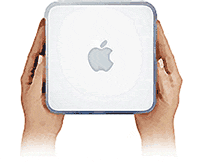
I don’t question that Apple is great for multimedia applications… However, I don’t do video or photo editing, compose music on my computer, make graphics, do desk-top publishing, or design web pages.
Yesterday I had a major epiphany* about what to get my Dad for his 86th birthday this weekend. Until yesterday, I had bought into his belief that he would never learn how to use a computer, because he found it too confusing. The implication of this, of course, is that he was never to experience the many positive enhancements to his life that email and the Web could bring. Yesterday I realized there was a great solution, thanks to Apple’s new Mac Mini.
Some background will help explain my thinking…. You see, for years after the Web and email became a standard part of the life of working folks in America, my Dad has poo-poo’d their value. Left out of this huge communications revolution, he had to be content ranting about the negative side of the Web… namely, increased access to pornography and other forms of “dangerous” information (some of legitimate concern, I might add, like how-to sites on building bombs). As far as email goes, he couldn’t see how email would improve on old-fashioned print communication or on the good old telephone. And what about all that spam he keeps reading about? Lucky for him he doesn’t have to deal with it!
So, a couple of years ago one of his wife’s children had the bright idea to buy him a computer and set him up with internet access. They did, and the computer has sat virtually unused on a small table in their bedroom ever since. My Dad says that whenever he tried to use it, he could never figure out what to do.
OK, so he’s had a computer for 2 years and hasn’t used it. What makes me think giving him a Mac Mini will help?
To answer that, let me get back to the title of this essay, which is also related to the quote that opens it, from a friend of mine who doesn’t understand how a Mac would be any better than a Windows system as a personal computer, unless you’re doing multimedia work.
You see, although IBM coined the term “personal computer” when it rolled out its DOS-based systems back in 1981, it has never been marketed at “people”, really. (For an excellent history of the IBM PC, check out this article at about.com.) Instead, the PC was aimed squarely at the business world, which is one of the main reasons for its success over Apple’s computers.
There are numerous sub-topics to this thread which I’ll have to explore in other articles, but suffice it for now to say that at the time the IBM PC arrived, the Apple II was the most popular “personal computer” on the market. Like IBM/Microsoft’s DOS, the Apple II used a text-based interface and was designed to appeal primarily to computer aficionados. The Apple II was a hobbiest’s dream and was very popular with programmers. It was on the Apple II that the personal computer first demonstrated the usefulness and power of productivity applications like word processors, spreadsheets, drawing programs, and the like. It was also used to build and play games. But it was certainly not appropriate for the home market–that is, for nontechnical, computer-illiterate people who just want a useful appliance at home to do certain kinds of tasks.
And neither was IBM’s PC. And neither is Microsoft Windows, even after its long, torturous evolution to Windows XP. Microsoft, like IBM, had its sights set squarely on the business market. They understood that the first major applications of “personal” computers (meaning, computers that employees had at their individual workstations) would be as assets to boosting productivity and profits for private enterprises. (And oh yes, by the way, they could make a lot of money by selling them to the government and nonprofit sectors, too.) And indeed, despite their basic user-unfriendliness, they were wildly successful in that environment. (Separate topic alert! The rise of the Help Desk coincided with the introduction of the PC in the business place.)
Then, employees began to want to do work at home. So they would buy a Windows machine to maintain compatibility with what they were using at the office (not knowing that it wasn’t really necessary to do so, but making the assumption that it was). Thus was born the early market for computers in the home. But again, they weren’t used for anything “personal.” These were just business computers that, to the delight of employers across coporate America, employees were suddenly willing to provide at their own cost in order to continue working at home! What a great deal for business!
In the course of things, these “personal” computers did begin to allow some personal activities, as the computer gaming industry took hold and developed some killer products like Myst. After that, home computers were typically used by working people for doing work and by their kids for playing games. (If you were lucky to have the time, you working stiffs might be able to have some fun playing games, too. But more of you were likely inclined to engage in passive activities like TV and rental movies, I suspect.)
Meanwhile, in 1984 Apple introduced the Macintosh. This revolutionary product was aimed squarely at “people” as opposed to businesses. It was truly a “personal” computer that would actually talk to you! (All Macs to the present day do this, by the way, if you let them.) The Mac provided all sorts of fun ways to interact with it, as well as fun programs for creating things and doing personal work, like family finances, writing letters, etc. And you could do all these things without knowing any computing commands, all by moving a little pointer around a screen with a new device called the “mouse”. I won’t go into the many sad mistakes that future Apple management made as they tried to market and enhance this product, but suffice it to say that the Macs of today are still primarily oriented to personal activities and nontechnical users. Yes, they are also widely used in business (especially in publishing and the creative industries–film, music, design, art), and they are great for that–especially for small businesses. They also appeal to highly technical subculture of computer programmers, luring hard-core Linux junkies to a glorious computing nirvana where the text-based Unix command line mingles with a gorgeous graphical user interface.
But even as the IBM PC gradually evolved, through advances in Microsoft Windows, to being very much like the Macintosh of 1984, it remained far too complex for doing simple “personal” things. One of my favorites is volume control. Good grief… do you think Microsoft could have made a simple task like turning the volume up or down on your PC any more difficult than they did? It’s getting easier, but it’s still ridiculously complicated compared with the Mac.
And that’s because the Macintosh user interface was designed (and is being enhanced) by people who understand how to make difficult computing tasks easy. Why do this? Because Apple engineers have a vision and dedication to making innovative computing applications accessible to nontechnical users. If you’re going to bring a computer into your home and try to make it useful for an 86-year-old man who’s never used one before, you want this shiny new appliance to be inviting, not intimidating. You want to make it so that this computer neophyte can become immediately productive without having to worry about a lot of complexities. Why make someone set a preference or open a dialog box if you don’t have to. Computer neophytes find preference panels and dialog boxes very confusing. I know that’s hard for computer literate types to grasp, but it’s true.
I once spent 20 minutes on the phone with a Citibank employee when I worked there managing their corporate intranet, trying to explain how to find the toolbar on one of their Windows “windows”. One of the key differences between the Mac OS and Windows, still today, is that the Mac only ever has ONE toolbar open… and it’s anchored securely to the top of the monitor window. In their infinite wisdom, Microsoft user interface “specialists” decided that it would be better to have toolbars anchored to the top of every application window. As a result of which you have a huge proliferation in widget confusion for the neophyte user. And there’s no technically good reason why you would do this, except that it was probably easier for the Microsoft programmers.
Well, this certainly is turning into a long rant, isn’t it? To bring the topic back on point, I think the reason my Dad is still missing out on the Internet revolution (including the Web and email) is that it’s totally inappropriate to give such a person a Windows computer and expect them to use it. It’s inappropriate in the first place because Windows was never designed to be a personal computing system. Personal computing artifacts have been tacked on to the Windows interface as time has gone on in an attempt to match the elegance of the Mac interface, but it still leaves a huge amount to be desired. Another example: If my Dad wanted to use his computer as a DVD player, he would expect it to behave like a DVD player. He would expect that by putting the DVD in, the DVD would start to play. Apple understands this, and that, of course, is how a Mac acts. But not so a Windows machine (one day, I’m sure it will). Microsoft expects Dad to know (a) where to find the DVD player on the computer and (b) how to start it up. They might also make Dad respond to some dialogue boxes along the way. This is personal computing?
The seamless simplicity Apple engineered into the interaction between the iPod and iTunes is one reason for its runaway success. If Microsoft had its way, this interaction would be as complicated as necessary to keep costs down. And besides, if its complicated it’s Roxio’s fault, or Real’s, or… As a matter of fact, why don’t you just use MSN?
Besides the usability factor, there’s the more recent problem with computer viruses, adware, and popups that have infected Windows systems. Having to deal with these kinds of afflictions is much more than you can reasonably expect a non-technical computer user to do. And so they won’t deal with them if you give them a new Windows system. And so they’ll browse around the internet a few times, fall victim to nasty viruses through simple downloads or innocent-looking email attachments, and quickly get their machine infected. After that, the machine starts to slow down and to act funny…. unpredictably. And the last thing you want in a home appliance is for it to be unpredictable. I remember the last time my refrigerator crashed, and it wasn’t a pretty sight, I can tell you! Fortunately, my frig crashes only once every couple of years, and then it’s time to get a new one anyway…
So I’ve decided to give my Dad a Mac Mini for his birthday. At $500, it’s not too expensive, and he can use his existing bulky monitor and wired mouse/keyboard until I can get him something better. It’s got more than enough power and disk space for his needs. And I’m convinced that I can set up the system so that it’s easy for him to use for email and web browsing. (I really don’t think he’ll want to do much more than that at first. If he gets into it, he will always have at his disposal, in iLife, the easiest tools for managing digital pictures, music, and video.) And once I get it set up for him, I’ll be completely confident that there’s nothing he can do to screw it up by wandering cluelessly into some unnecessary dialog boxes and changing critical settings, nor will it be vulnerable to malicious attacks from marauding hackers in the new digital Wild West we call the Internet. And he won’t even need a Help Desk to support him! What a novel concept!
And one more thing… If he encounters a PDF file he wants to read, he won’t have to go to Adobe’s website and learn how to download and install any software to use it. Why? Well, whereas Microsoft views PDF as a threat to their monopoly and refuses to make a PDF reader a standard component of their operating system, Apple took advantage of the fact that Adobe has freely published the PDF specification and has actually made PDF the basis for their “Quartz” graphics engine. So every application can not only read PDF files, but write them as well. And Dad never has to even think about it!
I honestly think the very best gift I can give my 86 year old Dad is to let him enjoy the wonders of the Good Side of the web a little before his life is over. After all, he knows all about cable TV… why not discover the true information miracle of our age?
Gee, you don’t think he would start downloading porn, do you?
* Forgive me for using a religious term here… it’s dangerous when Mac users talk about “revelations” or “epiphanies”, because it’s too easy for Windows users to think the Mac is some kind of religion, and this kind of talk just enforces that impression. Nevertheless, I refuse to change the way I talk just because of the anti-Mac prejudice that exists out there.


